Many of us are trying to save money where we can. Whether it’s buying cheaper food, cutting back on non-essentials or resisting turning on the heating on, it’s likely you’ll be taking at least a few cost-saving measures at the moment.
Web browser extensions have been proven to help, either by reducing the total cost of items or making a better-informed purchase.
When you’re browsing, they’ll tell you of coupon codes you can use, and when there’s a lower price on the same product elsewhere.
Installing extensions is simple: you can either click the buttons below to visit the extension’s website or go to the extensions library in your web browser. They’re all free. The only catch is that they might not work on your phone’s browser. If that’s the case, you’ll need to use a laptop, PC or Mac.
Honey
- Available for Chrome, Firefox, Edge, Safari and Opera
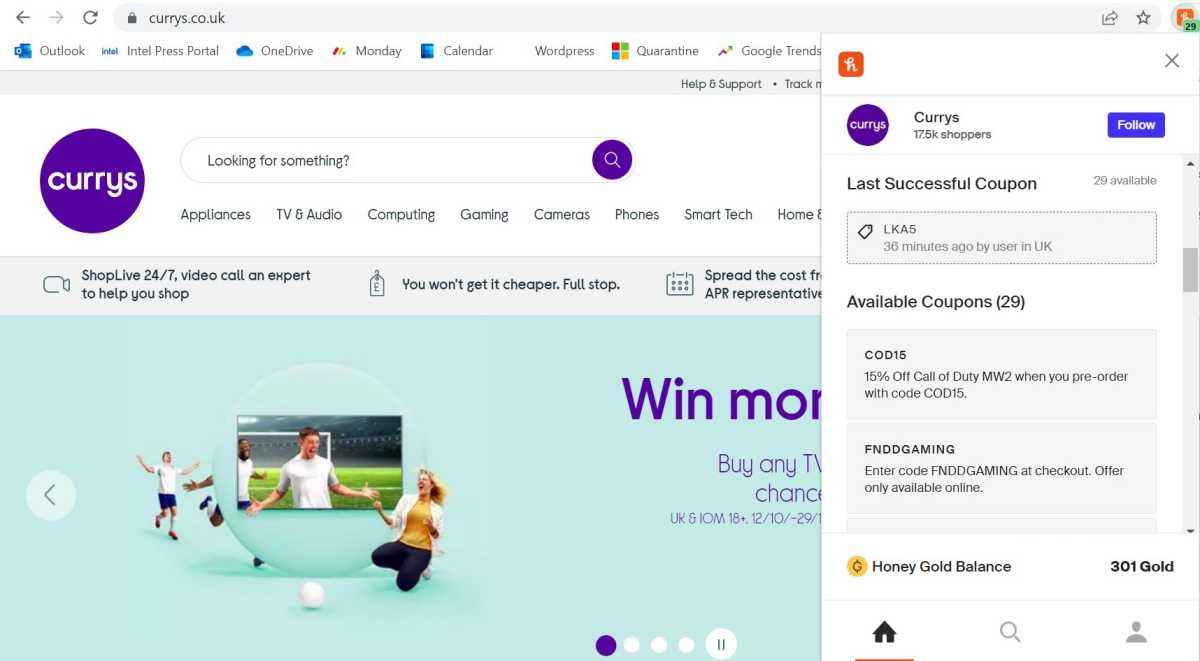
Probably the most well-known extension in this list and if you haven’t installed it, you should., Honey is an easy way to save money online. It automatically tests a selection of coupon codes on more than 30,000 sites, many of which will give you a useful discount.
Anyron Copeman / Foundry
Honey also offers cashback on some sites, plus a built-in price tracker so you know the best time to buy.
Pouch
- Available for Chrome, Firefox and Edge (Safari coming soon)
Pouch works in much the same way as Honey, although it’s only available in the UK. If you are based there, it’s worth having both installed.
A smaller range of retailers are supported by Pouch, but the codes it tests are often different. At some retailers, you can also earn Pouch Points – each point will get you 1p off your next purchase.
If you’re in the US, try using CouponBirds instead.
Coupert
- Available for Chrome, Firefox, Edge and Safari
Another coupon-based browser extension worth considering is Coupert. It also tests codes at a variety of retailers (more than 20,000 to be precise) and will automatically pop-up when you reach the checkout.
There’s also a generous cashback offer from many of the sites. The main Coupert extension is designed for US customers, but there’s a separate one if you’re shopping from the UK.
The Camelizer
- Available for Chrome, Firefox, Edge, Opera and Safari
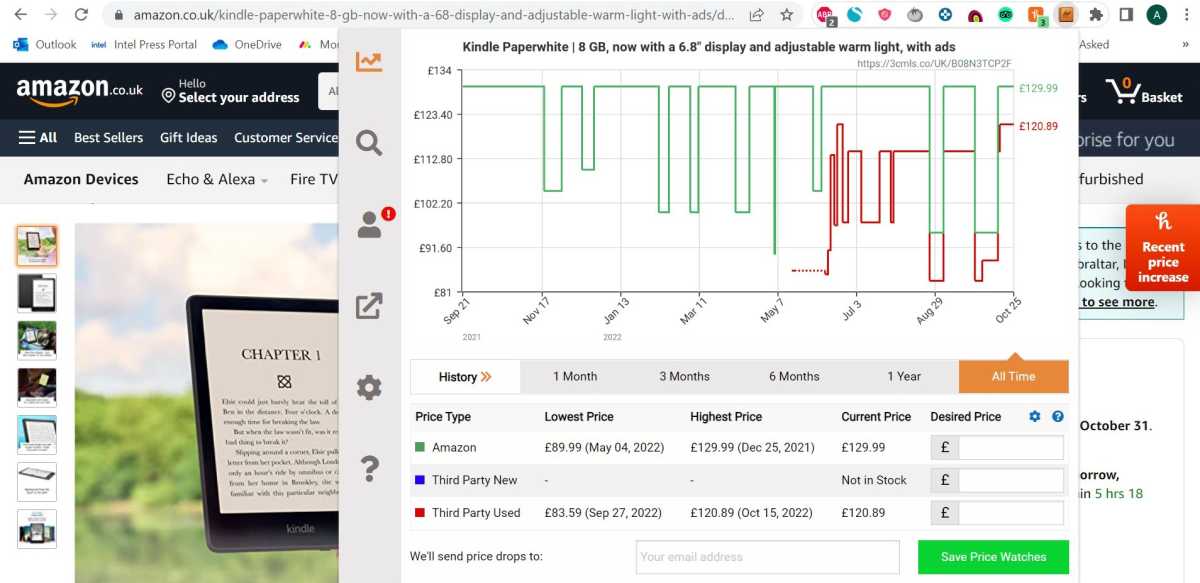
Alongside a detailed graph, you’ll also find information on the lowest and highest prices it’s ever been. It’s great for convenience – there’s no need to open a separate browser tab and paste the link into the website.
Anyron Copeman / Foundry
You can also get email alerts when the price of specific products drops. If you don’t like The Camelizer, Keepa provides a very similar service.
Gixen
- Available for Chrome and Firefox
Have you ever been winning an auction on eBay, only for someone else to swoop in at the last second and take it before you have time to do anything? That’s no accident, and they probably aren’t doing it manually.
Many experienced buyers use a tactic called ‘Sniping’, where they set up a third-party service to automatically bid just before an auction ends. Gixen is one such service, and it can help you avoid paying more than you need to.
Once added to your browser, just head to any eBay auction page and you’ll see the option to add it to Gixen. From there, you can choose your maximum bid and let it do the rest.
There’s also AuctionStealer if you’re after an alternative.
Tripadvisor
- Available for Chrome
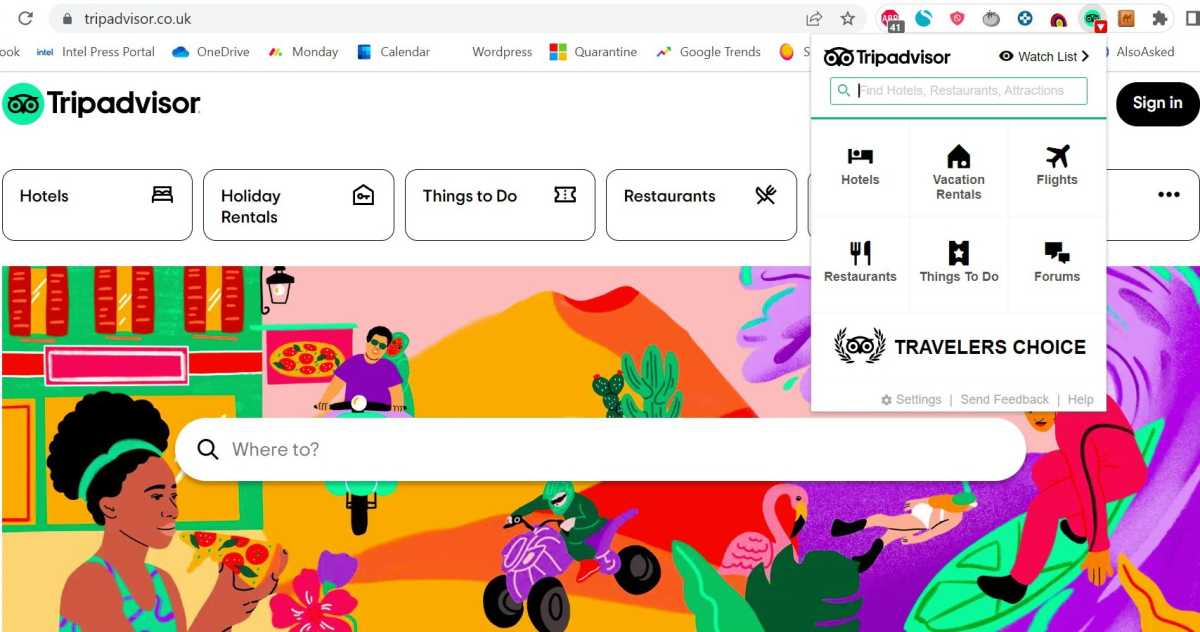
Tripadvisor acts as an all-in-one travel companion, covering accommodation, food, flights and much more. But did you know that much of this functionality is available within the official browser extension?
Anyron Copeman / Foundry
Alongside quick access to the main categories of website, you can also search directly from the extension. But money-saving functionality comes in the form of a hotel price tracker, which lets you keep an eye on how prices are changing and set alerts.
RatePunk
- Available for Chrome, Firefox and Safari
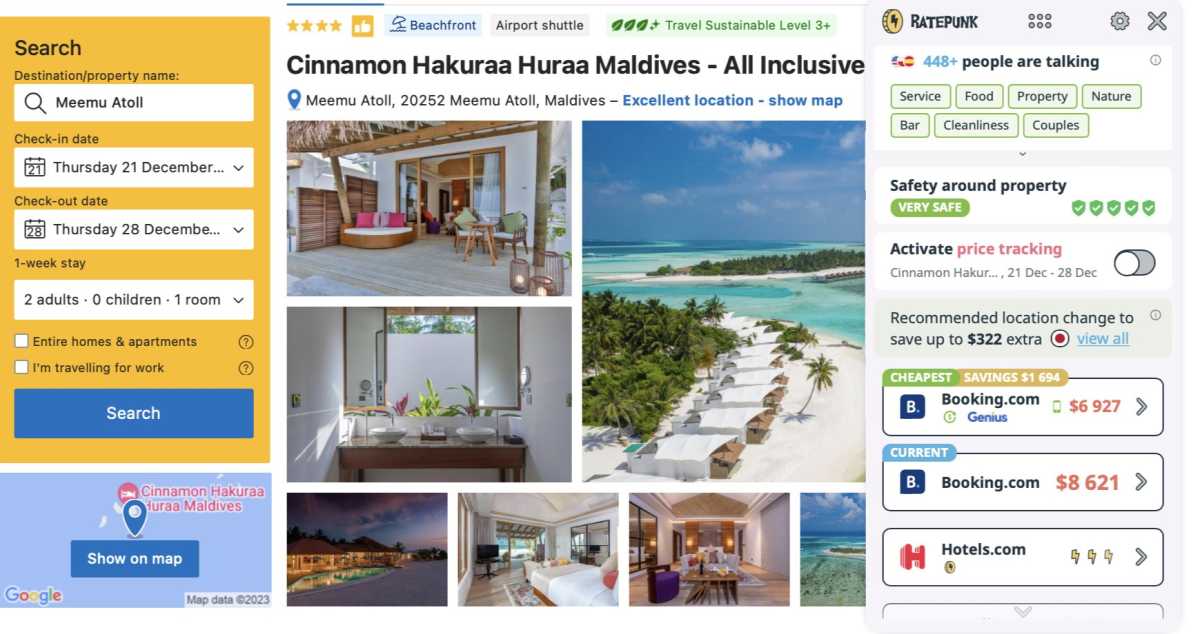
However, if you’re looking for more in-depth hotel price comparison, RatePunk is the way to go.
RatePunk
It compares rates on all the leading booking sites, including Booking.com, Hotels.com, Expedia and Agoda. If the hotel you’re looking at is cheaper elsewhere, RatePunk will let you know about it.
There’s even a VPN feature, which shows you which country has the lowest price for the hotel you’re looking at. If another country has it cheaper, you can book as if you’re there, instead.
Pruvo
- Available for Chrome
Tripadvisor and RatePunk ensure you get the best deal at the time of your booking, but what if the price drops later? You might think there’s nothing you can do about that, but Pruvo suggests otherwise.
It specialises in offering discounts after booking, provided you have a free cancellation policy. Just book a hotel using any of the major sites and head to the confirmation page. Click the Pruvo icon and details of your reservation will be sent to the company. Alternatively, forward the confirmation email to save@pruvo.com.
If Pruvo finds the same type of room at the same hotel before your free cancellation ends, it’ll notify you. If you don’t hear anything, just go ahead with your reservation as normal.
Rakuten Cashback
- Available for Chrome, Firefox, Edge and Safari
A couple of the other extensions in this list offer cashback, but Rakuten specialises in it. The company has more than 500 partner stores, each of which will offer you cashback when you buy through Rakuten.
Once signed up, just navigate to the retailer like you normally would. A pop-up from the extension will appear, confirming that you’ll be receiving cashback.
A few percent cashback doesn’t sound like much, but if you’re spending a few hundred dollars/pounds it’ll soon add up.
Faircado
- Available for Chrome, Firefox, Edge and Safari
Buying second-hand is one of the easiest ways to save money on items while also benefitting the environment. That’s exactly what you can do with Faircado, which prioritises sustainable shopping.

Faircado
It works particularly well for books, but a range of different product categories are supported. And it supports, GBP, USD, EUR and many other currencies.
- How to save money on your energy bills
- Can smart heating save you money?
- Does turning down your boiler really save money on your gas bill?
Author: Anyron Copeman, Mobile Editor, Tech Advisor

Anyron is Mobile Editor at Tech Advisor, where he’s been a mainstay of the editorial team since 2019. In his current role, Anyron is responsible for all smartphone, tablet and mobile network coverage on the site. A BA Journalism graduate, he has experience with a wide range of consumer tech products and services, including smartphones, tablets, foldables, wearables and more.
Recent stories by Anyron Copeman:
- Google Meet’s new translation feature is coming to rival Microsoft Teams
- Google Gemini’s new AI features could finally fix email, and I can’t wait
- What is DeepSeek AI and why should I care?
