At a glance
Expert’s Rating
Pros
- Rings to help you find it
- Backlit buttons are great in the dark
- Customisable buttons
Cons
- Not rechargeable
- Requires Echo or Alexa / Fire TV app
- Almost as expensive as a Fire TV Stick
Our Verdict
The Alexa Voice Remote Pro is too expensive to recommend as a nice-to-have upgrade, but a decent choice if your old Fire TV remote is broken or lost


The Voice Remote Pro is the company’s flagship remote with exclusive features including backlit keys, a ringer so you can track it down when it’s lost between the sofa cushions and a pair of customisable buttons that you can program to do a variety of things.
In the US, you can buy it as part of a bundle with a Fire TV Stick 4K or Fire TV Cube. Oddly, though, it’s supplied as a second remote with a Fire TV Stick 4K and it’s no cheaper (or wasn’t at the time of review) than buying the two products separately.
Features & design
- Backlit keys
- Find my remote
- Customisable buttons
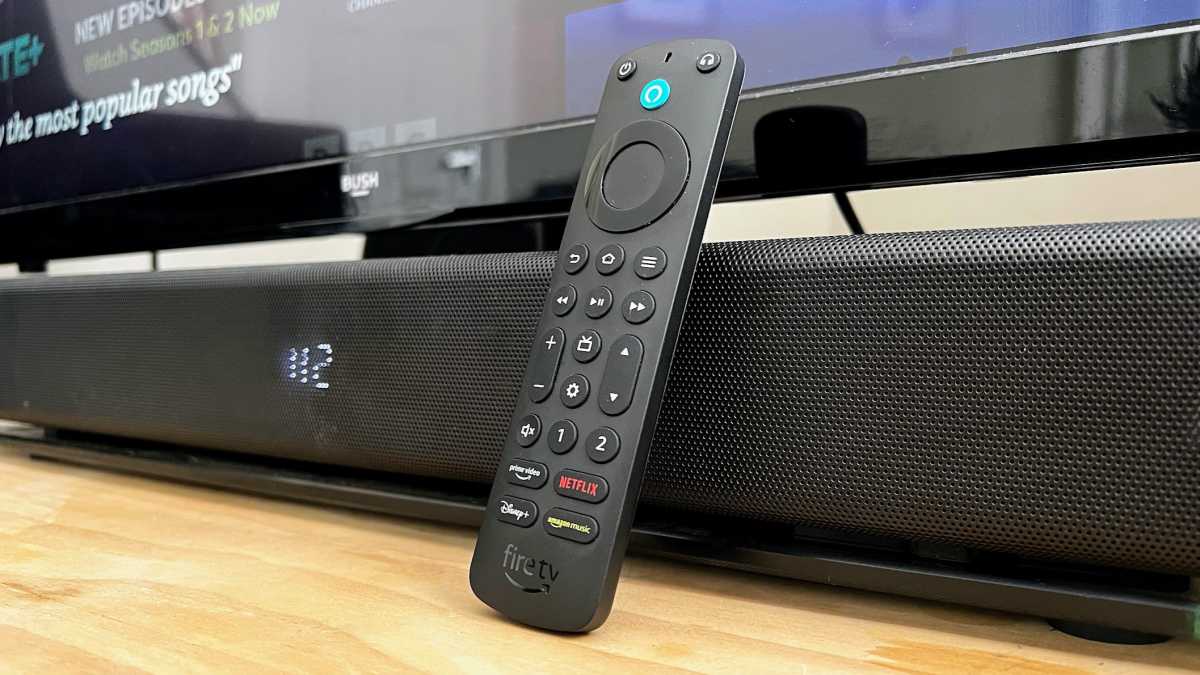
At a glance, there isn’t much to distinguish the Voice Remote Pro from the 3 rd -gen Voice Remote. The design is very similar, as are its dimensions and weight.
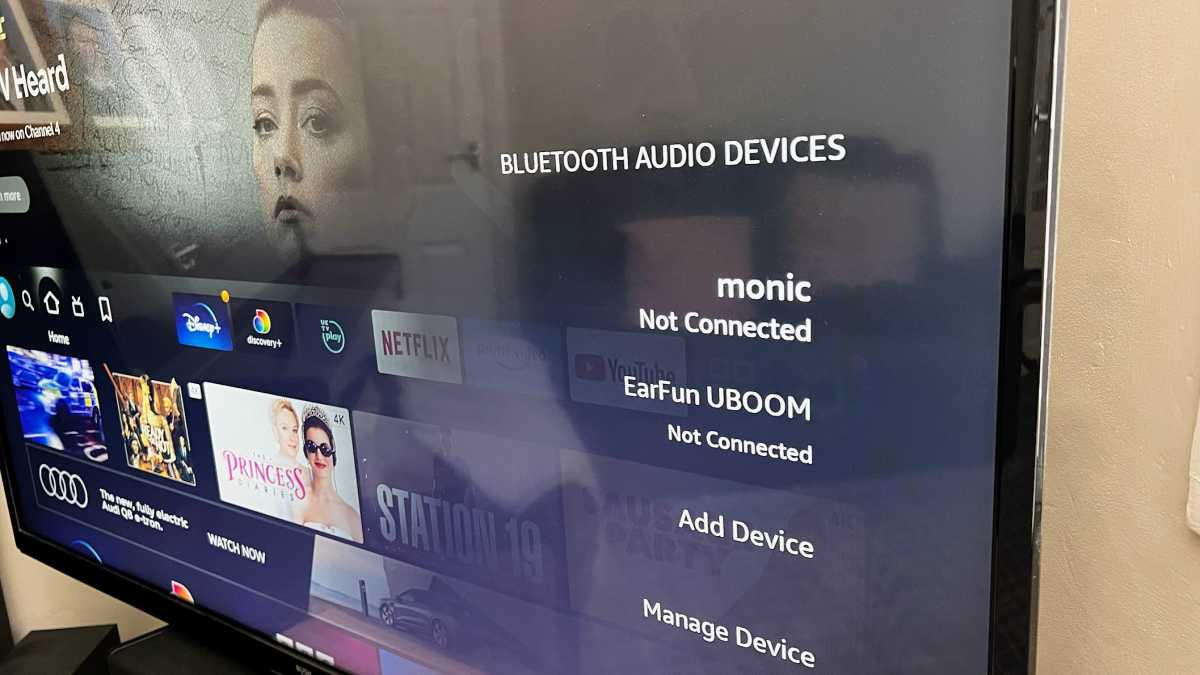
Look closer, though, and you’ll spot a few new buttons. Top right is a headphone button. This brings up the Bluetooth devices panel on your Fire TV, making it fast to connect to paired Bluetooth headphones – or speakers – and to pair some new headphones.
Jim Martin / Foundry
It’s a good idea, too, as those settings are buried fairly deep in the Fire TV’s menus and using Bluetooth headphones means you’re not disturbing others while you watch. Conversely, using a Bluetooth speaker is a good alternative to buying a sound bar, improving upon your TV’s speakers and potentially making better use of a device you already have.
There’s also a combined up/down button which goes with the TV button. It’s for changing channel when watching live TV on your Fire TV, but like previous Alexa Voice Remotes, can also work with compatible TVs to change channel.
In fact, a lot of the buttons including volume and direction pad work with compatible devices. This means you can use the Voice Remote Pro to replace your TV or soundbar remote for the most common functions.
Like any universal remote, there will always be device-specific buttons that you might miss, but when watching shows on the Fire TV specifically, being able to adjust volume without picking up a second remote is convenient.
Jim Martin / Foundry
The Voice Remote Pro has two big draws: backlit keys for use in a dark room and a ringer which sounds when you ask Alexa to find your lost remote.
It works well, with the ringer sounding almost immediately after you ask Alexa. You need to press one of the remote’s buttons to silence the beeping, meaning you have to track it down and retrieve it first. (It didn’t work for me, but that’s because I already had two remotes set up with Alexa using Tile Stickers . I had to go into the Alexa app, find the Voice Remote Pro, rename it from “First Remote Control” to “Fire TV remote” and then say, “Alexa, find Fire TV remote”.)
Roku’s Voice Remote Pro (which isn’t compatible with Fire TV devices) does finding better. It uses its built-in microphone to listen out for “Hey Roku, find my remote”.
Customisable buttons
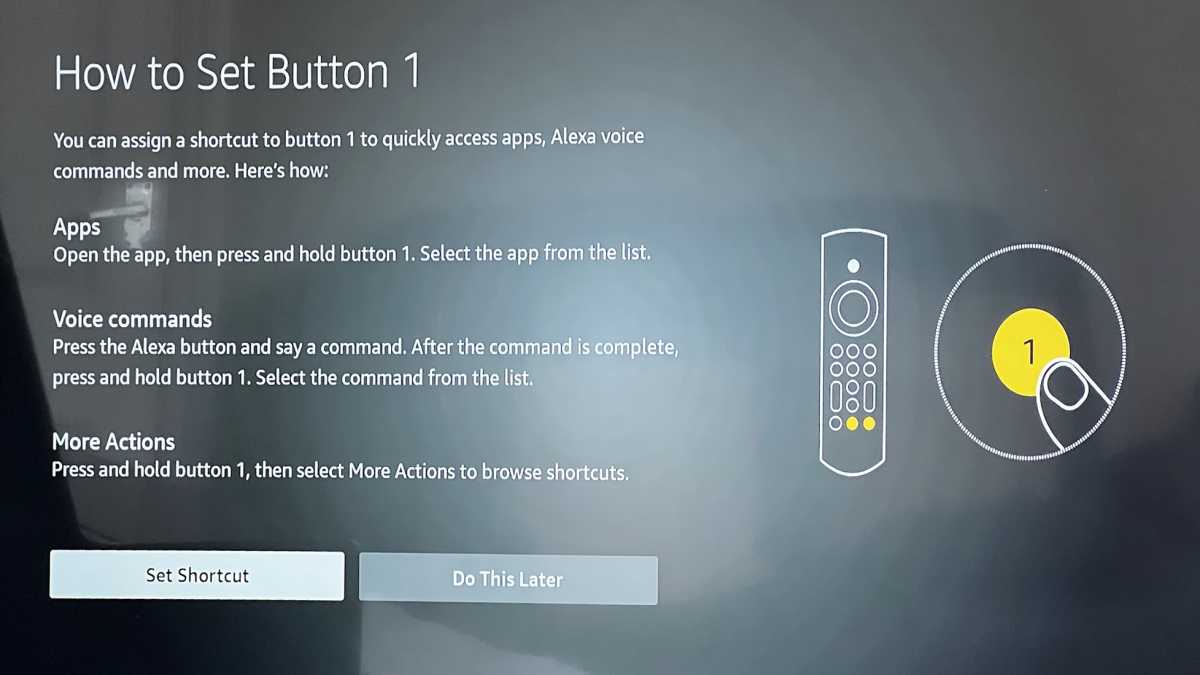
Another extra feature you get with the Alexa Voice Remote Pro is customisable buttons. Marked 1 and 2, you can set these to do a variety of different things.
Jim Martin / Foundry
If you wanted to launch BBC iPlayer, Discovery+ or any other streaming service on a normal Alexa Voice remote, you’d need to press and hold the Alexa button and say “Alexa, open iPlayer”.
But with the Voice Remote Pro, you can set one of the two buttons to do that. It’s simple to do: just launch the app you want to assign then press and hold either 1 or 2. The app will be displayed in the list of options, so it’s just a case of selecting that.
Alternatively, you can choose other shortcuts such as the Guide, Watchlist, Notifications, My Stuff and Profiles.
The final option is to set the button to launch an Alexa command. You press and hold the Alexa button, say your command and wait until it completes. Then you press and hold the shortcut button and select that recent command from the list. Subsequently when you press the button, that command will be issued.
You could, therefore, use it to run an Alexa routine that sets up your room for watching a movie: dimming your smart lights and lowering a smart blind. Or, you could make it run your ‘Good night’ routine that might turn off all the lights, except your bedroom lamp, which is turned on.
Price & availability
Also, it’s impossible to ignore that you can buy a Fire TV Stick for $39.99 ( £44.99 in the UK ) which comes with the 3rd-gen Voice Remote. It’s hard to believe that the streaming stick itself accounts for only $10 of the total price.
In fact, there are lots of affordable streaming sticks and boxes that you can buy – if your reason for reading this is because you simply need a new remote for your Fire TV Stick.
Verdict
If your old Fire TV remote has stopped working, was eaten by the dog or permanently lost, the Alexa Voice Remote Pro is a good choice for a replacement.
It’s a shame that it doesn’t have a rechargeable battery, but as long as you already have an Echo in the house and don’t have to buy one just to use the ‘find my remote’ feature, it’s certainly handy to be able to ask Alexa to find it when you – inevitably – lose it.
But if the remote that came with your Fire TV is still very much present and working, it simply isn’t worth spending so much just to get the extra features that the Pro has.
Author: Jim Martin, Executive Editor, Tech Advisor

Jim has been testing and reviewing products for over 20 years. His main beats include VPN services and antivirus. He also covers smart home tech, mesh Wi-Fi and electric bikes.
Recent stories by Jim Martin:
- Now there’s a native Apple TV app for NordVPN
- What is EE TV and what’s happening to BT TV?
- Amazon Fire TV Stick 4K Max (2nd gen) review
