At a Glance
Expert’s Rating
Pros
- 2-year warranty
- Child-friendly Alexa
- Blocks explicit music
Cons
- Can be hard to discover content
- May not appeal to older kids
- Kids+ requires subscription
Our Verdict
If your child is the right age (around 5-8), the Echo Dot Kids is a safe way to use Alexa and listen to music.

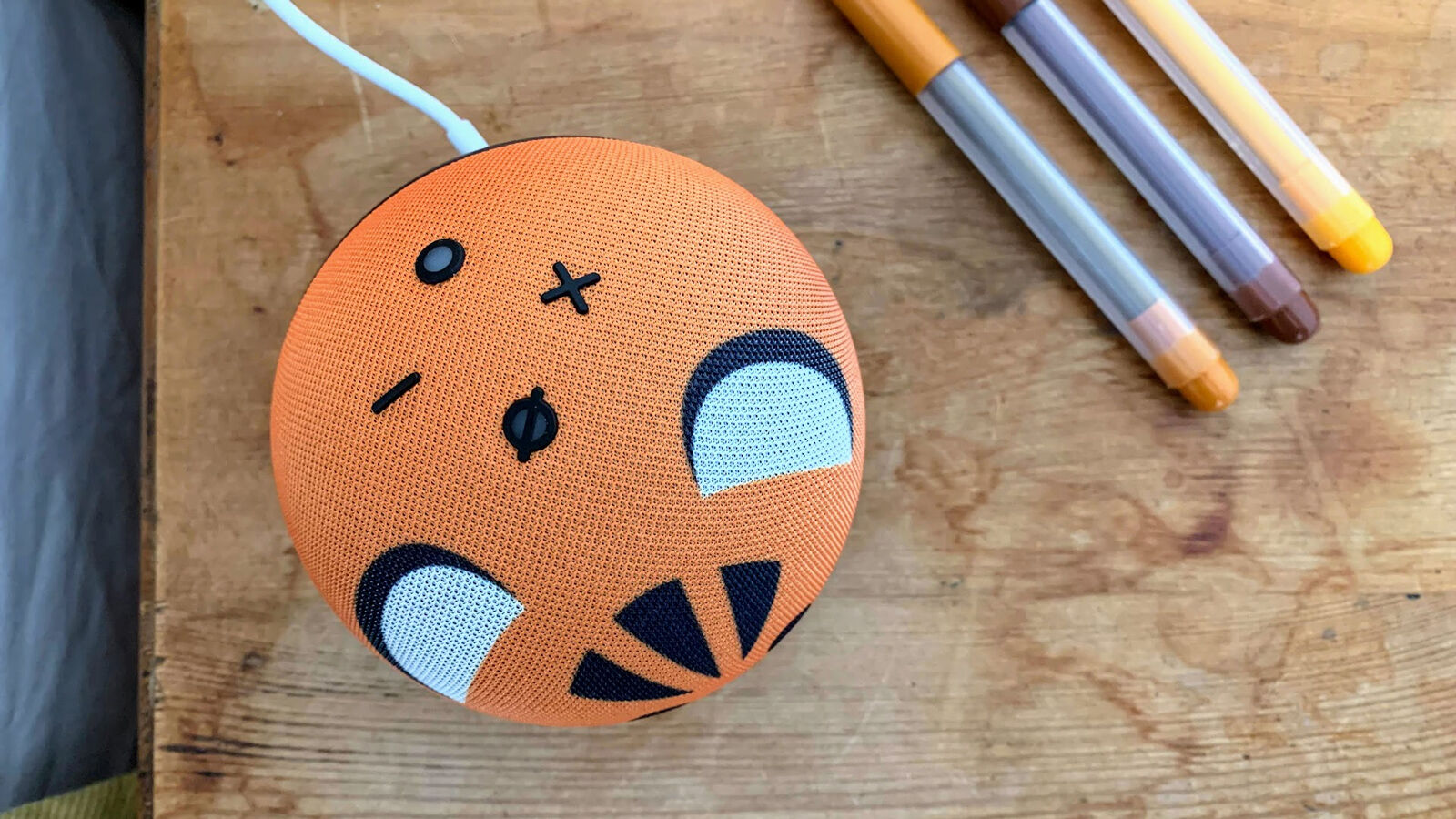
The Echo Dot Kids is a smart speaker designed to be safe for children to use. It’s based on the 4 th -gen Echo Dot and, apart from the tiger and panda prints on the fabric, the hardware is exactly the same.
Now, those elements which are audio based, can be used on an Echo speaker.
Is the Echo Dot Kids a good buy? Let’s find out.
Features & Design
- Same as Echo Dot 4
- Mic mute button
- Mains powered
- Tiger & Panda options
If you’re familiar with the fourth-gen Echo Dot, that’s exactly what you’re getting here. It has the same buttons, the same speaker and microphones and the same 3.5mm audio output (which can be used for headphones).
There’s Bluetooth for streaming audio from, say, a phone, or for pairing your own Bluetooth speaker.
Via the Alexa app you can set alarms and choose kid-friendly sounds such as Olaf from Frozen, Ben 10, Baby Panda, Numberblocks and Alphablocks. Kids can tap the top to snooze the alarm, just like the standard Echo Dot.
Sound quality is fine for kids: they’ll enjoy listening to music and audio books, playing games and simply asking Alexa questions.
The setup process is slightly different to the Echo Dot 4 because the Alexa app takes you through some privacy settings specific to kids, as well as activating the Kids+ subscription.

Unlike the normal Dot, the Dot Kids has a two-year warranty that covers accidental damage.
Given the subscription and warranty, the £10 / $10 extra starts to look very reasonable indeed, though it will depend upon the age of your child as to whether they’ll really enjoy the Kids+ content.
More on that later.
Alexa
- Child-friendly version of Alexa
- Blocks music with explicit lyrics
- Calling, messaging & Drop In
On the Echo Dot Kids, Alexa is subtly different from a regular Echo. For example, she might offer more or less information when asked a question, depending upon what’s more helpful to younger ears.
Ask what’s the tallest mountain in the world, and she’ll deliver a more concise answer about how Everest is ‘highest’ but not the tallest, compared to a much more detailed (and harder to comprehend) answer on a normal Echo.
But ask how many planets are in the solar system, and she’ll list all eight (and mention Pluto being awesome), which you won’t hear on a regular Echo.

Although kids can talk to Alexa exactly as you can on other Echos, there are a few other phrases they can use if they don’t know how to make things happen. For example, they can say “Alexa, let’s go” or “Alexa, I’m bored”.
She’ll then suggest games to play or stories to read. Some skills can be used out of the box, while others have to be enabled in the Alexa app (just as with regular Echos).

They include classics such as Five Children and It, Cinderella, Aladdin, Paddington as well as fairytales, educational titles (such as a series from Collins on our planet, incredible women in history, scientists) and fiction from David Walliams, David Baddiel and more. No Harry Potter, though.
There’s also a selection of ideas of what to ask Alexa, and you get a brief ‘Alexa Guide for Kids’ in the box as well.
But even with these, it can be hard for kids to discover much about what you can do or say with an Echo Dot Kids. Alexa isn’t particularly forthcoming with suggestions. If you do ask for a story or a game, she’ll typically offer just two. Maybe the idea is not to overwhelm with choices, but it’s not ideal for discovery.
Parental controls
- Parent dashboard offers control + monitoring
- Bedtime mode
- Pause access

Using it, you can set a bedtime and wake-up time, and Alexa won’t ‘work’ between those times. If the kid tries, Alexa will just say “Sorry, I can’t play right now. Try again later.”

You can also pause their access (both to the Dot Kids and any Fire tablets ) and prevent them from controlling smart home devices, such as lights and plugs, from the Echo Dot Kids.
The parent dashboard can be accessed from the Alexa app or directly in a web browser and as it’s based on child profiles rather than specific devices, you have to go into the profile to set a bedtime and other things.
There are only a couple of settings for the Echo Dot itself: Manage Music (where the explicit filter can be turned on or off) and Communications (where you can enable or disable calling, messaging and Drop In).
If you do enable these features, you’ll need to use the Alexa app to pick which contacts your child can call and message. For Drop In, the setting in Parent Dashboard simply determines whether other household Echo devices can Drop In on the Echo Dot Kids.
Announcements are supported, so a parent can broadcast a message to the Echo Dot Kids, and a child can make their own announcements to other Echos (but only if they know this is possible – you might want to keep that a secret!).
When your child grows up, they may not like having the animal design, but at least you can disable all the kids’ stuff and turn it into a regular Echo Dot.
Price & Availability
You can pick the Tiger or Panda version, and neither of them have a built-in clock display like the Echo Dot with Clock model.
Verdict
When I did a quick straw poll of friends with children of a suitable age for an Echo Dot Kids, their responses were all identical: “Why does it even exist?” and “How is it different from a normal Echo?”. When the latter question was answered, most of them said that they’d still pick a normal Echo.
Put simply, if you’re worried about data collection, an Echo Dot Kids probably isn’t for you.
The real question is whether the Echo Dot Kids is worth buying. The answer is complicated.
If you’re happy to put a smart speaker in your kid’s bedroom and they’re aged between around 5 and 8 years old, then this is probably the safest way to do so: there are few rivals to the Echo Dot Kids.
Kids older than 8 or 9 will prefer a regular Echo Dot and, since it’ll likely be sitting on their bedside table, the Dot with Clock is a great alternative.
Specs
- 100 x 100 x 83mm
- 1.6in woofer
- 3.5mm audio output
- 802.11ac Wi-Fi
- Bluetooth
- Far-field beamforming microphones
Author: Jim Martin, Executive Editor, Tech Advisor

Jim has been testing and reviewing products for over 20 years. His main beats include VPN services and antivirus. He also covers smart home tech, mesh Wi-Fi and electric bikes.
Recent stories by Jim Martin:
- Is Amazon Alexa down? It’s probably not just you
- Best Bluetooth trackers 2025
- The best ethernet cables to buy
