At a glance
Expert’s Rating
Pros
- Parental controls
- Case with stand
- Two-year guarantee
- Bright screen
Cons
- More expensive than regular version
- Limited app store
- Some basic specs
- Slow charging
Our Verdict

This transforms into a monthly subscription once the initial year is up, so be warned.
Design & Build
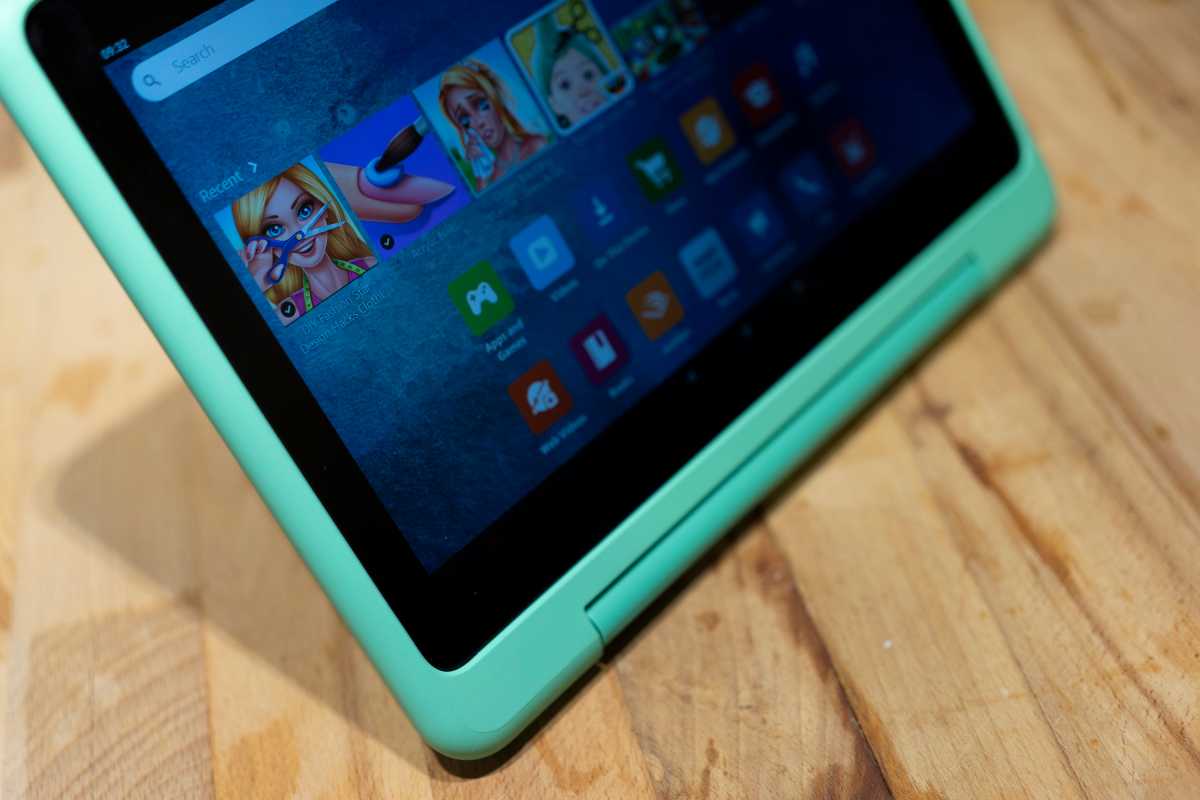
- Chunky case
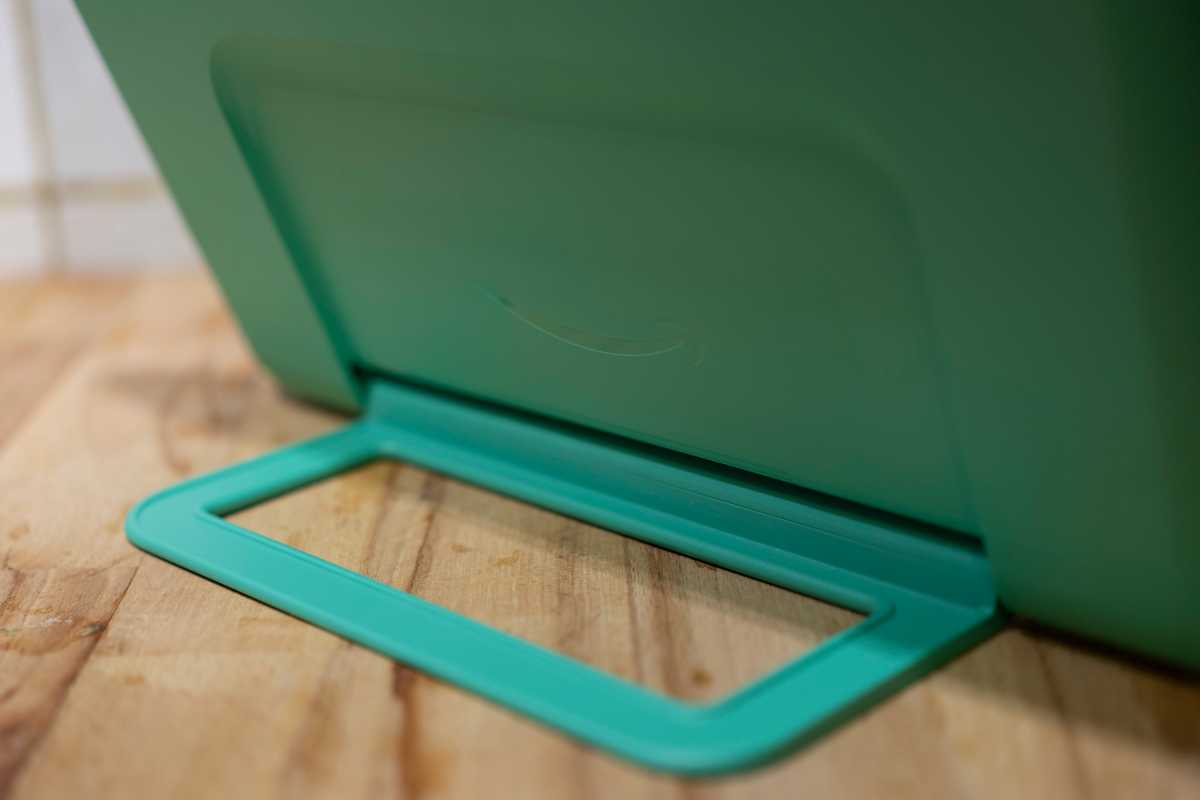
- Stand becomes a handle
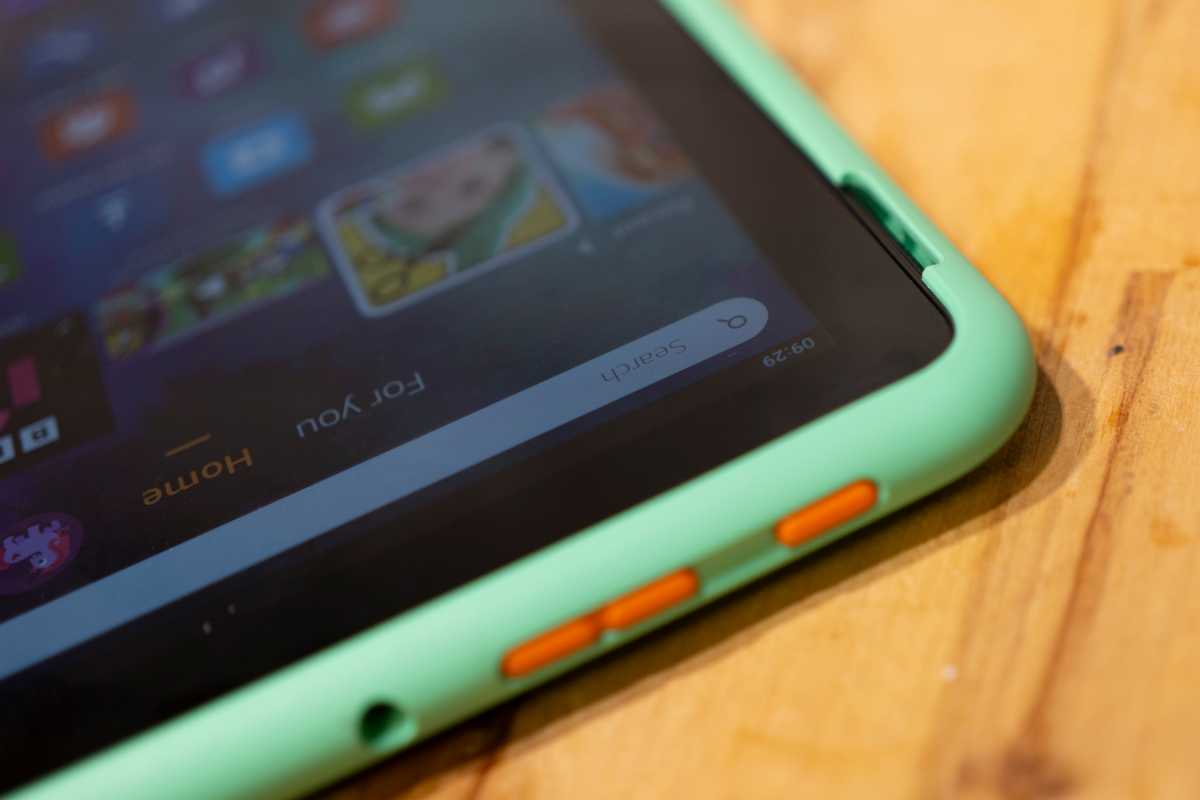
- Controls along one edge
In practice, the muscle memory accrued from years of using other Android and Apple devices takes over, and I find myself reaching for buttons in places they are not.
Foundry / Ian Evenden
Beyond this, it’s a fairly bland design although more jazzy cases are available in the form of Nebula and Happy Day, each with a large mural on the back. More choices wouldn’t go amiss though.
The stand clicks out further from its upright position to convert into a useful carrying handle, making it into a suitcase of cinema or trunk of tomfoolery that can be taken on car journeys or trips to the supermarket.
Foundry / Ian Evenden
Screen & Speakers
- 10in screen
- Bright LCD
- Reasonable sound quality
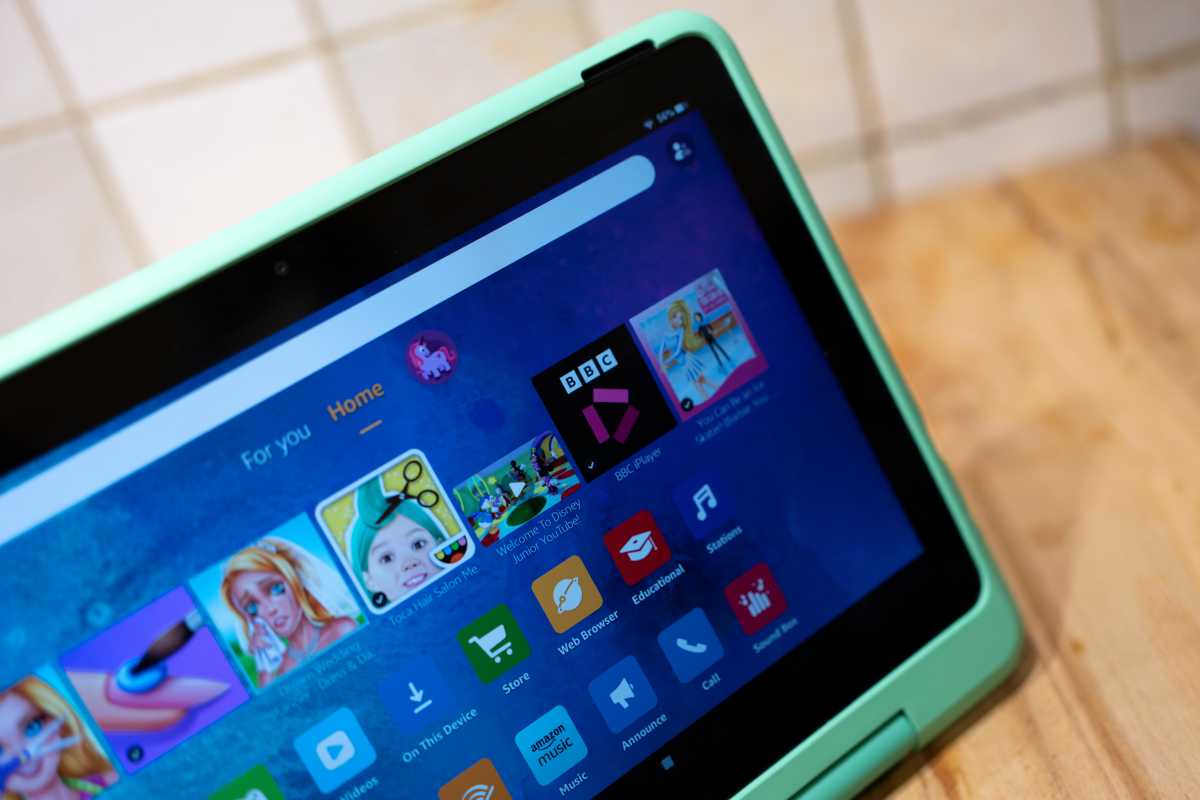
The touchscreen is the major point of interaction with any tablet, and there are no complaints about the Fire HD 10 Kids Pro in this respect. It’s a bright and responsive screen that’s ideal for streaming video or looking at colourful pages in a picture book. There’s auto-brightness too, to cut down on fiddling with the slider or repeatedly being handed the tablet to sort it out for your child.
It’s a very good screen for watching video on, as far as tablets go. The size and aspect ratio means you’ll hold it at a distance instead of squinting at it like a phone, and despite being nothing special in terms of technology (no OLED or fancy refresh rate here) it’s sharp and colourful enough to satisfy the young user, putting out a good level of brightness that means it’s possible to use in a lit room without needing to shade it.
Foundry / Ian Evenden
There’s even a reasonable pair of speakers attached to the Fire HD 10 Kids Pro. With the best headphones or Bluetooth speakers probably out of reach or even undesirable for children, this is one area in which I’d expect the built-in speakers to actually be used rather than ignored in favour of something external. So you get a decent amount of volume, can hear dialogue over the background noise, and there’s even a little bit of bass presence adding thickness to the sound.
If you don’t want the Bluey theme blasting out for the 10,000th time then get a pair of the best kids headphones .
Specs & Performance
- Basic specs despite being ‘Pro’
- Acceptable performance
- Doesn’t need to be more powerful
Mediatek’s MT8183 is described as an entry-level tablet chipset, and its presence here underlines that this is a tablet for media consumption rather than top-end gaming or work-related activities.
It’s power-efficient and comes with eight cores, split between four Cortex A73 ‘Big’ cores and four Cortex A53 ‘Little’ cores all running at 2GHz. There’s a Mali GPU running at 800Mhz, and 3GB of RAM. It’s a spec that pales against the Snapdragon chips found in recent flagship phones, but it’s also a much cheaper device that’s mainly aimed at displaying static pages and streaming video.
For what it will be used for, this spec is completely suitable but with so much similar to the regular Fire HD Kids, the tablet isn’t really worthy of its ‘Pro’ moniker in the traditional tech sense. The key difference is the slimmer design here aimed at older children (6-12) who are less accident-prone.
In the hands of an actual child, once the complaints about it not being an iPad were out of the way, it was soon put to use playing video and games, the narrow range available apparently not a problem.
There’s no lock screen PIN code for a child account, and nor do they have access to the Settings app, so using the tablet is just a tap of the lock button away, and while I wish it had tap- or raise-to-wake like other Android phones and tablets, this might actually not be ideal for a child’s device that’s going to get tapped and waved around a lot.
Foundry / Ian Evenden
Cameras
- 5Mp rear, 2Mp front
- Limited video calling
- Fun for selfies
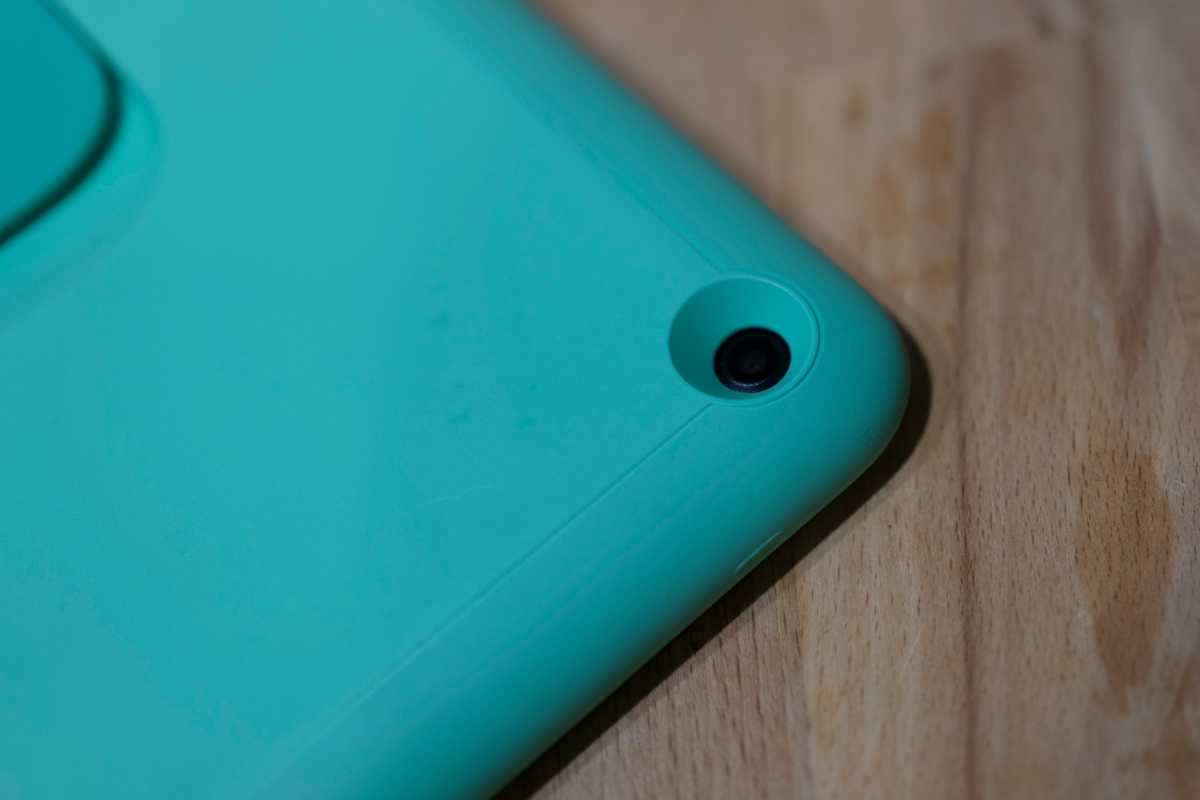
Being a tablet, it’s not usually expected that a device like this will be any good for taking photos. But kids love anything with a camera in it, so the snapper is likely to get more use than it would if this were a ‘normal’ Fire HD device.
The 5Mp sensor behind the lens on the back of the tablet is ok, enough to record something cool and interesting to show others later, but it’s not going to rival any modern phone camera. Likewise, the 2Mp front camera, which is fine for a video call or a fun selfie and comes with a basic editing app, but shows washed-out colours.

Foundry / Ian Evenden
Battery Life & Charging
- 10-hour battery
- 15W charging
- 9W charger in box
Faster charging would be good idea, especially when you realise your child is going to need it for an outing and the battery is low.
Foundry / Ian Evenden
Software & Apps
- FireOS
- Parental controls and time limits
- Amazon App Store only
Foundry / Ian Evenden
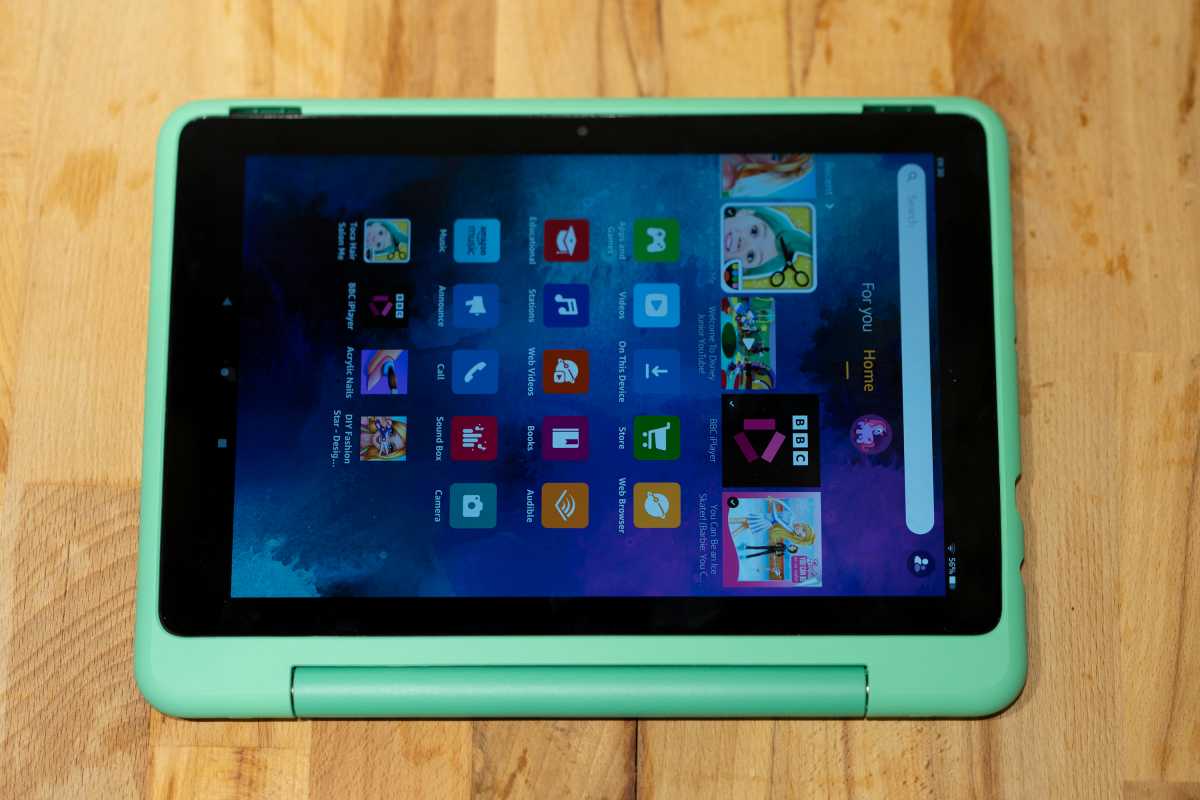
The tablet quickly picked up on the gender and age we’d picked out, recommending Barbie and Sesame Street content as well as Disney, Lego and Harry Potter. Educational apps are available, though a long way down the list, and Solar System Explorer was offered along with maths, spelling, and a virtual tour of Yosemite National Park.
The age settings seemed to do their job, as I didn’t spot anything objectionable, and the YouTube videos that were accessible didn’t allow you to access the YouTube homepage or search the site. The web browser offered access to YouTube Kids, but quickly popped up a page asking a parent to set it up, allowing that avenue to be closed off if wanted.
Price & Availability
To see what other options are available, check out our best tablets chart.
There are robust parental controls, as long as you keep the PIN code to yourself, and makes a good introduction to online services for kids. The fact it comes in a durable case with a kickstand/handle along with a no quibbles two-year guarantee adds to the appeal.
It’s not the tablet to buy if you intend to use it for anything else but kids’ stuff, however, as you can get the same hardware for less money by buying a standard Fire HD 10.
Specs
- Chipset: MediaTek MT8183
- RAM: 3GB
- Storage: 32GB + Micro SD
- Screen: 10.1in, 1920 x 1200px, 16:10 ratio, 60Hz, five-point multi-touch
- Rear camera: 5Mp
- Front camera: 2Mp
- Connectivity: USB-C (2.0), headphone socket, Wi-Fi 5, Bluetooth 5.0,
- OS: FireOS 8 (Android 11)
- Dimensions: 190 x 256 x 17mm
- Weight: 718g
Author: Ian Evenden, Contributor, Tech Advisor

Ian Evenden is a freelance tech journalist with over 20 years of experience playing with phones, laptops, cameras, and just about anything expensive and electronic. In his spare time he grows vegetables, but struggles to work out how to charge them.
