At a glance
Expert’s Rating
Pros
- Nice screen
- Optional keyboard and stylus
- Great handwriting recognition
- Good performance
Cons
- Limited selection of apps
- No Google
- Only 64GB base storage
Our Verdict
The Fire Max 11 is a surprisingly good budget tablet that is – as ever – let down by a lack of choice when it comes to which apps you can install. However, if the apps you want are in the Appstore or you can use web apps, it’s a good choice at this price.

Features & design
- Aluminium construction
- Fingerprint reader
- Optional keyboard and stylus
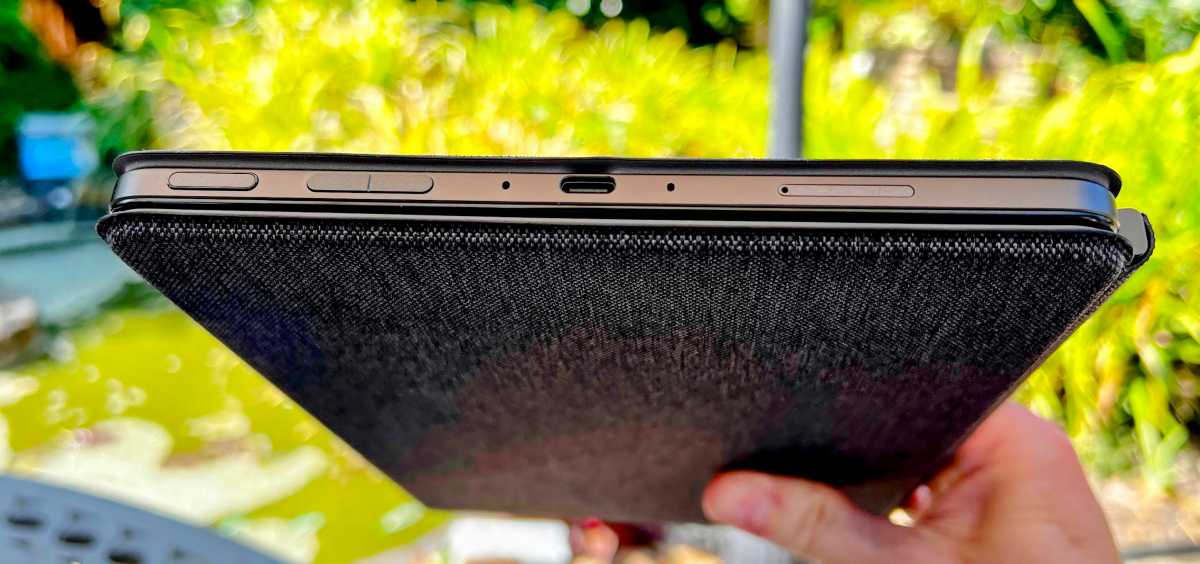
One thing’s clear when you first get the Fire Max 11 out of its box: this is no toy. The ‘sensible’ graphite-colour finish, square-sided design and solid feel in the hand give you a reassuring sense that you might just have spent your money wisely.
Jim Martin / Foundry
Dig further into the specs and the two tablets mirror each other with Wi-Fi 6, USB-C charging and a base storage of 64GB.
Of course, the Fire Max 11 isn’t really an iPad rival and, considering the price, you’d certainly forgive the fact that it doesn’t have a TrueTone screen, the ability to record 4K video and other features.
Comparing specs is a folly, though, because as everyone knows, it’s software that can make or break a device. I’ll get to that later.
The other things you need to know about the Fire Max 11 are that it has a microSD slot for cheaply adding more storage, hands-free Alexa and cameras that are miles better than previous Fire tablets. Both are 8Mp and while it’s doubtful that many buyers will use the rear camera much, but the front camera is great for Zoom calls, as you can see:

Jim Martin / Foundry
Screen & speakers
- 11in 2K screen
- Stereo speakers
One of the Fire Max 11’s best bits is its screen. The 2000 x 1200-pixel resolution is plenty to make everything sharp and colours, contrast and viewing angles are very good.

Jim Martin / Foundry
It’s fully laminated, too, which means there is no air gap between the front glass and the LCD display behind it as there is on the 10 th -gen iPad. This means there isn’t a hollow sound when you tap the screen and it’s another reason why the Fire Max 11 has that well-built feeling.
Jim Martin / Foundry
Stereo speakers are mounted in the top edge (when holding the tablet with the camera at the top) and support Dolby Atmos. However, as you’d expect, sound quality is quite ‘thin’. It’s fine for dialogue, podcasts and Alexa, but not ideal for music because of the lack of bass.
The Fire Max 11 doesn’t have a headphone jack – what does these days? – but there’s Bluetooth 5.3 for your wireless headphones.
Performance
- Mediatek 8-core processor
- 4GB RAM
Virtually all the Fire tablets I’ve reviewed in the past have felt underpowered. And that’s to be expected given their low prices.
A lot of people wrote off the Fire Max 11 before laying their hands on it, saying 4GB of RAM wouldn’t be enough. But that’s not the case. Subjectively, it feels zippy and responsive most of the time. There’s no lag when swiping between home screens, and there’s enough power here to play games like Roblox and Asphalt 8 without reducing the quality to a blurry mush.
In measurable numbers, the PCMark Work 3.0 test showed that the Fire Max 11 is 25% faster than the Fire HD 10, reviewed .
Another area where Fire tablets haven’t historically performed well is photography. But the Fire Max 11 has upgraded front and rear cameras: both are 8Mp. (Up from 2Mp and 5Mp, respectively, on the Fire HD 10.
Battery life is decent. The 7,500mAh battery is claimed to last up to 14 hours, which is two more than the Fire HD 10. I found that it lasted just over 10 hours playing video.
Software
- Fire OS 8 (based on Android 11)
- No Google Play
- 3-month trial of Microsoft 365
Software is the Fire Max 11’s sticking point. Not because it’s bad, but because it’s a walled garden which doesn’t include any Google services.
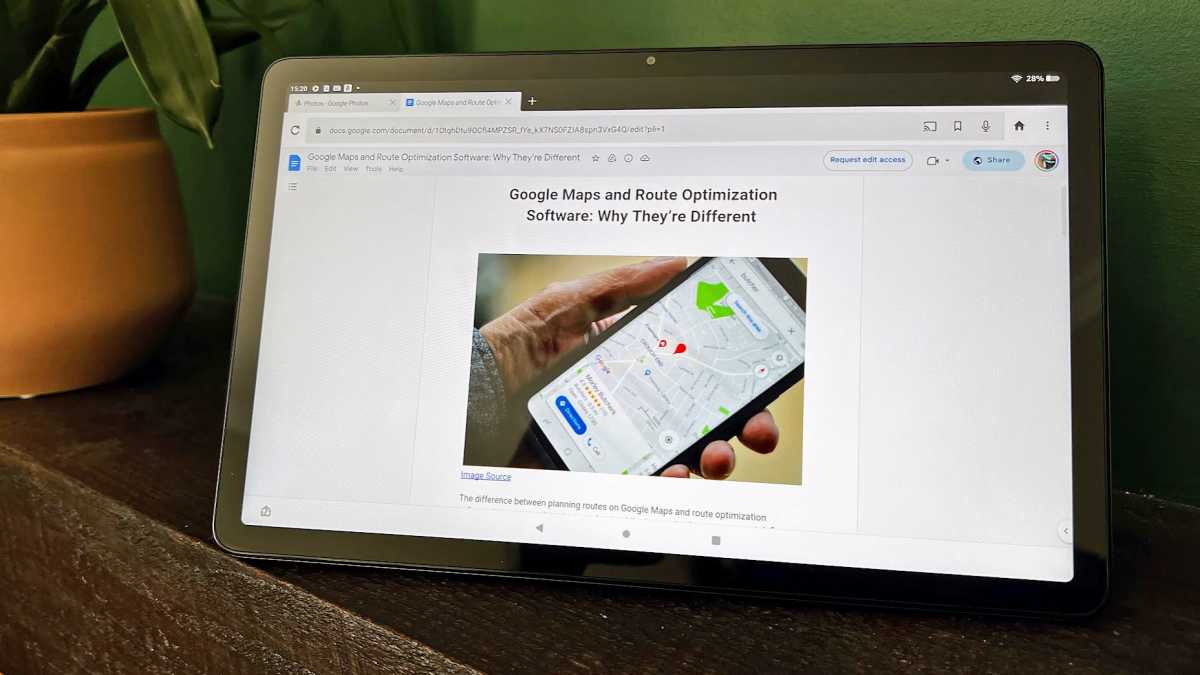
So although the tablet is technically running Android 11, you can’t install the YouTube app, Google Drive, Gmail, Google Maps or any app from the Google Play store, because none of these are available on the Fire Max 11.
Apps must be installed from the Appstore, which is fine if those you want are in there. Quite a lot of popular ones are, including Netflix, Disney+, Spotify, Instagram, Facebook, TikTok and Twitter.
But it won’t be long until you search for an app which isn’t there, such as Snapchat, any Google apps, pretty much any smart home app and even certain streaming services such as Discovery+.
If you really want to, you can install any Android app on a Fire tablet. It’s a process called side-loading and involves downloading real Android apps (or otherwise getting hold of them), tweaking a few settings and installing them on the Fire Max 11.
Not all apps will work properly, though, especially any which rely on Google’s software being installed alongside.
You do get a three-month free trial of Microsoft 365, but if you don’t want to use – or pay for – Office, you’re reliant on web apps.
Jim Martin / Foundry
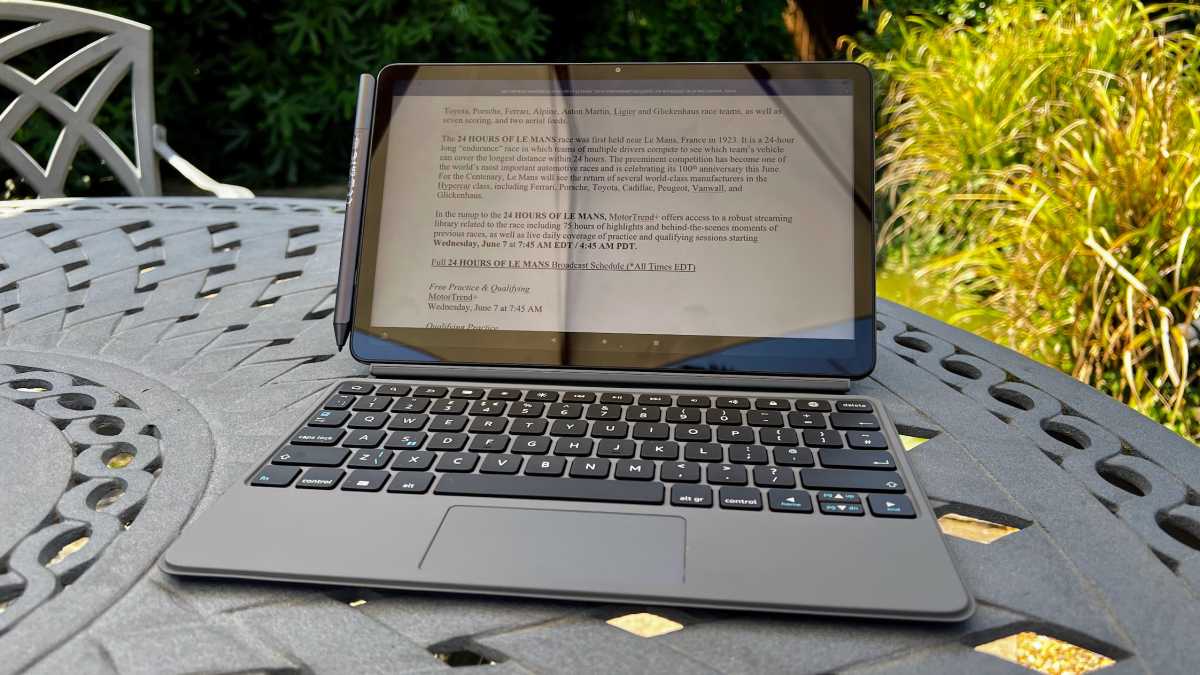
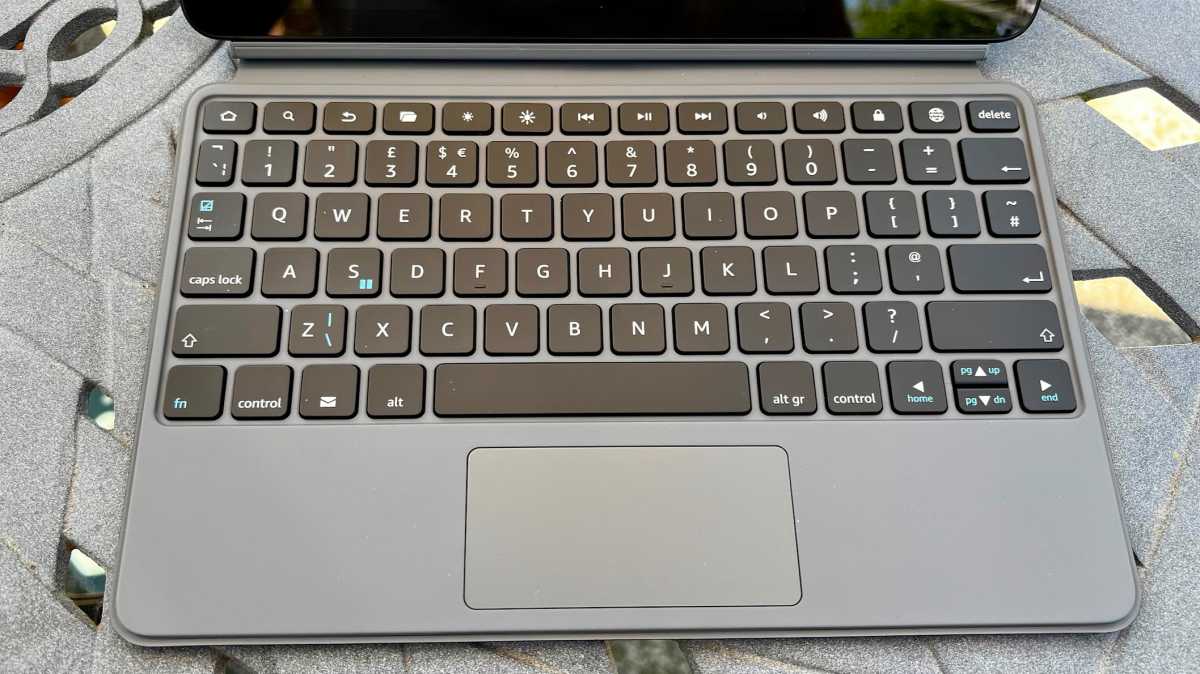
The keyboard is very useful for emails and typing documents, and it has a row of useful shortcut keys to adjust brightness, volume and media playback as well as having dedicated Home, Search and Files buttons.
Jim Martin / Foundry
It isn’t backlit, but a lot of keyboard shortcuts work as you’d expect them to, including Alt-Tab. The trackpad isn’t as intuitive because it requires a two-finger tap to select text, rather than placing the cursor and clicking and dragging. Otherwise, it’s very good, with gestures for scrolling, pinch-to-zoom and a three-finger gesture to switch apps.
Fire OS 8 also supports split-screen, which lets you put some apps side by side, and you can slide the divider so one app takes up a third of the screen instead of half.
Again, though, if you can’t use a web app, you may find that what you want isn’t available in the Appstore. Dropbox and Adobe Reader are two noticeable examples, but there are others.
Sure enough, it didn’t, with the word processor failing to display properly on the Fire Max 11’s screen, cutting off the top menu and making it impossible to use.
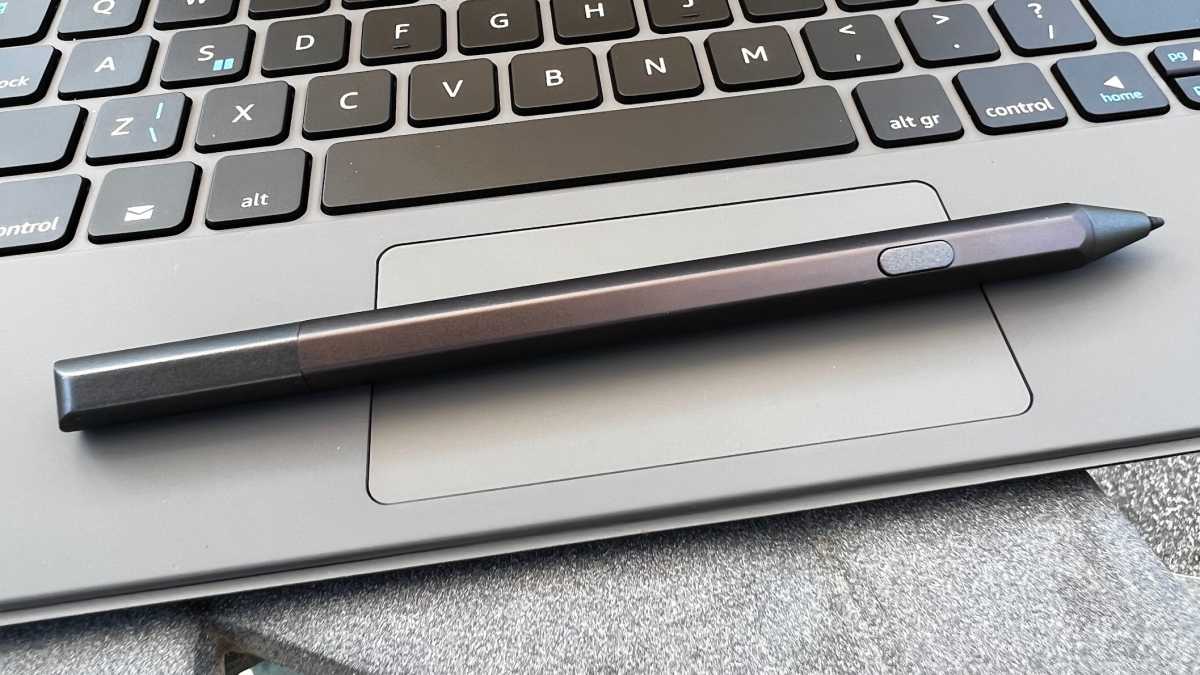
I was impressed by how good the stylus integration was with Fire OS. You can write anywhere you’d normally type, use it to scroll, navigate, select text and sketch in apps such as Piscart. It magnetically attaches to the side of the Fire Max 11 for storage. The AAAA battery is said to last around six months.
Jim Martin / Foundry
There’s no pairing: it’s a USI stylus so you can use it with any other device that also supports USI styli such as another tablet, laptop or Chromebook. It also means you don’t have to buy this one to use with the Fire Max 11.
Handwriting recognition is, frankly, outstanding. My daughter attempted to fool it with outrageous cursive script, but it was too clever and always knew which characters she was scrawling. The only issue I encountered was that palm rejection needs work: you can’t simply lean your hand on the screen to write without pulling down the notification shade, or causing other things to happen.
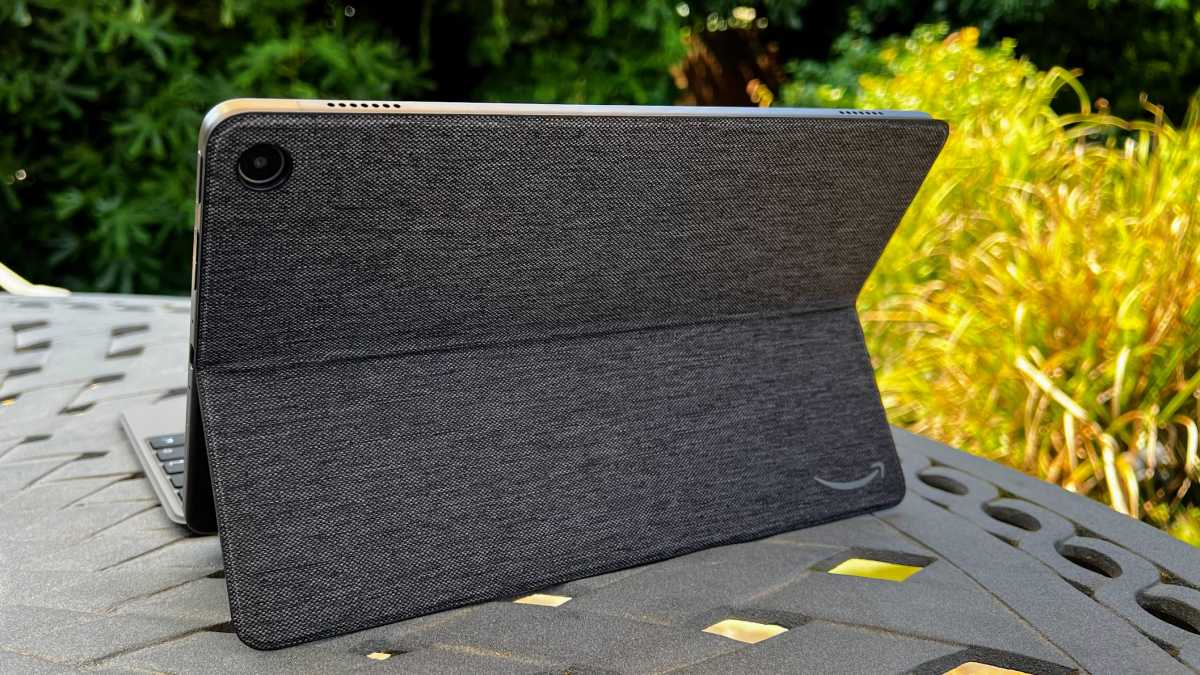
It supports Show Mode, too, which means it can act like an Echo Show and display information visible from a distance such as photos, time, weather, sports scores, recipes and more. You’ll want a suitable stand for this, but it’s worth noting that the keyboard case is actually two separate parts: the keyboard and a rear kickstand. You can detach the keyboard and leave the kickstand on for watching videos – or using Show Mode.
Jim Martin / Foundry
Price & availability
If you think you’d like the keyboard and stylus, it’s worth buying them as a bundle together with the tablet as you’ll save a bit over buying them separately. However, that’s only the case in the US, where the 64GB version with both accessories costs $344.99 instead of $369.97. In the UK – at the time of review – the bundle simply adds £89.99 for the keyboard and £34.99 for the stylus , the usual prices for each when bought separately.
Aside from this cheeky practice, these prices are much less than you’d pay for an iPad 10 th -gen with an Apple Pencil and Magic Keyboard Folio. In fact, Apple’s keyboard alone costs more than a Fire Max 11.
See our roundup of the best tablets and the best Android tablets for other choices.
Verdict
In terms of hardware, there’s a lot to like about the Fire Max 11. And if you’re after a tablet with a keyboard or stylus but are on a budget, it should be a tempting option.
The caveat is that you need to make sure that any apps you absolutely must have are available on the Fire Max 11.
For those who are comfortable side-loading apps, the Fire Max 11 might make even more sense but, as mentioned, this isn’t a magic bullet that allows you to run all Google apps.
Author: Jim Martin, Executive Editor, Tech Advisor

Jim has been testing and reviewing products for over 20 years. His main beats include VPN services and antivirus. He also covers smart home tech, mesh Wi-Fi and electric bikes.
Recent stories by Jim Martin:
- Controlling screen time on Amazon Fire tablets is invaluable – here’s how to do it
- The Best of CES 2024 Awards
- Best Amazon Fire Tablet 2023
