At a glance
Expert’s Rating
Pros
- Excellent, fast performance
- HDMI passthrough
- Doubles as an Echo Dot
Cons
- Expensive
- Ad-heavy software
Our Verdict
The 3rd Gen Fire TV Cube is one of the most powerful media streamers around, and pulls double duty as an Echo Dot equivalent, but the steep price is hard to swallow.


Now in its third generation, the Fire TV Cube is a pretty simple proposition: a combination of a Fire TV Stick with an Echo Dot; a TV media streamer that will double as a smart speaker.
Design & build
- Clean, minimalist design
- Looks more like a speaker than a streamer
The Fire TV Cube’s third generation looks much like the ones that came before it .
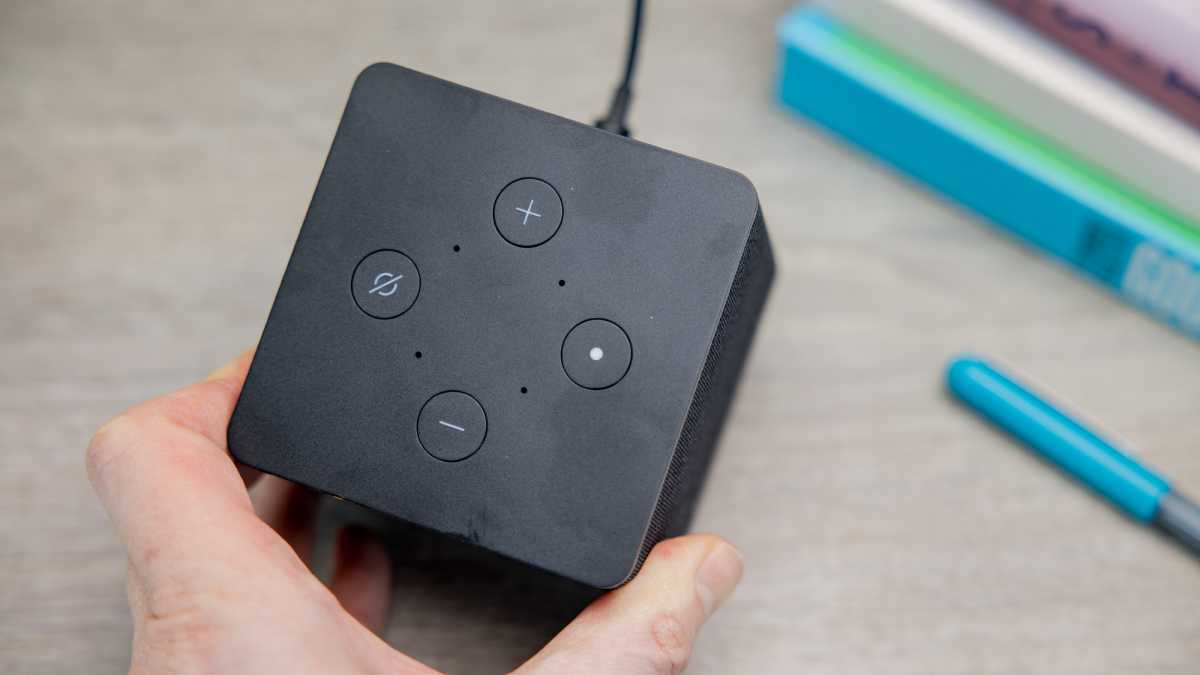
This is a compact cube (funny, that…) intended to sit next to or near your TV, rather than hide away behind it, as you’ll need it out in the open for the voice controls to work well.
Dominik Tomaszewski / Foundry
That means that unlike other media streamers you’ll need a spot for the Cube to sit out, and you’ll have to be happy with how it looks.
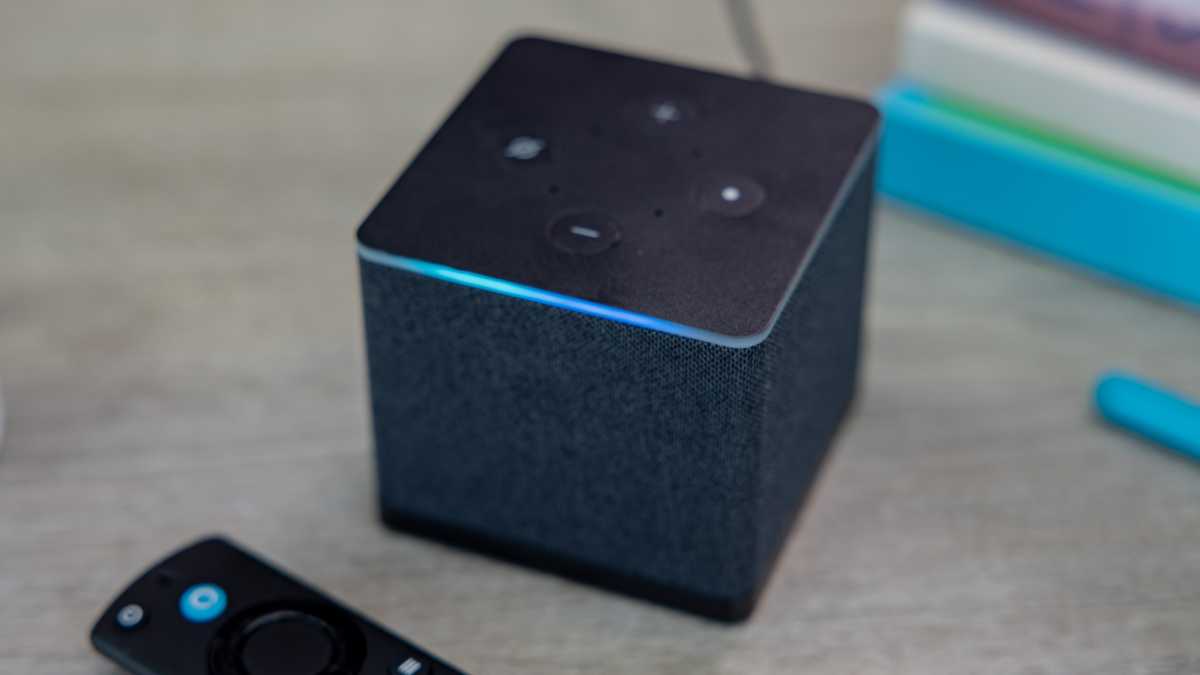
Thankfully the minimalist charcoal design is fairly unobjectionable, only occasionally interrupted by the bright blue LED border that kicks in along with the Alexa voice controls.
There’s a merciful lack of visible logos across the fabric mesh wrapper (they’re limited to the cube’s underside) and only four simple buttons to interrupt the top, which will be familiar to any Echo owners: two volume buttons, a select button, and a microphone mute button.
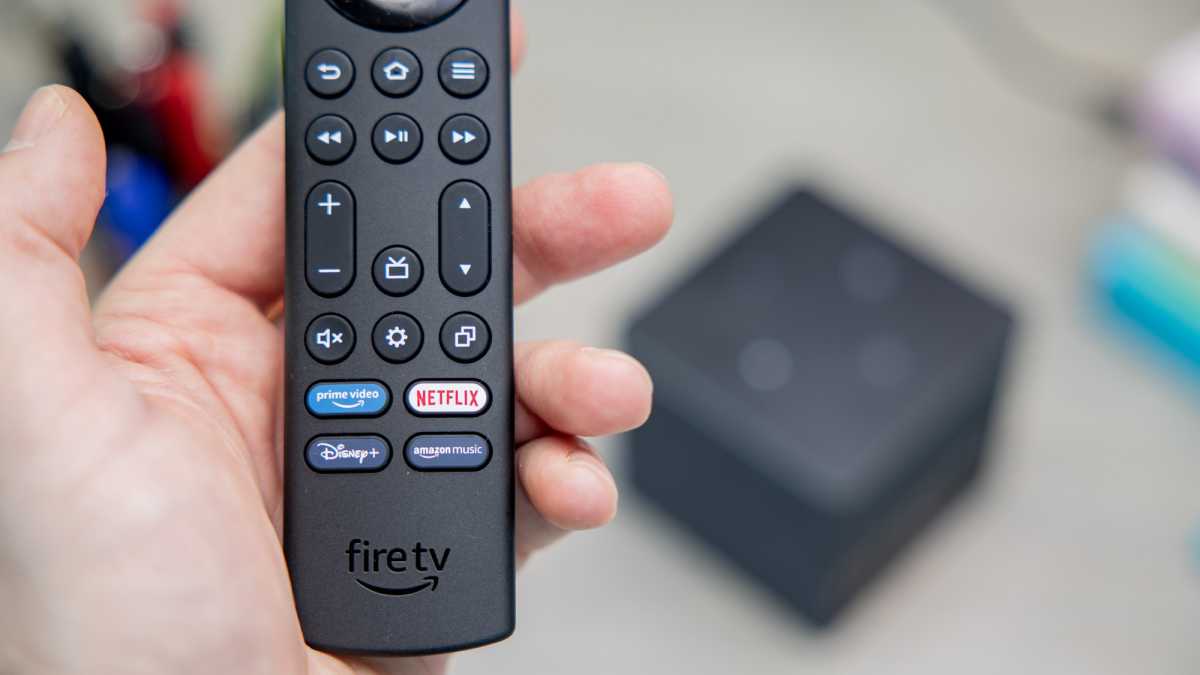
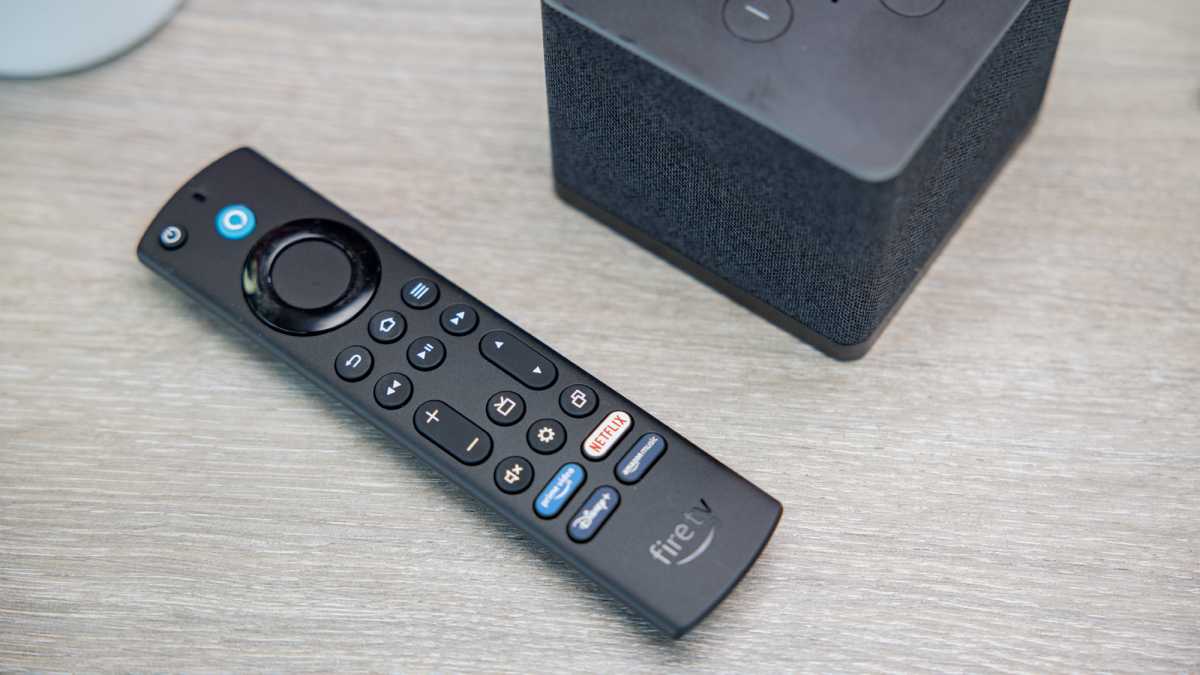
The 3 rd -gen Cube also comes with a slightly upgraded remote designed to offer a more well-rounded TV experience thanks to channel up and down buttons, a shortcut to the Settings menu, and a Recents button that helps you dive between apps without returning to the home screen every time.
Dominik Tomaszewski / Foundry
Ports & performance
- HDMI passthrough
- Impressively fast thanks to 8-core processor
- 4K upscaling
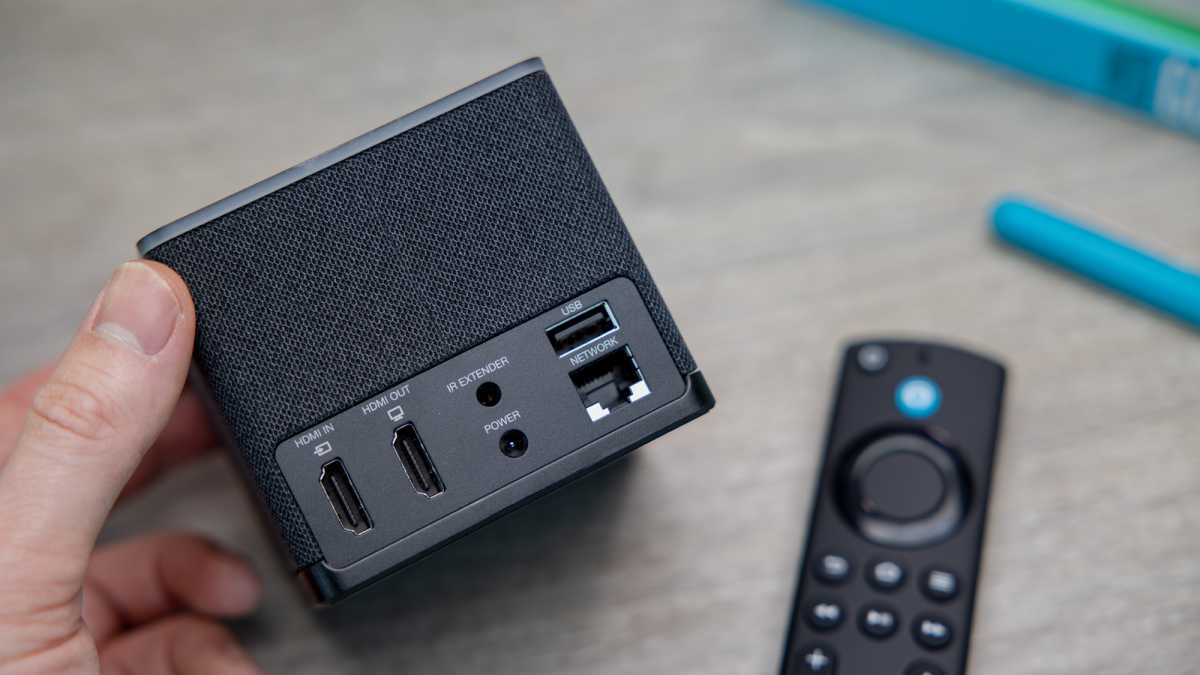
There are more ports on the back of this Fire TV Cube than ever before, and for good reason. Alongside the power socket, you’ll find an IR extender (useful if you do want to tuck the Cube out of sight), USB-A port, 100Mbps Ethernet, and a pair of HDMI sockets.
Dominik Tomaszewski / Foundry
The USB-A port allows you to connect up game controllers , webcams , hard drives , and other basic USB devices, which is welcome. Ethernet of course allows for faster and more reliable internet connections, though the Wi-Fi 6E onboard should be good enough for most people anyway.
This is best suited to set-top boxes like Sky, or cable if you’re in the US, as you’re then able to use the Fire remote or Alexa to change channels or drive other controls, both saving you an HDMI port and streamlining your setup so that you don’t have to switch HDMI inputs every time you want to fire up your cable box.
You can use it for a game console, but you probably don’t want to, as the passthrough adds a little extra lag to the connection – not a problem for TV, but frustrating for gameplay.
One of the other benefits of the passthrough is that you’ll get the benefit of the Fire TV Cube’s 4K upscaling, which works for both its own content and anything on the passthrough. This is a little more advanced than the default upscaling your TV might already offer, though in practice the effects still aren’t life-changing.
Dominik Tomaszewski / Foundry
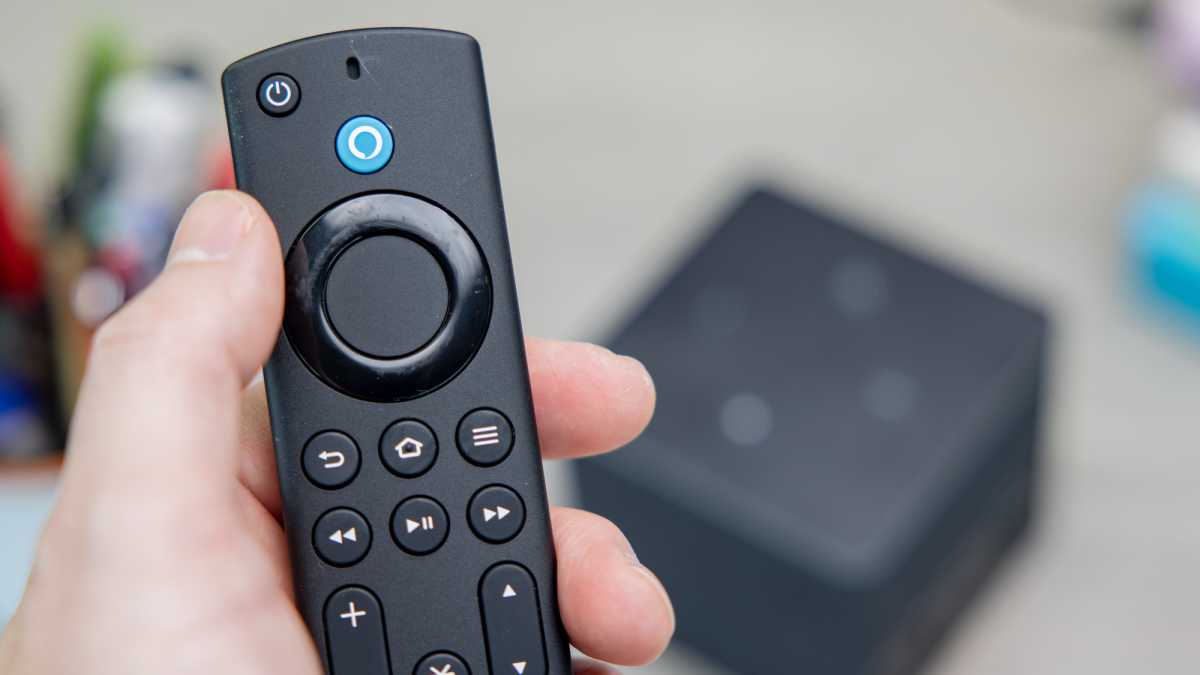
The Cube also supports a solid array of standards, with HDR10+ and Dolby Vision there to provide 4K HDR video, and Dolby Atmos alongside the 7.1 surround support.
From a pure performance perspective, this is hard to beat.
Software & smart features
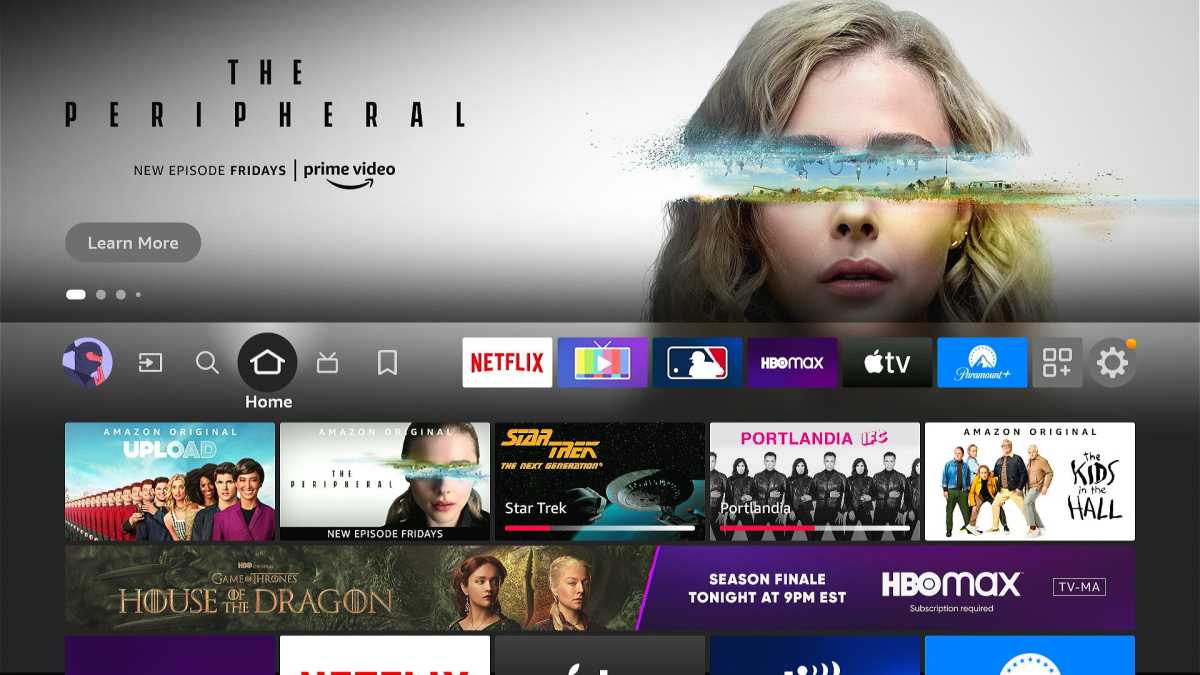
- Busy Fire TV interface
- Lots of ads and promoted elements
- Smooth voice controls
The software and smarts side of this is a mixed bag.
The good is that it’s fairly simple and straightforward to use, with settings laid out simply and an interface that just makes sense most of the time.
Jared Newman / Foundry
You can of course install the full range of third-party apps you’d expect on a modern streamer, and all work smoothly. The only downside here is that the interface’s focus on content over apps makes it take a little longer to get to them, and they’re also not integrated into the ‘Recently watched’ row – only Prime series and live TV channels appear here.
Setting aside what’s on the screen, you also get all the benefits of Alexa in that little box. The obvious level is that it means you can use Alexa to navigate the TV interface, though of course most Fire TV devices have had this in some form for a while thanks to including voice control remotes.
Dominik Tomaszewski / Foundry
The bigger benefit of the Fire TV Cube is that Alexa works hands-free, and even when the TV is off. This is functionally an Echo Dot in addition to a TV streamer, with all the usual benefits of a small smart speaker: reminders, queries, smart home controls, and music playback (here getting all the benefits of whatever sound system you have hooked up to the TV).
Price & availability
Of the mainstream options, only the Apple TV 4K is around the same price, which should tell you something about the premium positioning here.
Even subtracting the $50/£55 price of an Echo Dot, assuming you might otherwise buy one, the Fire TV Cube still comes out as one of the most expensive streamers on the market.
Dominik Tomaszewski / Foundry
Check out our guide to the best streaming sticks to see some of those more affordable options.
Verdict
But this won’t be the device to win people over to the Alexa ecosystem, as you’ll be able to find many of the core features elsewhere for less.
Specs
- Processor: Octa-core 2.0GHz CPU
- Graphics: 800MHz GPU
- Memory: 2GB RAM
- Storage: 16GB
- Video: 2160p/1080p/720p up to 60fps
- HDR10 + Dolby Vision
- Audio 7.1 surround sound, 2-channel stereo, Dolby Atmos
- Ports: HDMI input, HDMI output, USB-A, 100Mbps Ethernet, IR extender, power
- Connectivity: Wi-Fi 6E tri-band, Bluetooth 5.0 + LE, IR
- Dimensions: 86×86×77mm
- Weight: 513g
Author: Dominic Preston, Contributor, Tech Advisor

Previously Tech Advisor’s Deputy Editor, Dom covers everything that runs on electricity, from phones and laptops to wearables, audio, gaming, smart home, and streaming.
