At WWDC 2024, Apple announced a truckload of new iPhone software features that’ll be available when iOS 18 rolls around. Some are straightforward and long-awaited. Finally, we can customise the position of icons on our iPhone home screen and change their colour to match the wallpaper. (Take that, Android users! We’ve finally caught up.)
But it’s a mixed bag where communication is concerned. Let’s take a look at how iOS 18 will change and upgrade Mail.
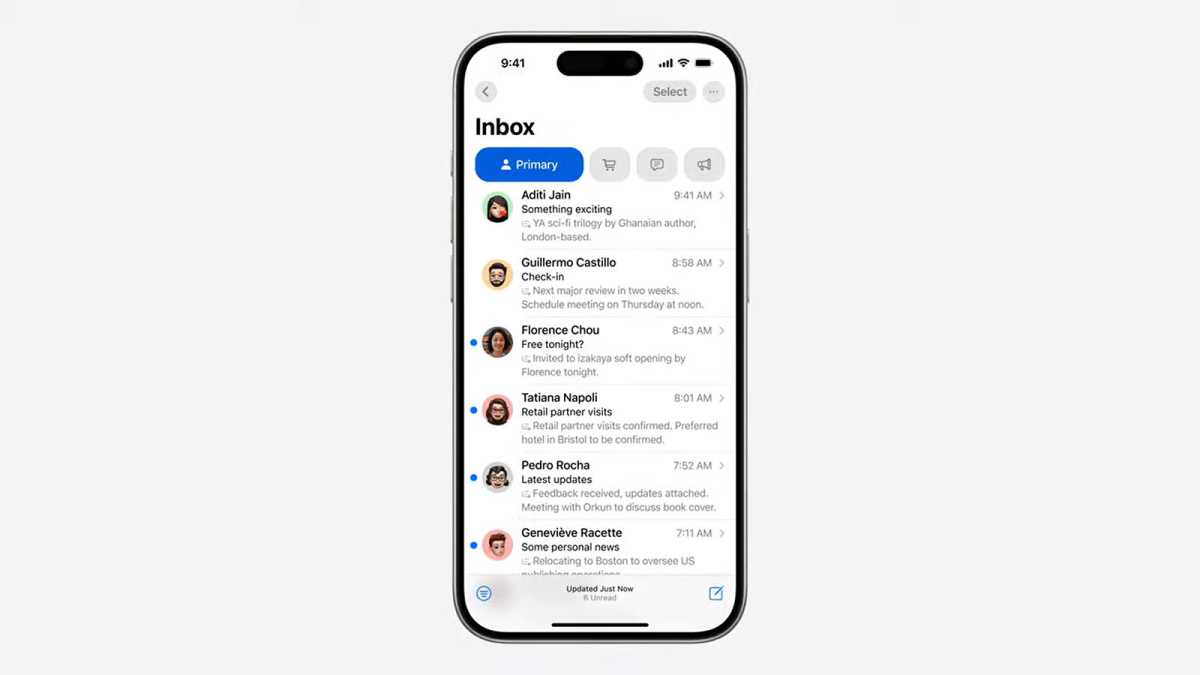
First off, there’s the wholly good. Later on this year, Mail will bring in a new system of organisation. Apple calls it on-device categorisation and it’ll automatically sort email into separate folders.
Apple
The key category is Primary, and that’s where personal and time-sensitive emails will go. Transactions will host all your confirmations and receipts. Updates is for news and social notifications – handy for when you’re looking for reading material to kill five minutes. Finally, all marketing emails will be pulled into Promotions (where you can safely ignore them).
If it all works, it’s gold. One of the best things about this new categorisation system is that it can pull together all emails from a specific company. That means no more panicked searching to find all the messages referencing upcoming travel reservations, for example.
On-device categorisation will be available to all iPhones that can support iOS 18.
Then there are Apple’s new AI features, grouped under the banner of Apple Intelligence, and which will only be available on the iPhone 15 Pro and above.
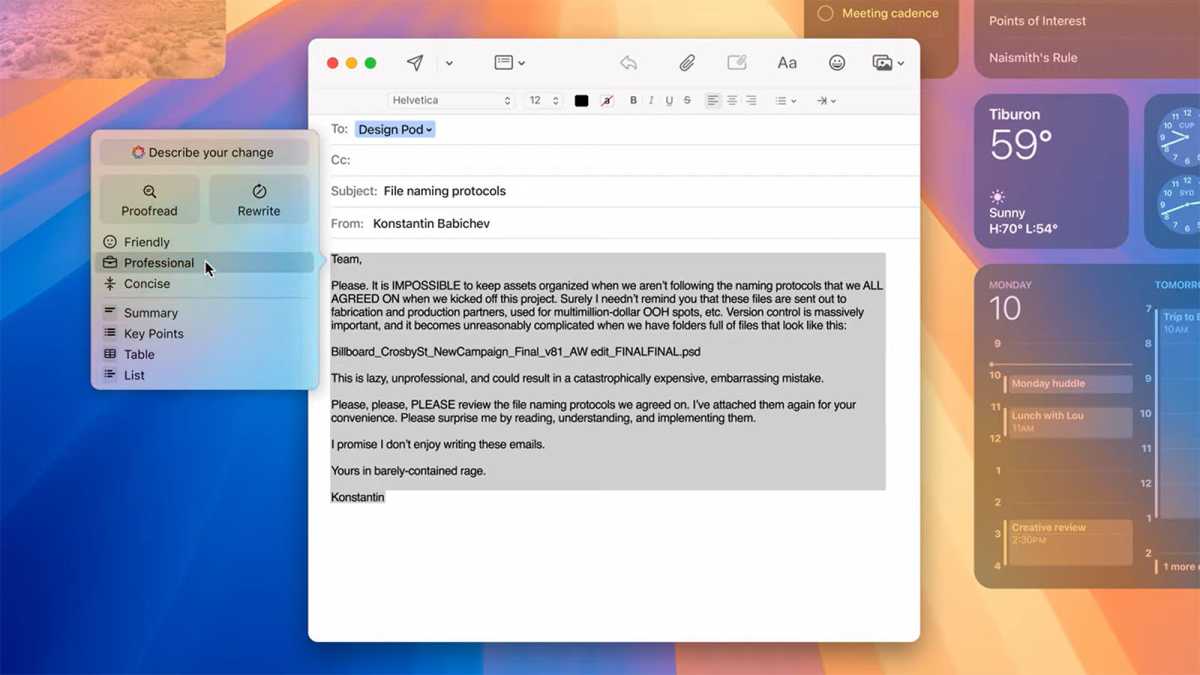
Apple Intelligence can do so much more than organising your emails. Thanks to its use of a generative AI model, it’ll be able to proofread or even rewrite your communications for you.
And if you’re in a hurry, you won’t even have to read an entire email to get the gist or find out if it’s what you’re looking for: you’ll be able to scan a summary at the top.
Apple
Written an email you’re not happy about? “Rewrite” will rephrase it for you. You’ll even be able to choose the tone. The key options seem to be “Friendly”, “Concise” or “Professional”, although there are more disturbing possibilities: Rewrite can even turn your email into a poem.
If you’re now imagining the horrors of hundreds of work emails written in rhyming couplets, you’re not the only one screaming inside.
But it doesn’t end there. What could be better to illustrate your nightmare email poem than a nice piece of AI art? Thanks to Image Playground, everyone can instantly, and without effort, create and add AI art to emails and iMessages.
So, unless you’re looking forward to a deluge of bland AI art from everyone – from your local sandwich shop to your elderly and Paddington bear-meme-obsessed relative – Apple Intelligence could make you afraid to visit your Mail inbox, no matter how well organised it is.
- See all of Craig Federighi’s funniest moments , from this WWDC and previous events.
- Apple Intelligence won’t be coming to watchOS – and for our wearables specialist, that’s a reason not to buy .
- Find out about the new features you’ll get in iOS 18 , and which iPhones will get the update.
Author: Emma Rowley, Deputy Editor, Tech Advisor

Tech Advisor’s Deputy Editor, Emma has been a journalist and copywriter for over 20 years and has been testing and writing about home tech and appliances for seven years. She tries out every appliance she writes about at home, and aims to recommend time- and energy-saving products that will last.
Recent stories by Emma Rowley:
- Google Photos now lets you star in your own memes
- This quick hack made my iPhone Action button way more useful
- Is Snapchat down?
