Security cameras, specifically the internet-connected Wi-Fi devices on test here, are better value and easier to install and use than ever before. They let you keep an eye on what’s happening outdoors or inside your home from your phone, and will alert you if something’s happening you need to know about.
There’s an almost overwhelming choice of cameras, both mains and battery powered, outdoor and indoor, with floodlights or without. And that’s just the hardware: many require a subscription if you want to record video when motion is detected, although some don’t and can record to a microSD card instead.
Bear in mind that these aren’t CCTV cameras which record continuously. Most Wi-Fi security cameras record short video clips when they detection something important. That means you don’t have to search through hours of footage where nothing happens.
It is possible to buy internet-connected wireless CCTV systems if that’s what you’re after. Examples include Swann’s thermal-sensing kit and Yeskamo’s 4-channel wireless kit .
The other crucial factor to bear in mind is that these security cameras use Wi-Fi to connect to the internet. So you should check there’s a decent Wi-Fi signal in the place you want to put the camera – particularly important if that’s outdoors.
You don’t need mains power: battery-powered cameras are truly wireless. They’re handy if you want a camera you can move around your home regularly, but they’re also perfect for gardens or monitoring other outdoor spaces. You can even get solar panels that can keep the battery topped up so you never need to recharge them.
As with so many gadgets, it’s unwise to choose a security camera on specifications alone. Our reviews will tell you how well they work in practice and what their video quality is like during the day and at night.
Below you’ll find recommendations for indoor and outdoor cameras, but scroll down further for a more in-depth buying guide, and answers to common questions.
Best Security Cameras for 2023
1. Ring Indoor Cam – Best indoor security camera

Pros
- Very affordable
- Good-quality video
Cons
- Short power cable
- Recording requires subscription

The Ring Indoor Cam is great value. It delivers impressive 1080p video, good night vision (even in ‘colour’), a built-in 110db siren, two-way talk and other features that you usually find only on premium smart security cameras costing a lot more.
The Ring app is really good and offers privacy-focused features such as disabling audio recording, which is useful for an indoor camera, along with access to previous recordings and other customisable settings.
It’s not perfect; the cable is too short to mount the camera far away from a socket and you can’t use geo-location to enable and disable recording and alerts, which is a little annoying.
But that doesn’t detract from the fact that, at this price, the Ring Indoor Cam is one of the best-value security cameras around.
Read our full Ring Indoor Cam review
2. Tapo C325WB – Best security camera for colour night vision
Pros
- Full colour night vision without spotlights or floodlights
- Saves video locally and in the cloud
Cons
- Installation may require drilling to run cables through walls
- Cloud subscription adds additional costs
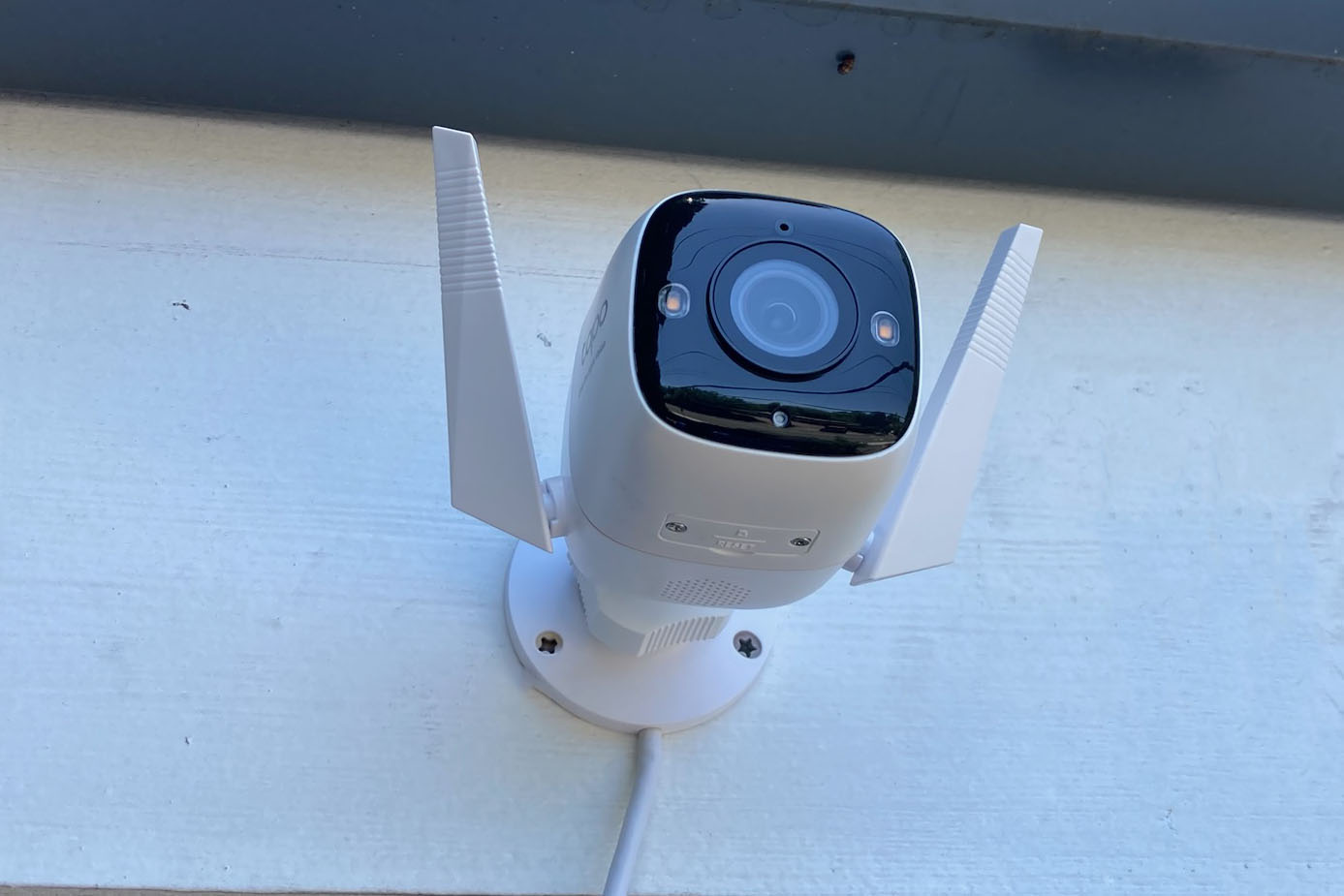
For those who don’t have and don’t want to install exterior floodlights for better night-time footage, the C325WB should appeal. It uses a combination of a large sensor and a bright f/1.0 lens to “see” in almost total darkness. There are small LED spotlights, but you can set them to stay off if you really don’t want lights shining in the dark.
Like EZVIZ cameras, you have a choice of recording video to a microSD card or paying for Tapo Care cloud storage which starts at $3.49 / £2.49 per month for a single camera. The good news is that even if you decide to record locally, the C325WB keeps all its useful features including AI-based detection and motion zones.
Daylight quality is very good: sharp and detailed. At night the colour night vision does a great job of capturing clear images that are noticeably better than from cameras with conventional night vision.
Read our full Tapo C325WB review
3. Netatmo Smart Outdoor Camera with Siren – Best subscription-free outdoor security camera

Pros
- Built-in floodlight and Siren
- No subscription required
- HomeKit support
Cons
- Expensive
- No two-way talk
- No face or package recognition
We’re big fans of the Netatmo Outdoor Camera for a number of reasons. It doesn’t look like a security camera and the built-in floodlight is great.
Motion detection is pretty reliable, video quality is very good and you don’t have to pay any subscription fees, which saves a lot in the long run.
Just note that it doesn’t offer continuous video recording – only clips – and there’s no face recognition or talk-back speaker.
Read our full Netatmo Smart Outdoor Camera with Siren review
4. TP-Link Tapo C210 – Budget pan-and-tilt indoor security camera

Pros
- Pan and tilt
- No subscription required
- Inexpensive
Cons
- No cloud storage option
- Lack of notification customisation
- Quiet siren
There’s a lot to like about the TP-Link Tapo C210. It’s inexpensive and yet, unlike most rivals, has real pan-and-tilt support so the lens physically moves.
This provides 360° horizontal and 114° vertical coverage in any indoor space.
Video quality is good and the accompanying app is too, lacking only one or two handy features offered by others.
There’s no cloud storage option which might be a turn-off for some, but it means you won’t be forking out a monthly fee to save your footage and you don’t have to pay a subscription to unlock key features as you do with the likes of Ring and Nest.
Just note that your footage will be gone if the camera or microSD card is stolen.
5. EZVIZ H8 Pro 3K – Best outdoor pan-and-tilt security camera
Pros
- Exceptional image clarity
- Multiple night-vision modes
Cons
- Might require drilling holes in exterior walls to accommodate cables
- EZVIZ doesn’t provide an IP rating
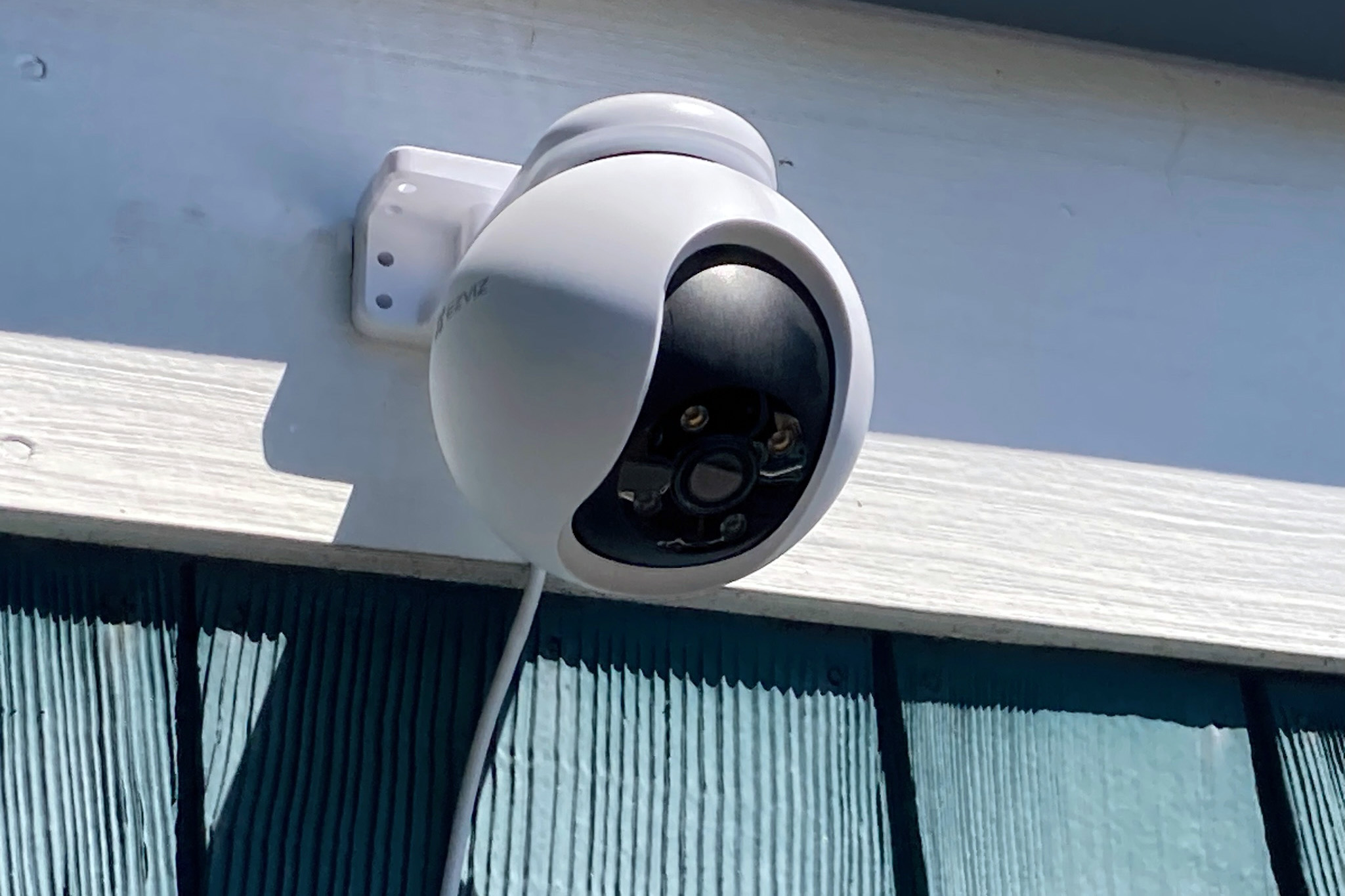
A great option if you need to monitor large spaces and don’t want to buy multiple cameras. You can get it to “patrol” up to 12 specific areas that you want to monitor via the app.
It uses traditional IR for night vision up to 30m, but if you want colour at night, there are a pair of LED spotlight which can light up to around 20m.
You’ll get alerts when people are detected, and vehicles – you can even set it to tell you when an unknown vehicle parks on your property. For people, the H8 3K can track them as they move around in the camera’s view, and you can enable active defence which uses the built-in siren and flashes the LEDs to deter would-be intruders.
Footage is impressively detailed, meaning you can read vehicle license plates and see detail in people’s faces: not a blurry mess as with some cameras. Night vision is pretty good too, especially when objects are fairly close to the camera and it’s using its LEDs.
Read our full EZVIZ H8 Pro 3K review
6. Arlo Essential Indoor Camera

Pros
- Compact
- Good quality video
Cons
- Relatively expensive
- Requires subscription
Though budget by Arlo standards, the Essential is still much more expensive than some models here.
But it has a nifty feature: a shutter that covers the lens when you don’t want it recording. This also disabled the mic.
Video quality is great, and when you’re viewing the live feed you can talk to people near the camera thanks to a built-in speaker.
Read our full Arlo Essential Indoor Camera review
7. Ezviz C8C

Pros
- Pan and tilt
- Colour night vision
- Optional local storage
Cons
- Fussy design
- Cloud storage isn’t cheap
It’s not a sleek as Ring or Nest cameras, but the C8C offers proper pan and tilt so you can remotely adjust the view instead of being limited to whatever a fixed lens can see.
If offers sharp 1080p video and the motion detection is smart enough to recognise people so you can ignore other events.
Read our full EZVIZ C8C review
8. Arlo Pro 2

Pros
- Indoor or outdoor use
- Free 7-day cloud recording
Cons
- Expensive
We have no quibbles with the quality of the Arlo Pro 2, so this is certainly one of the best 1080p cameras you can buy.
The kit is easy to setup and use, with a great image and lots of features – especially if you use it wired. You don’t even need to pay for any subscriptions if 7-day cloud storage is enough.
That’s a good thing because this kit is fairly expensive, which is the main issue here. You’ll want to carefully consider how many cameras to buy from the start. Adding more later is not good value.
Read our full Arlo Pro 2 review
Do security cameras have audio?
Almost all do. This lets you hear as well as see what’s happening.
How long do security cameras keep footage?
How much do security cameras cost?
Prices vary a lot, from $20/£20 for the absolute cheapest indoor models to $300 / £300 or more for feature-packed outdoor models with floodlights. Remember that the total cost is often higher once you factor in the cloud storage subscription. Not all companies charge for storage, though, with Netatmo being one of the few that don’t thanks to the cameras’ on-board microSD cards.
Is there a security camera that works without Wi-Fi?
Most standalone security cameras need Wi-Fi. But if you don’t have Wi-Fi, consider a wireless CCTV system where the cameras communicate with a control / storage unit without needing Wi-Fi.
Where should I place security cameras?
Ideally, locate cameras where they can show you the entire area you need to monitor, but are out of reach so can’t be stolen or moved. Most manufacturers recommend a height of around 8-10 feet from the ground.
How many security cameras do i need?
It really depends on what you need to monitor. For home use, security cameras should cover entry points (such as front and back door) and one outside covering a driveway, assuming you park one or more cars on it.
Can a tenant install a security camera outside?
In the UK, tenants are legally allowed to install CCTV systems to protect their property. The law varies in other countries, but you should always check your lease agreement to find out what you are and are not allowed to do. It may be that you are allowed to drill holes, but need to repair them or pay a fee to have them filled when you move out.
Smart home security camera buying guide
Alerts
You should get notifications on your phone when the camera detects an event. Without watching the live feed constantly, this is the only way to know when something is happening that you need to pay attention to.
The best models will tell you in the notification whether it’s a person, vehicle, even a package.
Cloud recording
Most cameras these days record video to the cloud and store it for anything from 24 hours to a month. Rarely offered free, these cloud plans usually cost a few pounds or dollars per month, but may be worth the for their convenience and the fact a thief can’t steal it.
Often, there’s a fixed cost for multiple cameras, so you shouldn’t have to pay the fee per camera.
Facial recognition
Some models from Google and Netatmo offer facial recognition so you can get alerts when certain family members arrive home – or only if an unfamiliar face is spotted. It does work, but it’s not foolproof.
Local storage
Some cameras have memory card slots to store video. We like this option as it can eliminate the cost of monthly storage fees – but if a thief steals your camera they take the evidence with them.
Apps
All cameras can be set up and managed via a smartphone app. In fact, there’s usually no other option. The same apps provide a way to view the camera’s live feed, let you adjust settings and turn on and off recording, motion detection and more.
Some are better than others, especially if you have multiple cameras.
Motion detection
Motion detection is achieved using built-in sensors or software algorithms pick up movement within the camera’s field of view and trigger video recording. Because you’re not interested in just anything that moves, it’s important to be able to choose which notifications you receive, and to be able to ignore motion in certain areas of the frame.
Some models can identify people, packages, cars and pets, while others aren’t as smart and will notify you even when it’s just a tree swaying in the wind.
Night vision
Most burglaries happen after dark, so this feature is nearly as important as motion detection. Every camera here has night vision, but there are two main types: black-and-white (using infrared) and colour (using a camera sensor that works with barley any light). For infrared-equipped cameras, don’t place them behind a windows otherwise you’ll just see a reflection of the LEDs.
Unfortunately, even on the most expensive cameras, night vision offers much worse quality than during the day. There’s less detail and some cameras add colour to a black and white image using ‘AI’. The best-quality colour night vision comes from cameras that also have spotlights to light the scene.
Pan, Tilt & Swivel
Most security cameras can be manually tilted and swivelled to focus on a certain viewing area. A true pan/tilt camera is equipped with a motor so that you can move its lens using its app or browser-based app, but most home security cameras opt for wide-angle or fisheye lenses instead of physical movement.
Resolution
Security video isn’t much use if it’s blurry and low resolution. Look for a camera that offers at least 1080p (also called Full HD). However, bear in mind that video is often reduced in quality in order to upload it to the cloud, so having a higher resolution isn’t necessarily the advantage you might think.
Also look for HDR, which can bring out more detail in high-contrast situations, such as when the sun is shining on the camera.
Scheduling
Scheduling features allow you to tell the camera to turn on and off, detect motion, and/or send alerts at specified times. This is useful when you want to be notified only when your children get home from school, or when you’re away. It can reduces the number of false alerts.
Two-way audio
While the idea of a security camera implies eyes-on monitoring, the ability to also hear what’s going on gives you a more complete picture of what’s happening at home. This feature can also allow you to speak through the camera.
- All security news
- Best video doorbells
- Best dash cams
Author: Jim Martin, Executive Editor, Tech Advisor

Jim has been testing and reviewing products for over 20 years. His main beats include VPN services and antivirus. He also covers smart home tech, mesh Wi-Fi and electric bikes.
Recent stories by Jim Martin:
- Is Amazon Alexa down? It’s probably not just you
- Best Bluetooth trackers 2025
- The best ethernet cables to buy
