At a Glance
Expert’s Rating
Our Verdict
There’s no question that the Brother MFC-J870DW has a host of excellent features including optical-disc direct printing and touchscreen controls. While it showcases NFC capability this will be of limited appeal. Wireless photo print speeds are very disappointing.
Best Prices Today: Brother MFC-J870DW review

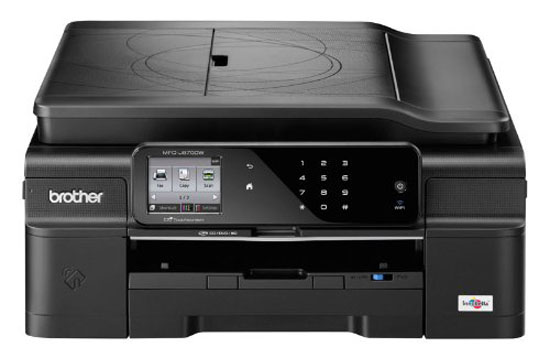
This is the first inkjet to enable Near Field Communication (NFC) and it’s been released alongside the similarly NFC-friendly A3 version, the MFC-J6920DW.
The advantage of using NFC is that you don’t need a wireless connection for a device to ‘speak’ to the printer as it relies on the same short-range transmission as contactless payment via a mobile. But the NFC facility is only there to help set up a wireless connection over Wi-Fi.
On the Brother MFC-J870DW, the front left panel beside the output tray is dedicated to NFC connection and the operation is quick to set up once you turn the ability on in the settings of both phone and printer. The NFC-enabled phone needs to be within around 10 cm to make that first link.
However, the major drawback to widespread adoption is that only phones with NFC included can use Brother’s iPrint&Scan app for NFC printing. That limits it to certain models designed to run Google and Microsoft mobile software.
Once initiated we found that sending a photo to the MFP took 4 minutes to produce a 10 x 15 cm print.
The same was true when the same size photo was printed via the SD card slot, USB port and conventional wireless Wi-Fi transmission from an iPhone. This was in maked contrast to using PC software and a wireless link which managed to run off an identical 10 x 15 cm picture in just 55 seconds.

In most other respects, the MFC-J870DW features are highly commendable. It offers the full multifunction set of print, copy, scan and fax and has an excellent colour touch screen display panel that is extremely easy to follow, brightly lit, tilting and mode-sensitive so only relevant information appears on the display.
As this machine is clearly aimed at low-volume users, there’s a modest 150-sheet input tray in the base, although this is supplemented with a 20-sheet photo tray above. Take a look at our 2014 chart: what’s the best printer?
Irritatingly, swapping between the two trays involves removing the unit and manually adjusting the controls each time. Built into the lid of the scanner is a fold-out 20-sheet ADF for quick copying but unlike the main input tray, the ADF does not allow for duplex printing. When you lift up the scanner lid, a DVD/CD/BD holder is cunningly concealed underneath and this can then be lifted out and inserted into the front of the MFC-J870DW for direct printing.
Connections include USB 2.0, ethernet, and Wi-Fi 802.11b/g/n and you can print and scan to a range of cloud services.
Four print cartridges slot in on the front right, and if you opt for the high-volume set (600 pages each rather than the basic 300) then your printing costs at Brother’s RRP result in 3.9p per page for black, and 2.5p per page for each colour. Current online prices, though, can reduce this figure by at least a third.
Speed and quality with this inkjet are variable. We’ve seen how print speeds for photos using memory cards and mobiles were desperately slow. The images were remarkably sharp and the colours looked authentic. Draft black text documents could manage 18 ppm at a pinch, with normal quality black and colour documents arriving at 11 ppm and duplex versions of the same at 5 ppm. Standard paper black ink documents were generally solid and unbroken but occasional banding issues were evident in colour images.
Specs
Brother MFC-J870DW review: Specs
- Colour multifunction inkjet printer
- 128 MB standard memory
- 6000 x 1200 dpi max printing resolution
- 33 ppm specified speed
- NFC printing and scanning
- auto duplex printing
- 150-sheet standard input capacity
- 20 sheet ADF
- single sheet A3 printing
- 10/100 ethernet, Wi-Fi 802.11b/g/n, USB 2.0
- 410 x 374 x 180 mm
- 9.5 kg
Best Prices Today: Brother MFC-J870DW review
Printer Reviews
SEE LATEST REVIEWS BY CATEGORY
- Reviews
- Phone Reviews
- Tablet Reviews
- Wearable Tech Reviews
- Home Tech Reviews
- Streaming Reviews
Printer Reviews
SEE LATEST REVIEWS BY CATEGORY
- Reviews
- Phone Reviews
- Tablet Reviews
- Wearable Tech Reviews
- Home Tech Reviews
- Streaming Reviews
Printers might not be as exciting as a new smartphone but it’s likely we all need one at some point in our lives, even if it’s just occasionally. Whether you’re working from home or need an office printer for many people to use, we have reviewed and ranked ten of the best you can buy from tank system inkjets to large laser printers.
You might want to print a calendar, gig tickets, a boarding pass or some photos you’ve taken on your phone. Many printers are multi-function and therefore also handy for scanning and copying, too.
Whatever your needs, buying a new printer can be a confusing process. Not only do you have to worry about the upfront cost and whether it can print a good photo, but you’ve also got to consider print speeds, ongoing costs and a host of potential features.
It’s worth bearing in mind that the printer market moves slowly, and the latest printers aren’t always the best. Printer tech moves slowly so reviews might not be from this year or even the year before that but they stay on sale for a long time unlike phones or laptops .
Read on below our chart for more in-depth printer buying advice on things like whether to choose inkjet or laser.
Best printers 2023
1. Canon Pixma TS7450/1 – Best Overall

Pros
- Prints quickly
- Excellent quality
- Inexpensive to buy and run
Cons
- Mobile apps aren’t always intuitive
- Bulky design
- Photos need glossy paper
Printers are hard to even find in stock right now so a great value all-rounder from Canon at under £100 is worth snapping up, even though it is quite heavy.
This is a great value all-in-one printer that’s easy to set up and use. It’s also no slough with lots of features and versatile printing including documents and photos. Cheaper printers can be expensive to run but the TS7450 doesn’t even fall into this category.
The mobile apps are a little frustrating at times but print quality is good, although you’ll want to stick to proper glossy paper for photos. Note that the TS7451 is the same printer, only in white.
Read our full Canon Pixma TS7450 review
2. HP Envy Inspire 7220e – Best Compact Family Printer

Pros
- Attractive price
- Fast printing speeds
- 2-sided printing
- Good text and photo quality
Cons
- No ADF
- Can’t print on A4 glossy paper

Those looking for a compact and easy-to-use printer for the whole family might have just found it.
The Envy Inspire 7220e is an excellent all-rounder for those needing to regularly print text and photos at good speeds and affordable costs. The printer looks nice, has wide support for different wireless printing services and offers high-quality results.
It doesn’t have an automatic document feeder but that’s normal, so as long as you don’t need to print on A4 glossy paper, it’s a bit of a steal.
Read our full HP Envy Inspire 7220e review
3. Canon Pixma TS3350 MkII – Best Budget Printer

Pros
- Cheap
- High quality printing
- Connectivity
Cons
- Slow printing
- Expensive ink
If you’re looking for a cheap printer to handle day-to-day tasks then the TS3350 MkII (or TS3320 in the US) is an excellent choice.
This is not only affordable but offers great quality printing for a range of jobs, including colour images. This is even a copier and scanner too so you’re getting a lot for your money.
It’s quite slow so isn’t a workhorse and you’ll want to get XL cartridges to keep running costs down. For printing the occasional letter, boarding pass or family photo without breaking the bank it’s perfect.
Read our full Canon Pixma TS3350 MkII review
4. HP DeskJet Plus 4120 – Excellent Value Inkjet

Pros
- Very cheap
- Easy to use
- Good photo & graphics quality
Cons
- Average text quality
- Needs Instant Ink to keep running costs down
Those on a budget needing a printer for a mix of different tasks should consider the DeskJet Plus 4120 – known as the 4155 in the US.
It’s basic in style and design with things like a simple LCD display but keeps costs down, especially if you use HP’s Instant Ink subscription service.
Read our full HP DeskJet Plus 4120 review
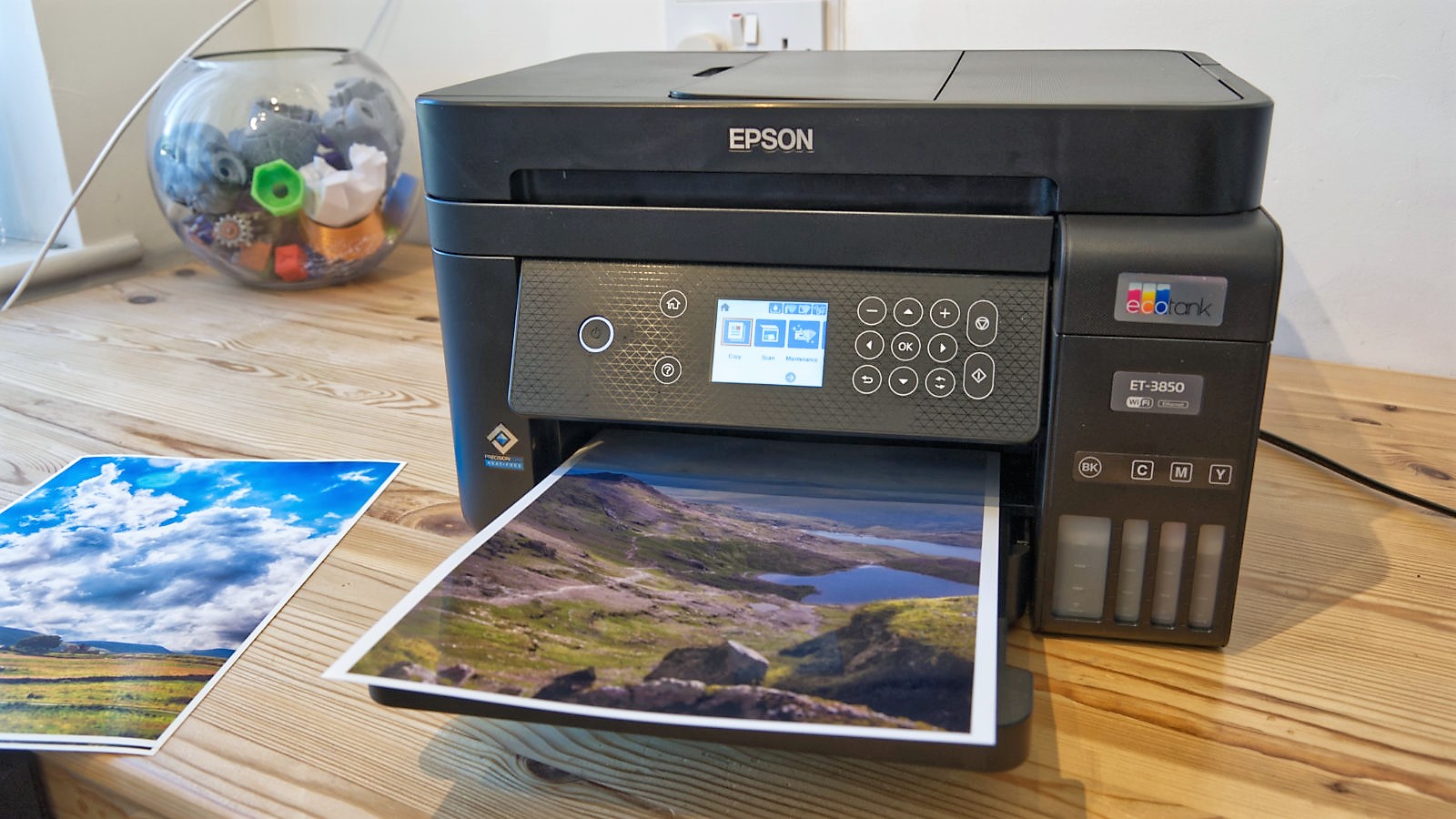
5. Epson EcoTank ET-3850 – Best Ink Tank Printer
Pros
- Cost per page is very low
- Good print speed
- Excellent print quality
Cons
- Pigment black isn’t ideal for photos
- Lack duplex copying
- One year warranty

Anyone against traditional cartridges should consider this EcoTank model from Epson. The ET-3850 offers high-quality printing at decent speeds while keeping the cost down, even if you’re printing A4 colour pages on a regular basis.
It’s more expensive to buy the device itself than cartridge rivals but may well work out better value in the long run. And it has virtually the same specs as higher-end EcoTank models, including the PrecisionCore print head.
One of the main practical downsides is that it doesn’t offer duplex printing and Epson only offers a one year warranty or 50,000 pages – whichever comes first.
Read our full Epson EcoTank ET-3850 review
6. HP Smart Tank 7605 – Best Small Office Printer

Pros
- Fax function
- Dual-band WLAN
- Touch display
- Additional XL-BK ink bottle
Cons
- Limited USB host functions
- No real off switch
If you’re looking for a great all-rounder then the Smart Tank 7605 is a hot contender with its wide range of functions and large amount of ink included in the box – enough for up to 12,000 pages.
It’s highly suitable for home or small office use, even if there’s a slight overreliance on the HP Smart app. Still, it can wirelessly print, copy, scan and fax, plus has an automatic document feeder.
The compact printer looks stylish and has a 3in touchscreen, the tank system keeps costs low and print quality is good. There’s little more we could ask for at this price.
Read our full HP Smart Tank 7605 review
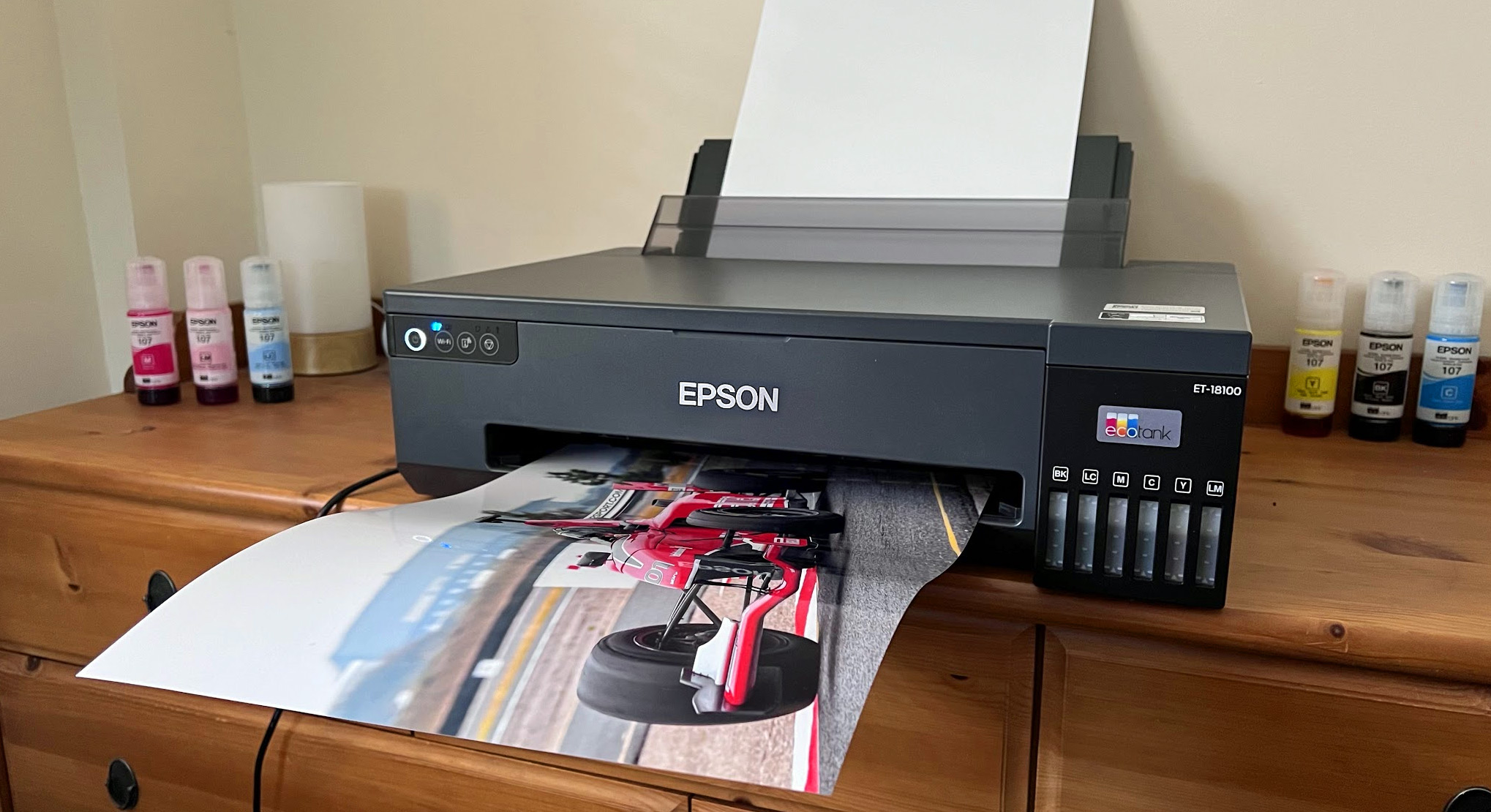
7. Epson EcoTank ET-18100 – Best Photo Printer
Pros
- Inexpensive photo prints
- Great print quality
- Mess-free ink refills
Cons
- No display
- No scanner / copier
- Expensive to buy
The ET-18100 has niche appeal because it’s been designed with a particular user in mind.
If you want to print a lot of photos at up to A3 sizes without breaking the bank, then you’re the target market. The printer itself is costly, but the ink tank design keeps running costs down.
The mess-free design is great and refill bottles are better for the environment, too. Print quality is excellent but as mentioned, you will need to print a lot of photos to justify this model.
With no display or copier/scanner functions, this isn’t an all-rounder.
Read our full Epson EcoTank ET-18100 review
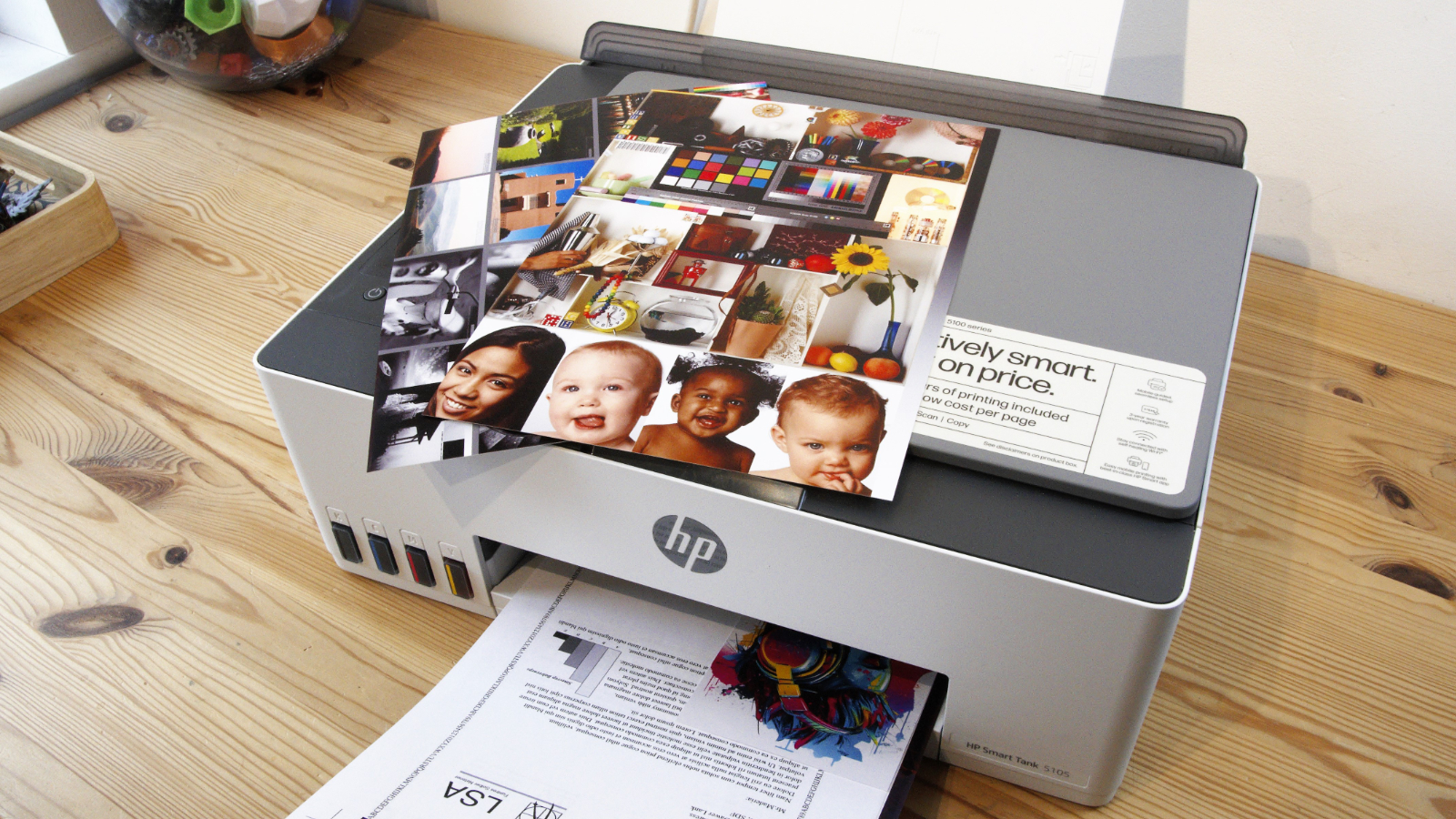
8. HP Smart Tank 5105 – Best Value Ink Tank Printer
Pros
- Cheap running costs
- Borderless on A4, A5
- Ink tank sensors
- Affordable printer
Cons
- Flimsy
- Awkward paper path
- Only 50ml coloured inks included
- No display
It’s great to see HP taking on Epson at ink tank printers and the 5105 is a practical solution for any home or small office customer that would like to worry less about the cost of printing.
Normally there’s a high initial price for the printer with an ink tank model but HP offers good value here, even if the supplied colour bottles are only 50ml and the build quality is on the flimsy end of the scale.
There’s also no display and this isn’t the fastest printer around either, but the quality is good for a range of tasks including surprisingly vibrant photos, and you can print borderless on A4 and A5 sheets.
It’s not all singing, all dancing but if a value for money ink tank printer is what you need then the 5105 is worth a look.
Read our full HP Smart Tank 5105 review
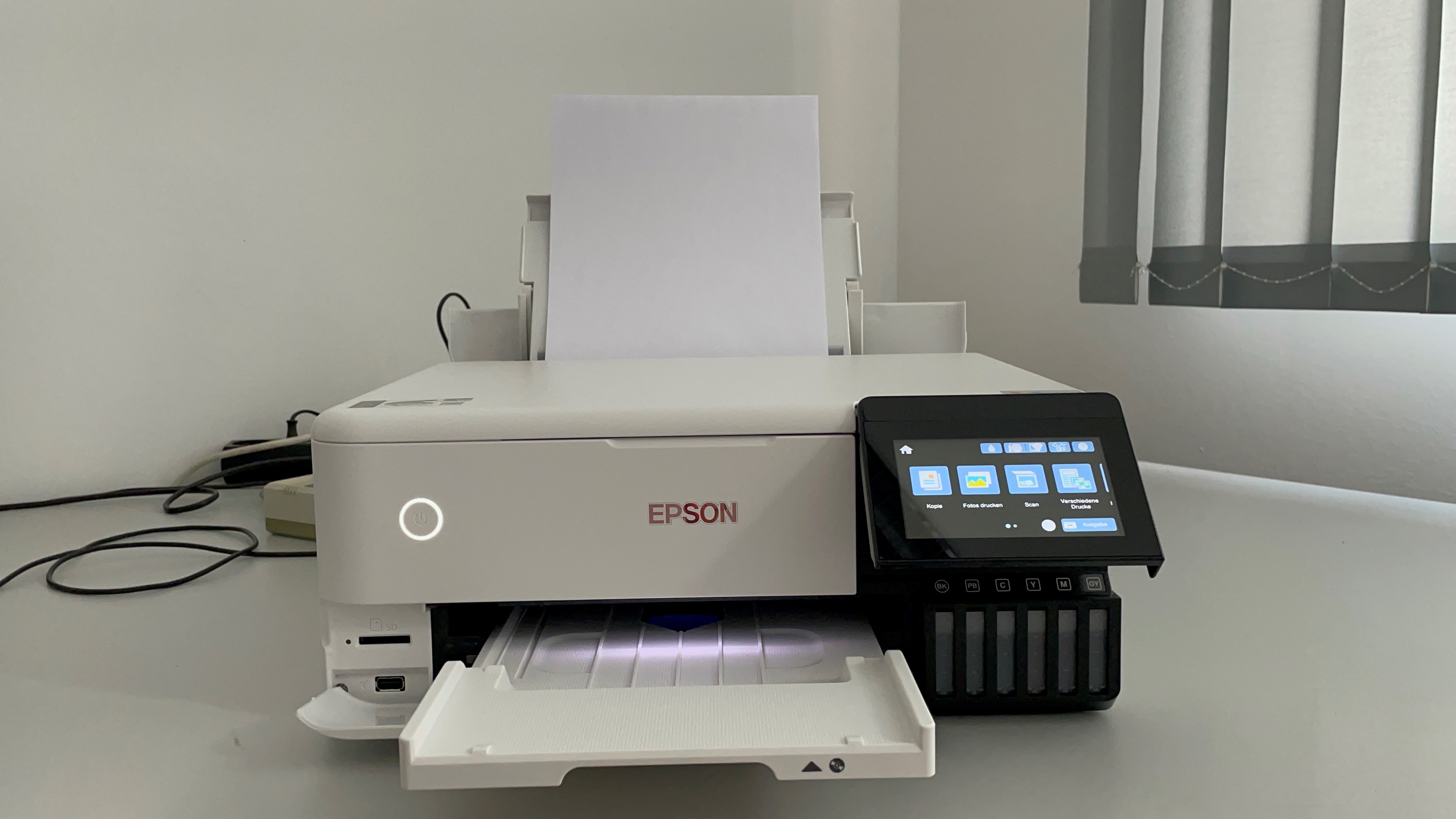
9. Epson Ecotank ET-8500 – Best Value Photo Printer
Pros
- Very high print quality
- Top for greyscale photos
- Processes many types of material
- Very low cost per page despite 6 colours
Cons
- No real off switch
- High purchase price
If printing photos is your thing, then the EcoTank 8500 is an excellent choice as this printer is designed for the task, although it can do regular printing and scanning as well.
It’s a fairly expensive printer at first but if you’re planning to print a lot of images then it should work out as a good investment in the long term with reliability and print costs.
Importantly, print quality is excellent and you can print on a variety of materials including fine art paper. It’s also got a large 10cm screen and no less than three different paper feeds.
Read our full Epson Ecotank ET-8500 review
10. Brother DCP-L3510cdw – Best Laser Printer

Pros
- 2-sided printing
- Decent performance
Cons
- Single-sheet scanning
- No colour screen
- Running costs
If you don’t need to print photos on photo paper but instead need a printer primarily for documents then a laser is a great choice.
The Brother DCP-L3510cdw uses LEDs instead of a laser, but it’s very similar and can reliably handle lots of printing with crisp quality at a decent speed.
You’ll need more room for it than a typical inkjet printer but running costs over the long term are more affordable and with Brother’s EcoPro subscription you get the printer for just £1.20!
This model has a basic LCD screen but still has useful features including 2-sided printing, a single-sheet scanner and Wi-Fi, complete with AirPrint support.
Read our full Brother DCP-L3510cdw review
How to choose a printer
There’s no single printer that will suit everyone, so while the list below is ordered it’s best not to worry too much about the number beside it. We’ve mixed together home and business printers, multifunction, colour and mono.
Inkjet vs laser
Printers come in two main forms: inkjet or laser, with colour and mono flavours of each. Lasers tend to be more expensive to buy, but provide better quality output, particularly where lots of text is involved. And they can be faster. Notice we said ‘tend’ – lasers aren’t always best.
As a basic rule, if you need to print only text, and a lot of it, a mono laser printer will offer the crispest text output and the best combination of fast page-per-minute output and low ink costs. If you need to print photos, choose an inkjet printer. A dedicated photo printer with individual cartridges for each colour will suit those who print only photos.
If you’re working from home and need to print a lot, a laser printer is likely going to be a better option.
You can also read our more in-depth comparison of the pros and cons of each type of printer .
What are printer running costs?
When buying a printer, remember that the price you pay in the store is just the beginning. Be sure to consider the cost of replenishing toner and other consumables over the lifetime of the printer. This is particularly important if you print a lot. A set of toner cartridges can easily approach the cost of a colour laser printer.
Most manufacturers quote a ‘page yield’ estimate for their ink cartridges, which is the typical number of pages you can expect to print before the cartridge runs out of ink. You can use the page yield to calculate the average cost per page and you’d be surprised to find how much this can vary from one printer to another.
Of course, if output quality matters more to you than cost, scoot over to the other end of the cost spectrum where there are more specialised printers that use five or even six inks for printing photographs. Those additional inks can produce excellent results for your photo prints, but they add to the cost, sometimes pushing the cost for photos up to 10p or more per page.
Some brands offer a cartridge subscription service, like HP’s Instant Ink , to keep costs to a minimum.
What is a multifunction printer?
Most modern printers are multifunction ‘all-in-one’ devices that include a scanner too. This allows you to scan photos and other documents and convert them into digital files that you can store on your computer or share with friends or colleagues. You can also print copies of your scanned documents, allowing the printer to stand in for a photocopier too.
Some models even include a fax machine. If you require a scanner and a photocopier as well as a printer, you’ll save money by buying in all-in-one – but if a standalone printer suits your needs, you may be able to spend less.
What about print speed and features?
Speeds quoted by manufacturers are almost never matched by real-world performance. If you often need to print in a hurry, look for independent reviews when choosing your printer.
Other useful features to look out for include additional USB ports and memory card slots that will allow you to print photos direct from a camera.
High-capacity paper trays capable of holding hundreds of sheets of paper, or an automatic document feeder that can handle scanning and copying work while you go and do something more important, might be worth looking out for.
Double-sided printing is handy for halving your paper usage.
It’s also worth thinking about the bundled software that comes with your printer. Some printers include software that provides basic editing features, such as red-eye removal or adjusting the colour balance – some even allow you to perform simple editing tasks using controls on the printer itself.
Author: Chris Martin, Managing Editor, Tech Advisor

Tech Advisor Managing Editor Chris got his break as a reporter at infamous site The Inquirer and has been with us for more than 12 years. With a BA degree in Music Technology, audio is his specialism, but over the years he has reviewed all kinds of gadgets, from smartwatches to mesh Wi-Fi to coffee machines.
Recent stories by Chris Martin:
- Canon Pixma G4510 review
