At a glance
Expert’s Rating
Pros
- Attractive industrial design
- Easy to install, and includes C-wire adapter
- Strong feature set, including an app, geofencing, and voice-assistant support
Cons
- No support for remote room sensors
- Quirky scheduling process
- Doesn’t have a great touchscreen
Our Verdict
The Cielo Smart Thermostat is an attractive, well-priced smart thermostat that will make heating and cooling your home easier and more efficient.
Price When Reviewed
This value will show the geolocated pricing text for product undefined
Best Pricing Today

Best Prices Today: Cielo Smart Thermostat
The Cielo Smart Thermostat is not available in the UK. If you’re UK-based, have a look at our round-up of the best smart thermostats to see our recommendations.
Cielo Smart Thermostat design and installation
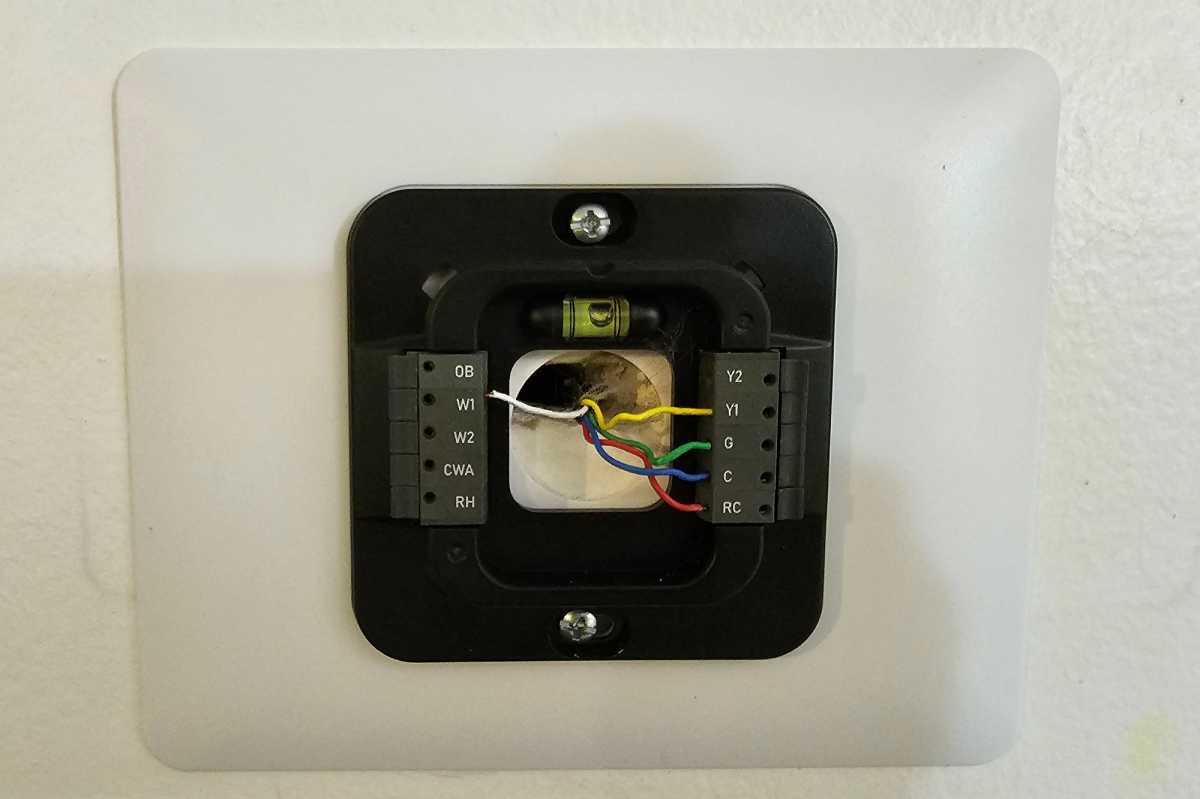
The Cielo Smart Thermostat’s wiring block is straightforward and easy to understand. The thermostat requires a C-wire for power, but an adapter is provided if you don’t find one in your wall.
Jason D’Aprile/Foundry
Cielo also provides a very DIY-friendly installation process. The kit comes with everything you’ll need to get started: anchor screws, a backing plate, and a power adapter if your HVAC wiring doesn’t include a C-wire. A step-by-step installation guide provides clear instructions, with the app and the thermostat itself guiding you through the final steps.
Wiring the Cielo Smart Thermostat is a straightforward process, thanks to the clearly marked wiring plate, and I didn’t encounter any issues with the installation. One minor complaint is the touchscreen’s sensitivity seemed a bit off when I typed in the password on the touchscreen to add the thermostat to my Wi-Fi network, and it took a few taps to get it to respond to some of the characters. This was less of an issue in day-to-day use, but Cielo’s display is not quite as responsive as the Ecobee3 Lite.
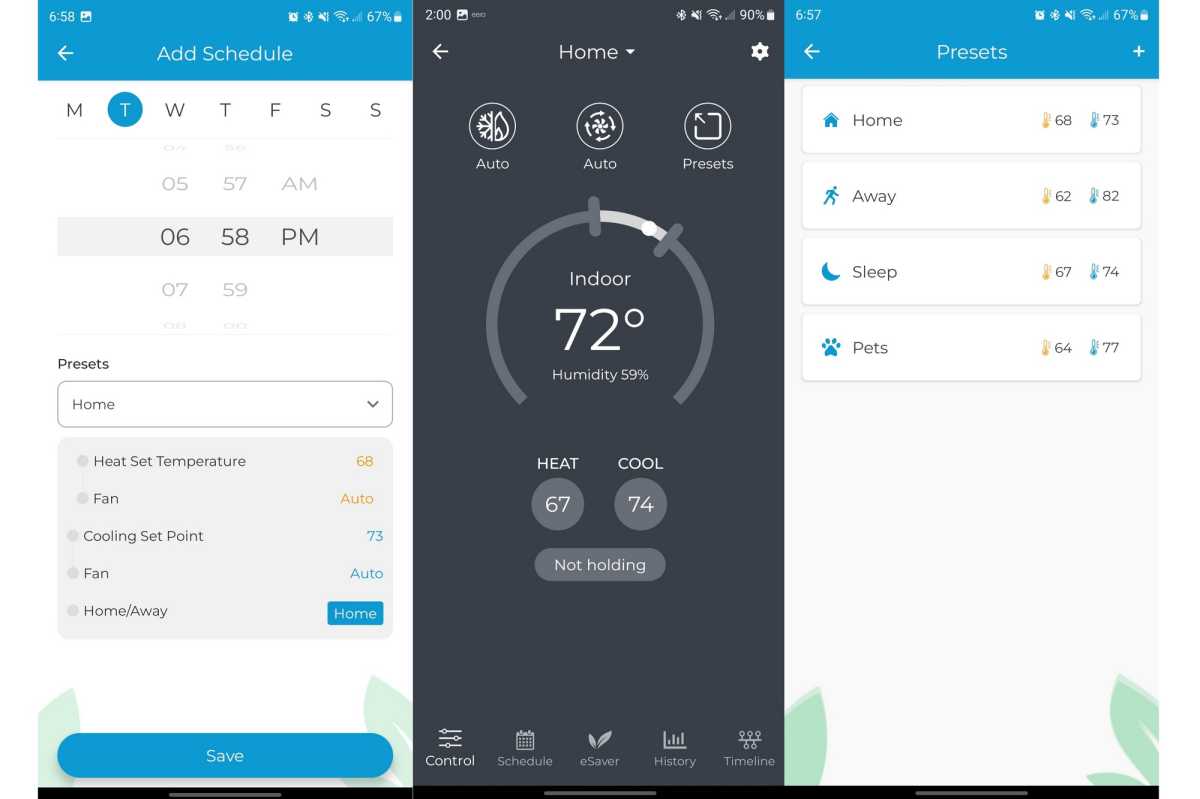
Programming the Cielo Smart Thermostat is not quite as straightforward as installing it, but the quirkiness isn’t much of a barrier to making good use of it.
Jason D’Aprile
Once the hardware is installed and you’ve connected it to your home network, you can configure it through the app if you prefer. Initial configuration is basically just telling it two temperature points—when to heat and when to cool—and you can just leave it at that. For more precise control, the Cielo works with preset modes for Home, Away, Sleep, and Pets, where you can adjust those two temperature setpoints accordingly.
Curiously, scheduling works only within those presets; you can’t set just temperature targets for specific times of day or night. So, instead of programming the thermostat to have your HVAC system seek to hit a temperature of 72 degrees at 9 a.m. and 74 at 10 p.m., for example, you must program the Home and Sleep presets to your desired temperatures and then set the times you want those presets to kick in. It’s logical enough, but it might take some getting used to if you’re accustomed to making detailed schedules for temperature changes.
The Cielo Smart Thermostat is good value
The Cielo Smart Thermostat also supports geofencing, so you set temperature targets when you’re away and when you return to save energy while ensuring your indoor climate is always comfortable. You won’t get an algorithm that learns your comings and goings, as the top-of-the-line Nest Learning Thermostat does, nor will you get remote sensors that can help to eliminate hot and cold spots the way that and several Ecobee models do, but Cielo’s product costs a lot less.
This review was first published on TechHive.
Best Prices Today: Cielo Smart Thermostat
Author: Jason D’Aprile, Contributor, Tech Advisor

Jason D’Aprile is a freelance writer with over 30 years of experience covering consumer technology for a variety of sites and magazines. His focus has been on both entertainment technology and media and a wide variety of smart home and mobile devices, especially high-tech thermostats, cell phones, wearables, and other assorted products. He resides in a relatively secluded home in West Virginia.
