Instax is back with a new printer for your phone which supports wide-format images. It’s called the Instax Link Wide and prints images from smartphones via Bluetooth.
Offered in a choice of two colours – white and grey – the rectangular printer is lightweight, portable and offers two printing modes; Instax Rich for warmer tones, and Instax Natural for a more subtle finish. The printer can also connect to the Fujifilm X-S10 mirrorless digital camera to print photos directly from that, too.
The Instax Link Wide retains a lot of the core features seen on the Instax Mini Link , such as filters, text, stickers and icons which can be added to images before printing, the ability to print photos from videos. It’s also possible to add QR codes to images which – when scanned – can play sound, link to a web page, add a location or display a message.
All of these features can be accessed via the Instax Link Wide app for iOS and Android.
The Instax Link Wide takes Instax Wide film, which is a much larger format than the Mini film, measuring 108 x 85mm. The device is capable of producing 100 prints on a single battery charge, and starts printing in around 12 seconds, according to parent company Fujifilm.
When is the Instax Link Wide release date?
The Instax Link Wide will hit shelves on 22 October 2021. You’ll be able to pre-order it from later on today, likely from the Fujifilm website .
How much does the Instax Link Wide cost?
It’s £129.99/$149.95 for the printer and Instax Wide film is £16.99/$19.99 for a pack of 20.

If you’d like to see alternatives, take a look at our chart of the best portable printers . We also have a roundup of the best instant cameras , which includes other products from Instax.
Author: Hannah Cowton-Barnes, Entertainment Editor, Tech Advisor

As Tech Advisor’s Entertainment Editor, Hannah is the resident expert in all things streaming, film and TV. Before joining Tech Advisor in 2019, she studied Theatre and Performance at the University of Leeds and created a website dedicated to geek culture and lifestyle. She’s also reviewed a whole range of gadgets including flagship smartphones, wearables and styling tools. Outside of Foundry, she’s written freelance pieces for Polygon, Metro and Den of Geek, and is proud to be a Women Techmakers Ambassador for Google.
Recent stories by Hannah Cowton-Barnes:
- Here’s how to watch HBO TV shows in the UK
- Instax Pal review
- Polaroid launches new analogue instant camera, the Now+
We’re all taking more and better quality photographs these days, thanks to smartphones, but we’re less likely to turn them into physical media. However, if you do, a portable printer – also known as an instant printer – is the answer.
These handy, pocket-sized gadgets will let you take your best phone images and print them out wherever you are, with the option to add filters, effects, stickers and other fun additions in the process. You might think of them as a ‘phone printer’ or ‘phone photo printer’ as they connect wirelessly via Bluetooth.
Top brands include Instax, Polaroid, Canon and there’s a range of options at different prices, including photos which develop with a bit of time or ‘Zink’ models which print instantly. Typically, they are compatible with both Android and iPhone as well as potentially other platforms, too.
Some new models we’ll be testing soon, and likely adding to this list, include the Polaroid Hi-Print (2nd Generation) and freshly announced Instax mini Link+, which goes on sale 28 January. For now, the best models we’ve reviewed are below with detailed information, followed by an in-depth buying guide.
If you want something a little more retro and even more instant, you can also buy a camera that prints photos as you shoot them, just like an old-fashioned Polaroid. Take a look at our round-up of the best instant cameras to see if any take your fancy.
Best portable photo printer reviews
1. Instax Square Link – Best Overall
Pros
- Portable and stylish design
- Impressive prints
- USB-C charging
- Decent range of editing options
Cons
- Running costs add up over time
- App could do with some improvements
- QR codes on AR prints on the larger side

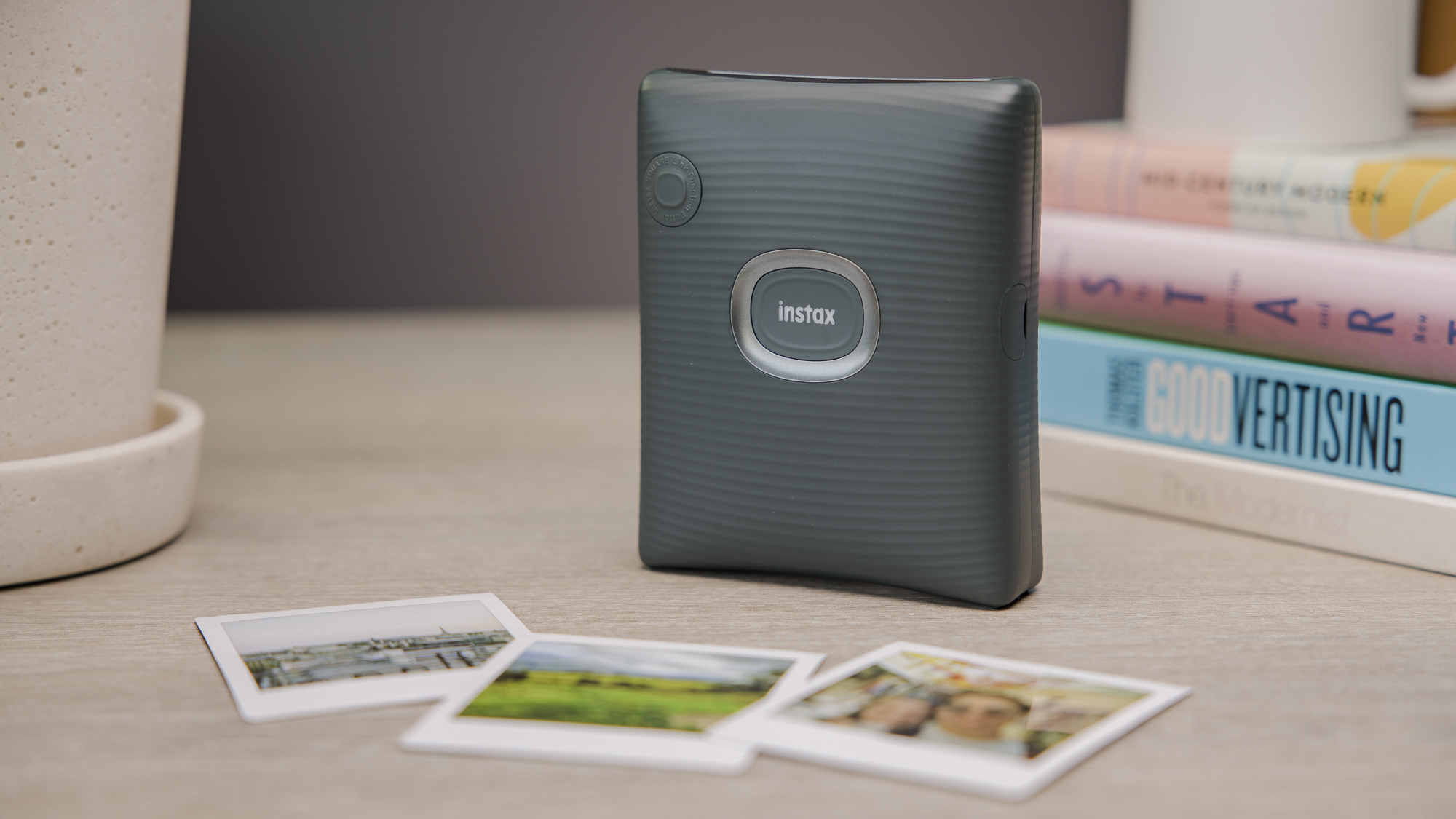
The Instax Square Link is currently the only dedicated portable printer that uses square prints, and is also Instax’s best portable printer yet.
It comes with a stylish and lightweight design, and produces bright, high-quality medium-sized snaps easily via the accompanying app. Prints take 12 seconds to eject, and around 90 seconds to develop.
There is a range of seasonal preset frames available from the Instax library for holidays such as Christmas and Valentine’s Day, as well as simple editing tools – including a dedicated AR print mode that adds either a digital animation, special effect or doodle to an image via a QR code and the app.
Unlike the Instax Link Wide or Instax Mini Link, it comes with USB-C charging, which gives faster charging speeds. This gives it the edge of its two sister products. That said, you won’t need to worry about battery life too much, as you can get around 100 prints on a single charge.
The app layout could do with a few tweaks, including making the text size bigger and improving the navigation. However, these are minor downsides to what is an excellent portable printer overall.
Who should buy the Instax Square Link?
You want a dedicated square printer with a great set of features.
Instax Square Link: Further considerations
Consider a cheaper alternative for long-term running costs.
Read our full Instax Square Link review
2. Polaroid Hi-Print – Best Dye-Sublimation Printer

Pros
- High quality prints
- Portable and refined design
- Easy app navigation
Cons
- Expensive printing costs
- Slow printing speeds
- Only 20 prints on one charge
The Polaroid Hi-Print is a simple, no-nonsense digital printer that costs less than most rivals while delivering superior print quality – though pricey paper means it’ll cost you in the long run.
Printing is slightly slower than most rivals at around 50 seconds – but this is due to it being a dye-sublimation printer, which means that the print ejects in and out at least four times to add each layer of colour, plus a protective film.
The wait is worth it, as print quality is overall extremely high and more detailed, vivid, and striking than you would get from a quicker digital instant printer.
The accompanying app is simple and user-friendly, with options to customise photos with frames, filters, aspect ratio changes, text, and stickers – but few unnecessary frills to over-complicate things.
It also syncs with any image folders on your phone, plus images from WhatsApp, Instagram, Facebook, Twitter, and more.
Who should buy the Polaroid Hi-Print?
You want high-quality prints at an affordable price with an easy-to-use app.
Polaroid Hi-Print: Further considerations
Look elsewhere for faster printing, cheaper running costs and less frequent recharging.
Read our full Polaroid Hi-Print review
3. Instax Link Wide – Best for Wide Prints

Pros
- Large, glossy prints
- Lots of filters and editing options
- Refined design
Cons
- App needs optimising
- Costs rack up over time
- Slow Micro-USB charging

The Instax Link Wide produces large, glossy prints with minimal fuss. It has a great design that is suited both for sitting in your home and for taking on the road.
Photos on the Instax Link Wide are double the size of what you’ll find on the Mini printers and cameras, but the printing speed is very quick at around 12 seconds, with 90 seconds of development time.
Like other Instax products, the prints are bright and colourful with a vintage feel. However, the quality isn’t quite as impressive as what you will find on the Polaroid Hi-Print. The running costs of this printer will stack up over time due to the cost of Instax Wide film.
The companion app provides multiple customisation options such as filters, collages and the option to add QR codes, though it could do with some improvements with its layout.
Who should buy the Instax Link Wide?
You want large, wide-angle prints with lots of editing features
Instax Link Wide: Further considerations
Choose another for modern USB-C charging.
Read our full Instax Link Wide review
4. Instax Mini Link 2 – Best for Small Prints
Pros
- Portable and funky design
- Excellent prints
- Lots of editing tools in the app
Cons
- InstaxAir can be confusing to use
- Outdated Micro-USB charging
- Expensive running costs
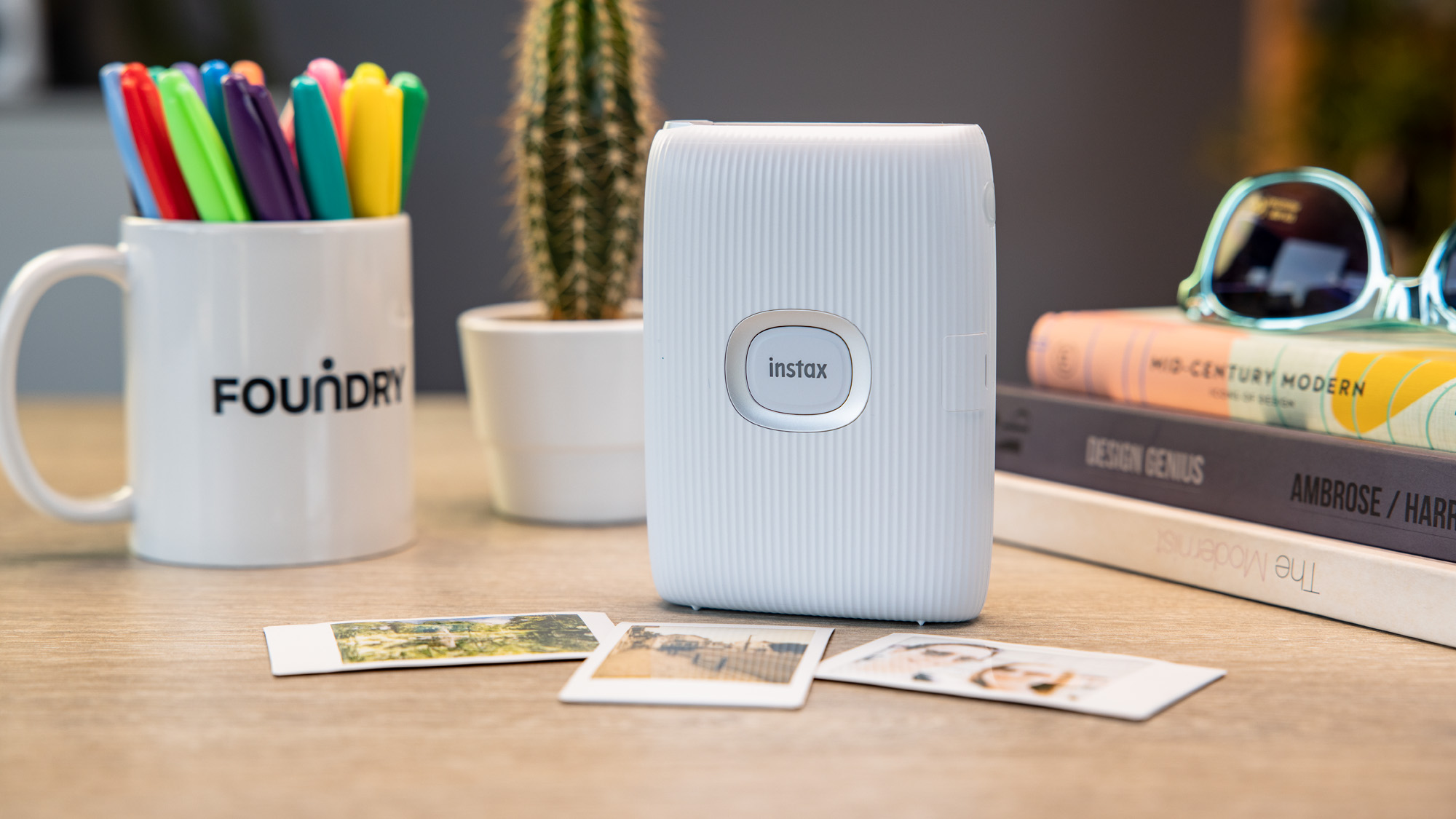
The Instax Mini Link 2 uses Fujifilm’s Instax Mini film. The Mini Link looks great, with funky colour options and a young and fresh feel.
It connects to your phone through the Mini Link app and Bluetooth, and can print photos both from your phone’s library and your social media profiles.
From the app, you can choose frames and other options, including split prints (separating one photo into two prints) and collages. You can edit photos within the app, with colour filters and dials to change the brightness, contrast and saturation.
The printer has a speed of around 12 seconds per print, supports continuous printing and can print up to 100 photos on a single charge. Photos come out clear, crisp and vibrant on the Mini film, and after printing, there’s a handy button to get a second copy instantly.
Fun options include a ‘match test’ that prints out a photo with a compatibility score between two people, and the ‘party print’ mode that allows users to add photos from up to five phones to create one Instax print. There is also the InstaxAir feature which allows you to draw patterns in the air on photos – but this can be a faff to use.
You can even use the printer as a remote control for your smartphone camera, tilting the printer back and forth to zoom in and out.
Who should buy the Instax Mini Link 2?
You want small photos which print quickly.
Instax Mini Link 2: Further considerations
Look elsewhere for something cheaper or if you need USB-C charging.
Read our full Instax Mini Link 2 review
5. Canon Selphy QX20 – Most Versatile
Pros
- Dual print sizes
- Gorgeous images
- Simple-to-use app
Cons
- Poor battery life compared to rivals
- No log of how many sheets/ink is left in app
- On the heavier side
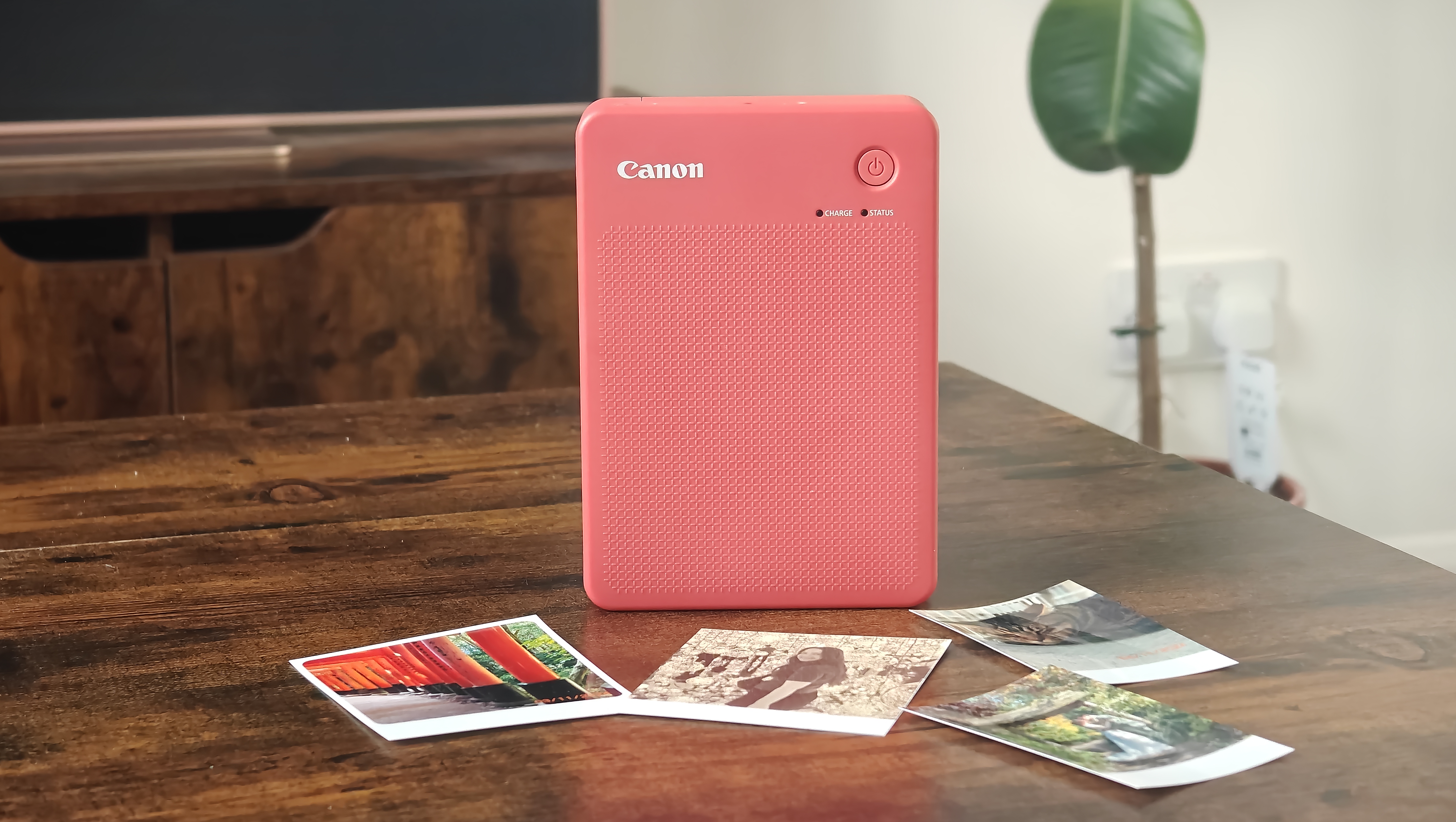
If you’re torn between what size prints you want from your portable printer, the Canon Selphy QX20 may be the device for you. It supports both square and credit-card formats, giving you plenty of versatility.
Like the Polaroid Hi-Print, the QX20 uses the thermal dye process, which produces stunning results – especially on the larger formats. The accompanying app is also simple to use, as is changing between the different paper options.
That said, the app could have improvements. There’s no way of viewing how many sheets of paper or ink are left, and the battery indicator only shows a vague estimation.
In addition, the battery life lasts for just over twenty prints, significantly less than Instax printers. Due to its dual-print support, it’s on the heavier side, making it less portable. Nonetheless, there’s nothing else on the market quite like this printer – so if you want something versatile, this is an excellent option.
Who should buy the Canon Selphy QX20?
You want a choice of print sizes with high-quality results.
Canon Selphy QX20: Further considerations
Look elsewhere for something lighter and longer battery life.
Read our full Canon SELPHY QX20 review
6. Kodak Step Instant Printer – Best for Zink Prints

Pros
- Portable design
- Affordable
- Easy to use
Cons
- A few bugs in the app
- Charges via Micro-USB
The Kodak Step is one of the most affordable printers on the market for Zink prints. Whilst Zink images aren’t quite as impressive as what you will find from brands such as Instax and Polaroid, the running costs are much cheaper, and there is no development time.
The Kodak Step keeps its design simple with a compact, rectangular shape that you can get in a range of colours. It is easy to use, even for beginners. It supports up to 25 images on a single charge.
The prints themselves are on the smaller side at 2x3in, so these are best if you’re looking for wallet-sized photos. The images come with an adhesive back so they can be used as stickers, and feature a range of colours – though some details are lost from the original images.
The app includes a range of editing options, but does have a few bugs and issues. That said, the affordable price of the Kodak Step makes this a viable portable printer that gets the job done.
Who should buy the Kodak Step?
You want a budget-friendly printer with quick printing.
Kodak Step: Further considerations
Look elsewhere for USB-C charging and better print quality.
Read our full Kodak Step Instant Printer review
7. HP Sprocket Select – Best for Larger Zink Prints

Pros
- Super lightweight
- Straightforward app UX
- Improved Zink print quality
Cons
- Occasional paper loading issues
The HP Sprocket Select is the third-generation iteration of the Sprocket 200. It boasts Bluetooth 5.0 connectivity, which allows multiple phones to connect via the straightforward Sprocket app (free on Android and iOS).
A more significant improvement is that the Select prints larger images at 2.3 x 3.4in instead of 2 x 3in – which is roughly the size of a credit card.
Like past Sprockets, the Sprocket Select prints on Zink, or “zero ink”, paper, which is cheaper than film in the long run – but at the cost of slightly washed colour tones.
Given that Zink images can be slightly dull to begin with, the Sprocket Select trumped expectations with a fair amount of detail and contrast. The colours still appeared slightly washed out but were much more vibrant than on other Zink printers we’ve tested, particularly the reds.
Who should buy the HP Sprocket Select?
You want large prints without waiting and the ability to connect multiple devices.
HP Sprocket Select: Further considerations
Look elsewhere for easier paper loading
Read our full HP Sprocket Select review
8. Kodak Step Slim Instant Printer – Best for Portability
Pros
- Slim and durable build
- Affordable running costs
- Simple to use
Cons
- Not as affordable as the Kodak Step
- Zink paper not as impressive as rival prints
- App has a few bugs
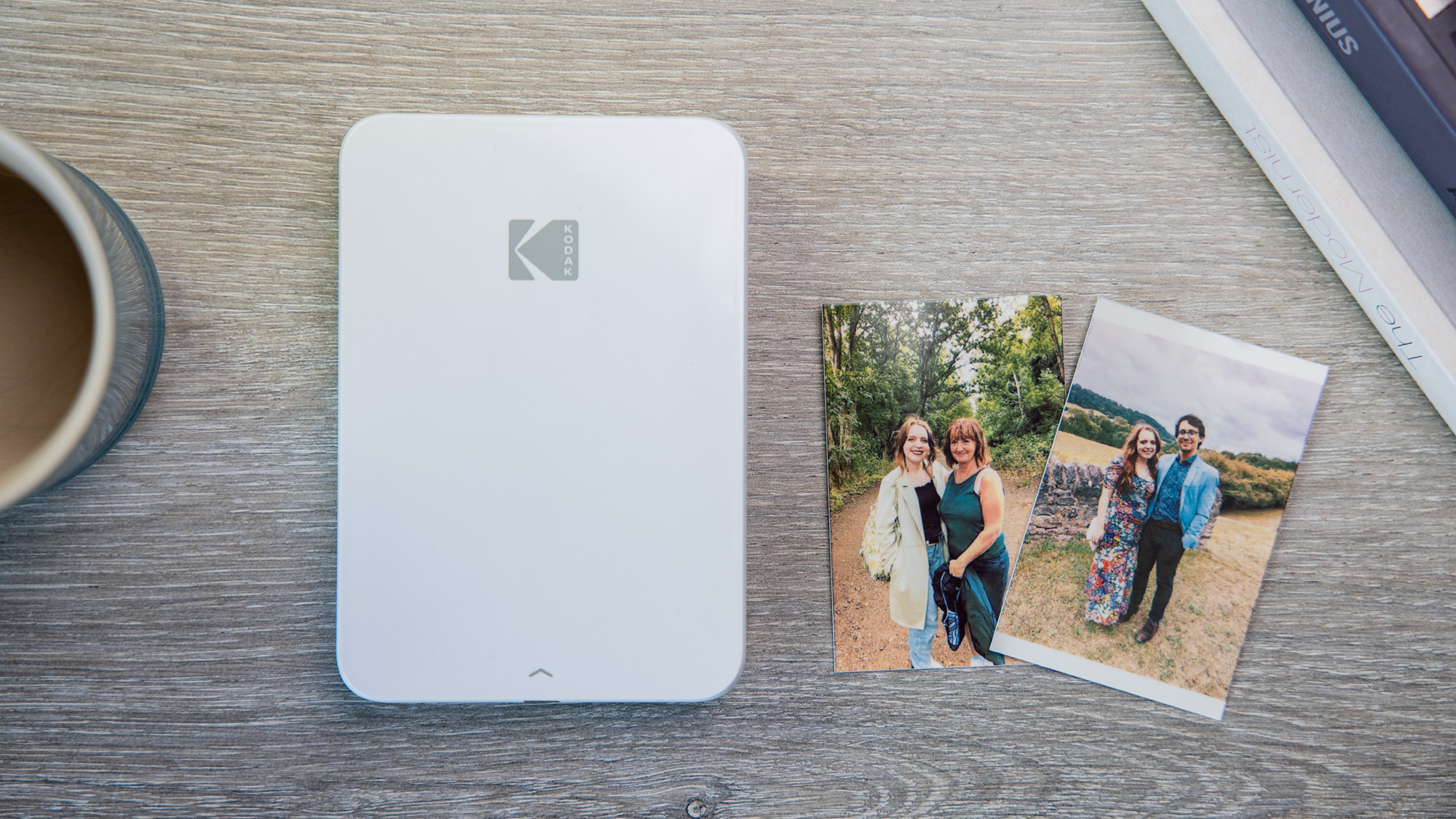
The Kodak Step Slim is one of the most portable options on the list. It is slim at 2.29cm thick and lightweight at 240g – making it easy to fit into a large pocket.
It’s easy to use as well, with the well-laid-out accompanying Kodak Step app. However, this does have a few bugs in comparison to some of the software that rivals boast. Nonetheless, you’ll still have plenty of filters, frames and more to add to your snaps.
This is another Zink printer, so prints aren’t quite as striking as what you’ll find on models from Instax and Polaroid, as this isn’t real film. However, the trade-off is that running costs are cheaper overall.
It’s not quite as affordable as its sister model, the Kodak Step, but it will still get the job done without breaking the bank.
Who should buy the Kodak Step Slim?
A pocketable printer with speedy printing.
Kodak Step Slim: Further considerations
Look elsewhere for higher quality results.
Read our full Kodak Step Slim Instant Printer review
9. Instax Mini Evo – Best Hybrid Camera

Pros
- Compact and retro design
- Long battery life
- Useful buttons and dials
Cons
- Expensive
- Frustrating menu
- Limited internal storage
Whilst the Instax Mini Evo from Fujifilm is foremost a digital and instant camera hybrid, it also has all the capabilities of a standard portable printer, making it a true all-rounder.
The Instax Mini Evo app allows you to edit photos with filters, stickers and frames – just like you can with other Instax printers. You can also transfer photos taken on the camera to the app so that they are digitally stored.
The camera itself combines features such as analogue buttons with digital effects, making for an all-around fun shooting experience. It looks refined and vintage, and not childish like some other products from the brand. The Evo comes with a lengthy battery life, as well as a portable size.
Unfortunately, whilst all these features are compelling, the Instax Mini Evo comes with a hefty price tag upfront, plus the running cost of Instax film on top of this.
Who should buy the Instax Mini Evo?
You want an instant printer with a camera built in.
Instax Mini Evo: Further considerations
Look elsewhere for something more affordable if the camera isn’t a must.
Read our full Instax Mini Evo review
10. Instax Wide Evo – Premium Hybrid Camera
Pros
- Vintage-inspired build
- Large and glossy prints
- Wide range of filters and shooting options
Cons
- Very expensive for what it is
- Cumbersome build
- Battery and internal storage on the lower side
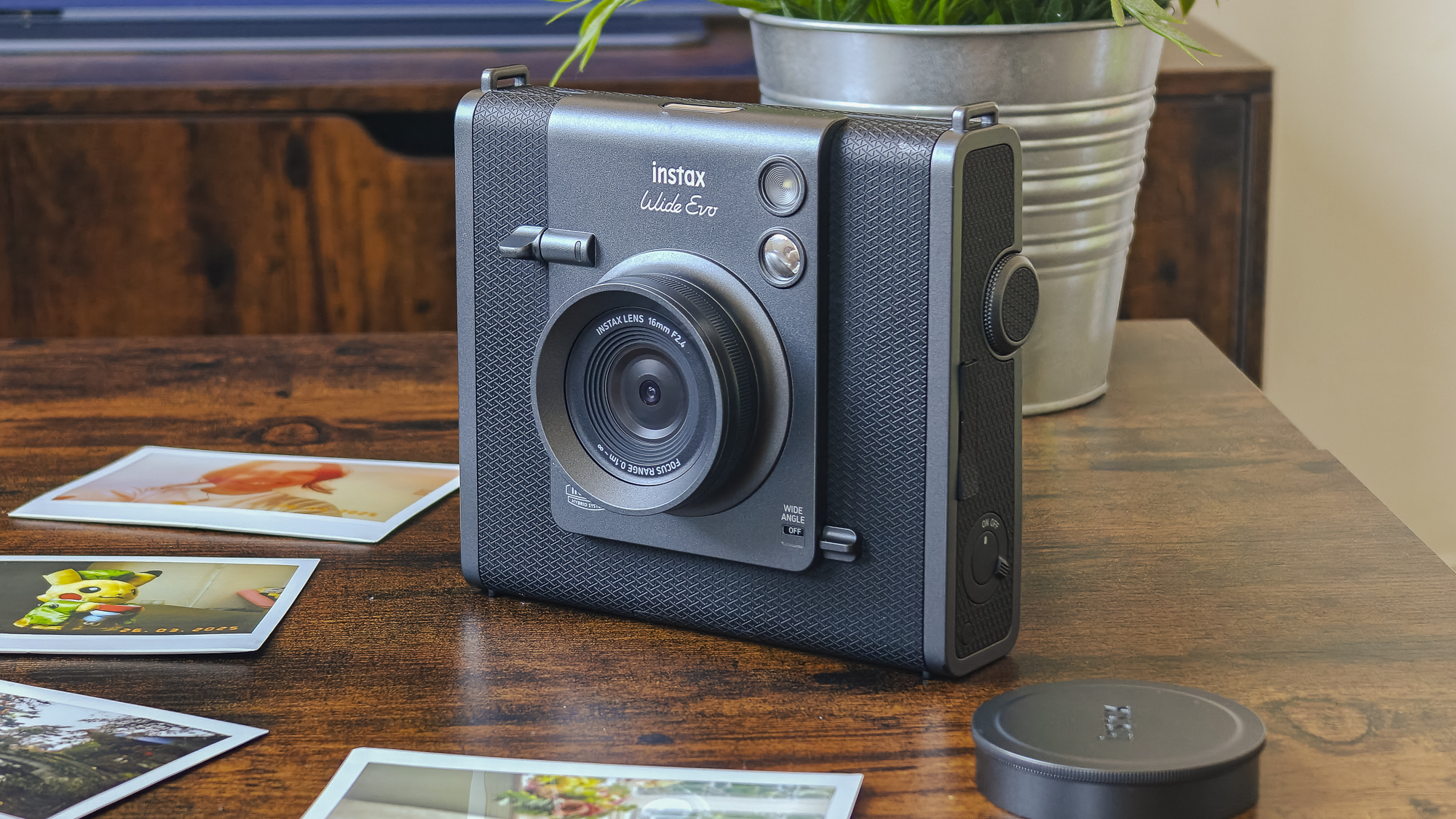
The Instax Wide Evo is another digital and instant camera hybrid, but this uses Wide film rather than Mini film. It also has a much higher price tag than the Mini Evo, so it’s only suitable if you want to splash the cash.
There’s no denying that the Wide Evo has a premium, nostalgic build that stands out from the crowd, while the endless array of settings means that you’ll have plenty to experiment with when shooting. Images taken on the camera can also be transferred to the accompanying app.
However, the build is heavy and bulky, meaning it’s not the best for using out and about unless you have a big enough bag to hand. Plus, both the battery life and internal storage are on the low side. There are better options in this chart.
Who should buy the Instax Wide Evo?
You want an instant camera and printer hybrid that produces larger-sized prints.
Instax Wide Evo: Further considerations
The Instax Mini Evo offers a very similar experience for a fraction of the price.
Read our full Instax Wide Evo review
How we test portable photo printers
In simple terms, we use it no differently than if you bought one, got it out of the box and powered it up. We use it as if it were our own, ensuring we print plenty of different photos to check the quality of the final product, as well as all the features along the way.
Why you should trust Tech Advisor for portable printer reviews and buying advice
Independent buying advice is the reason Tech Advisor exists, and we’ve been doing it for 30 years. Our in-house team and contributors are experts in all things tech and gadgets, and we have your best interests at heart.
Who curated this article?
Hannah is our Entertainment Editor but has been testing and reviewing all kinds of tech for six years at Tech Advisor. She knows everything there is to know about portable printers and has reviewed most of the models you see above.
How to choose the best portable printer
Fortunately, choosing a portable printer isn’t as complicated or as overwhelming as something like a smartphone. There are small number of reliable brands that make the best models, and you should be able to figure out which one is best for your needs quickly.
As well as reading our honest thoughts on each printer above, you first need to make sure the device is compatible with the phone or other device you want to use it with. Most have apps for Android and iOS, so you can then move on to making sure it does everything you need.
The main difference between different portable printers is the size and type of photo they print. Some are square and use Zink paper which prints within seconds, for example, while others offer a choice of sizes and use film, which you have to wait to develop. Your last key decision is how much to spend – ultimately, that’s up to you but budget models cost a little over £50/$50 but you can spend £100/$100-£200/$200 if you want a fancier model.
How does a portable photo printer work?
Portable photo printers essentially connect to your smartphone via Bluetooth, usually via an app. The photos taken on your phone (or downloaded onto your image library) can then be viewed in the app, and printed from here.
There is no need to involve your PC at all, and most printers should support both iOS and Android models.
The actual printing process depends on the model you buy. The Polaroid Hi-Print uses a lengthier dye-sublimation process, whilst Instax printers instantly print photos, which then develop over a short period of time. Zink photo printers print instantly, but this is technically not real film. It all comes down to your preferences for the final look of your photos.
What size photos does a portable photo printer produce?
That depends on which printer you choose! We have the dimensions of all the prints that the devices use in our linked reviews, but the most common format is around the size of a credit card. However, you can opt for something larger if you prefer prints that take up more space. Typically, a portable printer can only print one size of photos.
What is the difference between a portable photo printer and an instant camera hybrid?
Some models of instant cameras (which print photos as soon as you hit the shutter button) also include the ability to print photos from other devices, just as you would on a portable printer – one example is the Instax Mini Evo.
Can I edit photos in a portable photo printer app?
Most leading manufacturers of portable photo printers offer some level of editing in their smartphone apps. These include filters, stickers, frames, text and even more advanced things like QR codes.
Where do I buy more instant printer film?
Related content
- Best instant cameras
- Accessory reviews
- Best phones
Author: Hannah Cowton-Barnes, Entertainment Editor, Tech Advisor
As Tech Advisor’s Entertainment Editor, Hannah is the resident expert in all things streaming, film and TV. Before joining Tech Advisor in 2019, she studied Theatre and Performance at the University of Leeds and created a website dedicated to geek culture and lifestyle. She’s also reviewed a whole range of gadgets including flagship smartphones, wearables and styling tools. Outside of Foundry, she’s written freelance pieces for Polygon, Metro and Den of Geek, and is proud to be a Women Techmakers Ambassador for Google.
Recent stories by Hannah Cowton-Barnes:
- These are the best instant cameras you can buy
- Instax Wide Evo review: Big prints, bigger price
- Canon Selphy QX20 review: The best of both worlds
