We’ll aim to answer all your questions and help you choose the right system for your home. If you’re buying only a single device, it doesn’t really matter too much, but most people decide that want more than one to cover the various areas of their home. Some people go as far as putting one in every room.
The bad news is that there’s no easy answer to which system is the best, so you’re going to have to read on to find out more before making up your mind.
- Amazon’s range is much larger than Google’s
- Google’s smaller range can be easier to understand
Before we talk about the assistants built into these speakers and smart displays, it’s worth looking briefly at the ranges on offer from each company.

The Google Home range , some of which is now called Google Nest, isn’t quite as comprehensive, but this makes it simpler to understand.
It starts with the £49 / $49 Google Nest Mini and tops out with the Google Home Max at £299 / $299. There are two smart displays: the 8in Nest Hub and the new 10in Nest Hub Max for £219 / $229, matching the largest Echo Show.

As with Alexa, you’ll also find the Google Assistant hiding in other products including the Nest Cam IQ security camera and – naturally – Android phones.
Alexa vs Google Assistant
- Assistant well integrated into Google universe
- Assistant can hold a conversation and understand context
- Alexa also competent but a stickler for correct phrasing
Regardless of whether you intend to buy a smart display or a smart speaker, both rely on their respective assistants to answer questions, set timers and generally get stuff done.
Answering it isn’t straightforward though, and there’s no clear winner. Each assistant has its strengths and weaknesses.
Google Assistant leans heavily on Google’s search prowess, and is therefore fairly adept at answering any questions which could just as well be typed into a Google search box. It’s also fully integrated into the Googleverse, which means if you have an Android phone and use Google services such as Gmail and YouTube, you’ll really appreciate how everything works nicely together.

The Assistant is also much more forgiving when it comes to understanding what you say, so you can speak in natural language and it knows what you mean… most of the time.
Also, Alexa isn’t so hot on general knowledge and relies for the most part on Wikipedia. That means she tends to struggle with the kind of local knowledge that Google is good at, but is very capable when it comes to telling you how tall the Arc de Triomphe is, or about the various species of lemurs.
However, Alexa is surprisingly knowledgeable about local retail and can answer “When does Tesco close tonight in Sidcup”.
Basics
- Timers
- Reminders
- Weather forecasts
- Message broadcasts
- News
- Sports scores
- General questions
Both assistants have the basics nailed, including setting multiple timers and reminders, giving you a weather forecast or the latest sports scores.
They can also broadcast a message to all your smart speakers and displays in your home such as “Dinner’s ready”. Alexa and Google Assistant will also acknowledge you if you say thank you, which can encourage kids to remember their manners.

Google gains a point for responding to “Stop” when an alarm is sounding. With Alexa, you still have to yell “Alexa, stop”.
Impressively, Alexa can offer translations: this feature isn’t limited to the Google Assistant. You can ask either one how to say “Two beers please” in a different language.
Smart home
Both assistants are especially helpful if you have compatible smart home gadgets such as lights, plugs and switches. Using only your voice you can turn these things on and off and you can group them so they turn on and off together.
Routines are another shared skill: you can set multiple things to happen when you issue a custom command. You might say “goodnight” and all the lights will turn off downstairs, the heating will switch off and your bedroom light will turn on.
Music
- Alexa very capable for music playback
- Google also good, but does not support Apple Music
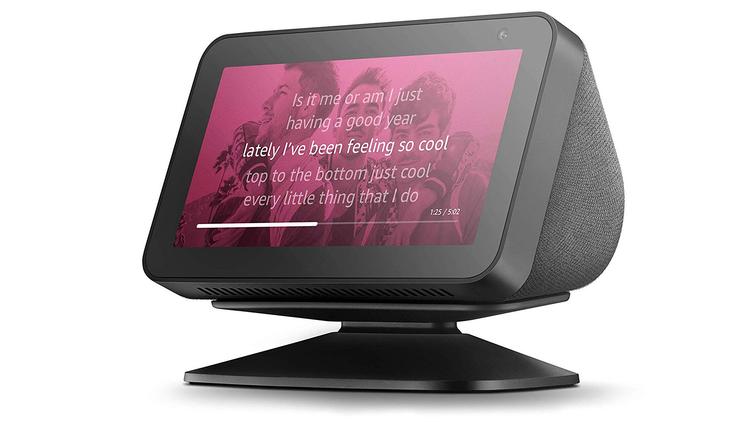
And while we’re on the subject, buying a third-party speaker with the Google Assistant or Alexa can often leave you locked out of certain features such as making calls to friends and family.
TV control
Skills
- Developers can make ‘skills’ for Alexa
- Google Home does not have a ‘skills’ store
One difference between the systems is Alexa Skills which are like apps that you ‘enable’ in the Alexa app. Some of these are just silly games like “Meow meow” which make Alexa meow at you when you make that sound. But many are actually useful, such as getting train times and public transport status updates, or are skills made specifically by hardware manufacturers so their kit is controllable via Alexa.

Google Assistant is also compatible with a wide range of hardware, but if it doesn’t just work straight away, there’s nothing you can do about it, and developers can’t create extra games and other skills.
Communication
- Google Home lets you chat to any Google contacts
- Amazon mostly limited to Echo users, but can also make phone calls
Messaging is built into Alexa as well and this can take the form of voice or text.
With the Google Assistant and Google Nest devices, you’re a bit more limited for video calls because the Nest Hub doesn’t have a camera. However, where you can make voice- and video calls you can talk to any of your Google contacts, not only those with Home or Nest Hub devices.
Smart speaker vs smart display
- Smart displays allow for video and video calls
- Smart speakers tend to sound better for music

Although the screens can show video, their small size means you’re unlikely to watch anything longer than the odd YouTube video or news briefing. And it’s awkward to use YouTube on an Echo Show: only the Google Nest Hubs officially support it.

The smaller Google Nest Hub, however, doesn’t have a camera so can’t be used for video calls, whereas all three Echo Show models have a camera. The two smaller ones even have a physical shutter to block off the camera and mute the microphones when you want some privacy.
Check out our roundups:
- Best smart displays
- Best smart speakers
Verdict
If you’ve got this far, you’ll realise that it’s impossible to say one system is better than the other.
Ultimately, the right one for you will be the one that does what you want it to, and works with the smart home kit you already have.
You might prefer the strengths of the Google Assistant, while others might be happy to live with Alexa’s shortcomings in general knowledge and be swayed by the bigger choice of devices.
Just remember that you can’t really mix and match systems: you either go for Echos or you plump for Google’s devices. It’s far too confusing otherwise.
Author: Jim Martin, Executive Editor, Tech Advisor

Jim has been testing and reviewing products for over 20 years. His main beats include VPN services and antivirus. He also covers smart home tech, mesh Wi-Fi and electric bikes.
Recent stories by Jim Martin:
- Is Amazon Alexa down? It’s probably not just you
- Best Bluetooth trackers 2025
- The best ethernet cables to buy
