Pixel Tablet 2: In summary
- Google’s second-generation flagship Android tablet
- Reportedly cancelled due to worries of poor sales
- A no-show at the Pixel 10 launch
- Google has officially commented on the situation
Google’s flagship Android tablet and iPad rival is two years old, so where is the Pixel Tablet 2?
The Pixel Tablet arrived in May 2023, and though not all devices have a 12-month refresh cycle, a successor would normally have arrived by now.
However, there’s still no sign of a Pixel Tablet 2, which Google may never release. However, there is still (some) hope for the future of the Pixel Tablet line.
Here’s everything we know so far, including rumours, our expert analysis and things we’d like to see.
When is the Pixel Tablet 2 release date?
In summary
- The Pixel Tablet 2 is reportedly cancelled
- A no-show at Google’s 20 August event
- Google officially says development is paused
Initially, it was thought that the Pixel Tablet 2 was going to arrive with the Pixel 9 range of phones and Pixel Watch 3 in August 2024.
That did not happen, despite the credible sources suggesting it would. In fact, there’s still no sign of it a year later, with the August 2025 launch event focusing on the Pixel 10 series and Pixel Watch 4 .
It probably shouldn’t come as a surprise. Back in November 2024, it was reported that Google had cancelled the Pixel Tablet 2 (thought to be codenamed ‘kiyomi’), with sources around that time citing worries about poor sales.
Later news suggested Google was still working on a tablet of some kind, possibly the Pixel Tablet 3 coming in 2027, but Google has now (finally) spoken about the situation, so we have more clarity.
According to Bloomberg, who spoke with Google executives, including SVP of Devices & Services Rick Osterloh, it has “paused development on a tablet overhaul until it figures out a meaningful future for the category”.
This is about as official a comment as we’ve seen to confirm the Pixel Tablet 2 is cancelled, but the fact that it is only ‘paused’ and not completely abandoned leaves the door open for something in the future.
We hope there is a ‘meaningful future’ for Pixel tablets going forward, but it’s clear Google’s focus is on other hardware categories at the moment, as well as, of course, AI.
Dominik Tomaszewski / Foundry
Interestingly, the Bloomberg interview also revealed Google isn’t working on a foldable flip phone to rival the Motorola Razr or Samsung Galaxy Z Flip devices. Nor is it working on a smart ring and it’s “TBD” (to be determined) if any new smart glasses are on the way.
Sources: Phone Arena | Android Authority | Engadget | Bloomberg
How much will the Pixel Tablet 2 cost?
In summary
- Similar price to the original Pixel Tablet
- Should offer the tablet and docking station separately
The Pixel Tablet 2 may never see the light of day, but it was widely thought that Google would follow the same pricing structure as the original.
That would mean a price of £599/$499 for a 128GB storage capacity and bundled docking station (worth £139/$129 for the Pixel Tablet). The 256GB would cost £699/$599.
However, we’re not convinced that Google will go down this path again.
Many reviews, including Tech Advisor’s, criticised Google for not offering the tablet on its own. Now Google seems to have learned from that mistake, I’m hoping it offers both options from the start for the second generation.
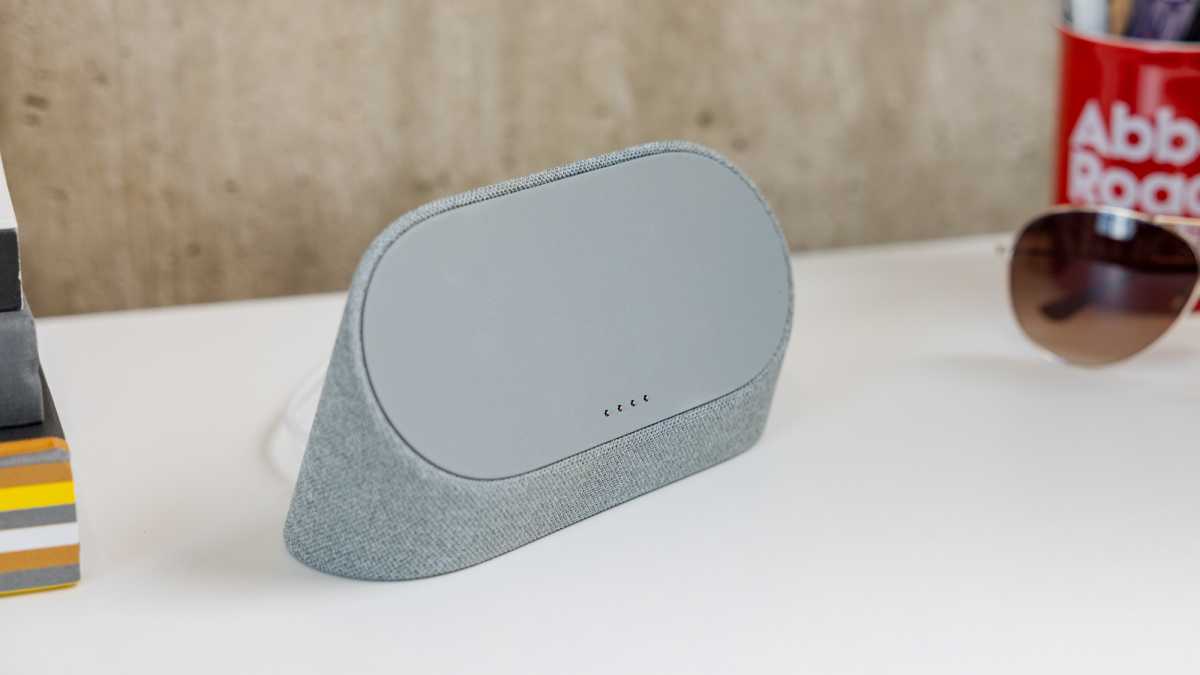
Pitching the Pixel Tablet 2 at around £399/$399 on its own, and leaving the docking station as an optional extra (with a bundle discount), would probably be the wisest move. It would help the device to rival the regular iPad at least.
Dominik Tomaszewski / Foundry
What we want to see in the Pixel Tablet 2
In summary
- It might not launch, but some Pixel Tablet 2 specs leaked
- Could indicate some of what the Pixel Tablet 3 has to offer
- Tech Advisor wishes for more of the same, with improvements in certain areas
Although the Pixel Tablet 2 has reportedly been cancelled, Android Authority has shared a lot of information about its specifications and the features it could offer.
While neither official nor confirmed, this information reveals what the Pixel Tablet 2 could have been and some of which may still end up in the Pixel Tablet 3.
Design & Build
The Pixel Tablet 2, codenamed ‘kiyomi,’ retained the foundational design of its predecessor but included thoughtful improvements.
Google planned to enhance the accessory ecosystem with a first-party keyboard and stylus, making it more versatile for productivity and creativity.
The device also aimed to maintain its dual functionality as both a tablet and a smart display, aligning with its role in smart home setups.
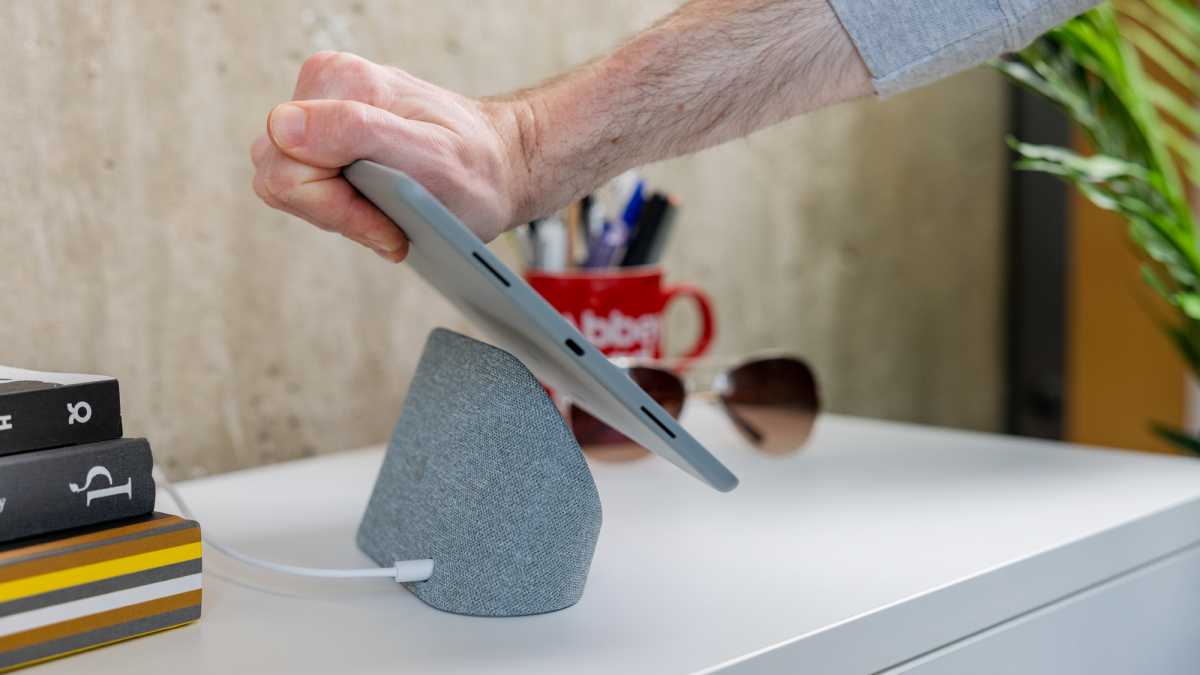
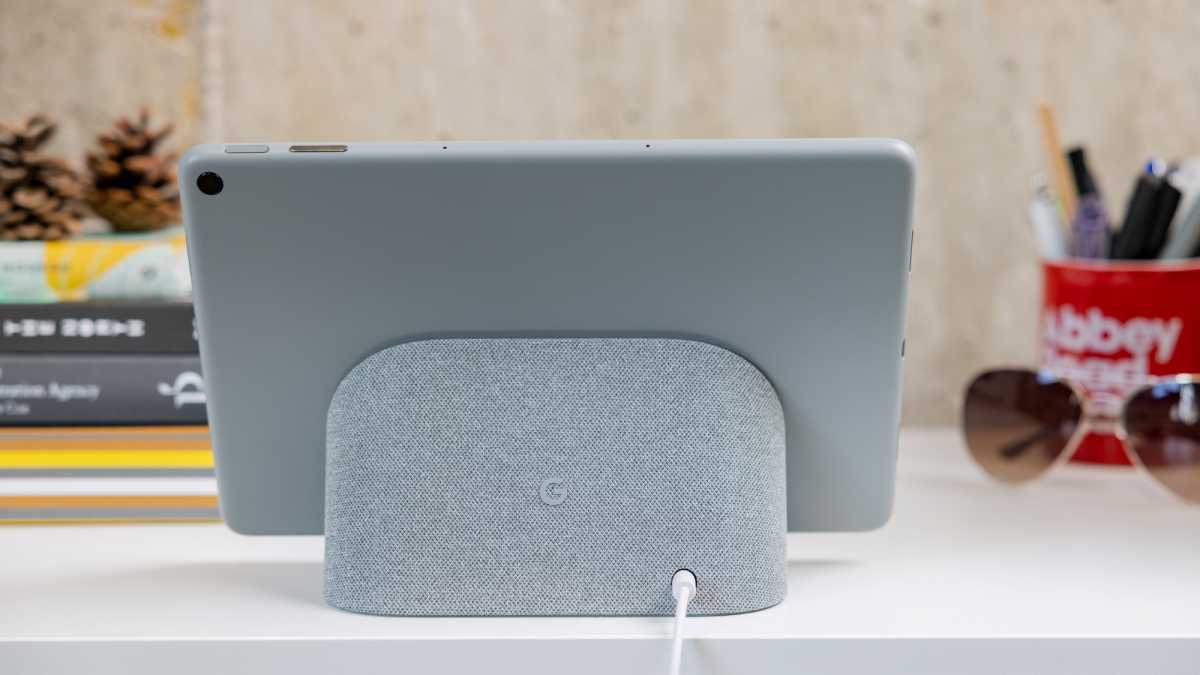
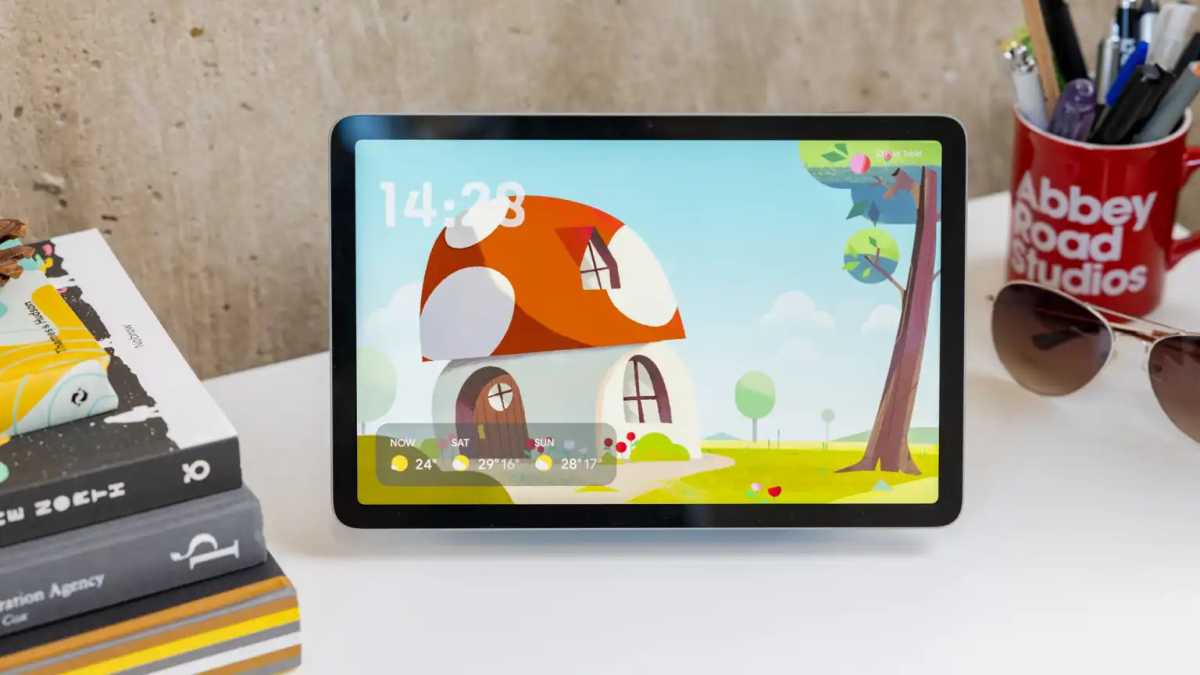
We still like the Charging Speaker Dock as a unique selling point, but the speakers inside it could be a lot better, especially when compared to the Google Next Hub Max , which is very similar and sounds a lot better.
Dominik Tomaszewski / Foundry
Display
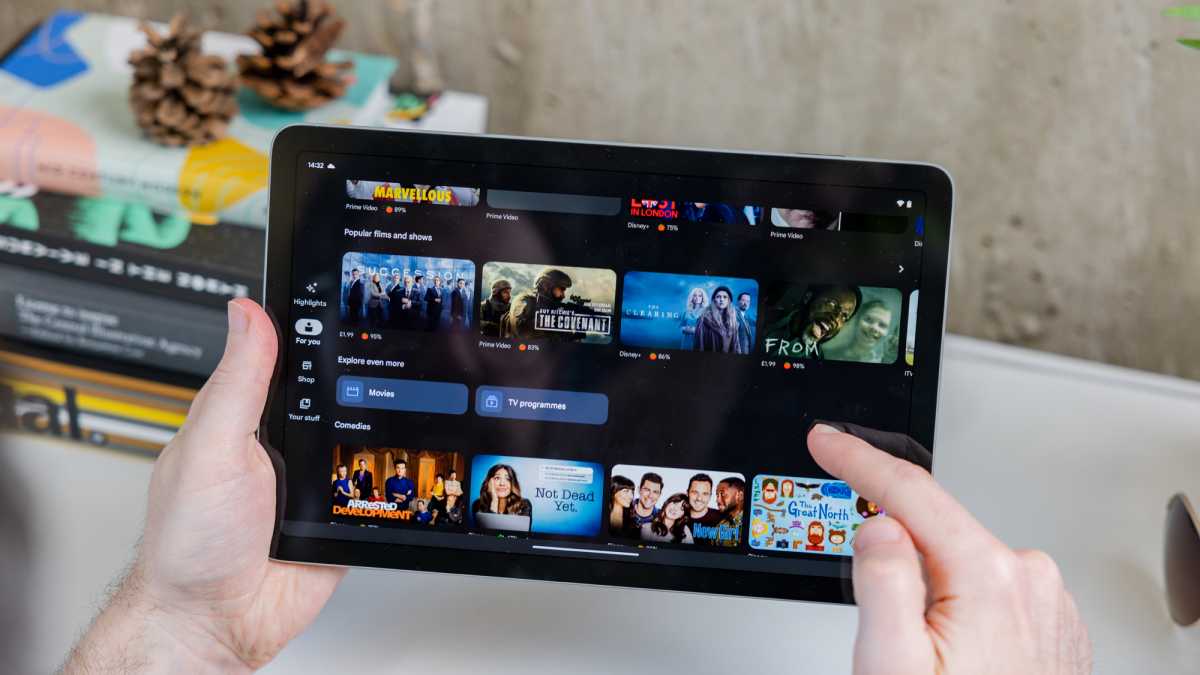
A significant upgrade for the Pixel Tablet 2 was its 10.95-inch LCD panel, offering a 120Hz refresh rate compared to the original’s 60Hz.
The resolution remained at 2,560 x 1,600, but brightness was slightly increased to 550 nits from 500 nits.
While still an LCD, chosen to avoid burn-in issues common with OLEDs, the smoother refresh rate promised a better visual experience.
It’s possible that with the Pixel Tablet 3, Google moved to both a higher refresh rate and an OLED panel. We’d love to see it go brighter, too.
Performance
At its core, the Pixel Tablet 2 was planned to run on the Tensor G4 chipset, using an Integrated Package on Package (IPoP) design.
Though slightly thicker and warmer than the Fan-Out Panel Level Packaging (FOPLP) variant, it offered cost efficiency.
Dominik Tomaszewski / Foundry
This represented a solid leap forward from the Tensor G2 of the original Pixel Tablet. Google also prepared the device for DisplayPort output, supporting up to 4K resolution, a step toward improved connectivity and external display capabilities.
If and when the Pixel Tablet 3 arrives, it could jump to the Tensor G6, making for a big performance jump.
Cameras
The camera setup would have seen moderate improvements.
The front camera would have been upgraded to a 10Mp Samsung sensor (from 8Mp), while the rear camera was planned to include an 11Mp autofocus sensor – up from the previous, fixed-focus 8Mp.
Despite these enhancements, face unlock was not included, even though the selfie camera was the same as the Pixel 9 Pro Fold.
We’re not too fussed about cameras on tablets, but face unlock would be a nice addition.
Battery & Charging
The Pixel Tablet 2 was set to receive a modest boost in battery capacity, increasing from 6900mAh to 7200mAh.

Dominik Tomaszewski / Foundry
While not groundbreaking, this enhancement complemented the higher refresh rate display and improved performance, likely extending its usability for both tablet and smart display functions.
We’d also like to see faster charging like some of its rivals, such as the Xiaomi Pad 7 .
Software
The software improvements were likely tied to Google’s broader efforts to optimise Android for tablets.
The addition of Thread support for IoT device integration showcased Google’s intention to deepen the Pixel Tablet’s role in smart home ecosystems.
However, some planned features, like 5G and GPS support, were reserved for the cellular variant, leaving the Wi-Fi model comparatively limited.
Dominik Tomaszewski / Foundry
We’ll be keeping an eye out for Pixel Tablet 2 news and rumours and will update this article when they appear.
Need a new slate now? See our guide to the best tablets you can buy.
Author: Chris Martin, Managing Editor, Tech Advisor

Tech Advisor Managing Editor Chris got his break as a reporter at infamous site The Inquirer and has been with us for more than 12 years. With a BA degree in Music Technology, audio is his specialism, but over the years he has reviewed all kinds of gadgets, from smartwatches to mesh Wi-Fi to coffee machines.
Recent stories by Chris Martin:
- What is Raylo? Phone and tech subscription explained
- Google Pixel Tablet Review: To dock or not to dock
- The Pixel Tablet just got a new lease of life, but it could be bad news too

At a Glance
Expert’s Rating
Our Verdict
It might only be available in two colours but Google has brought the two things we asked for to the Nest Hub Max – a larger screen and a camera. That camera can do a lot more than make video calls, too and we have very little to complain about with this smart display.
Best Prices Today: Google Nest Hub Max

Smart home is an increasingly popular area of technology and Google has updated is smart display to be bigger and better. Now branded with the Nest name, here’s our full review of the Nest Hub Max.
We loved the Home Hub when and still do, but it was a shame that Google didn’t offer a larger option with a built-in camera. Well that’s exactly what the Nest Hub Max offers so we’re rather pleased.
Before we begin, it’s worth explaining that the branding is now ‘Google Nest’ with the two coming together. Google has owned Nest for five years now and thought it was about time to use the names together. The Hub Max combines Google and Nest technology so it makes sense, apart from the slightly lengthy product name.
Price & Availability
After a delay, the Nest Hub Max is available to buy from Google .
It costs £219 or $229 . The regular Home Hub, now known as Google Nest Hub , is available for a lower price of £119 – it was previously £139.
Check out our chart of the best smart displays .
Design & Build
As you might expect, the Nest Hub Max is essentially just a super sized version of the regular Home Hub.
So the headline here is that you get a larger screen. It’s 10in vs 7in but feels like a bigger jump in real life. The original suddenly looks tiny in comparison. The 10in display gives you a nice amount of extra real estate to see what you’re doing, especially handy if you want to view the Hub from a distance across the room.
The firm has stuck with the same style and combination of materials including fabric. The idea is that it’s like a floating display you can place almost anywhere in the house. It’s simple and elegant so didn’t really need changing, although smaller bezels around the screen would make it look more modern.

On the back is just a volume rocker and a switch to deactivate the microphones and camera in one go. An LED indicates whether things are in use or not so know if someone is viewing via the camera, for example.
The larger base also means more room for speakers, which we’ll talk about later.
This time around there are only two colours to choose from: Chalk and Charcoal. That means you can’t get one to match your Sand or Aqua original Hub if you have one but these colours will easily fit with any room.
Specs & Features
We asked for a bigger screen and we got it. This 10in display, as we’ve mentioned, feels huge compared to the 7in Nest Hub. It’s great if you want to watch a lot of video or didn’t even buy the older one because of it’s small size.
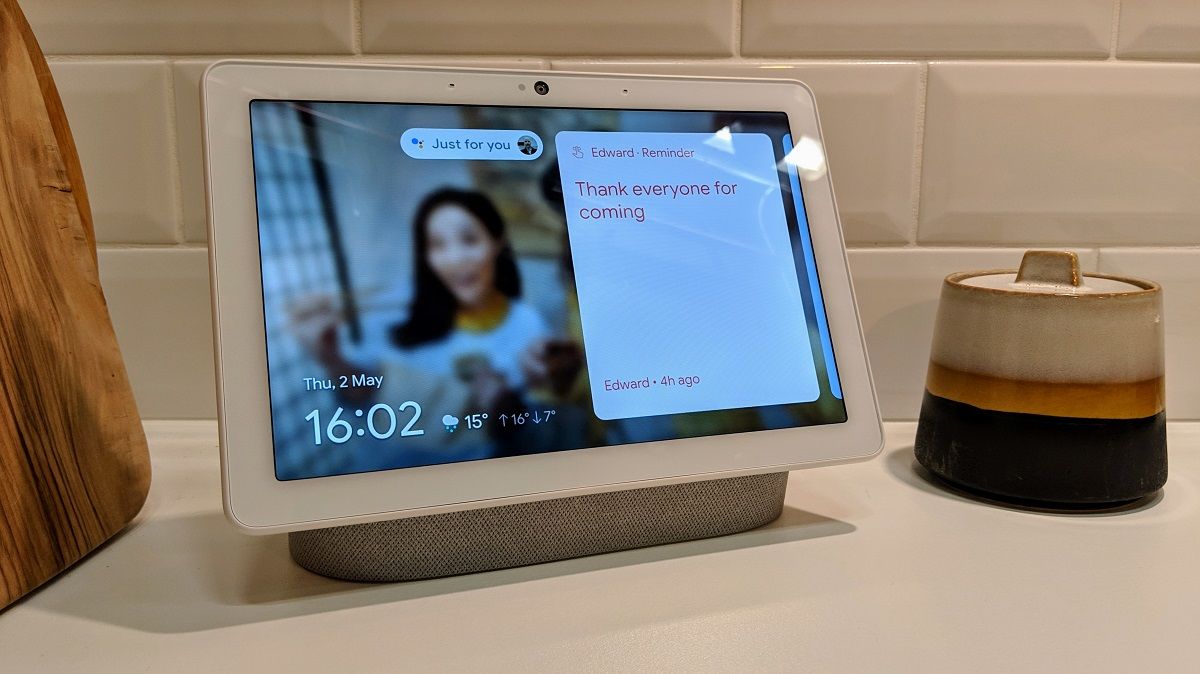
The display has an HD resolution (1280×720) which isn’t that high for a modern device so we’d prefer Full HD but it somehow doesn’t look that bad either. The ambient EQ light sensor remains so the screen can automatically adjust to the conditions.
It helps the screen blend into the background a little rather than standing out, giving is a slightly glossy magazine quality rather than looking a pixelated display. It is of course, touch sensitive so you can interact with your finger instead of just voice.
I see you
The other key thing here is the introduction of a camera, and there’s a lot more to it than just being able to make video calls.
Video calls are a key element though as you can use Google Duo to call friends and family and also leave video messages. Google says “Non-Duo calling can make outbound calls to most numbers in the US and Canada.”
It’s actually a Nest Cam with a wide 127 degree field of vision and has various tricks up its sleeve. For starters it can intelligently follow you around the room if you move by cropping and zooming the image during a video call and this works really well.

Because it’s a Nest Cam you can use the Hub Max like a security camera, logging into it with the Google Home app when you’re not at home. A green LED will show that the camera is being accessed for transparency and a notification will also pop up on the display.
There are more things the camera can do including being used for gestures like pausing/playing music or videos. Just hold your hand up like you’re trying to stop traffic and it works even at pretty acute angles but isn’t a 100% accurate so sometimes takes a few goes.
The Nest Hub Max is also able to recognise different users with their face – up to 6 different people – so that each person using the display can get a personal experience rather than the display simply be set up for one account. It’s called Face Match and works even from across the room.
With the merging of Google Nest, existing Nest customers will be given the opportunity to swap over to a Google account.

Boom town
As mentioned earlier, the Nest Hub Max has more space for speakers due to its larger size. So it’s got a 2.1 system for much more oomph than it’s smaller brother. Two smaller drivers face forward while a 3in woofer at the back handles the bass.
It sounds significantly better than the regular Nest Hub and can fill a room even at around five or six out of 10 on the volume scale. You can adjust the bass and treble in the Home app which is nice, but it still can’t match the JBL Link View for audio prowess.
You can play music from Spotify, YouTube Music and Google Play Music – all with free options available. There’s also Deezer but you’ll need the Premium+ subscription.
There’s no need to worry about battery life because the Nest Hub Max plugs into the mains. It’s not designed to be moved around.
Interface and control
Google hasn’t changed the interface for the Nest Hub Max so if you used the original then you’ll feel right at home. It’s a simple and easy to use system which fits with the way Google works on Android smartphones. Content is essentially displayed in cards and you can scroll through using the touchscreen.
Pull down from the top and you can control various smart home products such as lights and heating if you have them (and they’re compatible with Google Assistant. Of course you can also control these with your voice. On the matter, voice recognition is excellent even when loud music is playing and you’re on the other side of the room. The device supports Voice Match so it knows who is talking.

A settings menu is available by swiping up from the bottom so you can control things like the screen brightness and you can also switch the mic and camera on and off individually here.
The Next Hub Max is also a digital photo frame, so can display highlights or people from your Google Photos library which is a really nice way of seeing photos you might rarely have the time to view. If you prefer you can also choose a gallery of curated artwork.
Google has also made the Nest Hub Max a Google Cast device so you can, well, cast content to it. This supports apps like BBC iPlayer, Sky Now TV and BT Sport. For a long time this didn’t include Netflix but the service has been added as of July 2020 .
We don’t know what is powering the Nest Hub Max but, as with the smaller Nest Hub, the performance is occasionally a little laggy which is a shame. Luckily it’s not an issue much of the time.
Verdict
Google has done exactly what we wanted with the Nest Hub Max: made the screen larger and added a camera for Duo video calls.
The camera does a lot more though including gestures, Face Match for different users and the ability to use it as a Nest camera when away from home.
It would be nice if a Nest Aware subscription wasn’t needed for additional features and the camera had night vision but we can’t expect everything.
Sound it also much improved so we’d wholly recommend getting the Max over the smaller model unless you can’t afford it and don’t need the camera.
Specs
Google Nest Hub Max: Specs
- Google Assistant
- 10in LCD touchscreen, 720p
- Nest Cam with 127 degree FoV
- 2 far-field mics
- EQ light sensor
- Dual-band 11ac Wi-Fi
- Bluetooth 5.0
- 2.1 speakers
- Colours: Chalk, Charcoal
Best Prices Today: Google Nest Hub Max
Author: Chris Martin, Managing Editor, Tech Advisor
Tech Advisor Managing Editor Chris got his break as a reporter at infamous site The Inquirer and has been with us for more than 12 years. With a BA degree in Music Technology, audio is his specialism, but over the years he has reviewed all kinds of gadgets, from smartwatches to mesh Wi-Fi to coffee machines.
Recent stories by Chris Martin:
- What is Raylo? Phone and tech subscription explained
- Sky Q vs Glass vs Stream vs Now: Which TV plan should you get?
- Ninja Luxe Café Pro review: The coffee machine for wannabe baristas
