Smart TVs are great with huge screens, super high resolutions and more streaming apps than you could wish for but not many have a decent number of HDMI ports so you can plug everything in.
Even really expensive flagship TVs that do come with lots of ports, rarely offer them all with the latest version (typically HDMI 2.1 at the moment). We often find that features like 4K 120Hz are limited to just one or two of the HDMI ports.
When you’ve got a hoard of devices vying for position – from games consoles to streaming sticks to soundbars to DVD players and more – there are rarely enough HDMI ports to go around.
However, there is an easy way to get around the problem and you don’t need to spend very much to achieve it.
Buy an HDMI switch
An HDMI switch is a relatively cheap and compact device that is going to solve all your HDMI nightmares.
It’s a simple device that connects to a single HDMI output on your TV, then splits that single channel into multiple channels, allowing you to plug in two, three or even four HDMI devices to a single port.
You simply connect the HDMI switch’s output port to your TV via an HDMI cable, and then connect up to three other HDMI devices into the switch. This means it will in essence grant you an extra two ports, since you’re still using one of the TV’s ports to connect it all up.
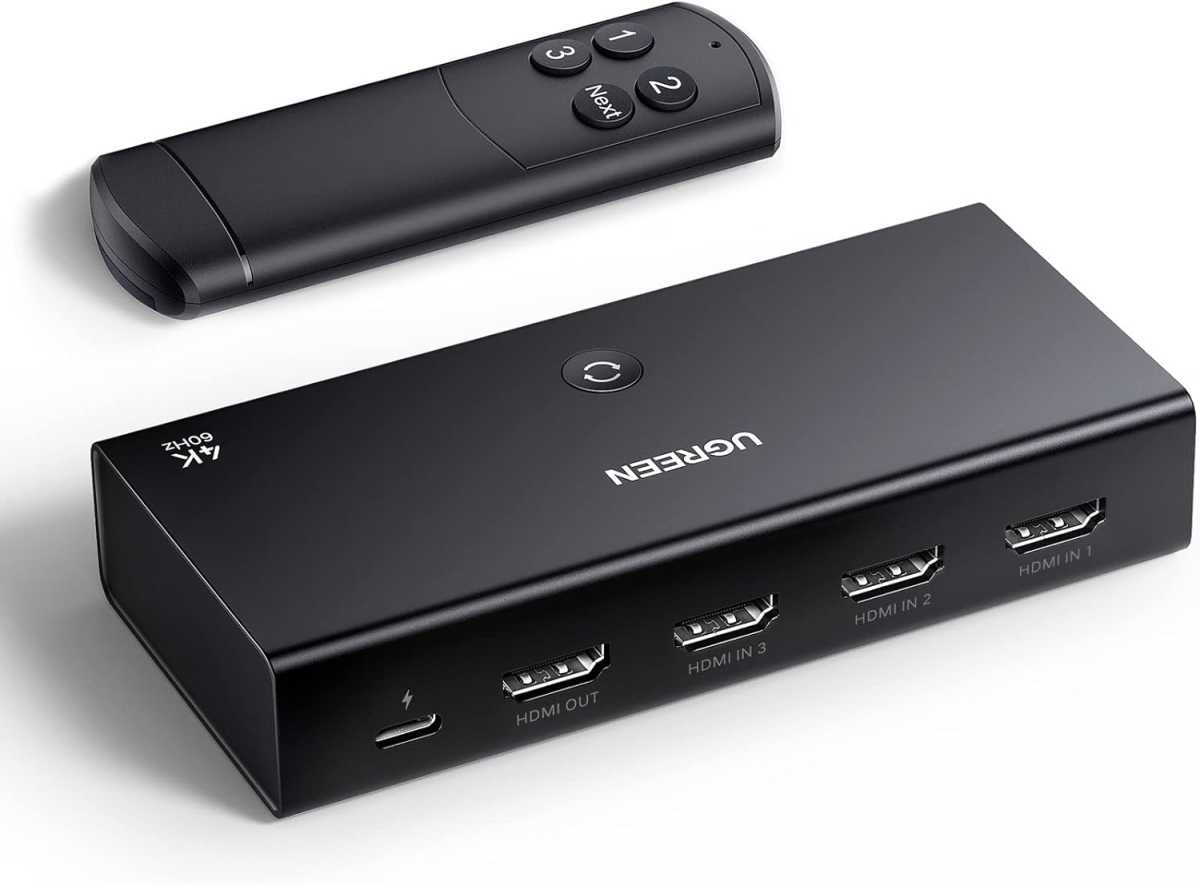
Ugreen
HDMI switches like this feature support for auto-switching, which means it will automatically switch the input to the most recently active device. To put that in practical terms, let’s say you have both a streaming stick and a PS5 connected through the HDMI switch.
If you’re watching something on the streaming stick but then decide to play a game, turning on the PS5 will be enough to automatically switch the HDMI input to the games console. Turn the PS5 back off, and it will automatically revert to the streaming stick if that’s still turned on.
On the off-chance the auto-switch doesn’t work, there’s also a physical switch button on the device itself, along with a remote control that lets you cycle through the inputs from your sofa.
It supports a high enough data rate to deliver 4K at 60Hz or 1080p at 240Hz, which should be enough for most but won’t quite keep up with 120Hz gaming of next-gen consoles, if that’s what you have in mind. You’ll need an HDMI switch with version 2.1 like this , but it will cost a bit more.
It’s important to note that most HDMI switches won’t come with an HDMI cable included, so unless you have a spare around you’ll have to buy one to connect the switch to your TV.
Check out our HDMI cable buying guide for tips on what to look for in an HDMI format, to make sure you get a fast enough cable to keep up with what you need it for.
HDMI switch vs HDMI splitter
Finally, it’s worth quickly clarifying one common misconception: you don’t want an HDMI splitter, which is not the same thing as an HDMI switch.
While an HDMI switch allows you to take multiple HDMI inputs (your PS5, laptop and streaming stick, say) and connect them all to one TV port, a splitter is designed to take a single HDMI input and turn it into multiple outputs – that’s what you need if you want to connect one game console up to multiple TVs, or both a TV and a projector.
Take a look at our reviews of the best TVs and here are some tips on the right way to clean your TV screen.
Author: Chris Martin, Managing Editor, Tech Advisor

Tech Advisor Managing Editor Chris got his break as a reporter at infamous site The Inquirer and has been with us for more than 12 years. With a BA degree in Music Technology, audio is his specialism, but over the years he has reviewed all kinds of gadgets, from smartwatches to mesh Wi-Fi to coffee machines.
Recent stories by Chris Martin:
- What is Raylo? Phone and tech subscription explained
- Confirmed: BBC shows are coming to YouTube for free
- Sky Q vs Glass vs Stream vs Now: Which TV plan should you get?
