Our phones keep us connected to the people we care about but they can also bring annoying calls or texts.
If you’re an iPhone user, you’ve got a nifty little feature built right in that lets you block unwanted numbers.
Whether it’s a persistent telemarketer, an ex who just won’t quit or anyone else you’d rather not have on speed dial, we’ve got you covered.
Here’s how to block a number on an iPhone running the latest iOS 17 . However, if your iPhone runs an older version, the steps should be the same or very similar.
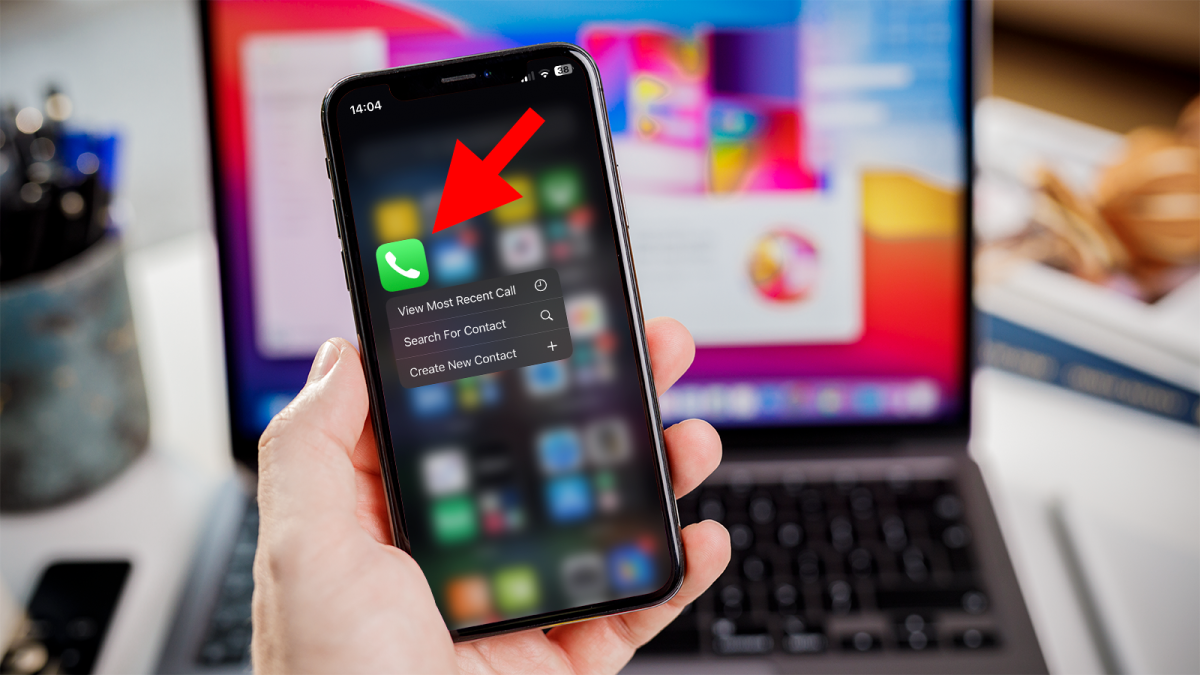
Open the Phone app
Dominik Tomaszewski / Foundry
First things first, find that green icon with the phone receiver on your home screen and give it a tap. That’ll open up your ‘Phone’ app.
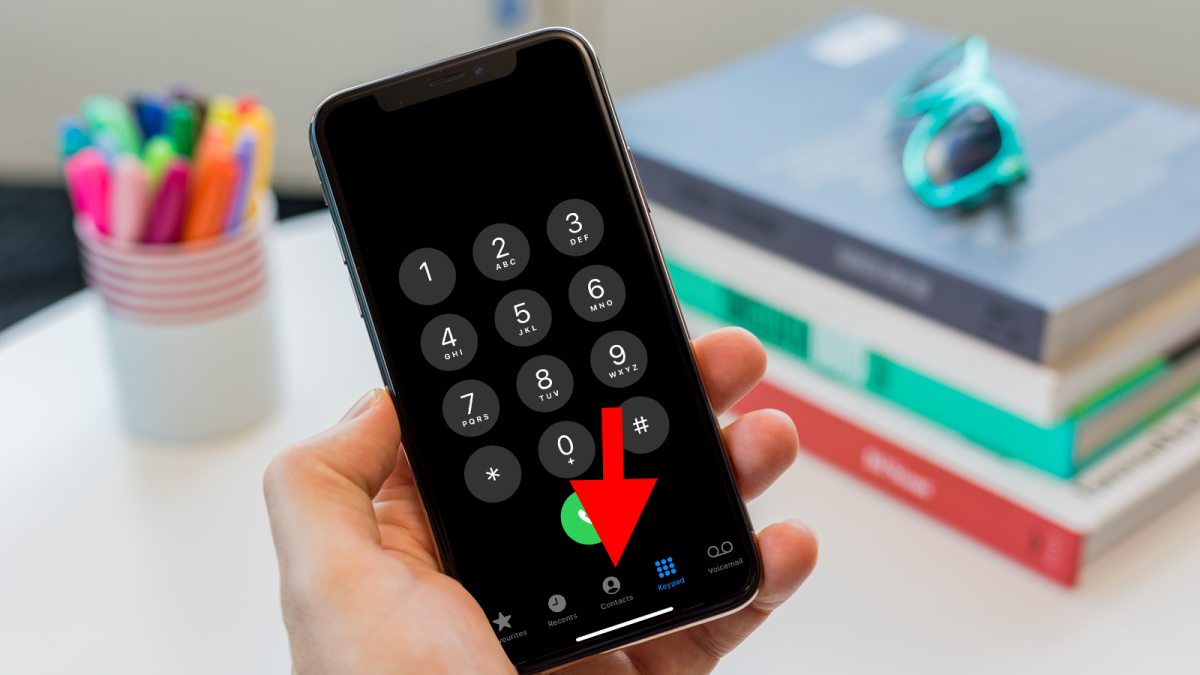
Go to Recents or Contacts
Dominik Tomaszewski / Foundry
Once you’re in the ‘Phone’ app, you’ll see some tabs at the bottom. If the number you want to block just called you, hit the ‘Recents’ tab. If it’s saved in your contacts, go for the ‘Contacts’ tab instead.
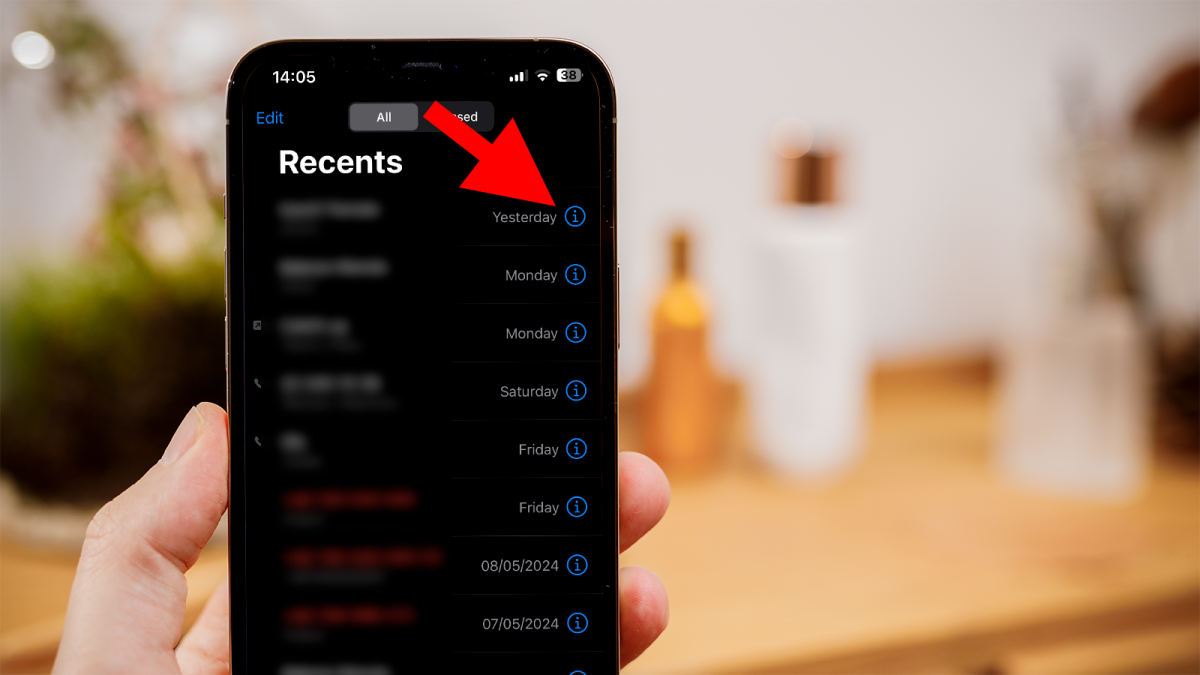
Find the number
Dominik Tomaszewski / Foundry
Scroll through your recent calls or contacts list until you spot the number you want to block. When you find it, tap on the little (i) next to it.
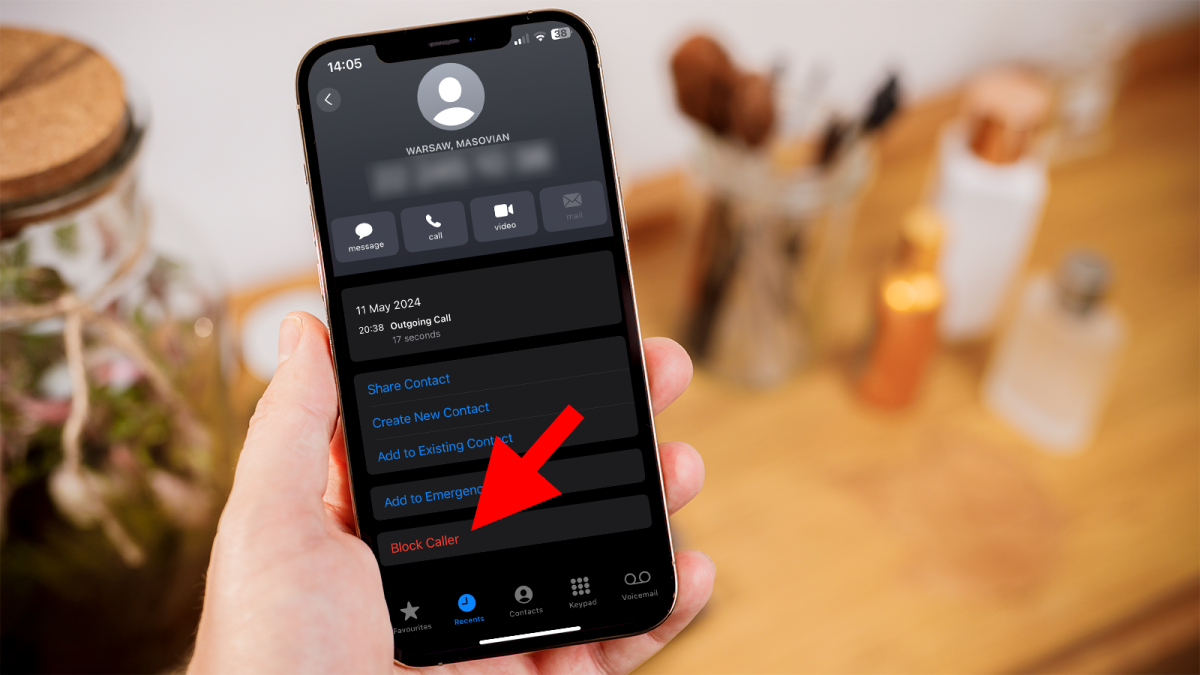
Block the number
Dominik Tomaszewski / Foundry
Now you’re on the details screen. Scroll down until you see ‘Block Caller’ and tap on it.
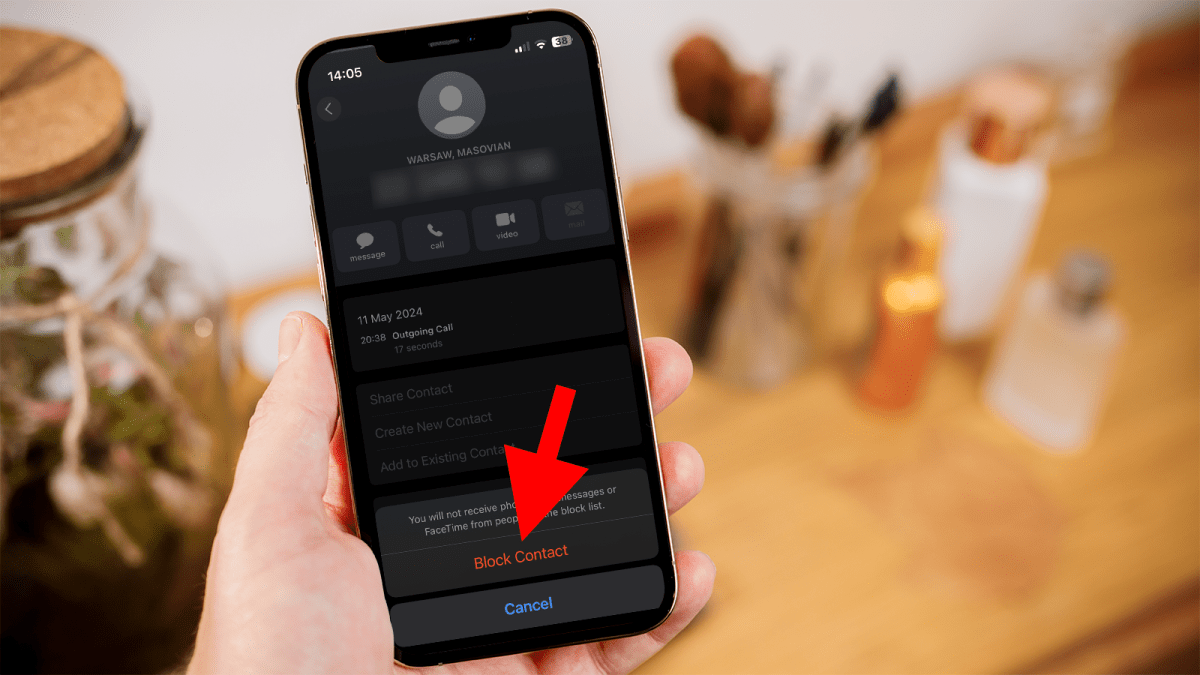
Confirm to block the number
Dominik Tomaszewski / Foundry
You’ll be asked if you’re sure you want to block the number. Tap on ‘Block Contact’ to confirm.
Just to double-check, you can go back to ‘Settings’ > ‘Phone’ > ‘Blocked Contacts’. There, you’ll see a list of all the numbers you’ve blocked.
If you want to, you can take a step further and block all future unknown callers. Head over to ‘Settings’ > ‘Phone’ > ‘Silence Unknown Callers’ and flip that switch to ‘On’.
You might also want to check if someone has blocked you on their iPhone , if you can’t reach an old friend. And if you’re using an Android phone , see our article on how to block a contact on Android .
Author: Artur Tomala, Mobile Writer, Tech Advisor

Artur is a Mobile Writer at Tech Advisor, where he covers a range of smartphone, tablet and smartwatch-related topics. He has been working in the tech industry since 2021, including time spent leading a team focused on mobile news, reviews and product rankings. As an ambassador for the productivity app Notion, he runs training workshops and creates advanced templates to help people stay organised and productive.
Recent stories by Artur Tomala:
- How to set up a new Android phone
- Samsung Galaxy A26: Everything you need to know
- What is an eSIM and how does it work?
