Whether it’s a persistent telemarketer, a wrong number, or someone you’d rather not hear from, blocking a number on any of the best Android phones is a straightforward process.
This guide will show you how to block numbers on Android.
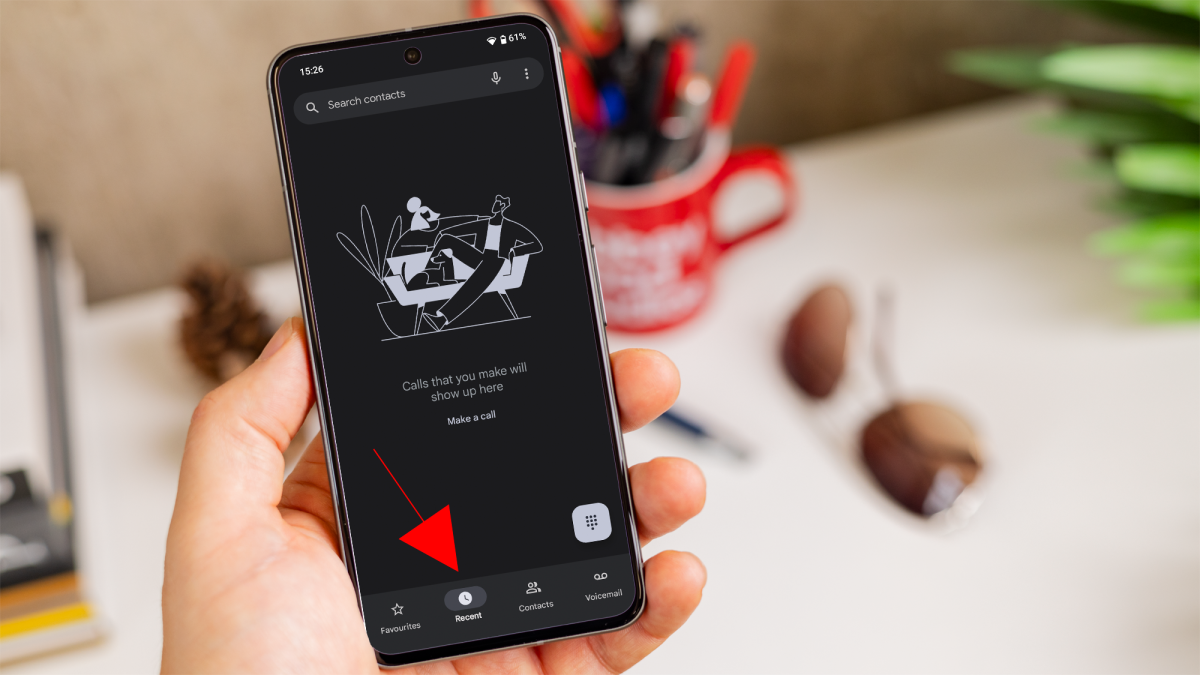
Open the Phone app
Dominik Tomaszewski / Foundry
Open the Phone app, the one you typically use to make and receive calls. Then, tap the ‘Recents’ tab, at the bottom of the screen.
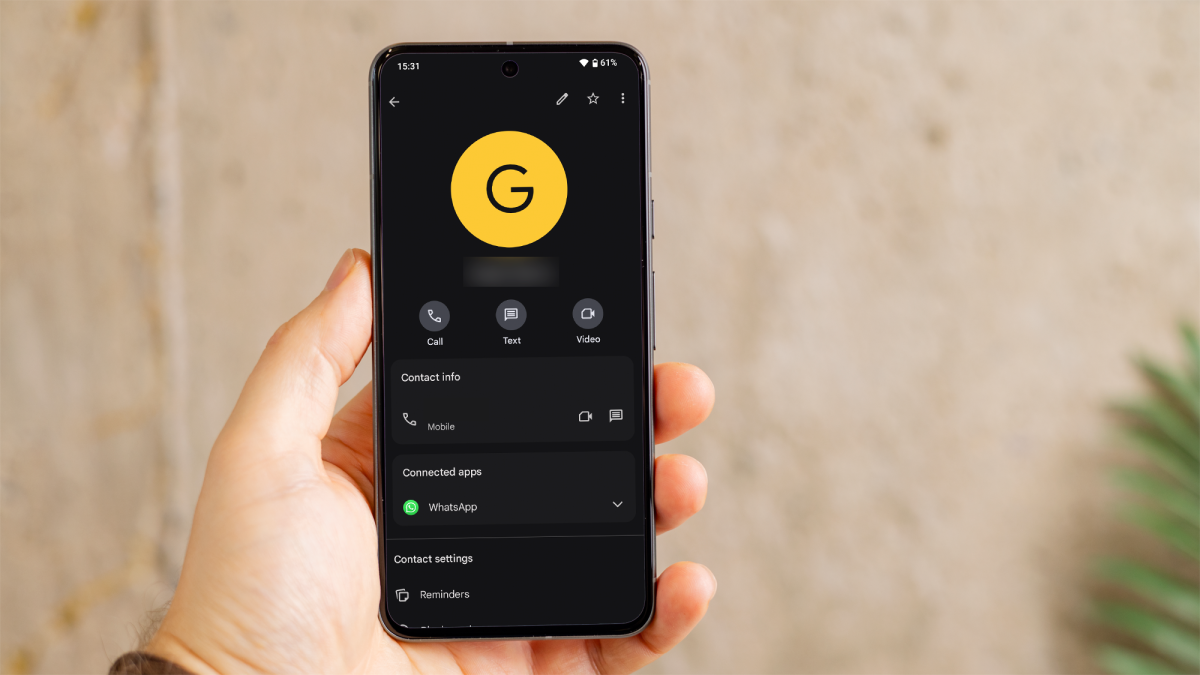
Find the number
Dominik Tomaszewski / Foundry
Find the number you want to block and tap on it to see more information.
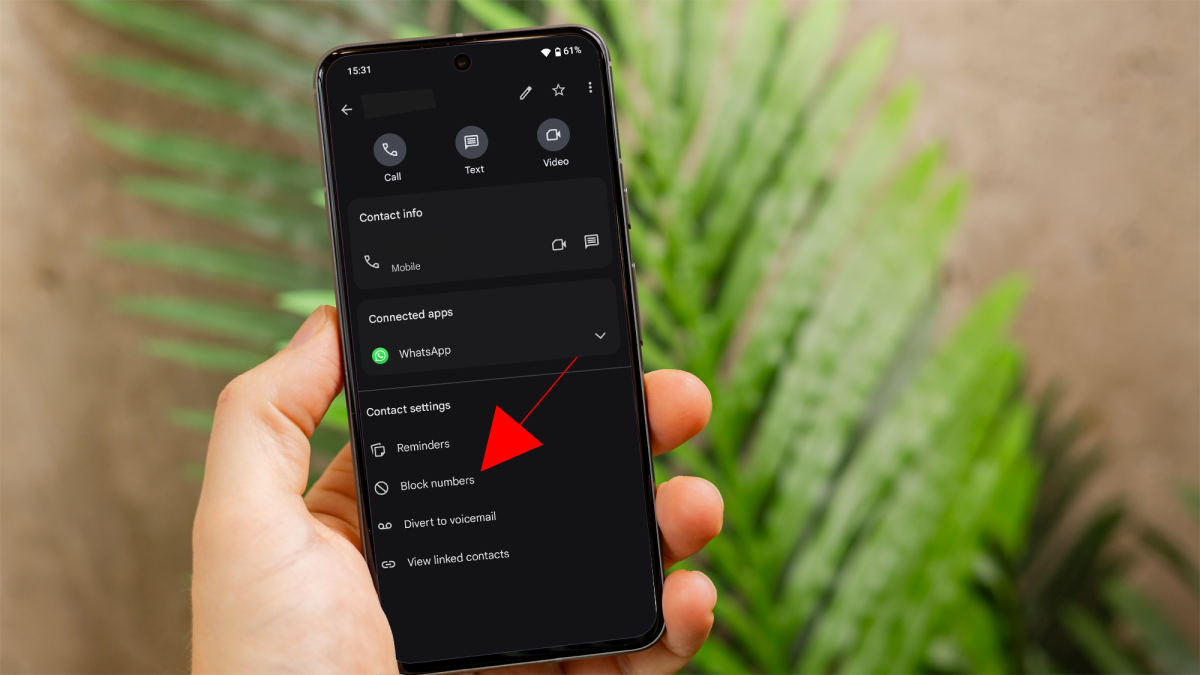
Block the number
Dominik Tomaszewski / Foundry
Now you’re on the details screen. Scroll down until you see ‘Block numbers’ and tap on it.
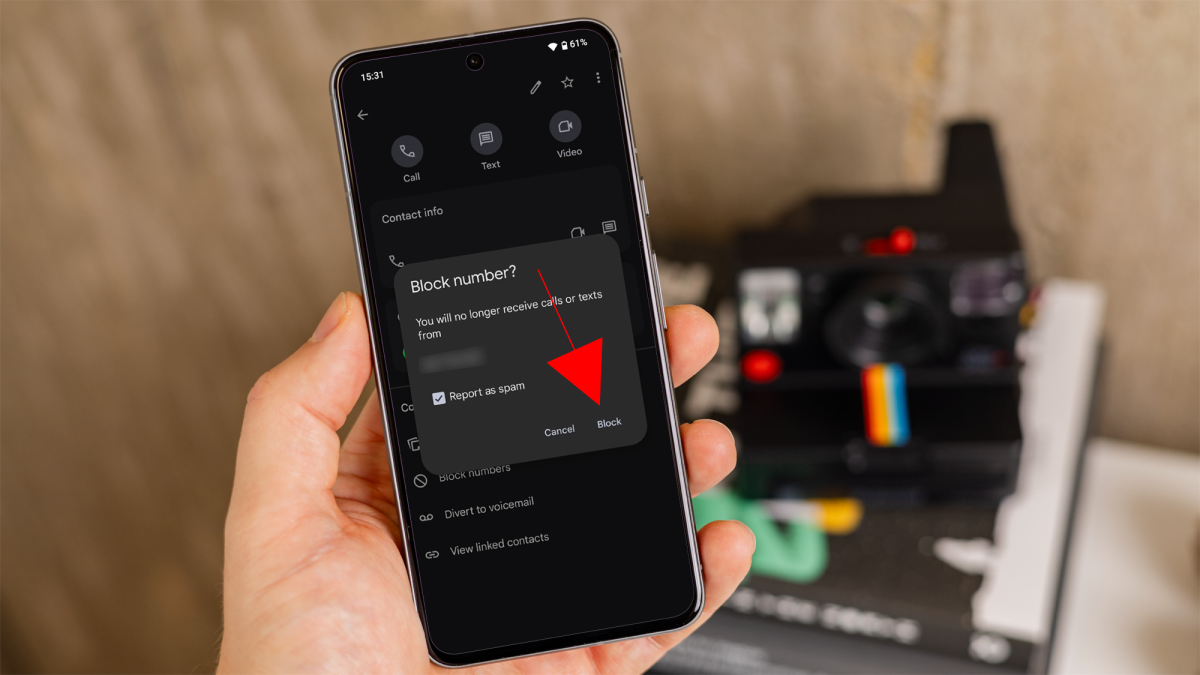
Confirm, to block the number
Dominik Tomaszewski / Foundry
You’ll be asked if you’re sure you want to block the number. Tap on ‘Block’ to confirm.
You can also report the number as ‘Spam’.
That’s it. If you’re using an iPhone, you might also want to know how to block a contact on an iPhone . And if you can’t reach someone, check out our guide on how to tell if you’ve been blocked on Android .
Author: Artur Tomala, Mobile Writer, Tech Advisor

Artur is a Mobile Writer at Tech Advisor, where he covers a range of smartphone, tablet and smartwatch-related topics. He has been working in the tech industry since 2021, including time spent leading a team focused on mobile news, reviews and product rankings. As an ambassador for the productivity app Notion, he runs training workshops and creates advanced templates to help people stay organised and productive.
Recent stories by Artur Tomala:
- How to set up a new Android phone
- When will my Samsung Galaxy phone get One UI 7?
- How to get One UI 7 on your Samsung Galaxy phone
