Spam calls can disrupt your day, waste your time, and even expose you to scams. Fortunately, if you’re using an Android phone , there are several ways to block these annoying calls.
Here’s a comprehensive guide to help you block spam calls.
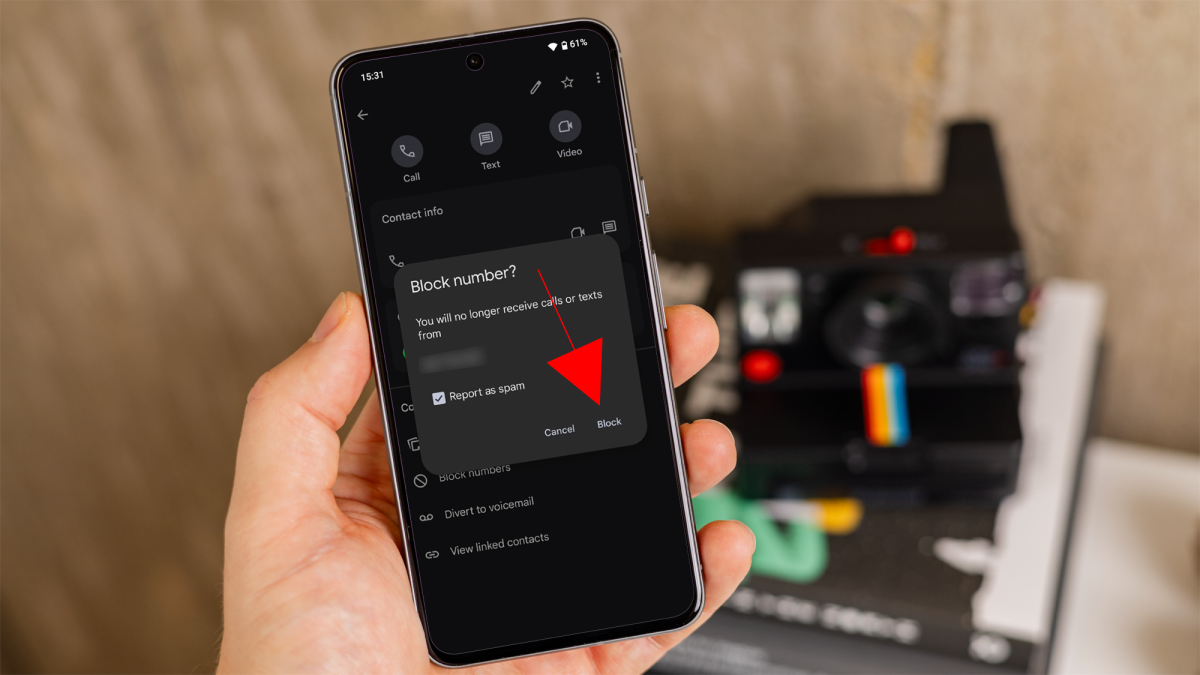
Block a specific number
Most Android phones come with a built-in call blocking feature. Here’s how to use it:
- Open the phone app.
- Tap on the recent calls or call history tab to view your incoming calls.
- Find the number you want to block and tap on it’s icon.
- Scroll down until you see ‘Block numbers’ and tap on it.
- You’ll be asked if you’re sure you want to block the number. Tap on ‘Block’ to confirm.
Dominik Tomaszewski / Foundry
Enable Google’s spam protection
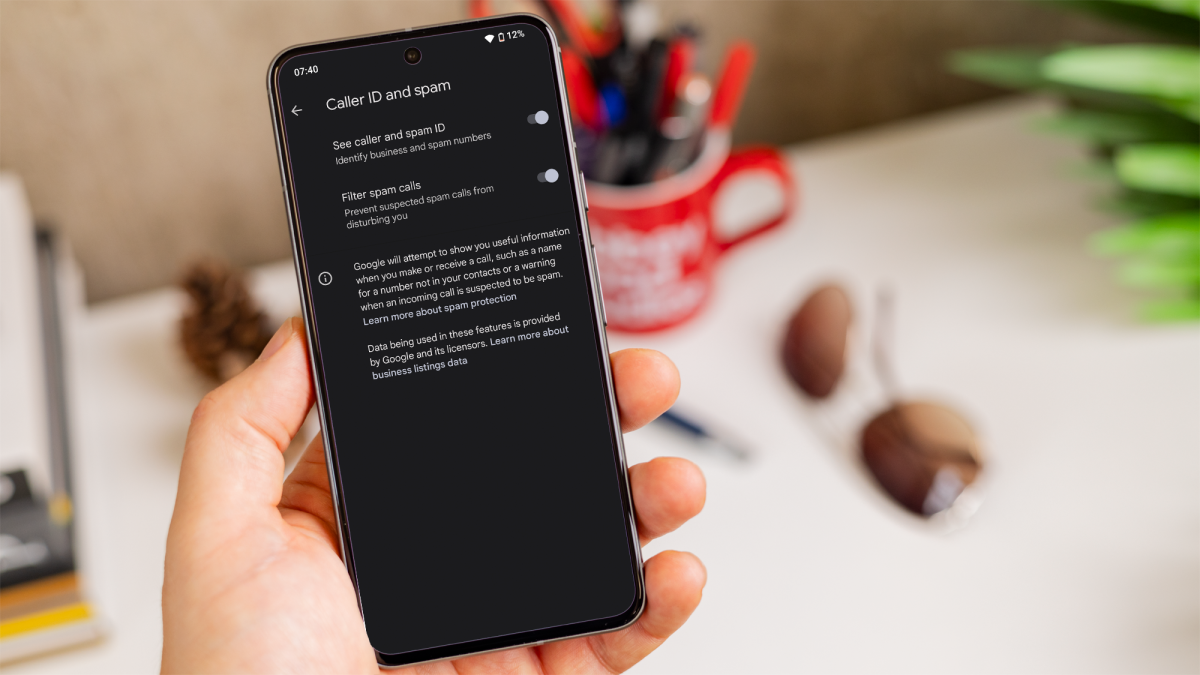
Android phones equipped with Google’s Phone app can enable spam protection, which automatically identifies and filters suspected spam calls.
- Open the ‘Google Phone’ app.
- Tap on the three-dot menu in the top-right corner and select ‘Settings.’
- Tap on ‘Caller ID & spam,’ then toggle on ‘Filter spam calls.’ This feature will block suspected spam calls before they reach you.
Dominik Tomaszewski / Foundry
Use Do Not Disturb mode
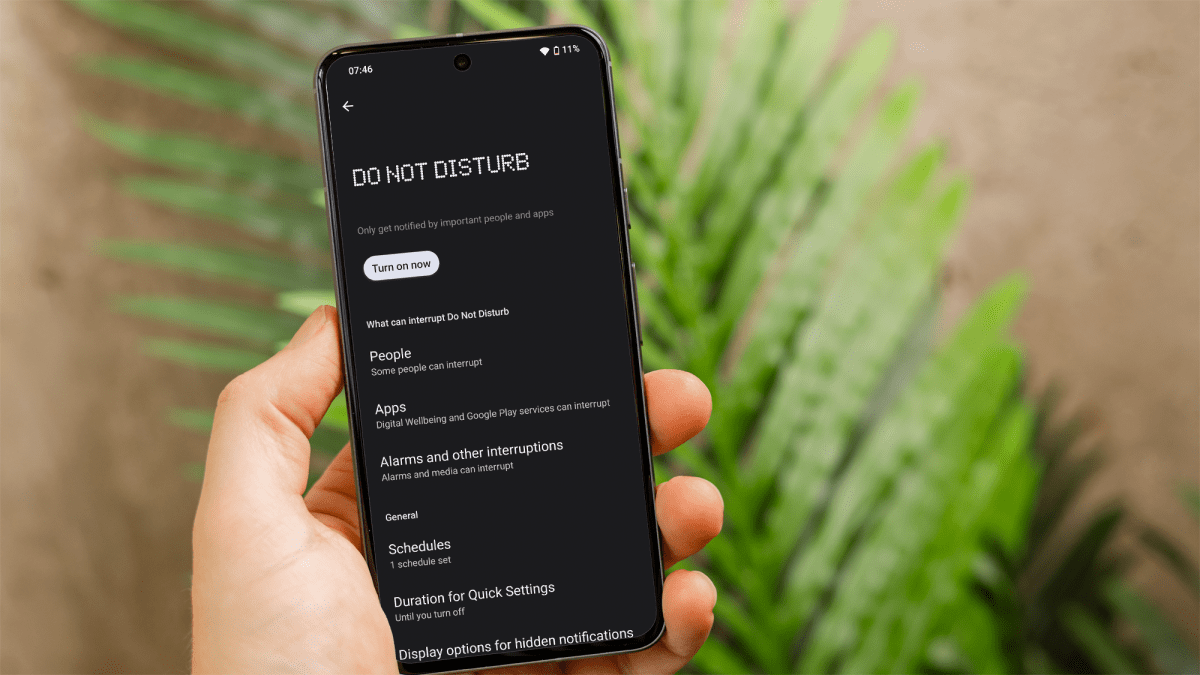
If you want to block all calls except those from your contacts, you can use ‘Do Not Disturb’ mode:
- Go to the ‘Settings app.’
- Tap on ‘Sound’ or ‘Sound and vibration’ and then ‘Do Not Disturb.’
- Under ‘What can interupt Do Not Disturb,’ you can tap the ‘People’ option to customise the settings and allow calls from specific groups or starred contacts.
- Turn on ‘Do Not Disturb’ mode from the settings or through the quick settings menu.
Dominik Tomaszewski / Foundry
By using these methods, you can reduce interruptions and protect yourself from potential scams. For more ways to get the most out of your device, you can also read our Master your Android phone guide.
Author: Artur Tomala, Mobile Writer, Tech Advisor

Artur is a Mobile Writer at Tech Advisor, where he covers a range of smartphone, tablet and smartwatch-related topics. He has been working in the tech industry since 2021, including time spent leading a team focused on mobile news, reviews and product rankings. As an ambassador for the productivity app Notion, he runs training workshops and creates advanced templates to help people stay organised and productive.
Recent stories by Artur Tomala:
- How to set up a new Android phone
- Samsung Galaxy A26: Everything you need to know
- What is an eSIM and how does it work?
