Dialogue Boost enhances the volume of speech compared to other background music and effects. It is, of course, designed for people with hearing loss but it’s also a useful tool for anyone who enables subtitles because of the seeming rise of indistinct speech in modern shows.
The feature uses AI to analyse dialogue and identifies where speech is hard to hear over other sound effects. It then amplifies it to make it clearer.
- Time to complete: 2 minutes
- Tools required: Amazon Prime Video account, device for watching Prime Video
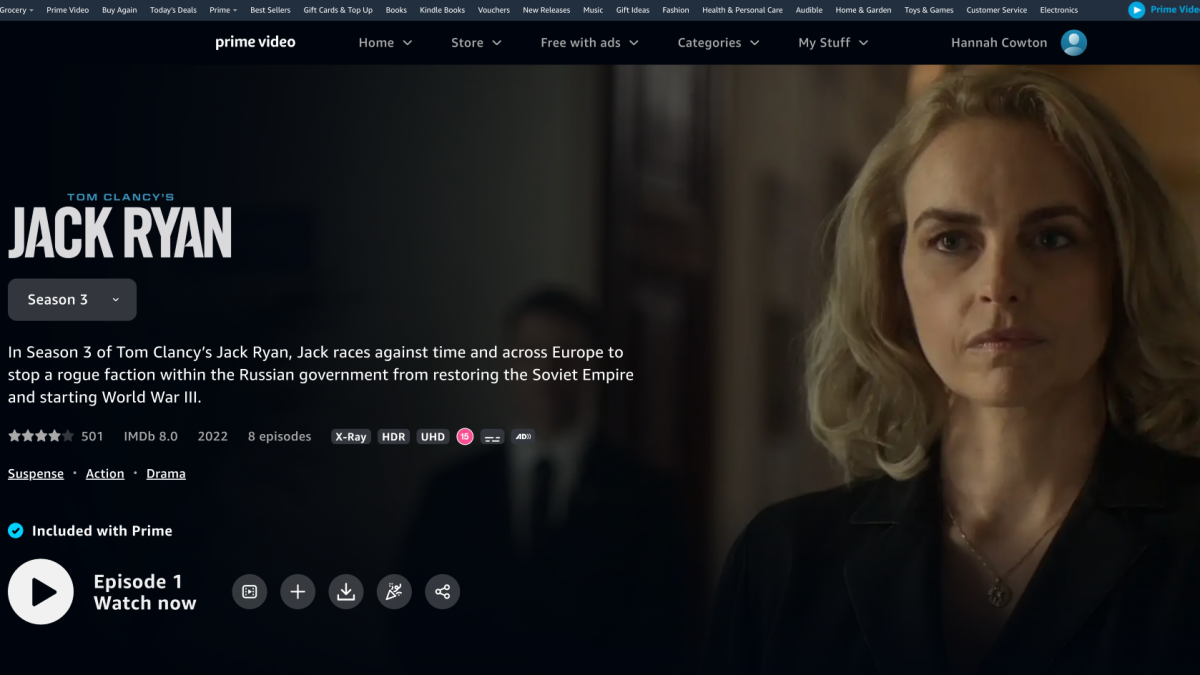
Choose a title that includes Dialogue Boost
Hannah Cowton / Foundry
Click ‘Watch now’ – the settings are available when playback starts
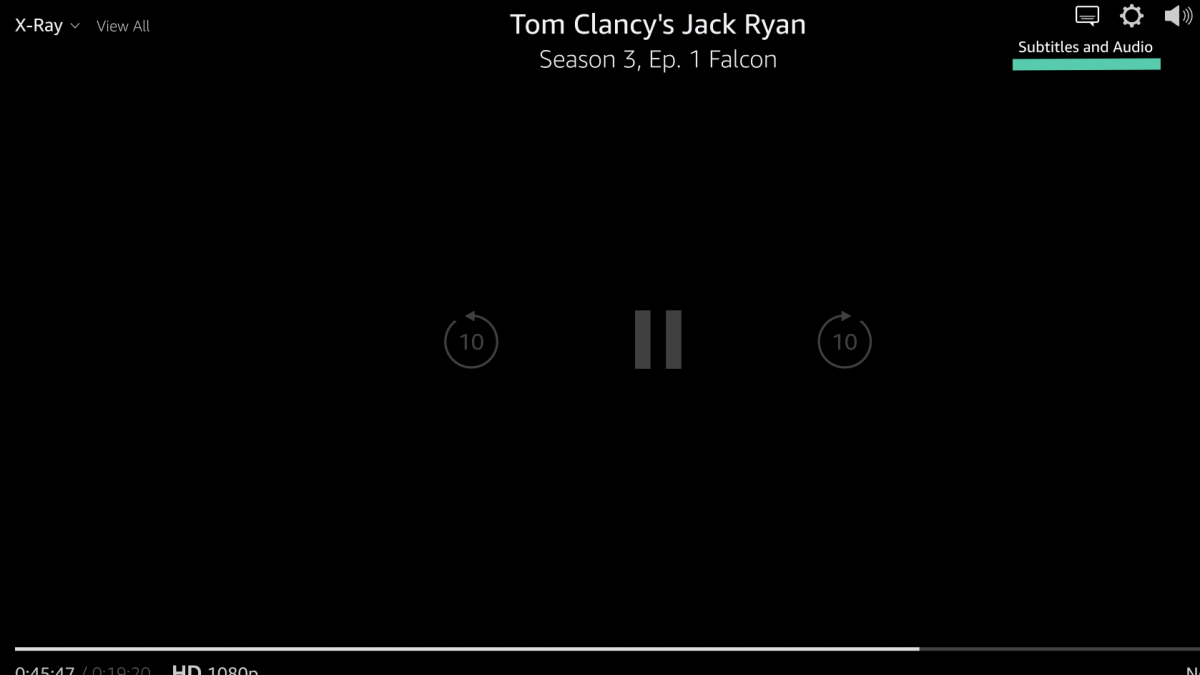
Click on the speech bubble on the right hand side
Hannah Cowton / Foundry
The icon includes text that says ‘Subtitles and Audio’ when you hover over it
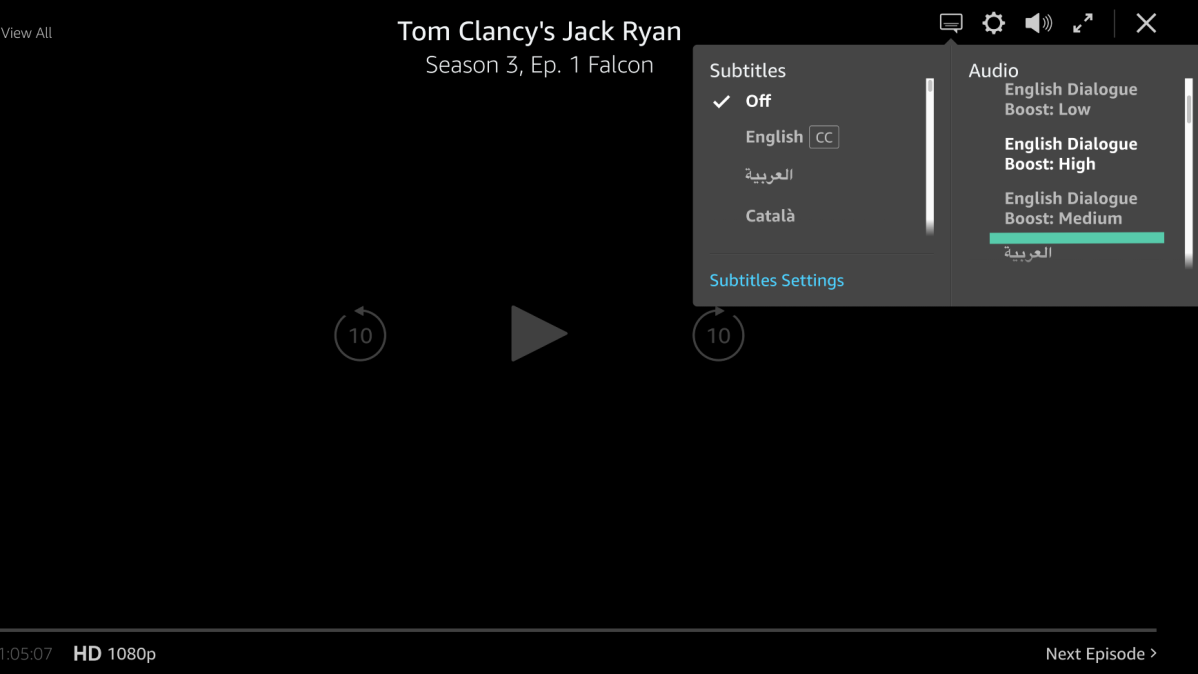
Select your level of Dialogue Boost in the Audio section
Hannah Cowton / Foundry
Is Dialogue Boost available on other services like Netflix, Disney+ or HBO Max?
Other ways to boost dialogue on your TV
There are other things you can do to boost dialogue, providing you have the right hardware.
If you have a Roku TV , a Roku Streambar or a Roku audio device, then you can use the speech clarity feature – this isn’t available on Roku streaming sticks. Here is how to access it:
- Press the Star button on your Roku remote
- Select ‘Sound Settings’
- Select either ‘low’ or ‘high’ under the Speech Clarity section
Certain hardware also offers dialogue enhancing for audio. Soundbars are the most common example, but some TVs from the likes of LG and Samsung also offer this feature on the built-in speakers, so check in your settings.
If you’re in the market for some new home entertainment equipment, check out our lists of the best TVs and soundbars .
Author: Hannah Cowton-Barnes, Entertainment Editor, Tech Advisor

As Tech Advisor’s Entertainment Editor, Hannah is the resident expert in all things streaming, film and TV. Before joining Tech Advisor in 2019, she studied Theatre and Performance at the University of Leeds and created a website dedicated to geek culture and lifestyle. She’s also reviewed a whole range of gadgets including flagship smartphones, wearables and styling tools. Outside of Foundry, she’s written freelance pieces for Polygon, Metro and Den of Geek, and is proud to be a Women Techmakers Ambassador for Google.
Recent stories by Hannah Cowton-Barnes:
- Harry Potter TV series has finally revealed a release window
- Jessica Jones returns in Daredevil: Born Again season 2 trailer
- The Traitors will return for season 5 with new twists and challenges
