Peacock offers both free and premium tiers, with the latter giving access to more exclusive originals and next-day NBC catch-up content. However, Peacock Premium will also set you back either $4.99 per month for ad-supported viewing, and $9.99 for ad-free streaming.
If you want to switch back to the free tier – or need to cancel before your free trial ends – then here’s everything you need to know. We also have guides to watching Peacock in the UK , sharing an account as well as workarounds for streaming it on your TV if you’re a Roku customer .
How to cancel Peacock Premium
- Head to the Peacock website , sign in and click on your account profile in the top-right hand corner

- Once in your account settings, click on ‘Change Plan’

- The plan you’re currently using will be checked – click on the plan you want. If you wish to stop paying altogether, this will be Peacock Free, or you can downgrade/upgrade between the two premium plans
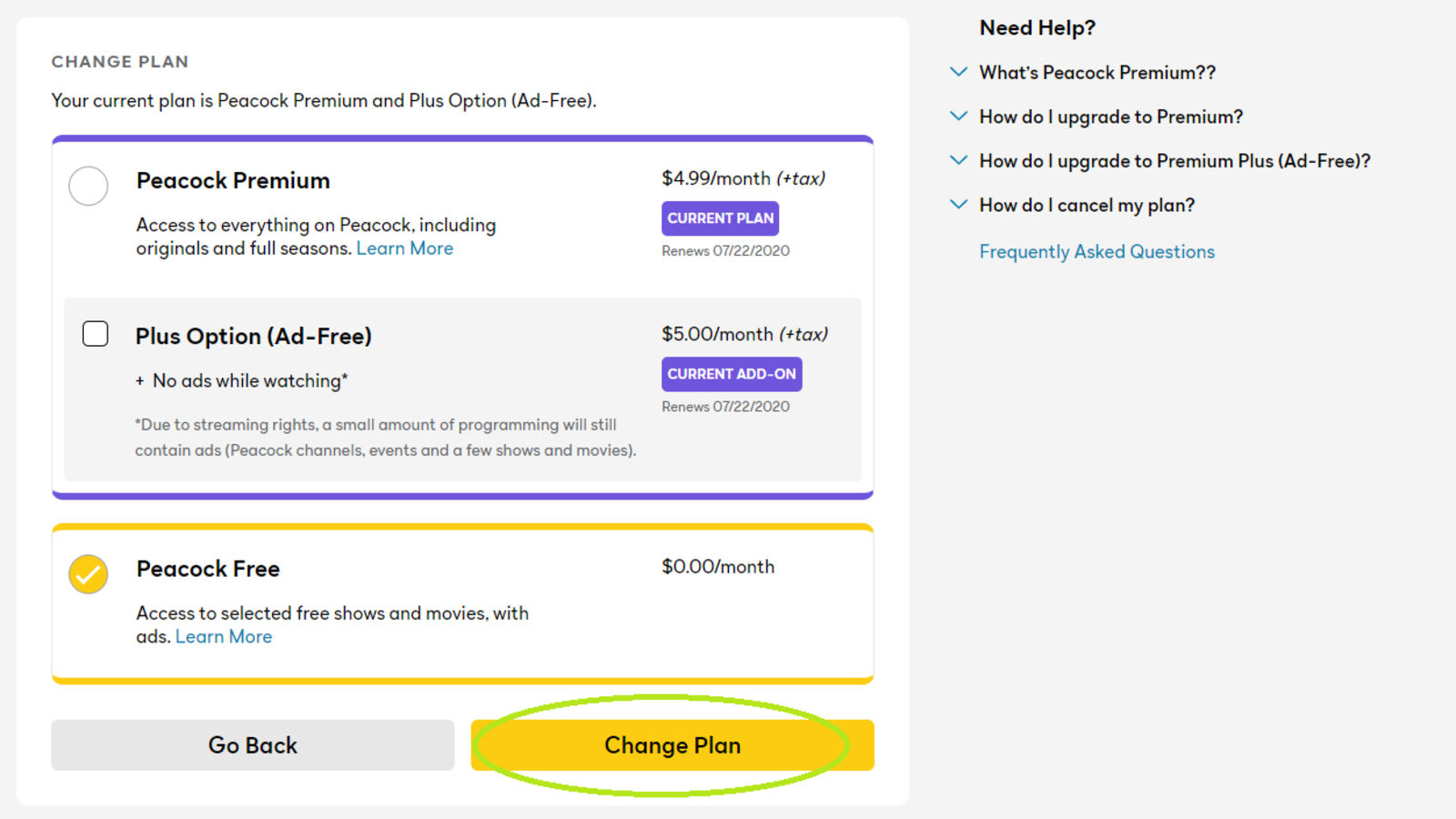
- Confirm the plan that you wish to switch to

- Your plan should now be cancelled. If you’re on a free trial, as long as you did this before your billing date, you shouldn’t be charged. You should also receive an email to the address that your account is tied to

Author: Hannah Cowton-Barnes, Entertainment Editor, Tech Advisor

As Tech Advisor’s Entertainment Editor, Hannah is the resident expert in all things streaming, film and TV. Before joining Tech Advisor in 2019, she studied Theatre and Performance at the University of Leeds and created a website dedicated to geek culture and lifestyle. She’s also reviewed a whole range of gadgets including flagship smartphones, wearables and styling tools. Outside of Foundry, she’s written freelance pieces for Polygon, Metro and Den of Geek, and is proud to be a Women Techmakers Ambassador for Google.
Recent stories by Hannah Cowton-Barnes:
- Harry Potter TV series has finally revealed a release window
- Jessica Jones returns in Daredevil: Born Again season 2 trailer
- The Traitors will return for season 5 with new twists and challenges
