TikTok has undoubtedly taken the world by storm, offering users a creative platform to share their talents and connect with a global audience.
But as with any social media platform, your account security should be a top priority. And one of the best ways to maintain this is by changing your password regularly. Here’s how to do just that on TikTok.
How to change your password on TikTok
We’re using the TikTok iPhone app for the purposes of this tutorial, but the process is identical on Android.
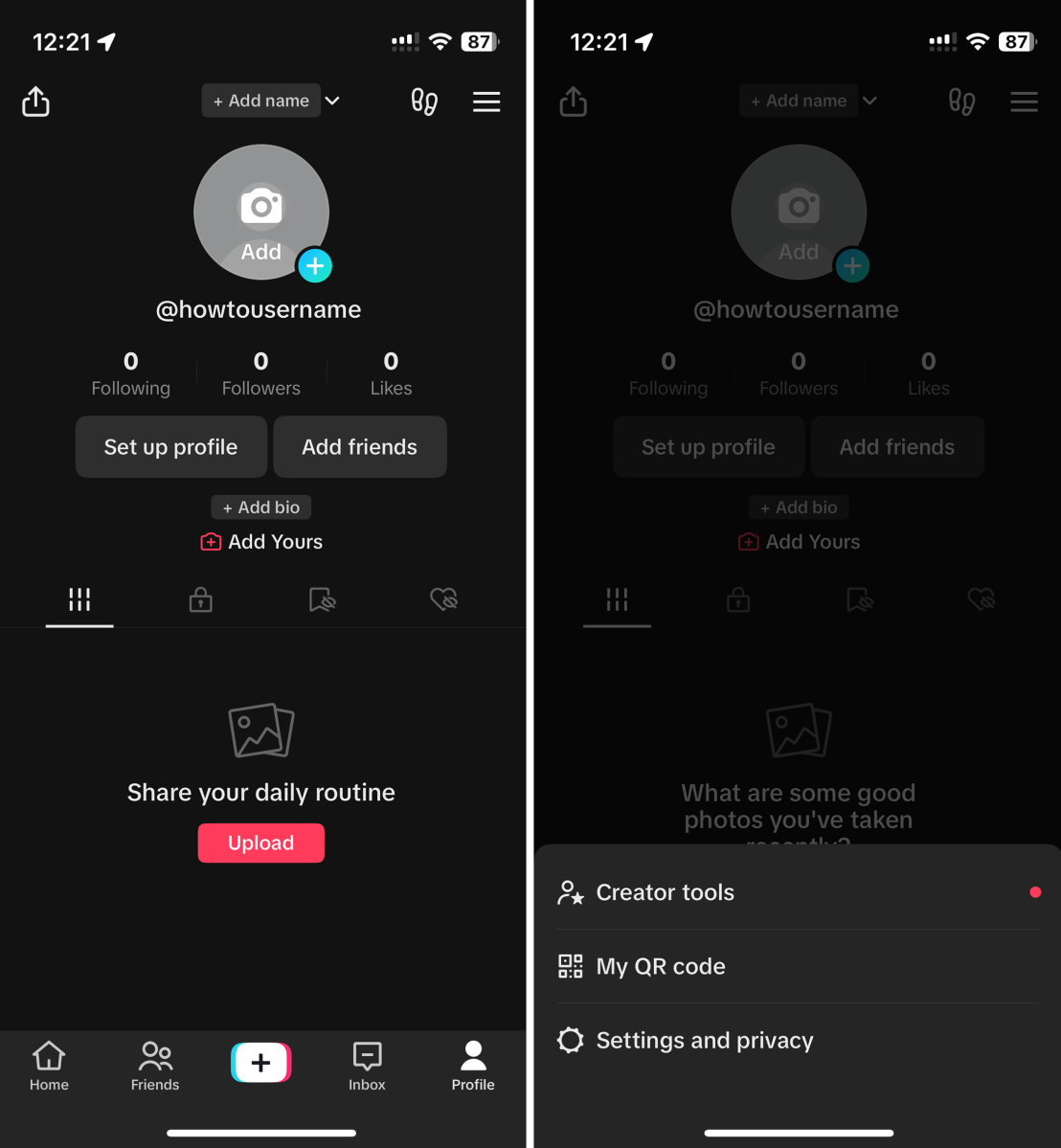
Open your TikTok profile
Artur Tomala / Foundry
Open the TikTok app, then tap on the ‘Profile’ icon in the bottom-right corner.
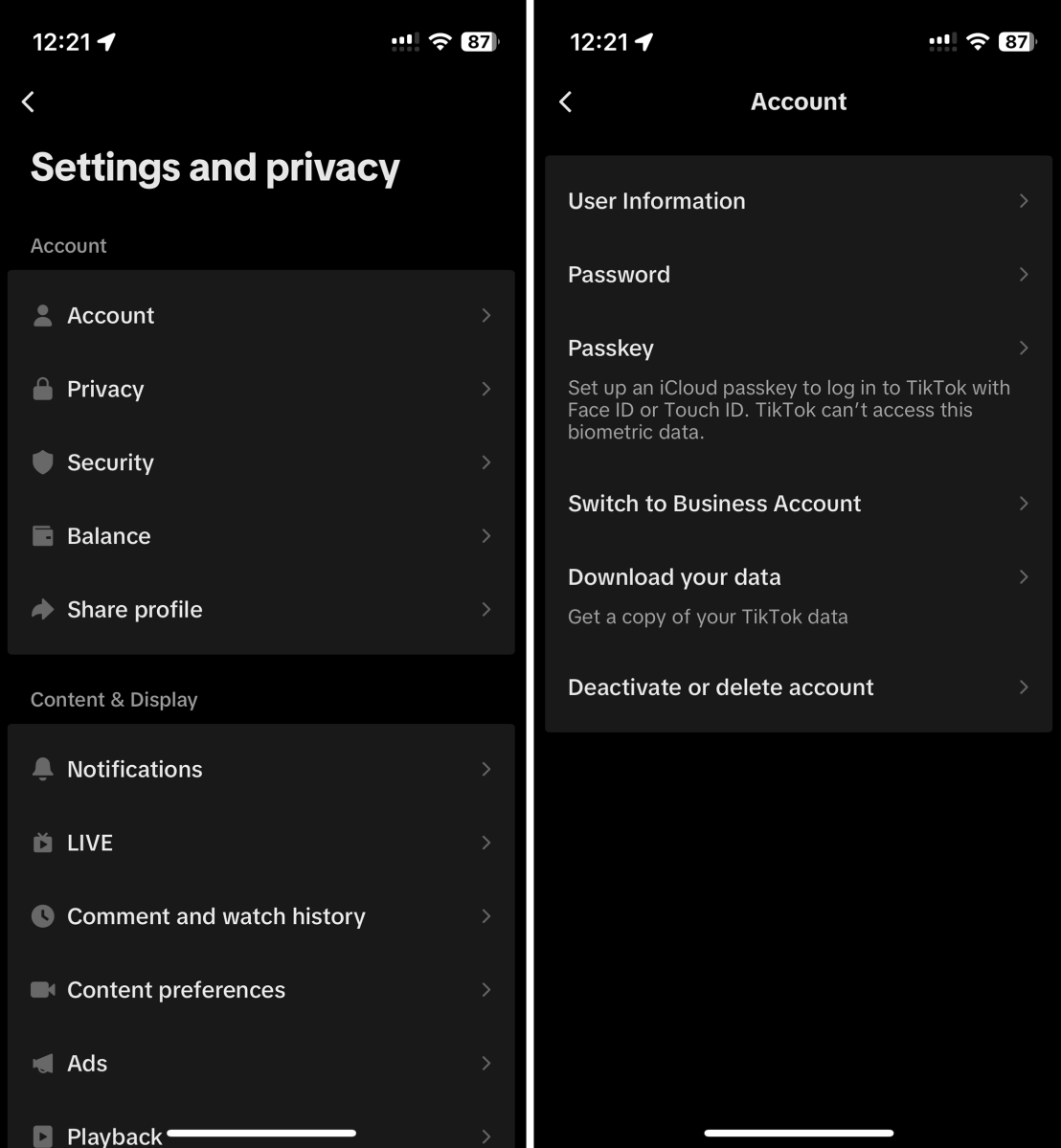
Open Password settings
Artur Tomala / Foundry
From your profile page, tap the three lines in the top-right corner, then choose ‘Settings and privacy’. From the screen that appears, tap ‘Account’, then ‘Password’.
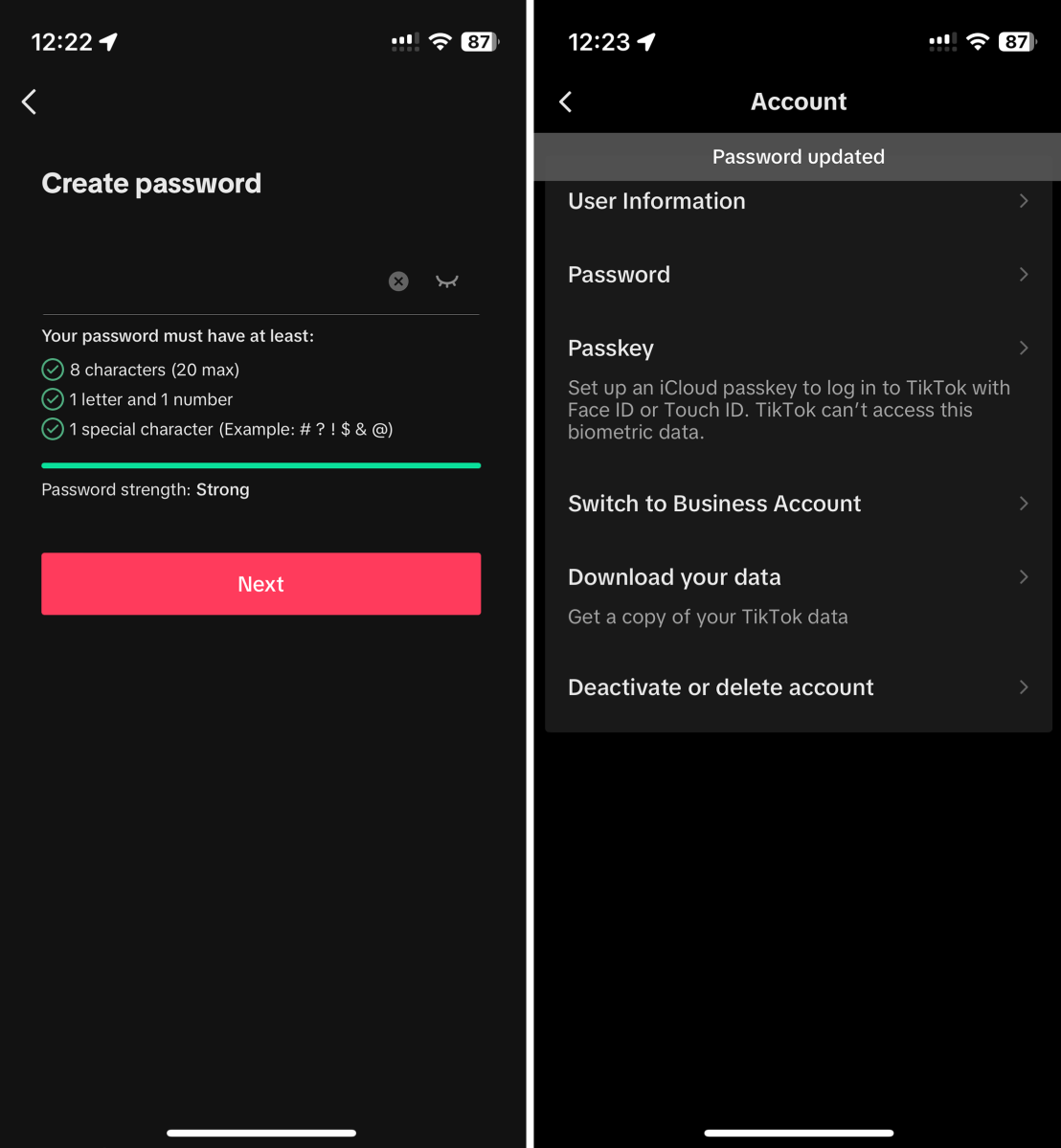
Change your password
Artur Tomala / Foundry
Enter your current password, or a 6-digit code sent to your email address/phone number to verify your identity.
Then, enter your new password. This must include between 8-20 characters, with at least one letter, one number and one special character. Aim to make the password as complex as possible – you can use password manager rather than trying to remember it.
Re-enter your new password to confirm it, then save you changes.
Why change your TikTok password?
In an era where online security is so importance, changing your TikTok password is a an easy way to help safeguard your account.
A password that regularly changes will be much more difficult for hackers to access. And if you ever spot some suspicious activity, it’s something you should do immediately.
How to secure your password
Ensure your new password is strong and unique, avoiding common phrases or easily guessable information
Regularly update your password to stay ahead of potential security breaches
Never share your password with anyone, and be cautious of phishing attempts that aim to steal your login credentials
Don’t use the same password for multiple accounts – a password manager can generate new ones and keep them all safe
How to delete your TikTok account
How to get the Crying Filter on TikTok or Instagram
Can you make air fryer pancakes? We test out the TikTok hack
Author: Artur Tomala, Mobile Writer, Tech Advisor

Artur is a Mobile Writer at Tech Advisor, where he covers a range of smartphone, tablet and smartwatch-related topics. He has been working in the tech industry since 2021, including time spent leading a team focused on mobile news, reviews and product rankings. As an ambassador for the productivity app Notion, he runs training workshops and creates advanced templates to help people stay organised and productive.
Recent stories by Artur Tomala:
- How to set up a new Android phone
- When will my Samsung Galaxy phone get One UI 7?
- How to get One UI 7 on your Samsung Galaxy phone
