TikTok has become a household name, captivating users worldwide with its creative short-form videos. As you embark on your journey to showcase your talent and engage with a global audience, you might find the need to switch up your TikTok username.
Whether you’ve outgrown your old handle or simply want a fresh start, changing your TikTok username is a simple process.
How to change your username
Open TikTok and go to your profile
Artur Tomala / Foundry
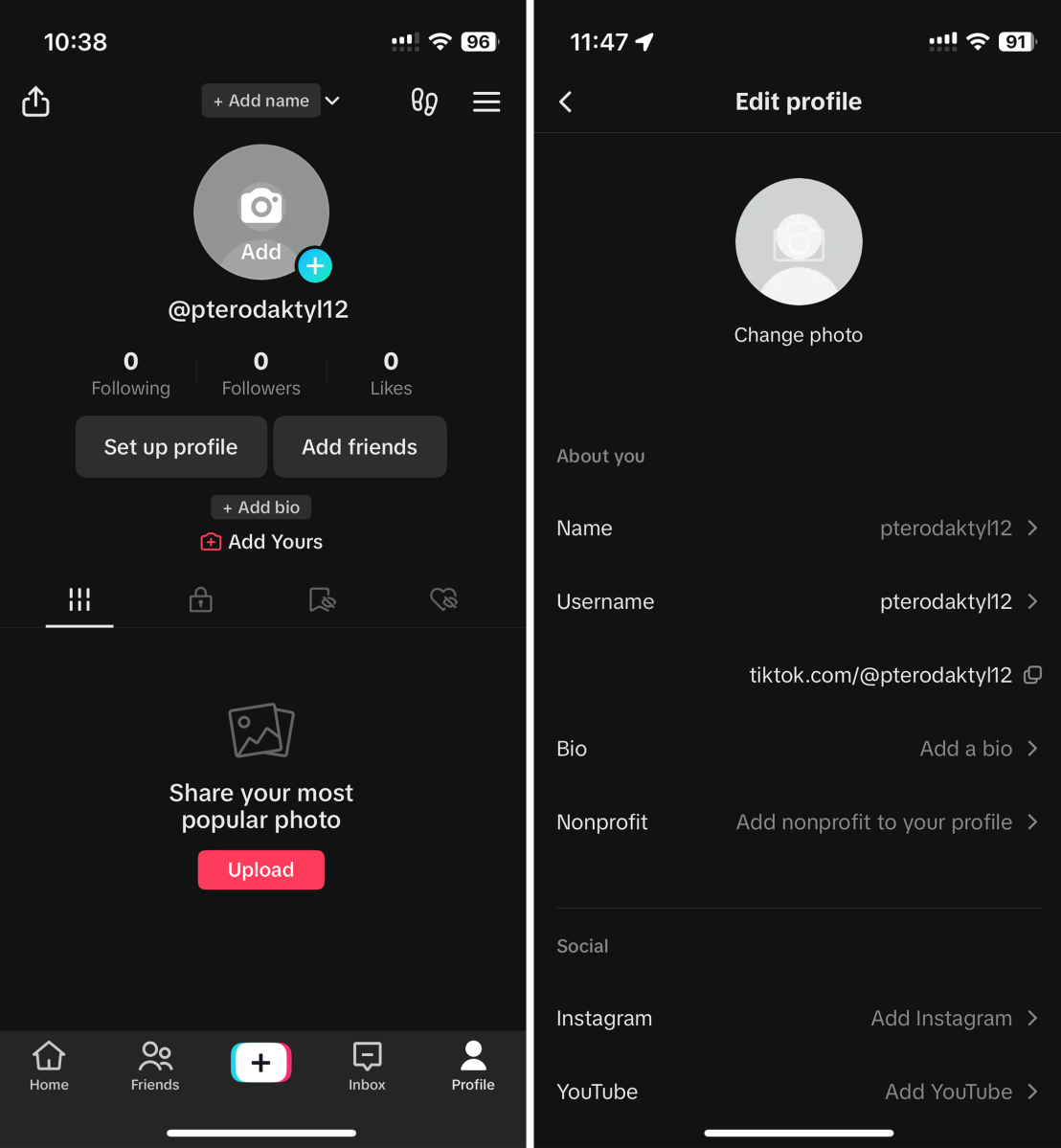
To start the process, open the TikTok app and locate the “Profile” option situated in the lower right corner of the screen.
Tap “Edit profile”
Artur Tomala / Foundry
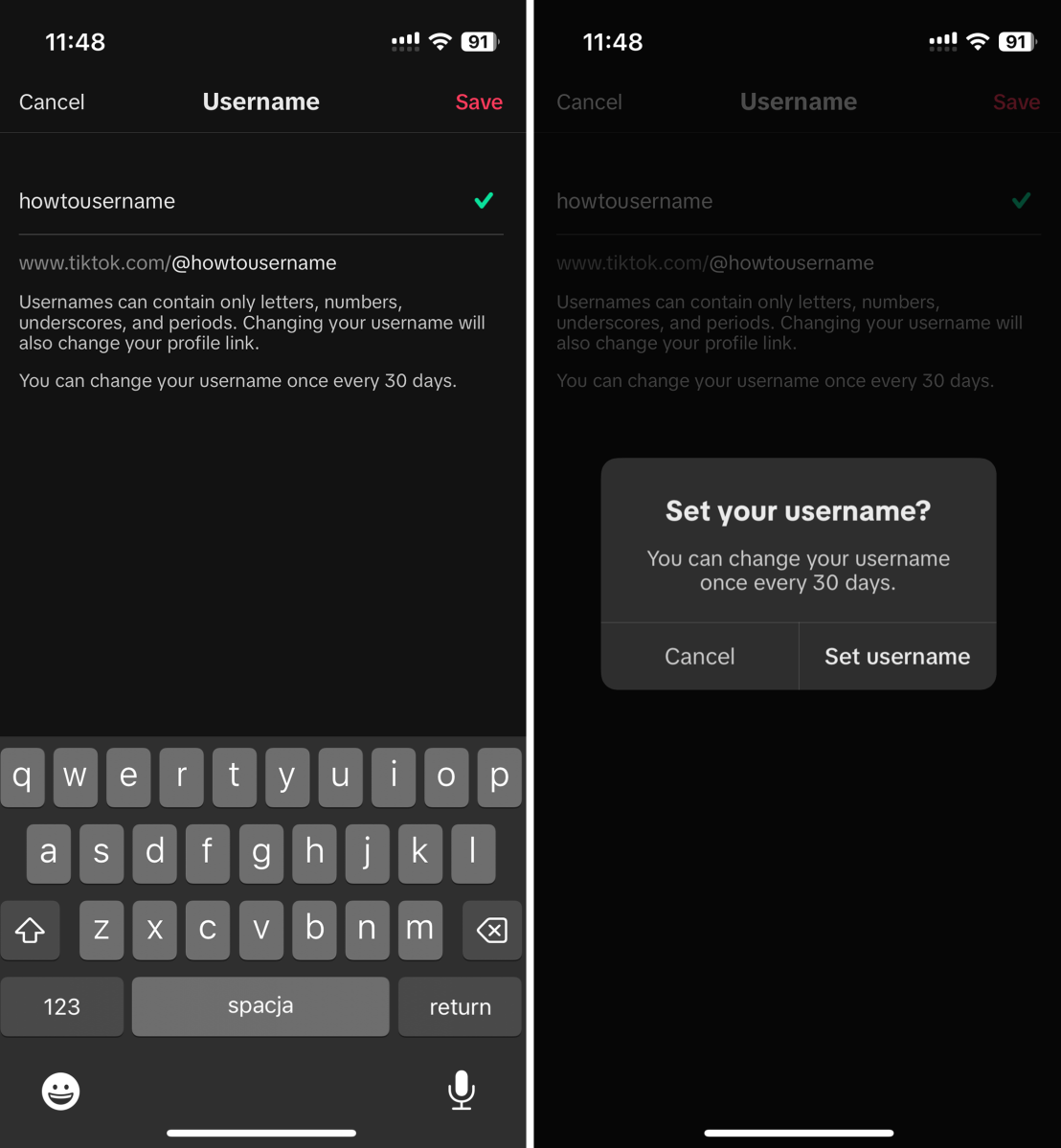
Once you’ve accessed your profile, take the next step by tapping on the “Edit profile” option, which allows you to modify various aspects of your account. Within the “Edit profile” section, you’ll have the opportunity to enter your new username – one that’ll hopefully better represent your identity on the platform.
Enter your desired username and save
Artur Tomala / Foundry
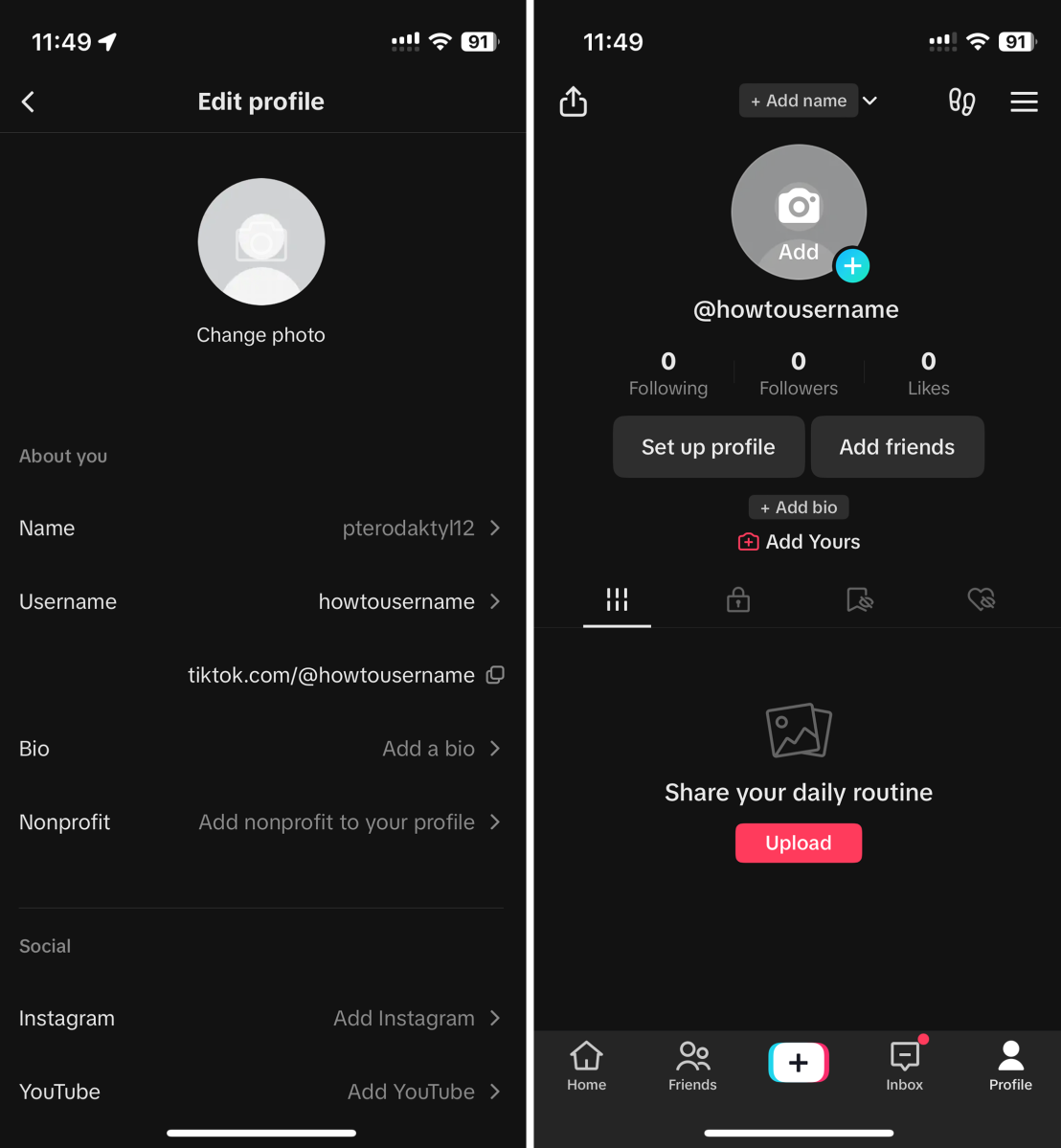
After you’ve added your chosen username, finalise the process by clicking on the “Save” button, thereby confirming the changes you’ve made to your TikTok profile.
Keep in mind that your username can only be changed once every 30 days. Usernames can only contain letters, numbers, underscores, and periods. However, full stops can’t be put at the end of the username.
Why change your TikTok username?
Your TikTok username is a key aspect of your identity on the platform. It’s how other users find and remember you, and it often reflects your content or personality. There are several reasons why you might want to change your TikTok username:
- Rebranding: If you’ve evolved your content style or personal brand, a new username can reflect your growth.
- Privacy: If you initially used your real name or personal information, changing your username could provide an added layer of privacy.
- Fresh start: Sometimes a new username can give you a fresh start and encourage new interactions.
Considerations when changing your username
- Impact on followers: Changing your username won’t affect your existing followers or the content you’ve already posted. However, it’s a good idea to let your followers know about the change to avoid confusion.
- Searchability: Keep in mind that your old username might still be mentioned in comments, captions, or videos. People might continue to refer to you by your old username for some time.
- Username limits: TikTok usernames can be up to 30 characters long, including letters, numbers, and underscores.
- Username availability: If your desired username is already taken, you might need to brainstorm variations or come up with something entirely new.
Changing your TikTok username can breathe new life into your profile and align better with your evolving identity. By following the steps outlined above, you can seamlessly update your username and continue your journey on TikTok with a fresh perspective. Just remember to choose a username that represents you authentically and helps you connect with your audience in meaningful ways.
Author: Artur Tomala, Mobile Writer, Tech Advisor

Artur is a Mobile Writer at Tech Advisor, where he covers a range of smartphone, tablet and smartwatch-related topics. He has been working in the tech industry since 2021, including time spent leading a team focused on mobile news, reviews and product rankings. As an ambassador for the productivity app Notion, he runs training workshops and creates advanced templates to help people stay organised and productive.
Recent stories by Artur Tomala:
- Sick of Siri? iPhone owners can use Gemini too. Here’s how
- Google Gemini just got smarter, but the trade-off could be your data
- Worried DeepSeek has your data? Gemini has even more
