Okay, call me a geek, but it’s Christmas and I’ve been genuinely searching for a way to get Google Home to turn my home into a winter wonderland in response to a single command: “Okay Google, it’s Christmas!”
I’m talking Christmas tree- and fairy lights sparkling, Santa’s band marching, “All I Want For Christmas” blaring, mulled wine heating, maybe even the snow machine whirring. Okay, forget the mulled wine, that’s going too far. But just imagine it.
Well, it turns out there is a Santa, and his name is Google Assistant. The Routines feature in the Google Home app lets me do all this in a few simple steps. And, as you can imagine, right now I am the embodiment of the ‘big kid at Christmas’.
How to set up a Google Routine
Launch the Home app and tap the Routines button on the main home screen. Select Manage routines, then hit the Add a routine command.
You’ll be prompted to add a command by entering the phrase you will say to trigger the routine (excluding “Okay Google”). Tap Ok at the top right of the screen to save it.

Optional step: Set a time and days during which this command will work. If you leave this blank it will work at all times. We purposely left this blank.
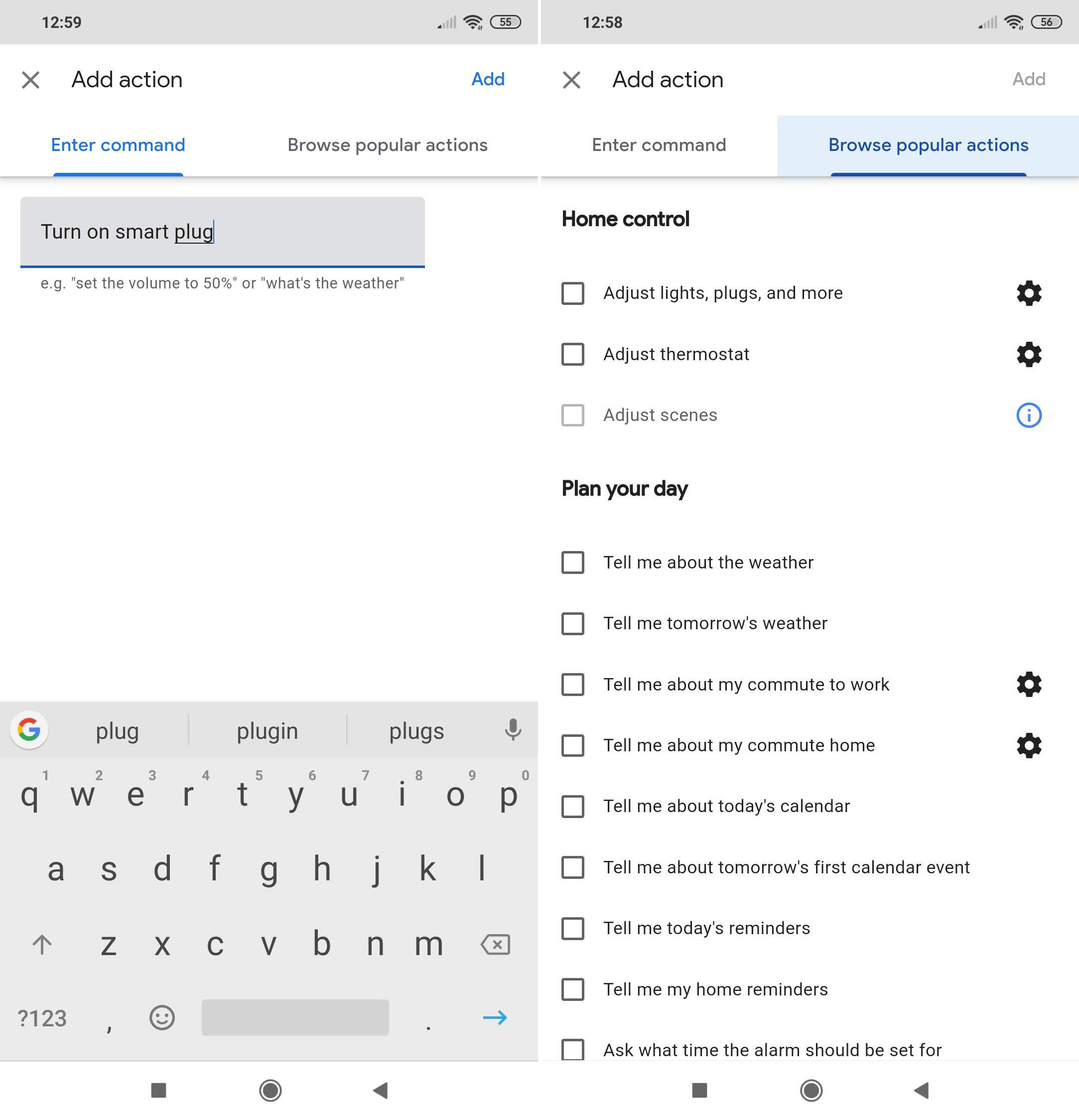
Under ‘My Assistant will…’ tap Add action. You can enter here any command that you know works with Google Assistant.
I’ve entered “Turn on smart plug”, which is a D-Link smart plug I have already configured through the Google Home app. To this smart plug I will connect my Christmas lights, marching band and any other festive electrical decorations I can source. Click Add to finish.
You can add multiple actions here by clicking the Add action button and entering subsequent commands.
If you want Google Assistant to also play some form of audio, be it music, audiobooks, podcasts, the radio, news or even sleep sounds, click Add media under ‘And then play…’
We selected Music, then tapped the cog wheel beside it to enter a specific type of music – “All I Want For Christmas” by Mariah Carey. Click Ok when you have entered your choice, then tap Add at the top of the screen.
To save your finished routine just hit Save at the top of the New routine screen. Then give it a try.
Also see: Funny things to ask Google Assistant
Author: Marie Black, Global Director of Content Operations, Foundry

Marie is Global Director of Content Operations at Foundry. A Journalism graduate from the London College of Printing, she’s worked in tech media for 20 years. These days she is focused on refining editorial processes and workflows, and on our evergreen, transactional and custom content strategy.
Recent stories by Marie Black:
- How to find my lost Android phone or iPhone
- Do I Need a TV Licence?
- Best Mobile Wi-Fi Routers 2023
