There’s no limit to the number of people that can sign into the same account, meaning you can all get access to the benefits of a Prime subscription. This currently costs $14.99/£8.99 per month or $139/£95 per year, so it makes sense to share.
If you’re trying to hide presents you’ve bought, or just have some items you’d rather keep private, this may be a concern.
There’s no way to block access entirely, but you can easily hide them out of view. Here’s how to do it, whether you’re on the website or using an Alexa device.
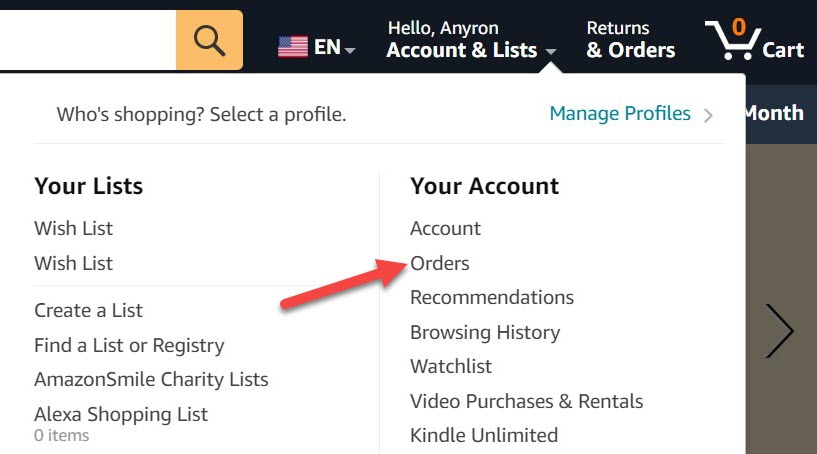
Anyron Copeman / Foundry
Select order to archive
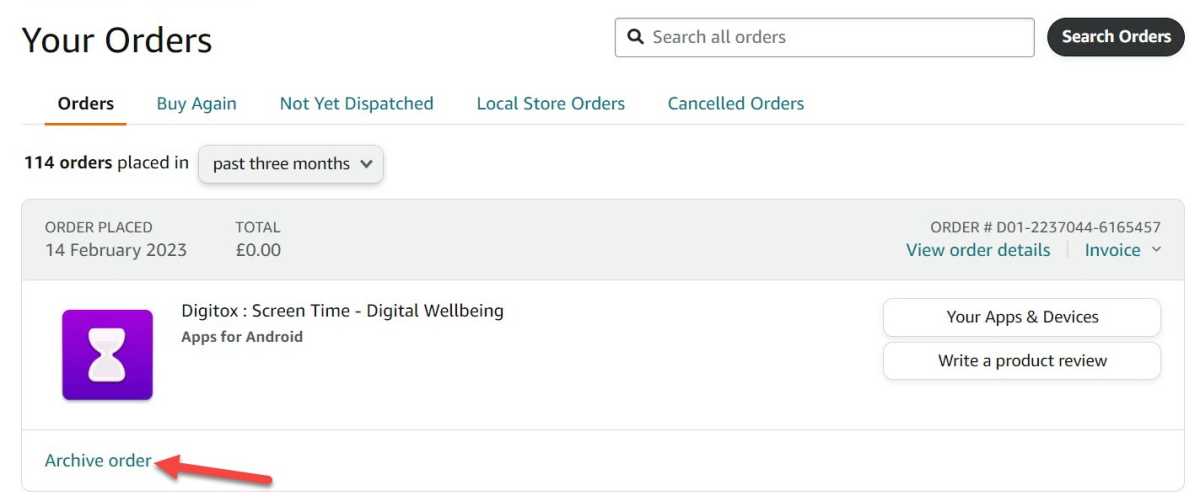
Anyron Copeman / Foundry
You’ll now see an overview of all recent orders. Locate one you’d like to archive, or use the search bar to find something specific, then click ‘Archive order’ under any one.
Confirm archiving
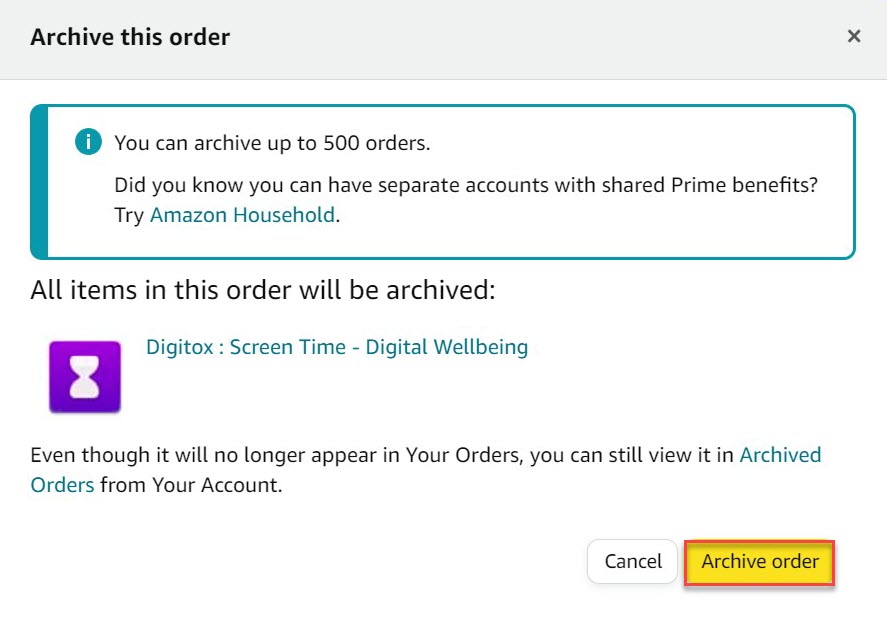
Anyron Copeman / Foundry
From the pop-up that appears, click the yellow ‘Archive order’ button to confirm.
You should then see a confirmation message saying ‘Your order has been archived’, alongside a link to view other archived orders.
How to see all your archived orders
To access the full list of archived orders at any time:
Hover over the ‘Account & Lists’ button at the top of the page again, but click ‘Your Account’ this time
Scroll down to the ‘Ordering and shopping’ section and click ‘Archived Orders’. You may be prompted to enter your password again
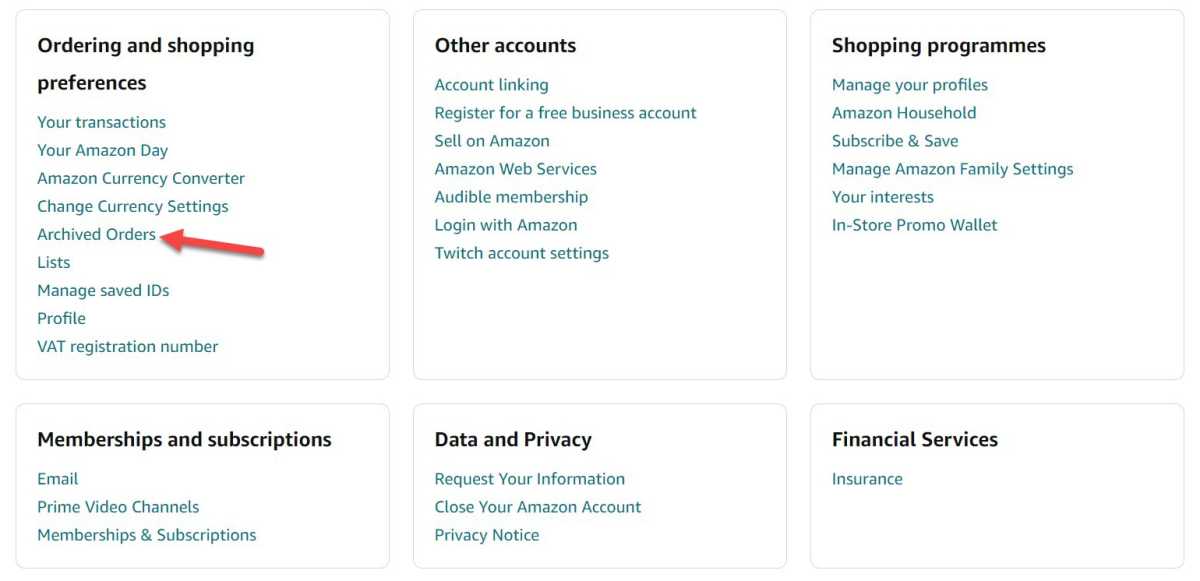
Anyron Copeman / Foundry
To move any order back into the main list, just click ‘Unarchive Order’ below it. You won’t need to confirm it this time.
How to turn off Alexa package notifications
So, you’re now (mostly) safe if someone is on the website or app, but what about Alexa? Echo Show devices have a habit of showing your recent orders on the screen, will make a noise and glow yellow with notifications. Here’s how to turn them off:
Download the Alexa app if you haven’t already
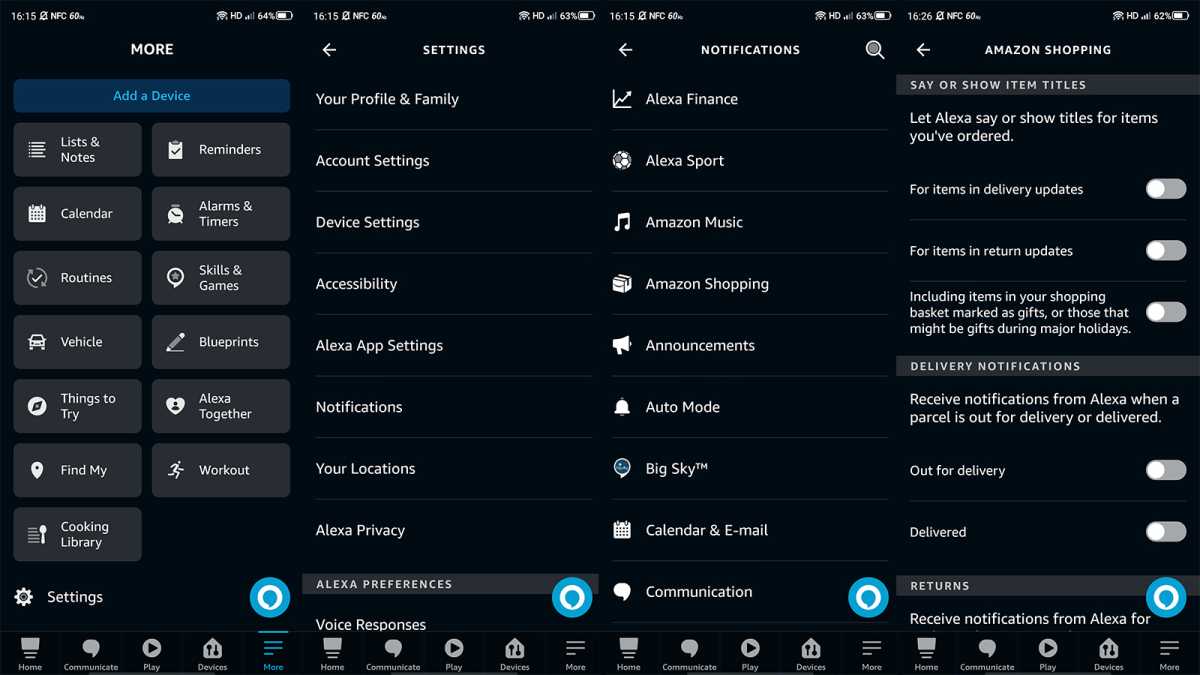
Open it, then tap ‘More’ in the bottom right corner
Choose Settings > Notifications > Amazon Shopping
Under ‘Say or show item titles’, turn off (make sure they turn grey) the toggles next to ‘For items in delivery updates’ and ‘Including items in your shopping cart marked as gifts, or those that might be gifts during major holidays’
Under ‘Delivery notifications’, turn off the toggles next to ‘Out for delivery’ and ‘Delivered’
Anyron Copeman / Foundry
Those four will stop notifications about deliveries, but you can turn everything in this section off if you don’t want to receive any.
The steps above will stop other people knowing you’ve ordered something, but what about when it arrives? If there are other people at home, they may end up seeing what you’ve bought.
Here’s how to make sure that doesn’t happen:
On the app or website and add something to your basket like usual
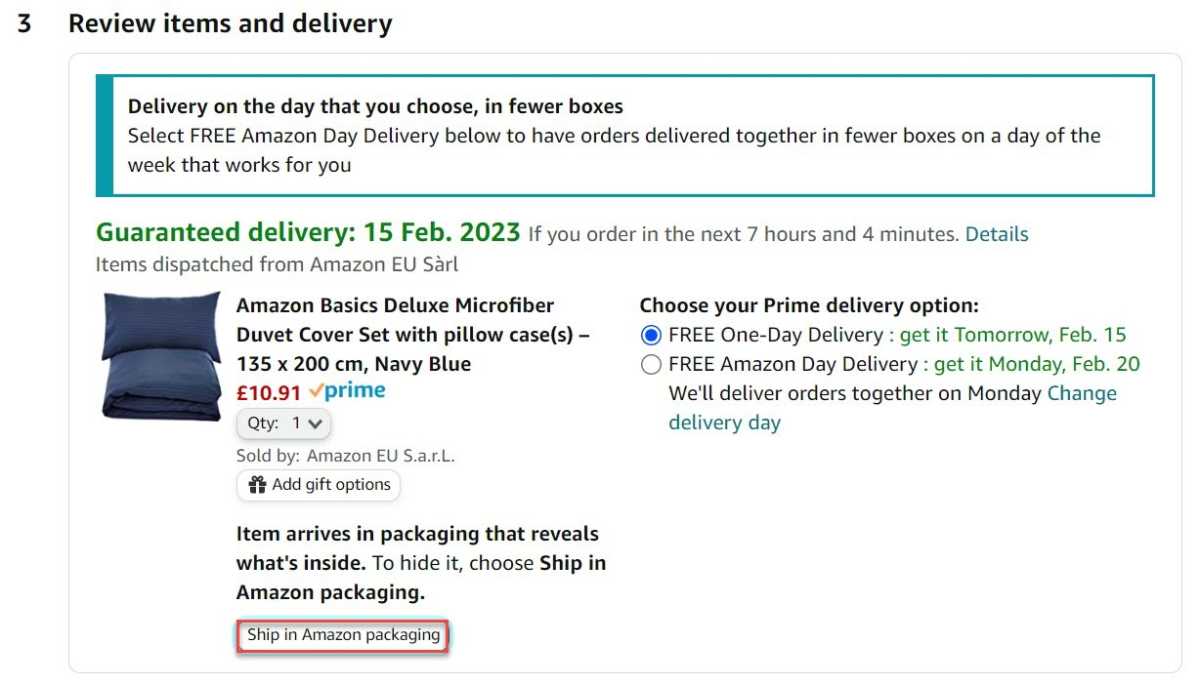
When you get to the checkout, review the items you’re ordering and look for a message that says ‘Item arrives in packaging that reveals what’s inside’. If you see it, click ‘Ship in Amazon packaging’
Anyron Copeman / Foundry
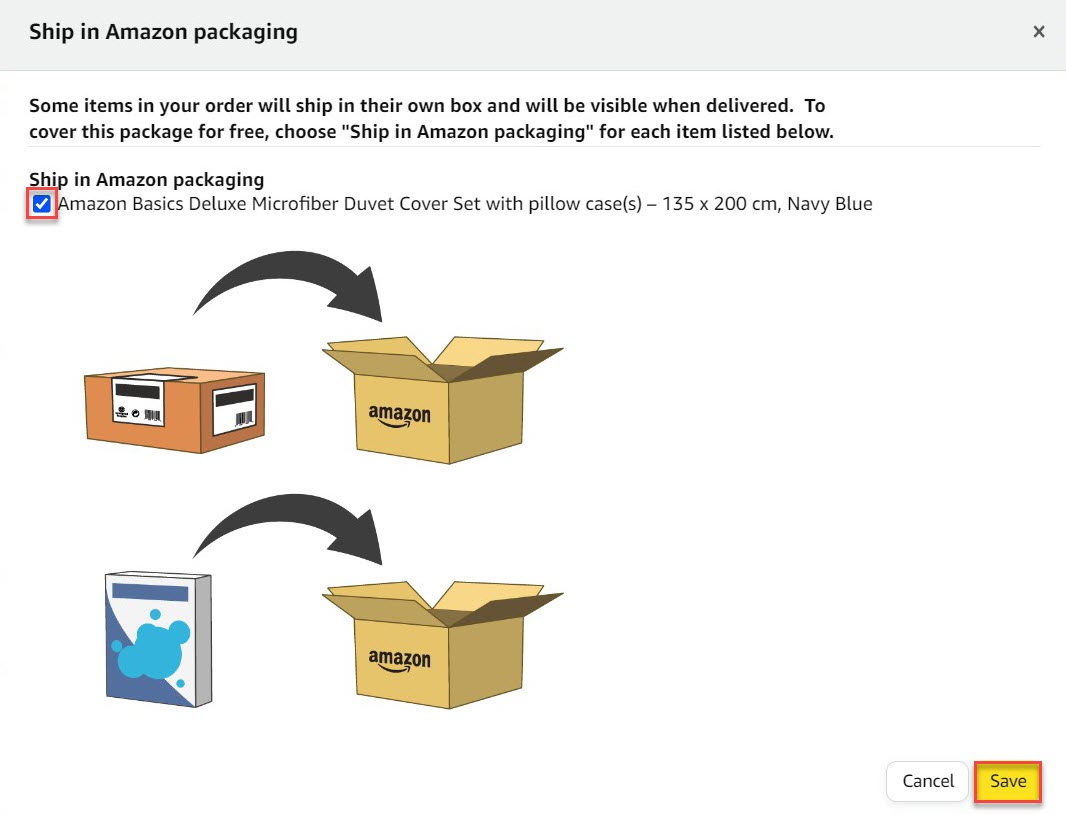
- From the pop-up that appears, click the box next to any products and click ‘Save’
Anyron Copeman / Foundry
- The message should now say ‘Ship in Amazon packaging selected’. You can now proceed with purchase as normal
To use either of these, look in the delivery address section checkout for an option mentioning ‘Free collection’. If available, click the ‘Pick up here’ button and choose from any locations nearby.
You have three days from the delivery date to collect from a locker or 14 days from a counter. After that point, the item will be returned and you’ll get a full refund.
- What is Amazon Prime? Cost, benefits & free trial explained
- Best TV shows on Amazon Prime UK
- Best films on Amazon Prime UK
Author: Anyron Copeman, Mobile Editor, Tech Advisor

Anyron is Mobile Editor at Tech Advisor, where he’s been a mainstay of the editorial team since 2019. In his current role, Anyron is responsible for all smartphone, tablet and mobile network coverage on the site. A BA Journalism graduate, he has experience with a wide range of consumer tech products and services, including smartphones, tablets, foldables, wearables and more.
Recent stories by Anyron Copeman:
- Is BT down? Outage information and fixes
- Vodafone and Three merger complete: What it means for you
- WhatsApp is making it easier to see when someone is typing
