Windows might be a desktop operating system, but interest in running mobile apps on your PC or laptop has existed ever since smartphones took off.
Emulation software such as BlueStacks made that possible soon after, but it wasn’t natively supported by Microsoft until the introduction of Windows 11 . These can now be fully integrated into the operating system and make use of multitasking features.
While that results in some notable omissions, many of the leading social platforms are supported. And it’s currently the only way to use Threads on Windows 11, with owners Meta yet to introduce a desktop version.
Using Android apps on Windows 11 is straightforward, but only once you’ve set it up for the first time.
How to install Android apps on Windows 11
It takes a few minutes to get Windows 11 ready for Android apps, but you’ll only have to do this once.
Enable virtualization (if it’s not already)
Anyron Copeman / Foundry
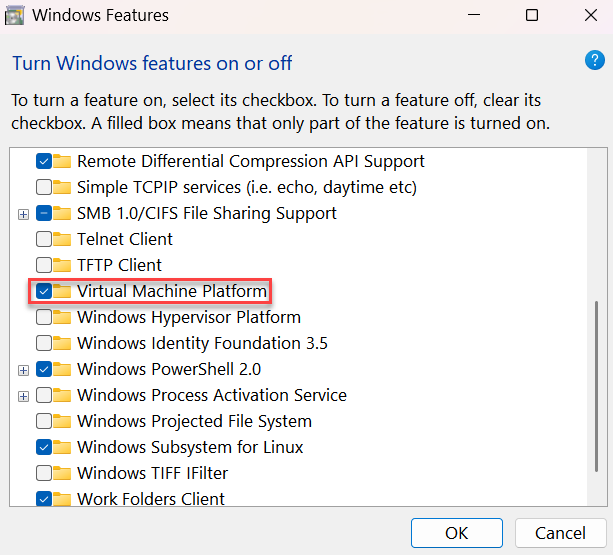
In the search bar next to the Start menu, type ‘Turn windows features on or off’ and open the relevant result in the Control Panel.
Make sure the box next to ‘Virtual Machine Platform’ is ticked, then click ‘OK’ to confirm. If you’ve made any changes, restart your device to apply them.
Anyron Copeman / Foundry
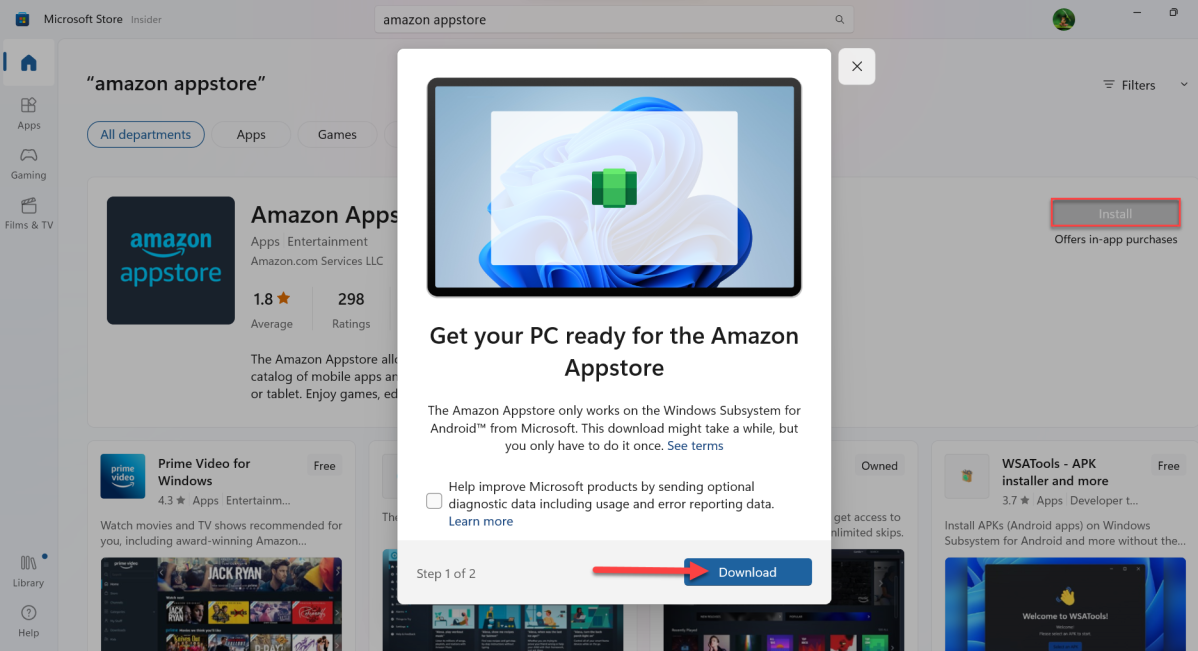
Click ‘Yes’ to confirm you allow changes to be made, then wait for the download to be completed. It’s a large file, so may take a few minutes.
Anyron Copeman / Foundry
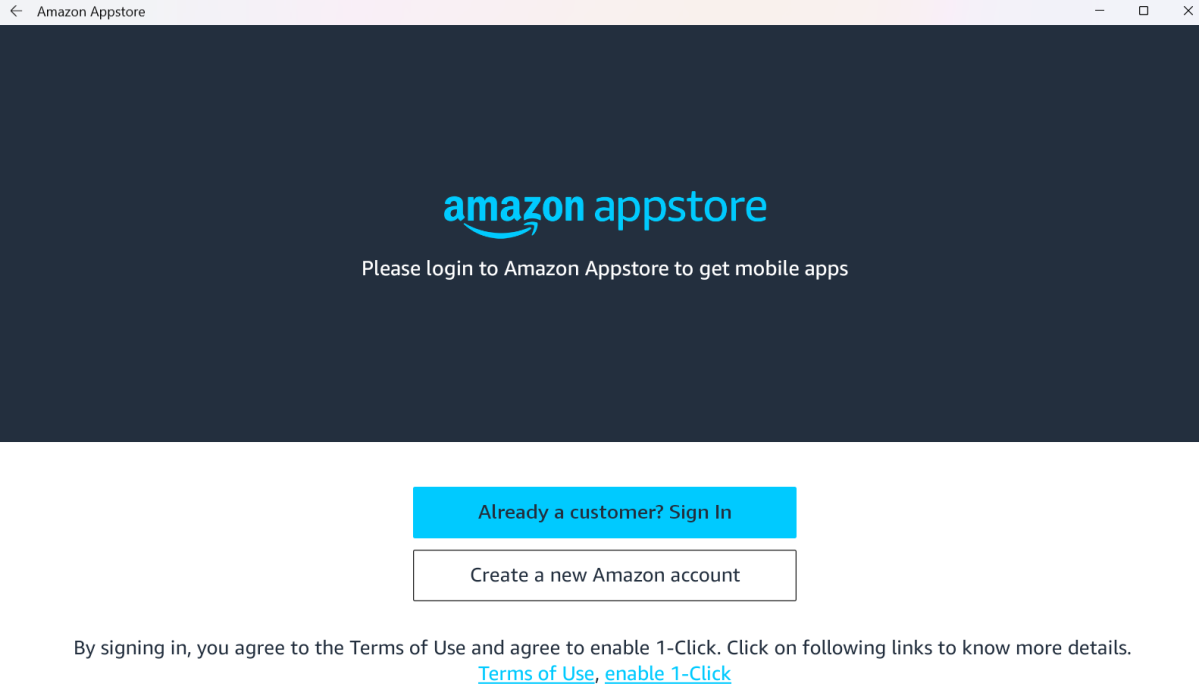
Find and install any app you’d like to download
Anyron Copeman / Foundry
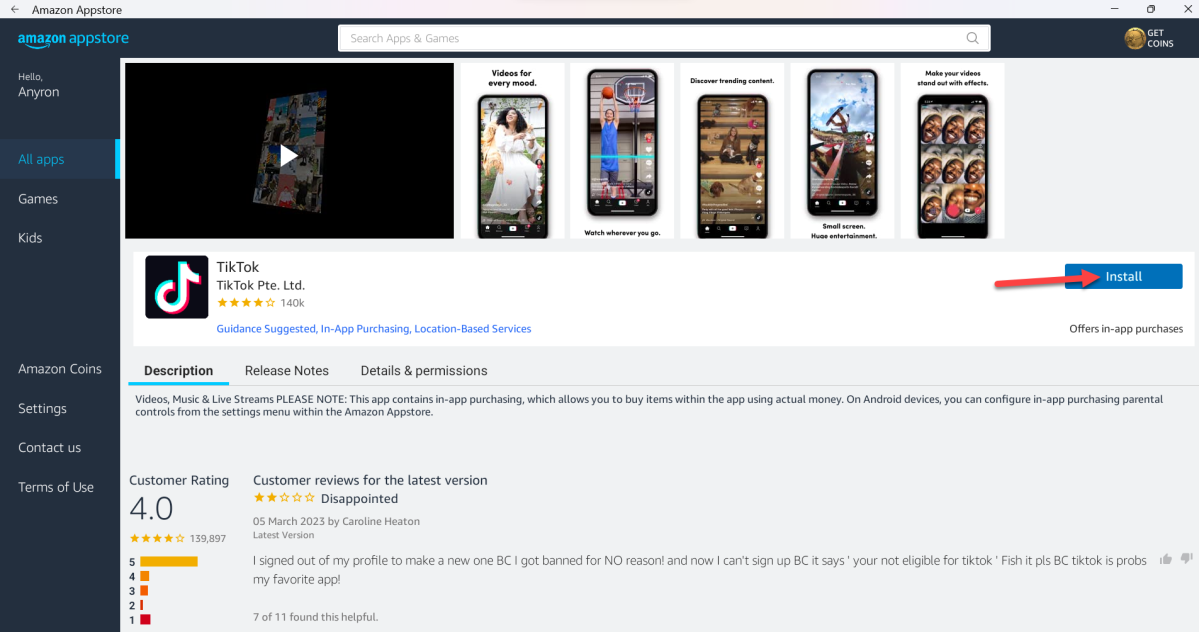
You’ll now be presented with a homepage that looks very similar to the Microsoft Store. Browse through all the apps available, or search for something specific.
Click ‘Install’ or ‘Get’ next to any app you’d like to install, then ‘Open’ once it’s installed. It’s now fully compatible with the rest of Windows 11, and searchable like any other app.
Can you download Google Play Store apps on Windows 11?
Unfortunately not. Microsoft has never officially supported installing apps from the Play Store, but a workaround allowed you to do just that for a few months.
For access to nearly every Android app from your laptop, a Chromebook is your best bet. As Google software, Chrome OS does support the Play Store natively.
- Why Windows 11 still can’t run all Android apps
- Windows 11 tablets are now good enough to replace your iPad
- 12 hidden Windows 11 features that are actually worth using
Author: Anyron Copeman, Mobile Editor, Tech Advisor

Anyron is Mobile Editor at Tech Advisor, where he’s been a mainstay of the editorial team since 2019. In his current role, Anyron is responsible for all smartphone, tablet and mobile network coverage on the site. A BA Journalism graduate, he has experience with a wide range of consumer tech products and services, including smartphones, tablets, foldables, wearables and more.
Recent stories by Anyron Copeman:
- Windows 11 23H2 update: Everything you need to know
- Windows 12: Everything we know so far
- How to get the Google Play Store on Windows 11
