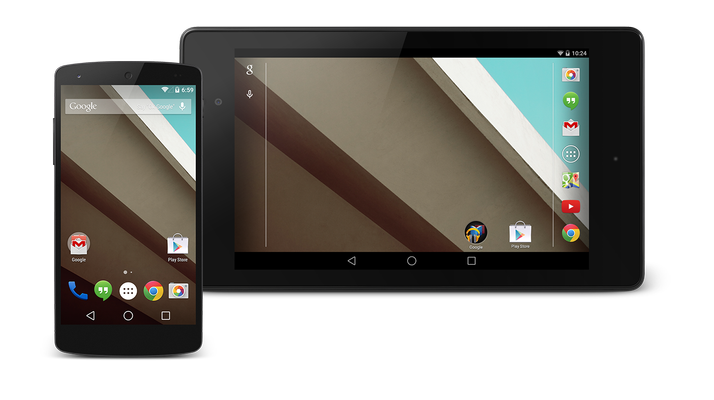
How to prepare for Android L: Which devices will be compatible with Android L?
First things first: will you be able to download and run Android L?
We can’t be 100 percent sure about whether your phone or tablet will get Android L, but we can make some safe assumptions.
If you have a recent Nexus device, or a Google Play edition of a non-Google smartphone or tablet, the likelihood is that you will get the upgrade. The Nexus 5 will definitely get Android L. The Nexus 4, however, is likely considered too old. And all of those flagships with Google Play editions will probably get the new Android. In terms of tablets we expect the 2013 version of the Nexus 7 to get the upgrade, but not the original. And that also means the good old NExus 10 will be left behind. Again, Google Play editions of third-party tablets will probably get the upgrade.
When we get to those Android phones in which the manufacturers have put their own mark on the OS, things get a little more opaque. Samsung’s Galaxy S5 and Note 3 will be upgraded pretty much straight away. The S4 will follow, and the Note 4 will launch with Android L. Further down the scale no upgrades will happen. Similarly, expect higher-end HTC phones starting with the HTC One M7 to get Android L, including the HTC One M8. The Sony Xperia Z1, Xperia Z2 and Xperia Z3 will be updated, as will the myriad the compact versions of the above.
LG has been less forthcoming with updates in the past, but we would be amazed if the LG G3 doesn’t get the upgrade. We’re less confident with the G2. Motorola has already said the Moto X, the Moto G and the Moto E will see Android L, but don’t expect any other Motos to make the upgrade.
How to prepare for Android L: Do I want to upgrade?
It’s easy to get caught up in the hoopla about a new version of Android, and to feel that an upgrade is something that you have to do. The truth is, it isn’t. Your Android will remain happy on its original OS.
In all probability the upgrade is worth making, however. It is free, after all, and it is likely that in time apps will be written for this specific version of Android. You don’t have to worry about performance over much – one of the key benefits of Android L is that it has a new engine that should make your phone work faster. And one of the reasons for the doubt over who gets to upgrade is that manufacturers live in fear of porting a new OS to their hardware and then finding that users complain about poor performance.
Android L is a radical visual change, however. It may be that the new design language of which Google is proud makes you hate using your phone or tablet. In our experience one tends to grow used to a new interface, and a poor reaction usually turns out to be nothing more than aversion to change. But you don’t want to upgrade your device and then regret it. Downgrading is rarely as easy.
How to prepare for Android L: A couple of things to do before you upgrade
- Check your connection
Once you’ve double-checked that your smartphone or tablet is going to get the upgrade to Android L, you’ll need to decide how to install it. If you plan to install wirelessly, confirm that you have an available WiFi connection. There is little more annoying than
- Back up your device
Always back up. Always. And then backup again. It’s unlikely you will experience any problems, but who wants to take the risk?
Author: Matt Egan, Global Content Director, Foundry

Matt Egan is Global Content Director of Foundry, publisher of Tech Advisor, and a passionate technology fan who writes on subjects as diverse as smartphones, internet security, social media and Windows.
Recent stories by Matt Egan:
- How to recover files from an SD card for free
- Best Kids Apps: Top Android & iPhone Apps For Children
- How to watch Sky Go
