TikTok’s repost function enables users to distribute content among their followers. However, you might be unaware that it can also enhance engagement and expand your audience.
TikTok hosts an array of clips, varying from mere seconds to a maximum of 10 minutes. All these clips have the potential to go viral due to the platform’s algorithm, which contributes to many videos regularly amassing millions of likes and views.
In 2022, the app introduced a “repost” button, allowing users to share their favourite videos with their follower base. Here’s a comprehensive overview of TikTok’s repost functionality.
What does TikTok’s repost button do?
TikTok’s repost feature is a quick way to share any video you find with your friends and followers. Analogous to other social media platforms, instead of claiming ownership over the content by publishing it on your profile, you are essentially sharing it with your followers via your account.
How to repost a TikTok
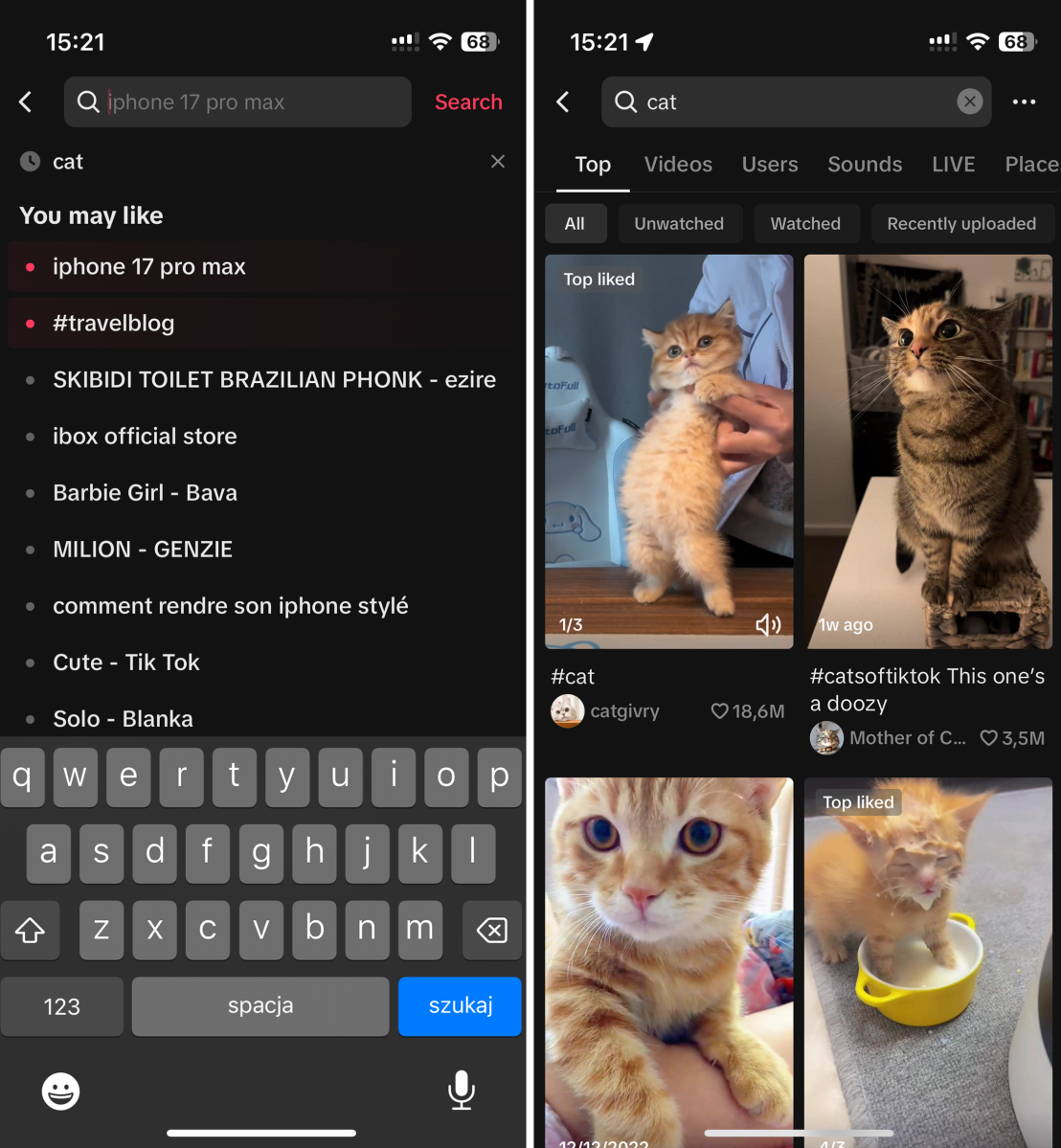
Open TikTok and choose a video
Artur Tomala / Foundry
Begin by opening the TikTok app on your device. Navigate through the app’s content until you locate the specific video that you intend to repost.
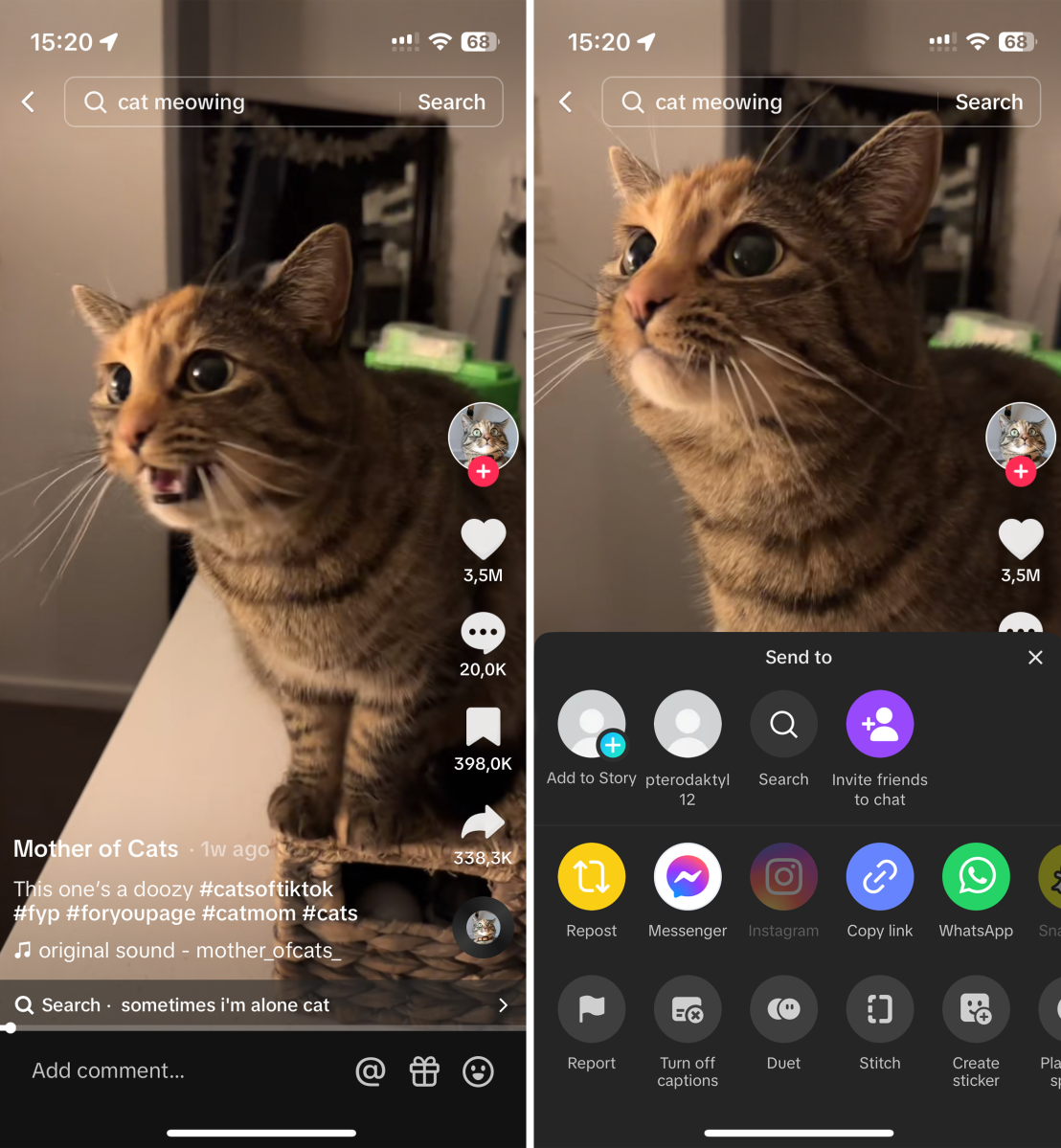
Open the sharing menu
Artur Tomala / Foundry
Once you have found the desired video, direct your attention to the bottom right corner of the screen where you will spot a distinct arrow symbol. This symbol signifies the share button – tap on it.
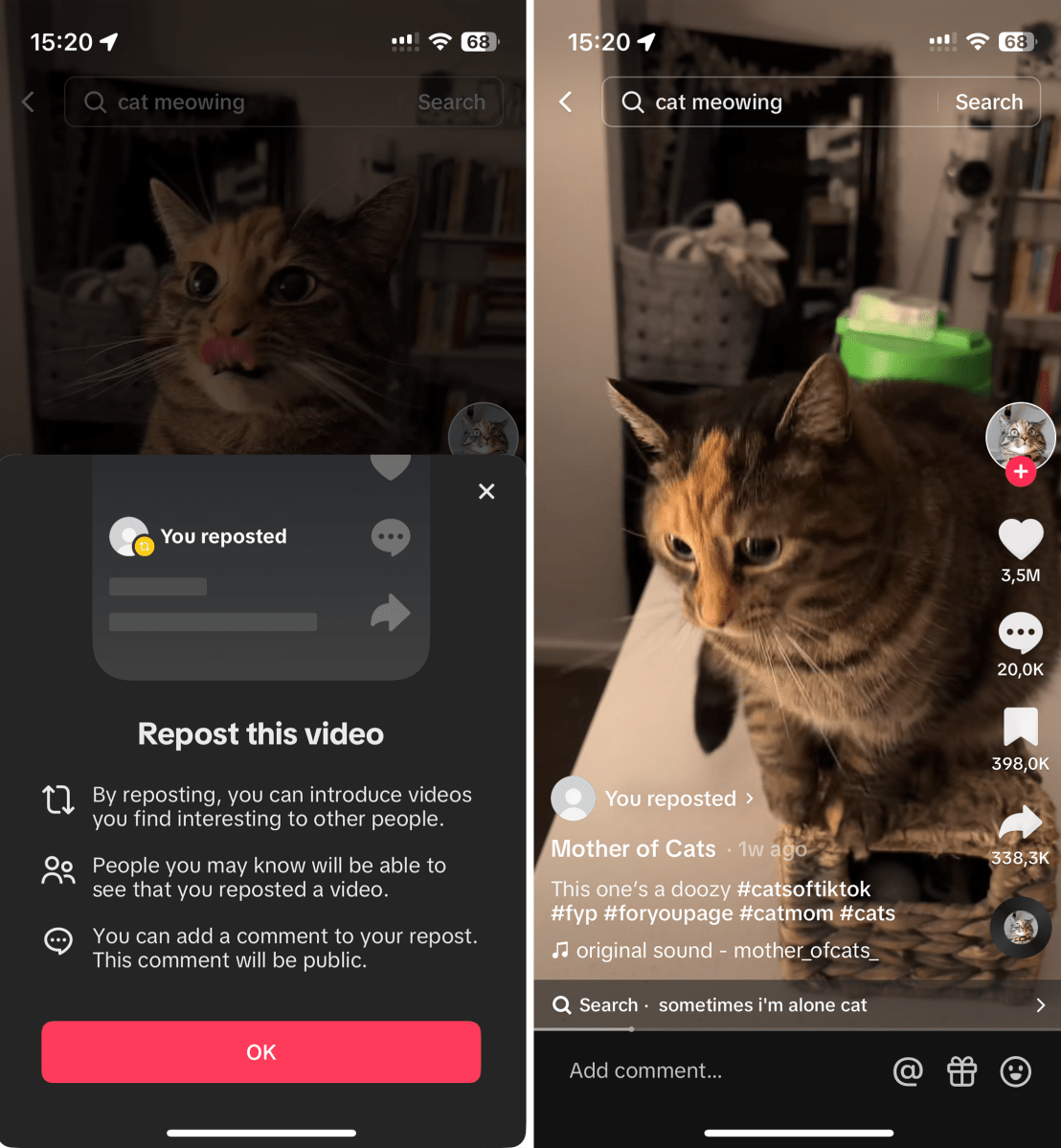
Repost a video
Artur Tomala / Foundry
You will find there a row of icons positioned at the top of the interface. Among these icons, identify and select the ‘Repost’ option. This action will initiate the reposting process for the chosen video. After you do this, a text “You reposted” will be displayed, indicating that you have successfully reposted a video.
Author: Artur Tomala, Mobile Writer, Tech Advisor

Artur is a Mobile Writer at Tech Advisor, where he covers a range of smartphone, tablet and smartwatch-related topics. He has been working in the tech industry since 2021, including time spent leading a team focused on mobile news, reviews and product rankings. As an ambassador for the productivity app Notion, he runs training workshops and creates advanced templates to help people stay organised and productive.
Recent stories by Artur Tomala:
- How to set up a new Android phone
- Samsung Galaxy A26: Everything you need to know
- What is an eSIM and how does it work?
