It offers free, fast (often same- or next-day) delivery on millions of items, plus access to all the great movies and TV shows on Prime Video.
If you’ve never signed up before, you can get a free 30-day trial , meaning you’ll get all the discounts without paying any extra. After that, it costs £8.99/$14.99 per month or £95/$139 per year.
It also makes now a great time to share your Prime membership with other people in your household. Here’s how to do just that, plus everything that can be shared.
But that doesn’t mean you can easily split the cost of Prime with other households, as you have to share payment information too. If you’re at all hesitant about friends or members of your extended family being able to buy things using your card, it’s not a good idea.
Note that you can’t share benefits if you’re a Prime Student (or aged between 18-22), Prime Video-only user, or an invited guest of a Prime member (the member is the person who pays for Prime).
Sign in and open Prime settings
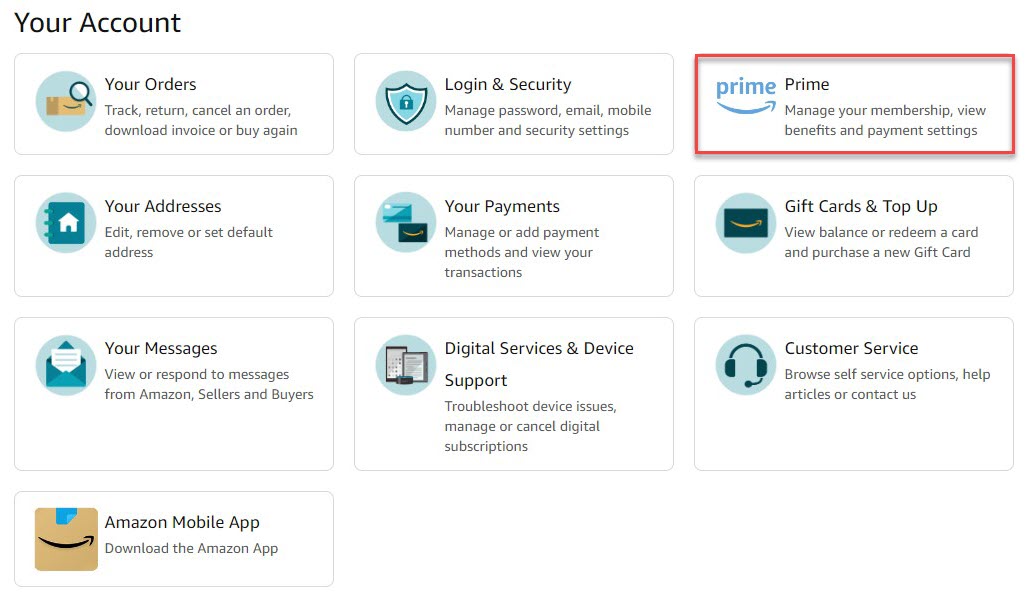
Anyron Copeman / Foundry
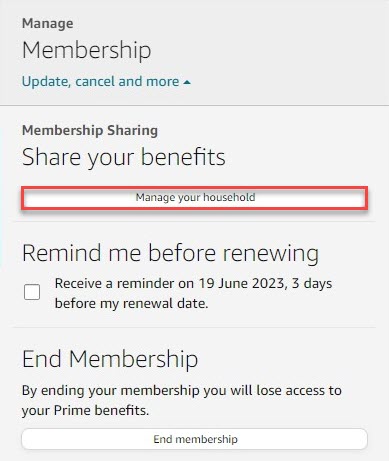
Anyron Copeman / Foundry
Under ‘Manage membership’ at the top of the page, click ‘Update, cancel and more’ followed by ‘Manage your household’.

Anyron Copeman / Foundry
From the screen that appears, click ‘Add Adult’.
If the option is greyed out, you’ve already set this up. If you decide to remove the adult, you have to wait 180 days before re-adding anyone else.
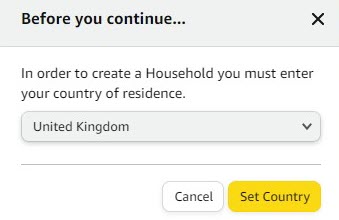
Choose where you’re living
Anyron Copeman / Foundry
Use the drop-down box to find your country of residence, then click the ‘Set Country’ button.
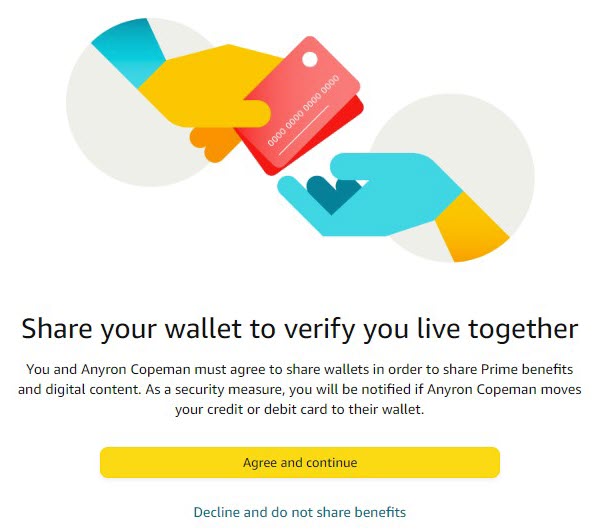
Agree to share benefits
Anyron Copeman / Foundry
From the next screen, click ‘Agree and continue’.
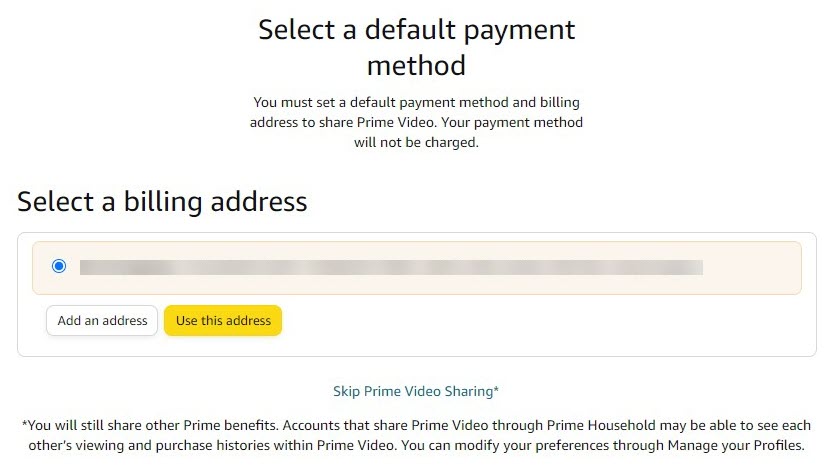
Choose your billing address
Anyron Copeman / Foundry
This is the one linked to the payment method you use for Prime. Select one of the existing addresses or add a new one, then click ‘Use this address’.
If you’d like, you can also click ‘Skip Prime Video Sharing’ here.
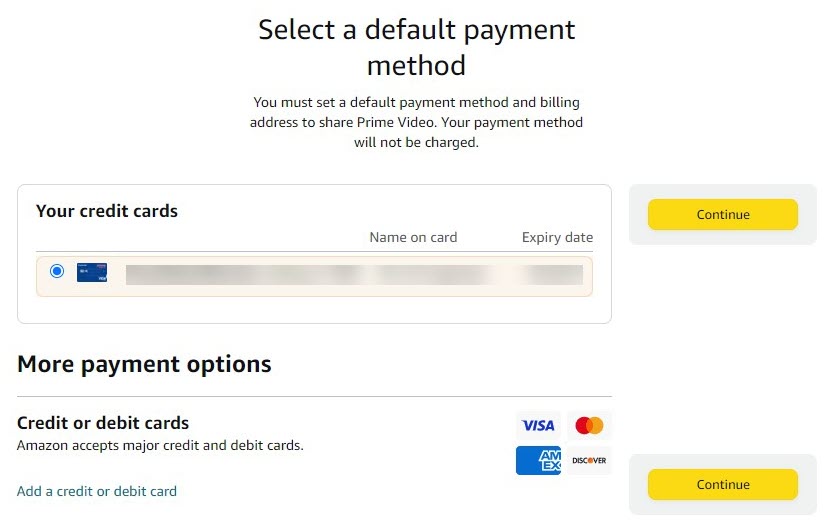
Choose your payment method
Anyron Copeman / Foundry
Select one of the existing payment methods or add a new one, then click ‘Continue’.
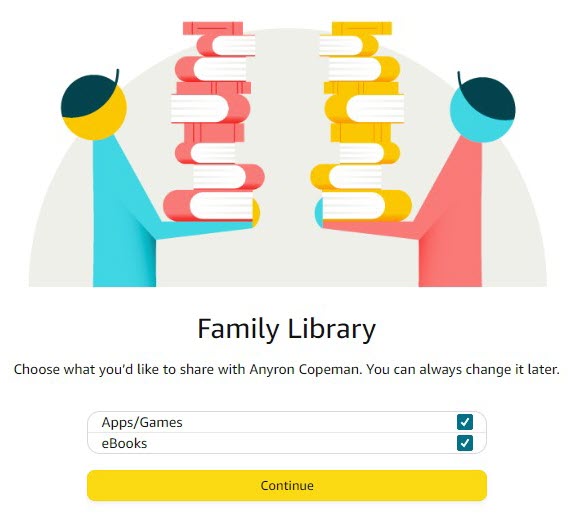
Decide if you’d like to share apps/games and eBooks
Anyron Copeman / Foundry
Uncheck the box next to either or both if you’d prefer they weren’t shared, then click ‘Continue’.
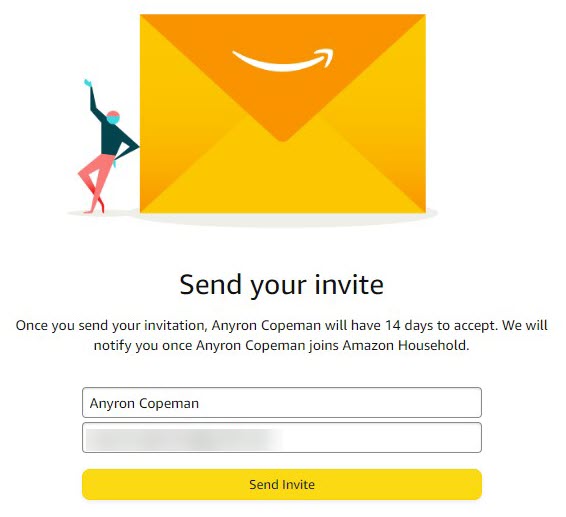
Send invite
Anyron Copeman / Foundry
Enter the name and email address of the person you’d like to share Prime with, then click ‘Send Invite’.
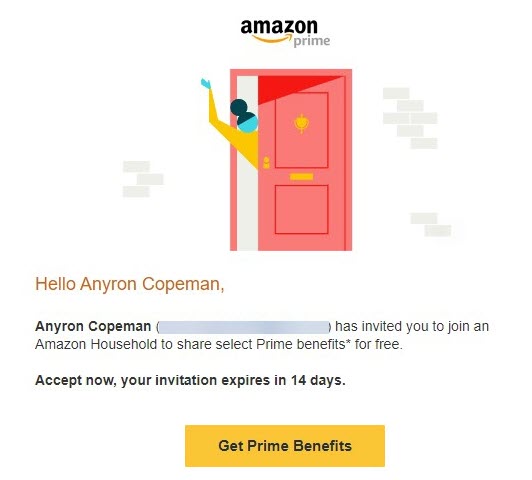
Check email for invitation
Anyron Copeman / Foundry
The person receiving the invite now needs to check their email. The subject should be along the lines of ‘Name invited you to share their Prime membership!’.
Open it, then click the ‘Get Prime Benefits’ button. You have 14 days to accept the invitation before it expires.
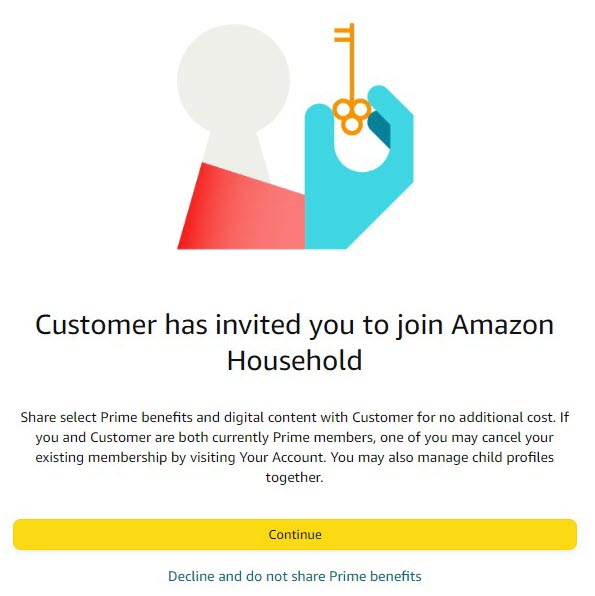
Confirm you’d like to share benefits
Anyron Copeman / Foundry
From the screen that appears, click ‘Continue’.
Anyron Copeman / Foundry
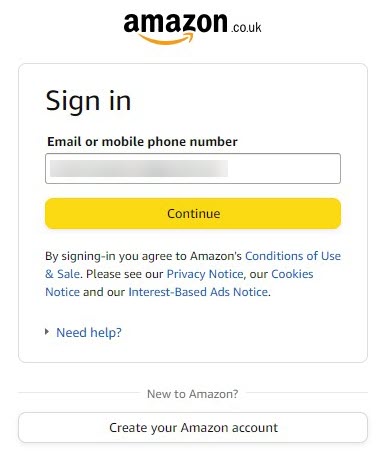
If you already have an account, enter the email address (followed by ‘Continue’) then password (followed by ‘Sign in’) associated with it.
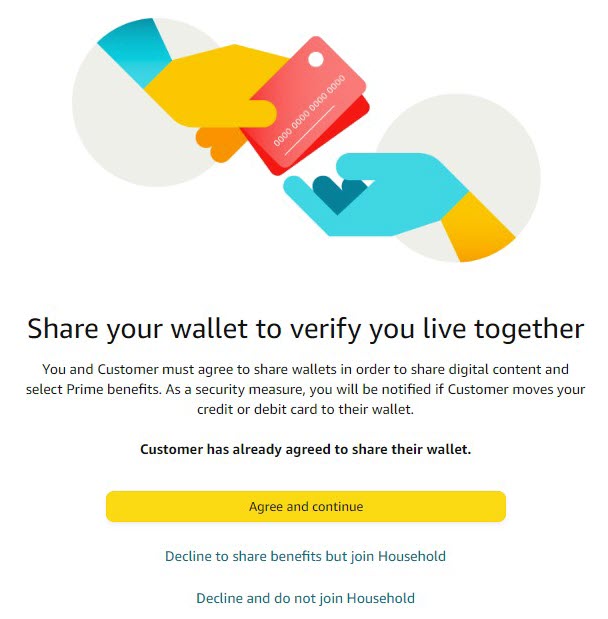
Anyron Copeman / Foundry
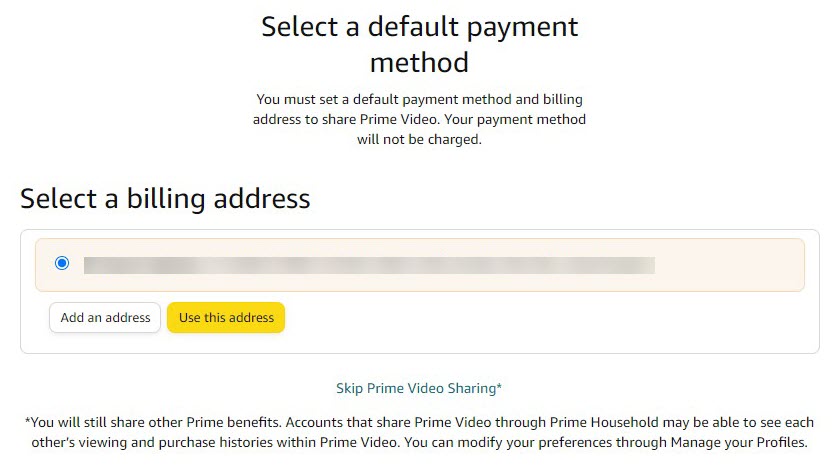
Choose a billing address
Anyron Copeman / Foundry
Choose which existing billing address is linked to your main payment method, or add a new one. Once selected, click ‘Use this address’. This is only necessary if you’d like to access the Prime Video subscription service. If you’d rather not, simply click ‘Skip Prime Video Sharing’.
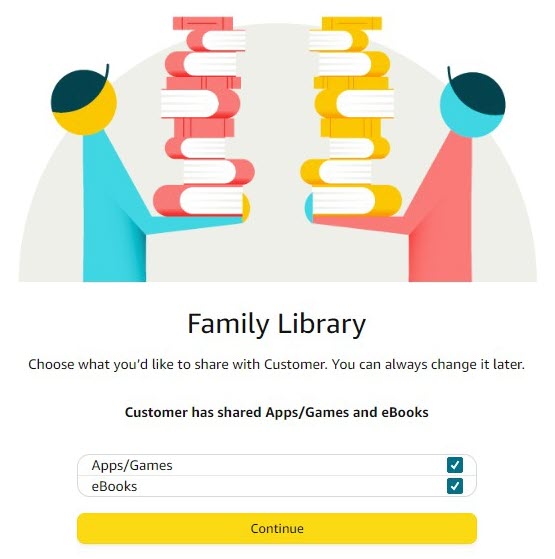
Decide if you’d like to share apps/games and eBooks
Anyron Copeman / Foundry
The person joining the household must repeat Step 8, unchecking the boxes if you’d rather apps, games and/or eBooks weren’t shared. Once you’re happy, click ‘Continue’.
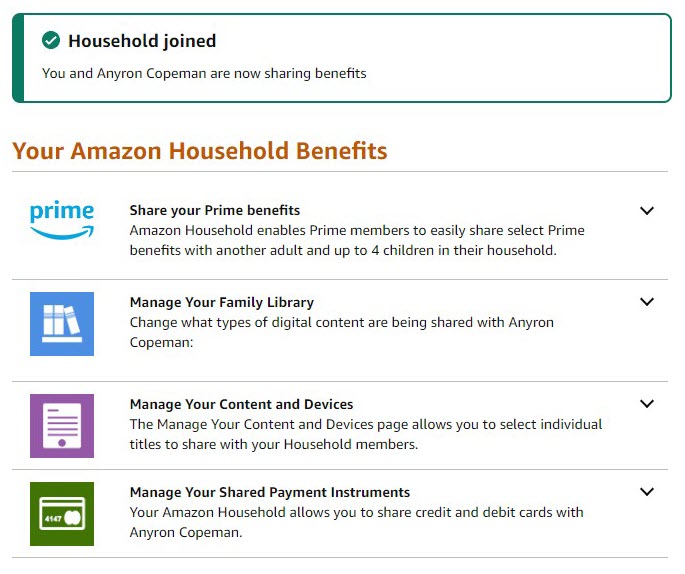
Enjoy the benefits
Anyron Copeman / Foundry
That’s it! You now have access to many of the benefits of Prime at no extra cost.
From this screen, you can see what’s available and change how much you share.
Which Prime benefits can you share?
The other adult in your household gets the following benefits:
Delivery
- Prime Delivery
- Amazon Fresh
Digital
- Prime Video streaming
- Prime Reading
- Family Library, where you can share digital content like apps, eBooks, games and other media.
Discounts / Exclusives
- Access to Lightning Deals
- Try before you buy
- Prime-exclusive items
- Discounts on Amazon Music, Kids+
- Extra deals and discounts, such as 20% off nappies and baby food
Prime Music offers full access to all 100+ million songs, but you’ll have to be content with shuffle play unless you pay for a full subscription.
Author: Anyron Copeman, Mobile Editor, Tech Advisor

Anyron is Mobile Editor at Tech Advisor, where he’s been a mainstay of the editorial team since 2019. In his current role, Anyron is responsible for all smartphone, tablet and mobile network coverage on the site. A BA Journalism graduate, he has experience with a wide range of consumer tech products and services, including smartphones, tablets, foldables, wearables and more.
Recent stories by Anyron Copeman:
- The Premier League is back – here’s how to watch every match
- The F1 British Grand Prix is this weekend – watch for free for the only time this season
- It’s FA Cup final time! Here’s how to watch Crystal Palace vs Man City live
