Is 2016 going to be a big year for Panasonic? Whatever happens, it’s sure to launch a range of new 4K TVs, some new cameras and maybe some smart home products. Here’s how to watch the live video stream from CES in Las Vegas. Find out what to expect from CES 2016 .
When is the Panasonic press conference?
It will start at 6pm UK time on Tuesday, 5 January. That’s 10am local time. You can watch Cnet’s live coverage of the conference in the video below.
What to expect from Panasonic at CES 2016
You can expect to see new 4K TVs, in addition to other tech and gadgets including smart home technology, audio devices, cameras and more.
Stay tuned to PC Advisor this week for all of the latest news, photos and hands-on reviews of the newly unveiled tech from CES 2016 in Las Vegas.
You can also watch Sony’s CES 2016 keynote live here .

Recent stories by Ashleigh Macro:
- The best Minecraft games, toys & gifts 2020
- Kodak Smile Instant Print Digital Camera review
- Christmas gifts for geeks: Tech-inspired presents for computer lovers
At a Glance
Expert’s Rating
Our Verdict
If you’re after a quirky camera that’ll let you take snaps and print them out for your friends or family, but aren’t worried about the quality, the Kodak Smile Instant Print Digital Camera might be a good option for you. But some of the nostalgia of the instant camera is taken away by the design, the ability to choose not to print bad photos and the lack of the traditional developing film.
Best Prices Today: Kodak Smile Instant Print Digital Camera

Kodak’s Smile Instant Print Digital Camera is half instant printer , half instant camera . It can (in theory) print photos you’ve already taken using a different camera and then transferred onto a MicroSD card, but it also has a built-in camera that means you can use it to capture photos on the device itself and print those too.
This may sound great, but the downside is that we found it does neither thing particularly well. Its camera isn’t fantastic, and it’s very slow so taking photos of kids or animals is almost impossible. You are able to choose not to print bad photos, which can’t be said for all instant cameras, but those you do print are likely to suffer with strange exposure and less than great quality.
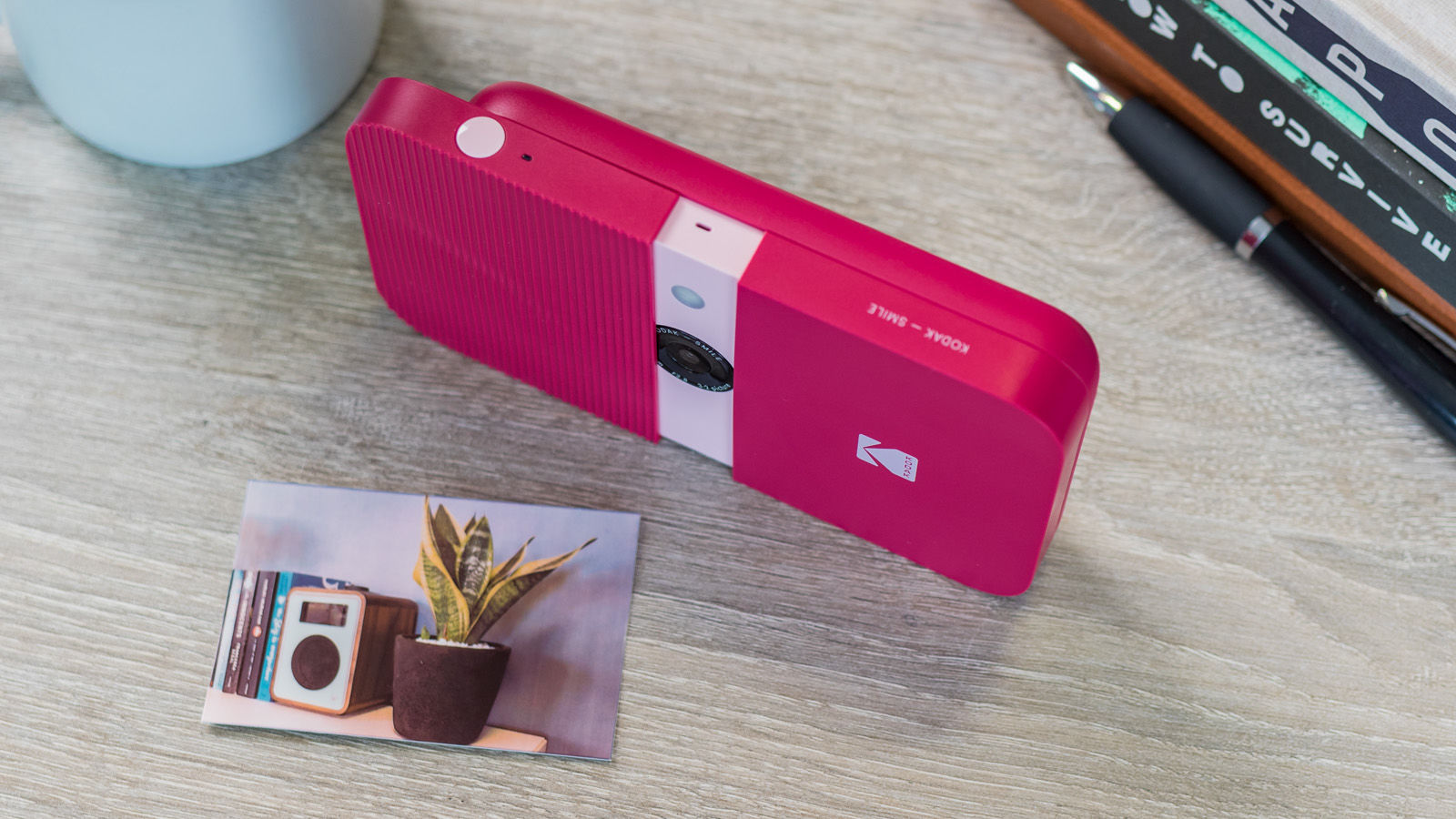
We’ve always found Zink printers like this one to be less than satisfactory when it comes to their quality. They tend to lose warmth, clarity and contrast, so you might not love the photos it produces.
The benefit of this kind of printer is that you don’t have to wait for photos to develop, but that’s also part of the appeal of your more traditional instant camera that uses film. As mentioned, you can also choose not to print bad photographs and you can edit them as we explain more about below, as well as exporting them to other devices should you wish to.
When taking photos with the Smile Instant Print Digital Camera, or after you’ve captured one, you can add a border to make the print look more like a traditional instant camera photo, or add monochrome, vintage or aqua filters. These can create some nice effects and we often preferred these edited results to a straightforward print.
There’s also a photobooth option that lets you take two photos to print side by side on one sheet, a timer, and a surprisingly effective flash should you need one.
You can store three photos within the internal memory of the device, but it’s recommended that you add a MicroSD card into the dedicated slot for more storage (up to 256GB). You should also be able to print any photos on the MicroSD card that come from other devices, but during our testing we could not get this to work. All of the photos we added to the MicroSD card, whether in a folder or not, were not recognised as data by the printer and therefore unable to print.

When it comes to the design and build of the Kodak Smile, we found it to be sturdy and compact, which is handy for popping into a bag to take out and about. It has a lanyard attachment available too. The shutter button is easily accessible and the viewing screen isn’t amazing, but does the job and is more than you’ll get from some similarly priced rivals. We found that the battery life was good, with a handy indicator at the bottom of the screen to help you avoid it running out mid print.

It’s a shame the design is more printer-like than camera-like. Some of the charm of an instant camera is taken away by the slightly clunky, boxy design. There are several fun colour options available, though, including black, pink, blue, green and yellow.
If you’re unsure about whether the Kodak Smile is right for you, you might like to check out our round-ups of the best portable printers and the best instant cameras.
Verdict
It’s really tricky to rate the Kodak Smile Instant Print Digital Camera. On the one hand, it’s a compact device that has almost every feature we could ask for in an instant camera/printer hybrid. A decent screen, a microSD card slot, a flash, good battery life, speedy printing, editing capabilities and an affordable price tag. On the other hand, the editing capabilities are limited, the microSD card slot seems to have trouble finding images not taken on the Smile itself, and the prints are low quality when they arrive.
Best Prices Today: Kodak Smile Instant Print Digital Camera
Recent stories by Ashleigh Macro:
- How to make your own 2015 calendar
