Peacock is NBC’s streaming service in the USA, offering a wide range of TV shows, films, and sports to enjoy.
Peacock has loads of shows and movies available, including NBC classics such as The Office. In addition, it’s now the home to some exclusive Premier League and NFL games and is also the exclusive home of Love Island USA and the American version of Destination X .
Is Peacock available in the UK?
How to watch Peacock outside of the US using a VPN
To get access to Peacock US abroad you’ll need a VPN, either an iPhone or Android device and a PayPal account.
The first thing you’ll need to do is choose your VPN. There’s lots of options out there, but our top recommendations are NordVPN and ExpressVPN – both offer competitive pricing, good performance and a decent range of servers.
A VPN can unblock streaming services by making it appear as if you’re in US, regardless of where you actually live. You can take a look at further recommendations in our list of the best VPNs for streaming .
How to register your payment details on Peacock US
We successfully managed to create a Peacock Premium account using an Android phone and both NordVPN and ExpressVPN on separate occasions
Here’s what you need to do once you’ve downloaded your VPN on your mobile device:
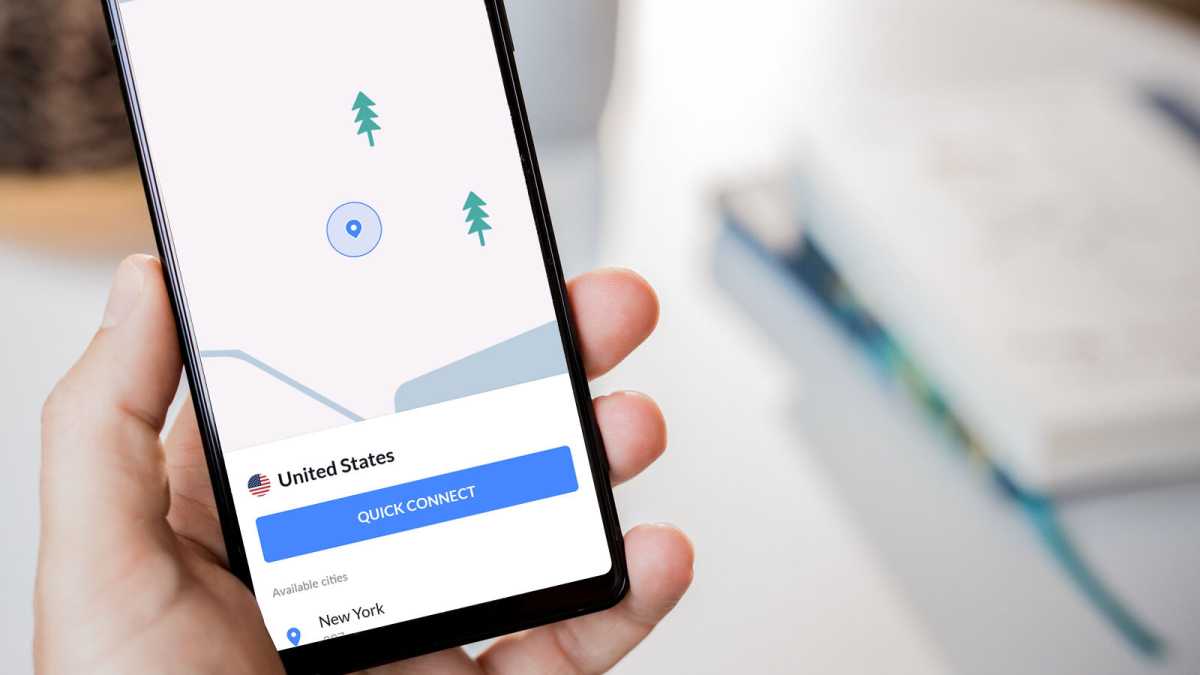
Launch your VPN on your iOS/Android device and connect to a US server
Dominik Tomaszewski / Foundry
There will be multiple servers to choose from, but NordVPN (and other services) typically select the fastest
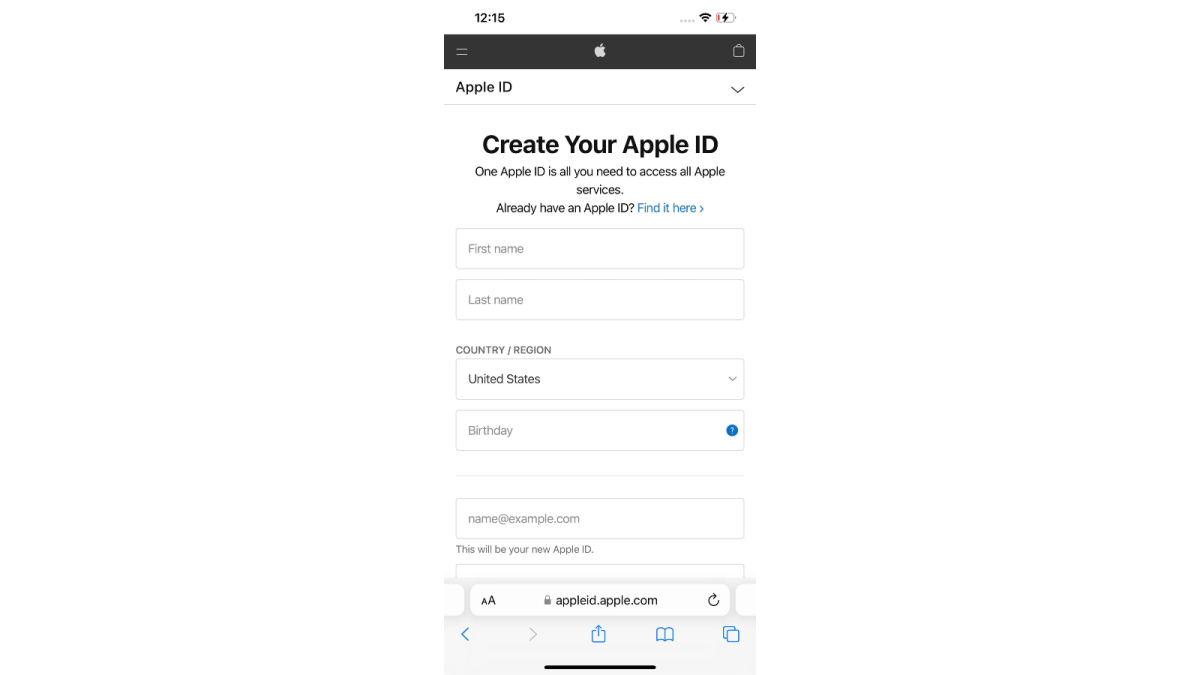
Create a new Apple ID/Google Play account in your browser that’s tied to the US
Hannah Cowton / Foundry
Add in your name, birthday and choose an email address
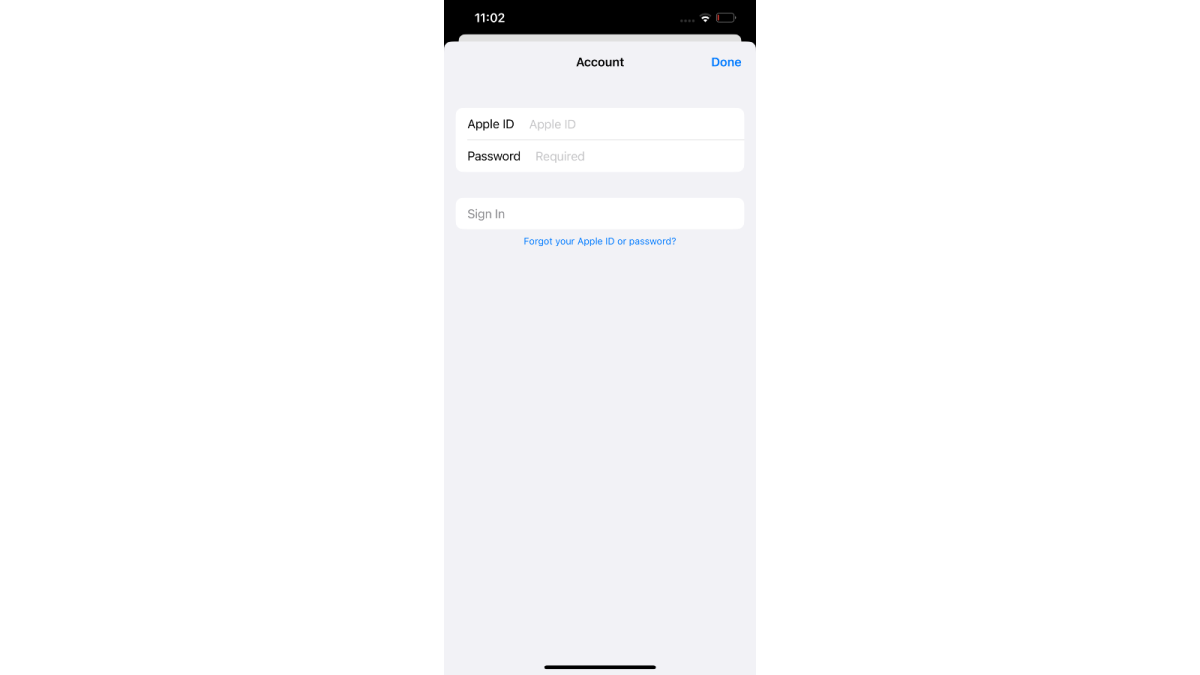
Register your new account on your iOS/Android device app store
Hannah Cowton/Foundry
Ensure you are still connected to a US server on your VPN during this
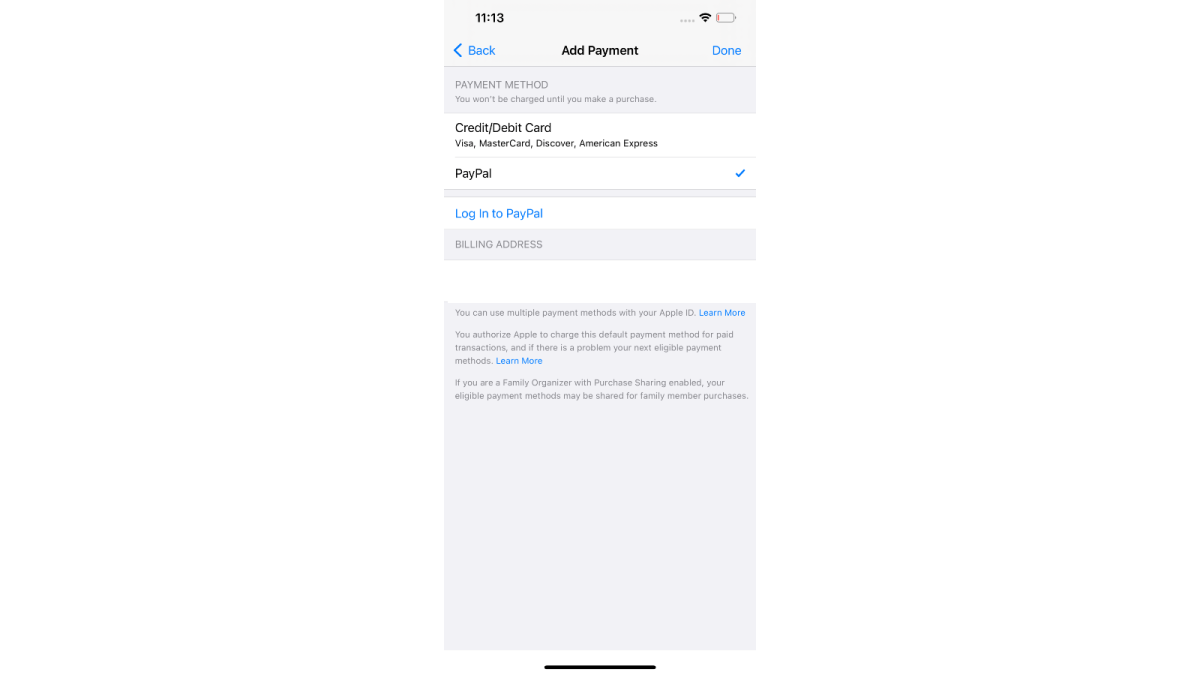
Add PayPal as your method of payment
Hannah Cowton / Foundry
We have still been able to register a UK PayPal account on a US iOS/Play Store account during testing
This should be under the section ‘Add Payment’ in iOS, and ‘Payment methods’ in Android
You should now have access to the US app store – download and install the Peacock app
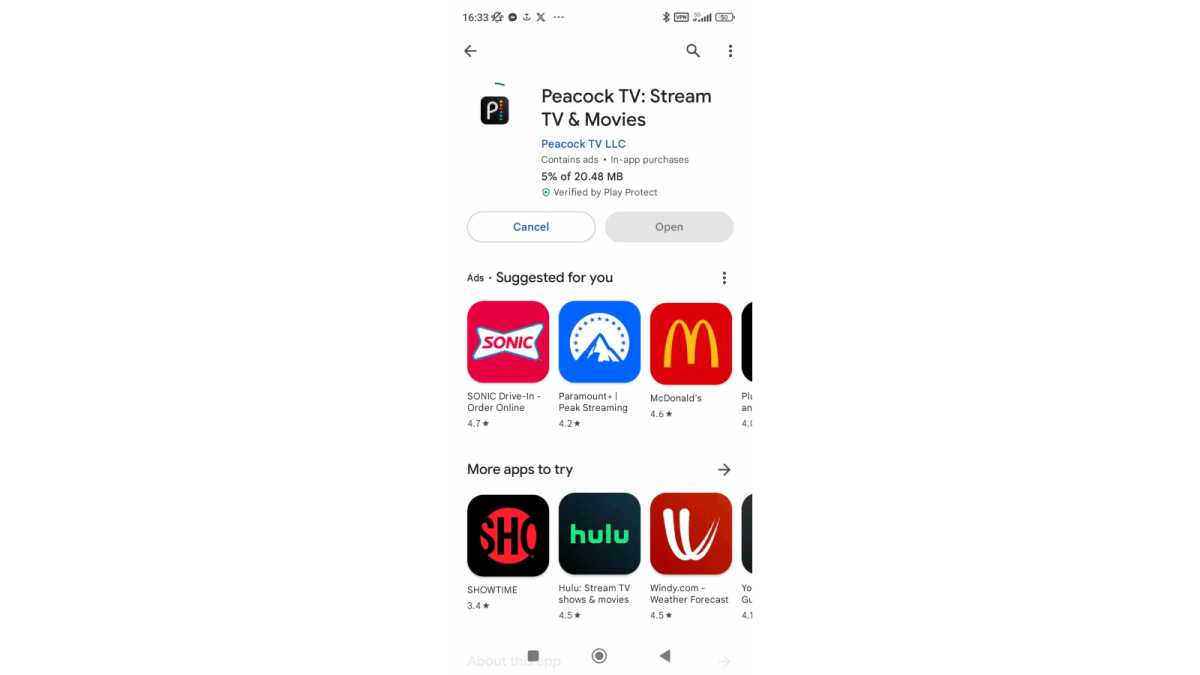
Hannah Cowton / Foundry
If you don’t have access to the US app store, sign into your VPN on your PC and send the app to your phone via the web
Create a new account in the Peacock app with your new email address and a password
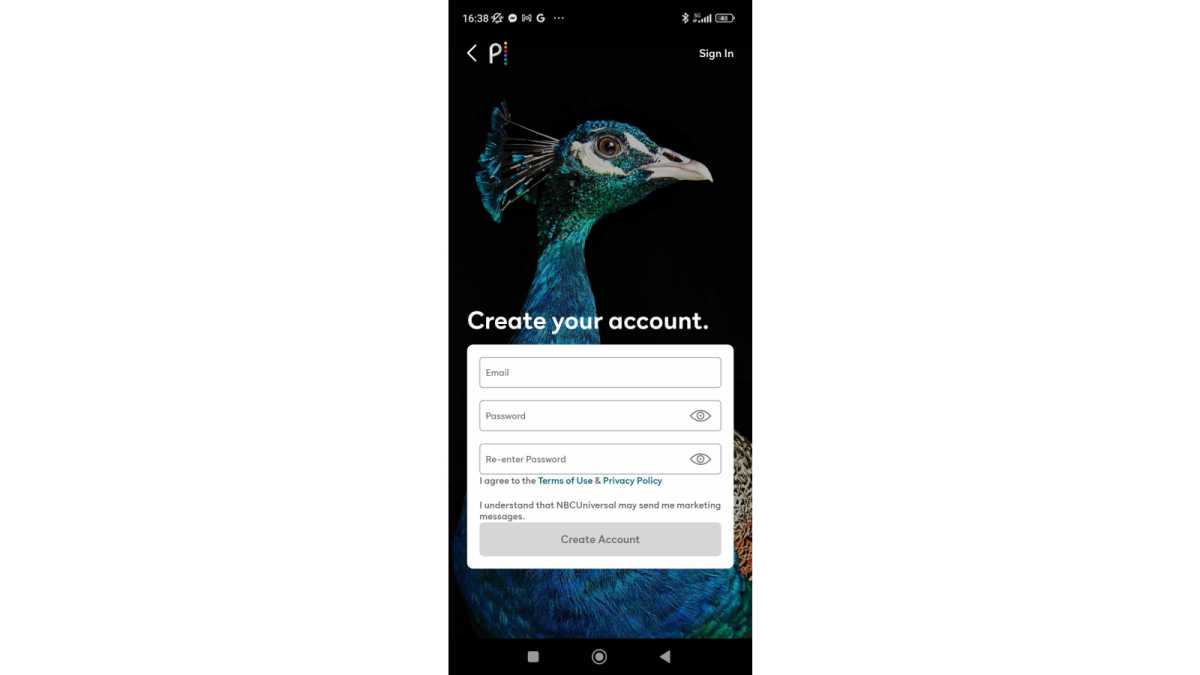
Hannah Cowton / Foundry
Choose between the Premium and Premium Plus plans
Use PayPal as your method of payment
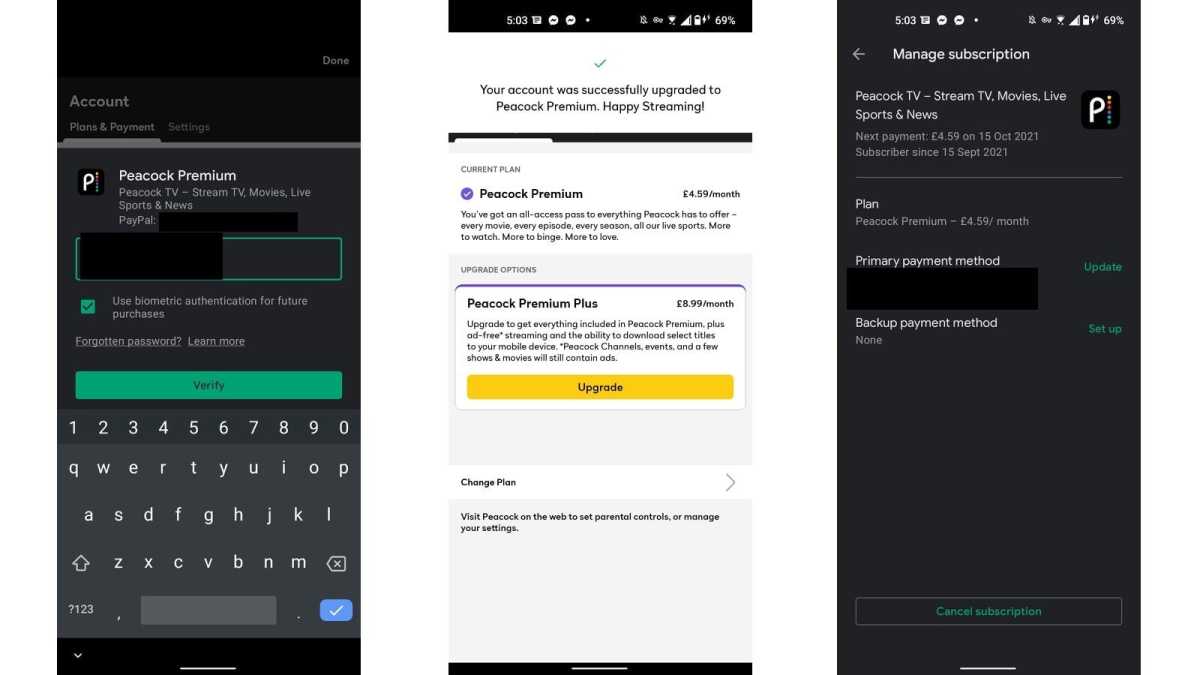
Hannah Cowton / Foundry
We were able to use this successfully on Android
Once your account is verified, you can sign in from your PC or laptop

Jared Newman / Foundry
We have had some trouble streaming from mobile, so we recommend using your PC/laptop for watching Peacock content using a VPN
During testing, I noticed that the Play Store did not change to the US version, even when creating a new account.
The way I got round this was by connecting to a VPN on my PC, signing into the Google Play Store US website , searching for the Peacock app and sending it to my phone (which was still connected to the VPN).

We have had reports of people not being able to install US streaming apps such as Max on iOS as the app store forces users to register their payment details within the app store, and doesn’t accept UK PayPal if you try to register with this account.
If this happens to you, we recommend purchasing US App Store credit via a digital gift card which can be added as a US payment option – you’ll need a website that allows you to pay with UK bank details.
If you set your email address as the recipient, the code to redeem the money will be sent to your inbox. When you come to add the payment information, select ‘redeem gift card or code’, and you should be able to add the money as credit on your account.
Author: Hannah Cowton-Barnes, Entertainment Editor, Tech Advisor

As Tech Advisor’s Entertainment Editor, Hannah is the resident expert in all things streaming, film and TV. Before joining Tech Advisor in 2019, she studied Theatre and Performance at the University of Leeds and created a website dedicated to geek culture and lifestyle. She’s also reviewed a whole range of gadgets including flagship smartphones, wearables and styling tools. Outside of Foundry, she’s written freelance pieces for Polygon, Metro and Den of Geek, and is proud to be a Women Techmakers Ambassador for Google.
Recent stories by Hannah Cowton-Barnes:
- Harry Potter TV series has finally revealed a release window
- Jessica Jones returns in Daredevil: Born Again season 2 trailer
- The Traitors will return for season 5 with new twists and challenges
