At a glance
Expert’s Rating
Pros
- Premium black leather design
- Easy to use
- Good quality in low light
Cons
- Limited controls and options
- Not rechargeable
Our Verdict
The Instax Square SQ40 isn’t anything new – it’s really just the (cheaper) SQ1 dressed up in a black vegan leather finish. Slight improvements to low light performance help justify the price hike though, and if you want a square Instax that doesn’t feel like a toy, this is your only option.
The Instax Square SQ40 fits into a natural enough niche for the brand: it’s the more expensive of Fujifilm’s two current square instant cameras, which it justifies less by its features and more through a couple of premium design features.
This is still a dead simple instant camera, with minimal buttons and controls, so it’s not intended for more advanced photographers. But the black design and vegan leather finish may be enough to justify the modest price hike from the colourful, toylike SQ1.
Design & build
- Rotating lens controls
- Vegan leather finish
- Only available in black
Instax has kept the design of the SQ40 simple.
Unlike the playful SQ1 , this is available in a single colour: black. It’s finished in vegan leather though, making it feel a little more premium than the company’s other square option, and of course a lot more like a classic camera.
It’s essentially the same choice that the company offers between the black leather Instax Mini 40 and the plasticky Mini 11 and Mini 12 .
Dominic Preston / Foundry
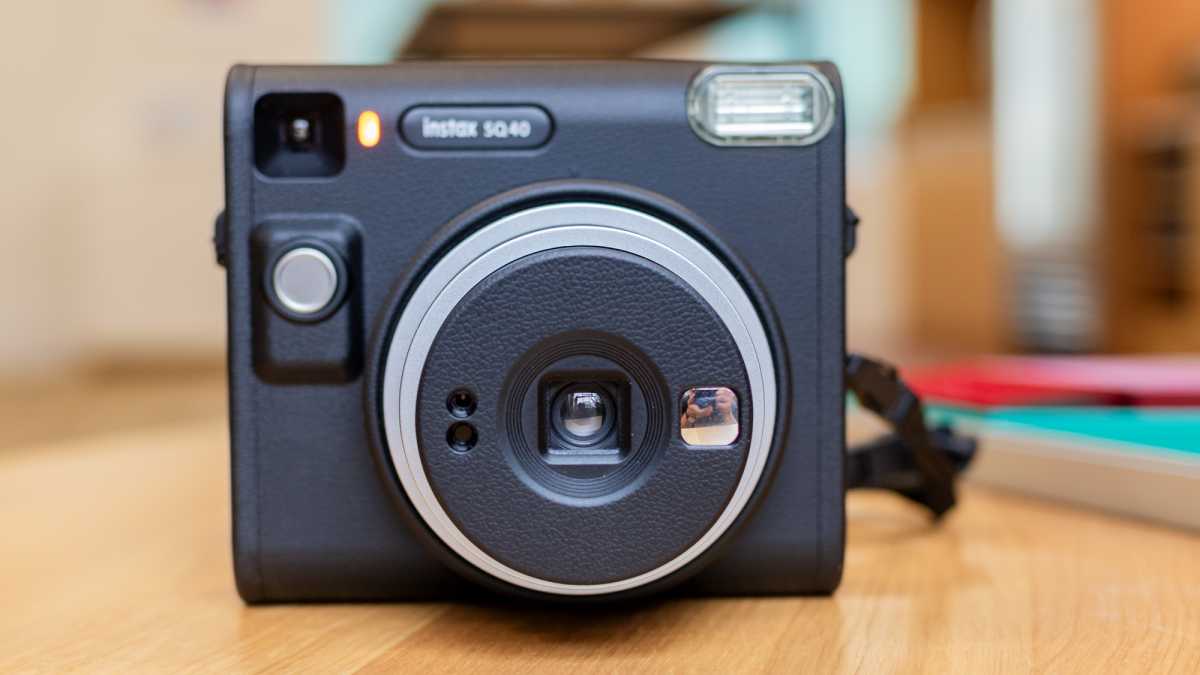
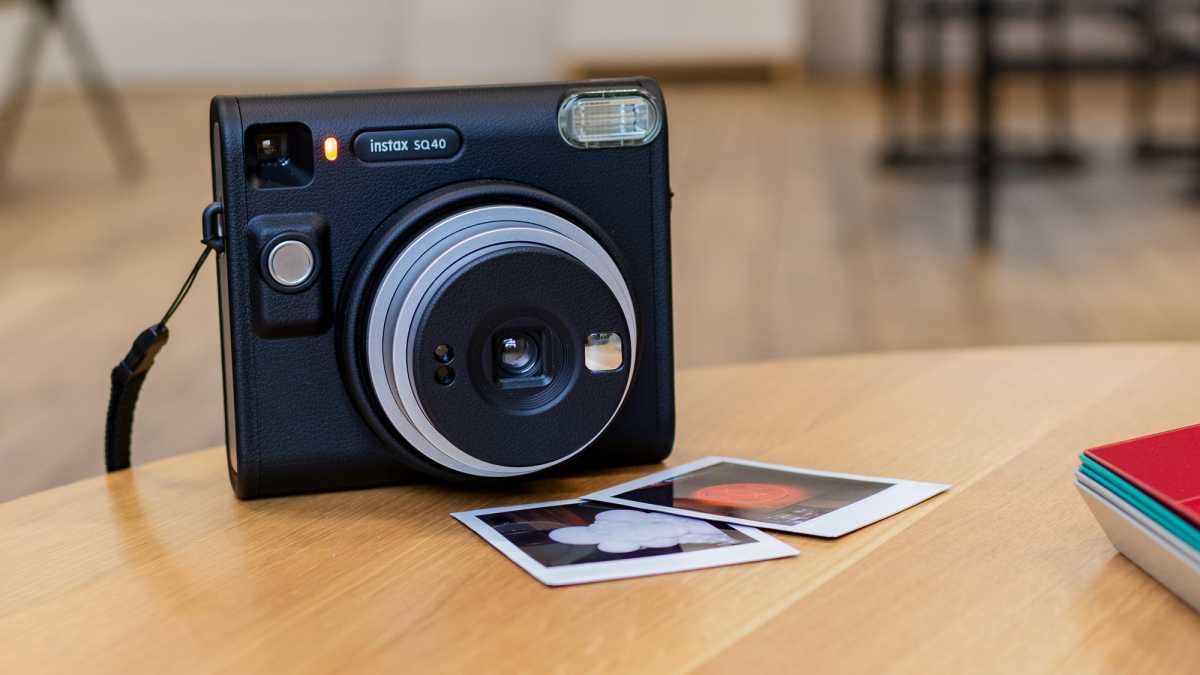
Other than the finish, the SQ40 doesn’t stray far from the SQ1’s design. It’s about the same size, dominated by a large central lens structure, with a chunky flash, selfie mirror, and a single shutter button also found on the front.
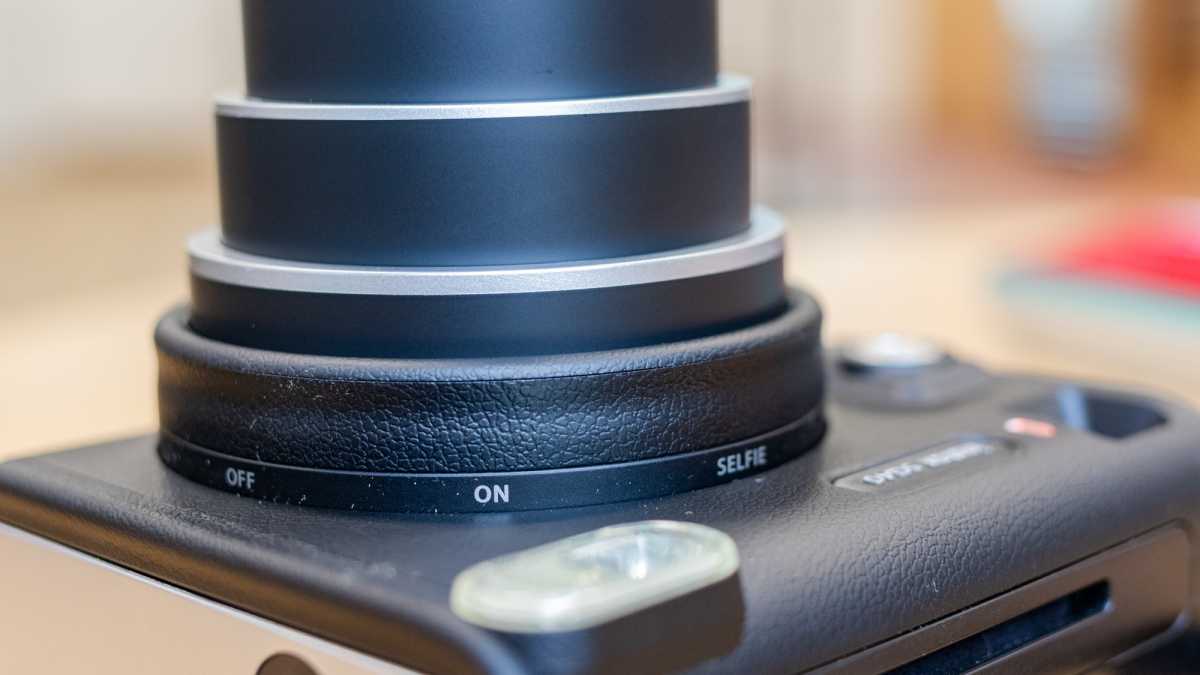
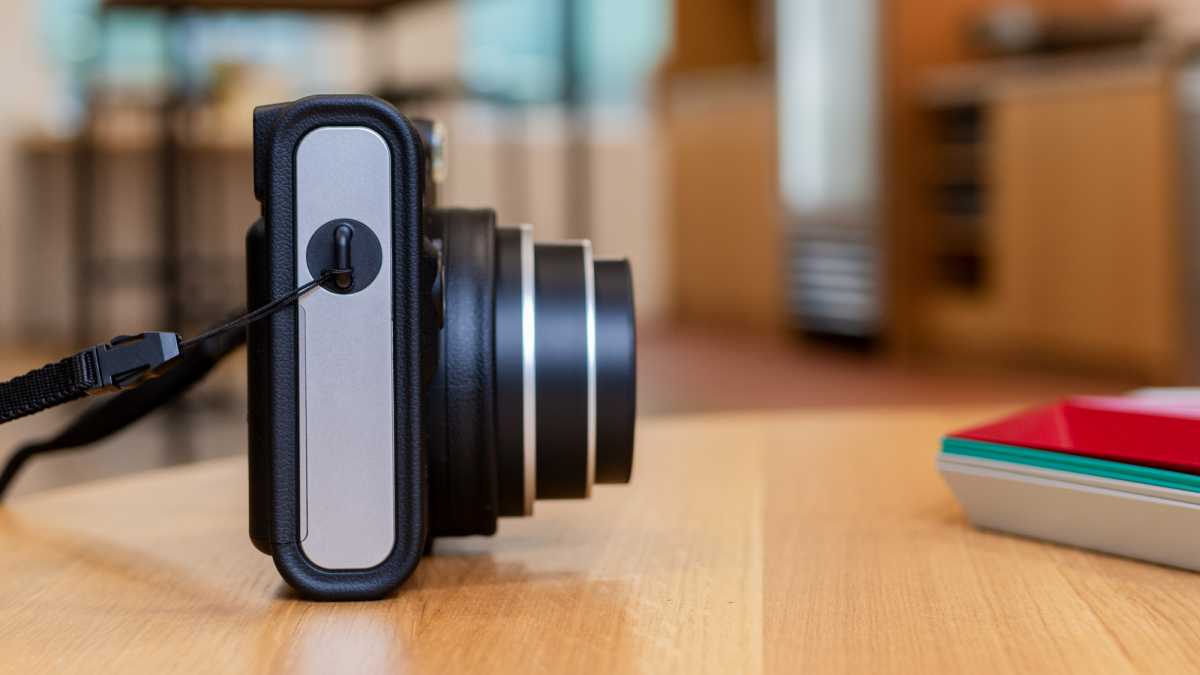
That shutter button is the only button on the whole camera, and the only other control is the lens itself, which you rotate to turn the camera on, and rotate a bit further to switch to the selfie mode. It couldn’t be much simpler.
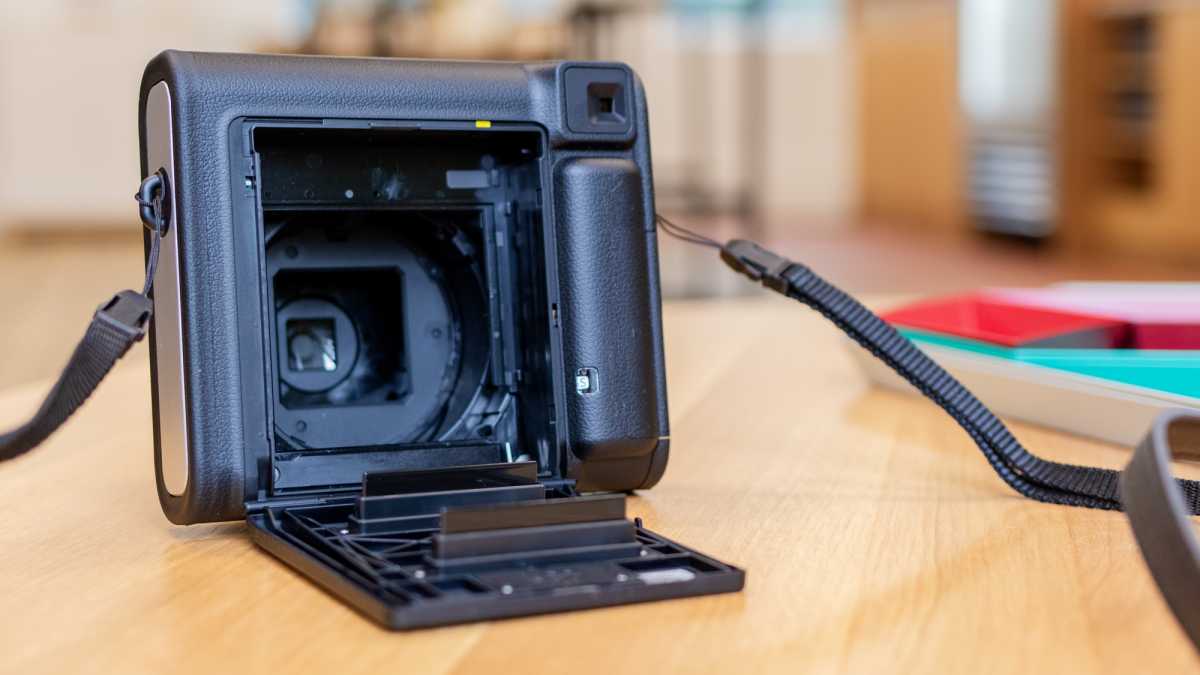
Flip to the rear and you find the film compartment – easy to open and swap a new pack in – plus the viewfinder, shot count, and battery slot.
Dominic Preston / Foundry
The silver-y sides only feature the mounting points for the slim leather strap that comes included with the camera.
Outside of the colour and finish, the only real difference between the design of this camera and its cheaper counterpart is that it doesn’t feature the slightly ribbed column grip around the shutter button – perhaps Instax felt it was no longer needed with the additional grip of the faux leather.
Photos & features
- Shoots large square format prints
- Handles flash & exposure automatically
- Uses non-rechargeable CR2 batteries
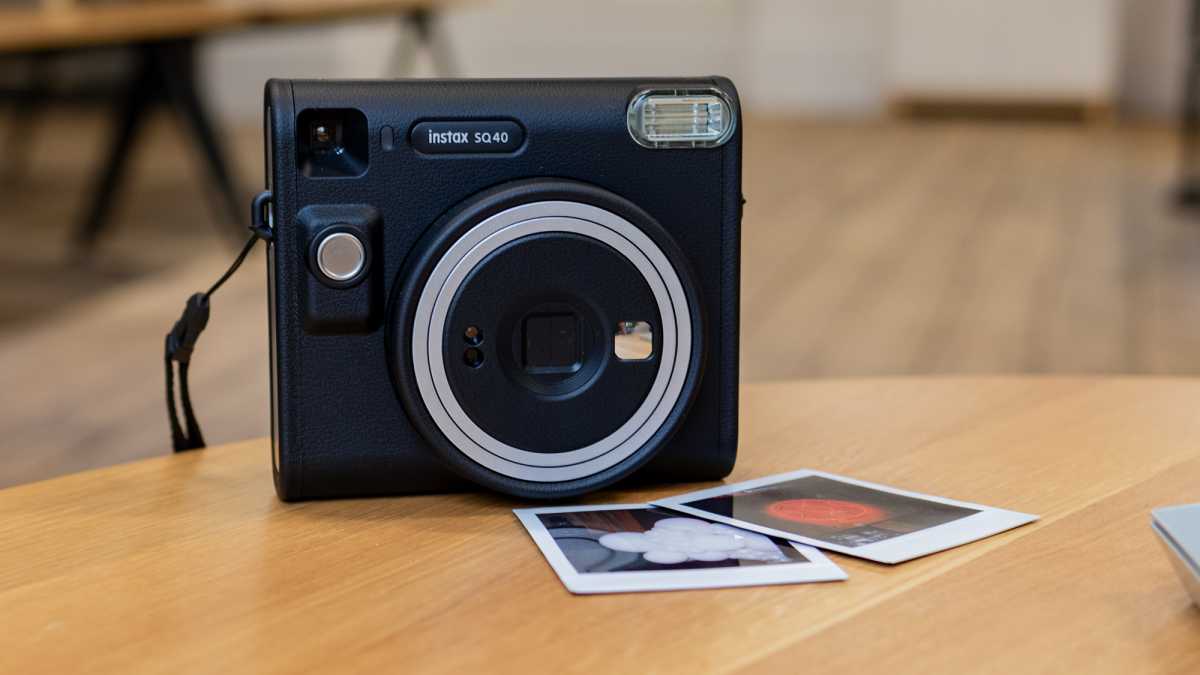
You shouldn’t be shocked to hear that the Square SQ40 shoots, well, square photos. These square prints are a little smaller than classic Polaroids but in about the same shape, and sit between the Instax Mini and Wide formats in terms of size.
Dominic Preston / Foundry
With so few controls, you don’t have many options when it comes to taking photos. The camera handles its flash automatically – so you can’t choose to turn it on or off – meaning all you can really do is point-and-shoot.
The only extra choice you have is to decide between the regular shooting mode and the selfie option. The latter doesn’t do a whole lot that’s different, but it adjusts the camera’s focal length to better suit taking shots at arm’s length – meaning you’ll also want to shift so selfie mode for any macro or close-up photography.
Dominic Preston / Foundry
The limited options are a far cry from the Instax Square SQ6 (which, despite the name, was the company’s first square camera), which packed a range of shooting modes and manual flash controls.
Personally I miss all that added functionality, but Instax has clearly decided that simplicity is king – and since the SQ6 is no longer on sale, you don’t have much of a choice in the matter anyway.
The good news is that generally speaking, the SQ40 gets it right anyway. Instax says it’s refined its exposure algorithms so that the camera can better handle a range of lighting, and in fairness it shows.
I had more luck with low light photos than I’m used to from an instant camera, capturing the details in a nighttime portrait and even correctly exposing a neon sign in a dim room. Most instant cameras would struggle with either.
Dominic Preston / Foundry
The camera is powered by a pair of CR2 batteries – it’s a bit annoying that Instax can’t just use a rechargeable battery, but hey ho.
The company says that a pair of batteries should last for 30 packs of film – meaning 300 shots – so the good news at least is that you probably won’t have to replace the batteries very often.
Price & availability
By default it ships without film included, so you’ll have to buy that too – typically $25/£17 for a pack of 20 shots , though it’ll cost more if you want one of the variants with a background design.
The SQ40 costs a little more than the $120/£120 Instax SQ1 , but the features are essentially identical – the only meaningful differences are to the design, with black vegan leather instead of pastel plastic. If you don’t care about the design, save your money and buy the SQ1 instead.
You can also generally spend a bit less on an Instax Mini camera, though of course they shoot in a smaller format.
Check out our ranking of the best instant cameras for all the options right now, including some from other manufacturers.
Verdict
The Instax Square SQ40 doesn’t offer much in the way of surprises: it’s essentially the SQ1 in a black leather jacket.
Dominic Preston / Foundry
Photo quality seems slightly improved, especially in tougher lighting, but there’s not a whole lot in it, so you should only spend more on this model if you particularly like the look.
As with all recent Instax cameras, there are next to no controls for users – but with more complex models now only available second-hand, and rival instant cameras taking the same approach, buyers don’t get much of a choice either way.
Specs
- 134mm × 120mm × 61mm
- 453g (without batteries, strap, and film)
- Retractable lens
- Programmed electronic shutter, 1/2 to 1/400 sec, slow synchro for low light
- Automatic exposure control Lv 5.0 to 15.5 (ISO 800)
- Constant firing flash with automatic light adjustment
- 0.3m and beyond shooting range (close-up mode for 0.3 to 0.5m)
- 2 x CR2 batteries
- Hand strap
- Requires Fujifilm Instax Square Film
Author: Dominic Preston, Contributor, Tech Advisor

Previously Tech Advisor’s Deputy Editor, Dom covers everything that runs on electricity, from phones and laptops to wearables, audio, gaming, smart home, and streaming.
Recent stories by Dominic Preston:
- Kodak Step Instant Camera review
- Kodak Step Instant Printer review
- Instax Square SQ1 review

At a Glance
Expert’s Rating
Pros
- Portable design
- Affordable
- Easy to use
Cons
- A few bugs in the app
- Charges via Micro-USB
Our Verdict
The Kodak Step Printer is a reliable, affordable instant photo printer. It doesn’t do anything its rivals don’t, but it costs less and has few flaws to undermine its appeal.
Best Prices Today: Kodak Step Instant Printer

The Kodak Step Instant Printer – not to be confused with the similarly named Kodak Step Instant Camera – is a cheap and cheerful Zink printer that can connect to your phone to print your favourite shots on compact sticky-backed Zink prints.
There are plenty of other similar Zink printers out there, and the Kodak Step doesn’t do anything revolutionary that the rest don’t. But it’s cheap, compact, and gives you plenty of easy editing options – making this one of the better options in a crowded field.
Design and build
- Simple plastic design
- Range of cheery colours
- Compact
Kodak has kept things simple with the Step printer.
This is a compact plastic brick, small enough to slip into a pocket or handbag. Available in white, black, blue, or pink, there are few flourishes to the design outside of your choice of colour.

The only thing that really stands out is a small black-and-yellow stripe on either end. This is just a sticker though – which on the upside means you can peel it off if you’re not a fan, but unfortunately means it’s also likely to peel itself off with sufficient wear and tear.
There are two LEDs for power and charging, one button to turn the printer off and on, and that’s honestly about it. When you want to load paper to print, you simply slide the back of the body off and load in the prints – it’s simple, quick, and pretty difficult to get wrong.
App and features
- Easy to pair with free smartphone app
- Edit photos and create collages
- A little buggy
Almost everything you do with the Kodak Step is controlled through the free app, available on iOS or Android. You can set up an account with Kodak, but this is optional – everything works fine without one.
The first step is pairing the printer to the app, but this is easy enough. They connect over Bluetooth, and in less than a minute I had the app connected to the printer and ready to go.

Images can be selected from your device’s gallery, or you can connect the app to your Facebook, Instagram, or Google photo libraries for more options.
Once you pick an image, there’s a wealth of options. You can just print it as it, either in landscape or portrait format, with the option to either print the full image with a border or crop it in if it’s not in the exact aspect ratio of the Zink prints (most of your photos won’t be).
But you can also edit images. This can be as simple as applying an Instagram-style filter, or you can get more complex and tweak brightness, hue, or colour temperature, or add on colourful frames, stickers, text, or drawings. You can also create collages with multiple photos in one print – but bear in mind that due to the size of the paper, each image may end up pretty tiny.
I’ve mostly been impressed with the Kodak Step Prints app, which is well laid out – and far simpler to use than its strangely laborious step-by-step tutorial process would suggest.

That said, it’s not perfect. For one there are some odd choices, like the fact that the most detailed set of image hue sliders appear only on the ‘Print preview’ page of the app – and not, as you’d expect, in the ‘Edit photo’ section.
There are bugs to sort out too. The app has a tendency to freeze at times, especially when loading a photo to edit. The ‘Print preview’ brightness slider also seems to be entirely broken, raising brightness drastically if you so much as tap on the bar, with no option to lower it below the image’s starting point.
Print quality
- Small 2×3” Zink prints
- Sticky-backed
- Decent detail and colour
The Kodak Step prints onto ink-free Zink prints – a popular format for instant printers and cameras in recent years.
The key benefits to Zink are that the prints themselves are cheap and quick to process, the printer doesn’t need ink cartridges, and that each print is actually sticky-backed – so you can peel off the back layer and turn any photo print into a sticker.

There are two real downsides. One is size – at 2×3”, Zink prints are tiny. That’s part of why the printer itself is so portable of course, so it’s not all bad. But still, these are dinky, and too small to really display anywhere – they’re better suited to making collages or tucking into a wallet.
The bigger concern is quality. This isn’t bad by Zink standards, preserving a fair amount of detail from images and printing at a respectable colour range. Still, a little is lost from every photo, and there’s none of the charm or style you’ll find on an instant film printer like the Instax Mini Link .
Battery life
- Battery for up to 25 prints
- Charges via Micro-USB
On a full charge, the Kodak Step can apparently print up to 25 prints – I didn’t have that many to test with so can’t confirm, but it did happily make it through a full pack of Zink paper, with lots of standby time, without complaint.

The one small disappointment is that when it comes to charging, you have to use a Micro-USB cable. This is getting to be a pretty old charging standard now, and it’s plausible that you won’t really own or use any other Micro-USB products at this point.
Kodak does include a cable for you to plug into any existing USB charger, but still – it’s a bit annoying that this couldn’t use the more recent and universal USB-C standard.
Price and availability
Zink paper is relatively affordable too, though still costs around 50p/50c per sheet – less than Instax prints, but enough that you won’t want to burn through prints with abandon.
Make sure to check out our guide to the best instant printers to see how the competition stack up, or the best instant cameras if you want to take photos rather than just print them (many do both).
Verdict
The Kodak Step Printer is hardly a reinvention of the instant printer, but it’s a good example of the form.
It’s small, compact, and feels durable, with decent battery life and an easy print process. The associated app is simple too, with quick pairing and a range of options to alter your images – though I did encounter a couple of bugs and issues along the way.
Best of all, at the time of writing this runs a little cheaper than most of its rivals while doing fundamentally the same thing – enough to make it an easy option to recommend.
Best Prices Today: Kodak Step Instant Printer
Author: Dominic Preston, Contributor, Tech Advisor
Previously Tech Advisor’s Deputy Editor, Dom covers everything that runs on electricity, from phones and laptops to wearables, audio, gaming, smart home, and streaming.
Recent stories by Dominic Preston:
- Instax Square SQ40 review
- Kodak Step Instant Camera review
- Instax Square SQ1 review
