Hot on the heels of Sky Glass and Sky Stream comes Freely, the first IP-delivered TV platform from the makers of Freeview Play. With no TV aerial required, you can buy a Freely enabled TV and set it up anywhere in your house. All you need to watch is a Wi-Fi connection.
According to developers Everyone TV (formerly known as Digital UK and owned by the BBC, ITV, Channel 4 and Channel 5), there are already around 4 million internet-only homes which Freely can serve, and its potential appeal is even larger than that. We’ve probably all got a room or space where we’d like to park another TV, but are hamstrung by the lack of a terrestrial TV aerial.
The service has been a hot topic around Broadcast industry water coolers for some time, and this week I finally got hands on with Freely for real.
It’s both more, and less, than I was expecting – but I’m absolutely convinced that it should influence your next big telly buy .
Let’s summarise the basics: Freely is not an app , it’s a TV platform, much like Freeview. It’s free to watch, and not subscription-based like Sky Glass .
The first TV brand to launch a Freely screen will be Hisense, but huge European manufacturer Vestel has also signed up, which means we’ll be seeing (low cost) Toshiba and JVC Freely TVs in due course.
Freely works with any Internet Service Provider, but you’ll need a minimum broadband speed of 10 Mbps for it to function properly.
Freely TVs will also come with a standard Freeview DTT tuner, and can operate in a hybrid mode, with regular terrestrial channels placed alongside Freely IP channels in the programme EPG.
That said, your Freely TV can also be used purely for Freely delivered TV channels, and that’s probably where the platform’s real appeal lies.
For my hands-on session, I got to try Freely on three prototype Hisense TVs. This is what I found…
Freely / Foundry
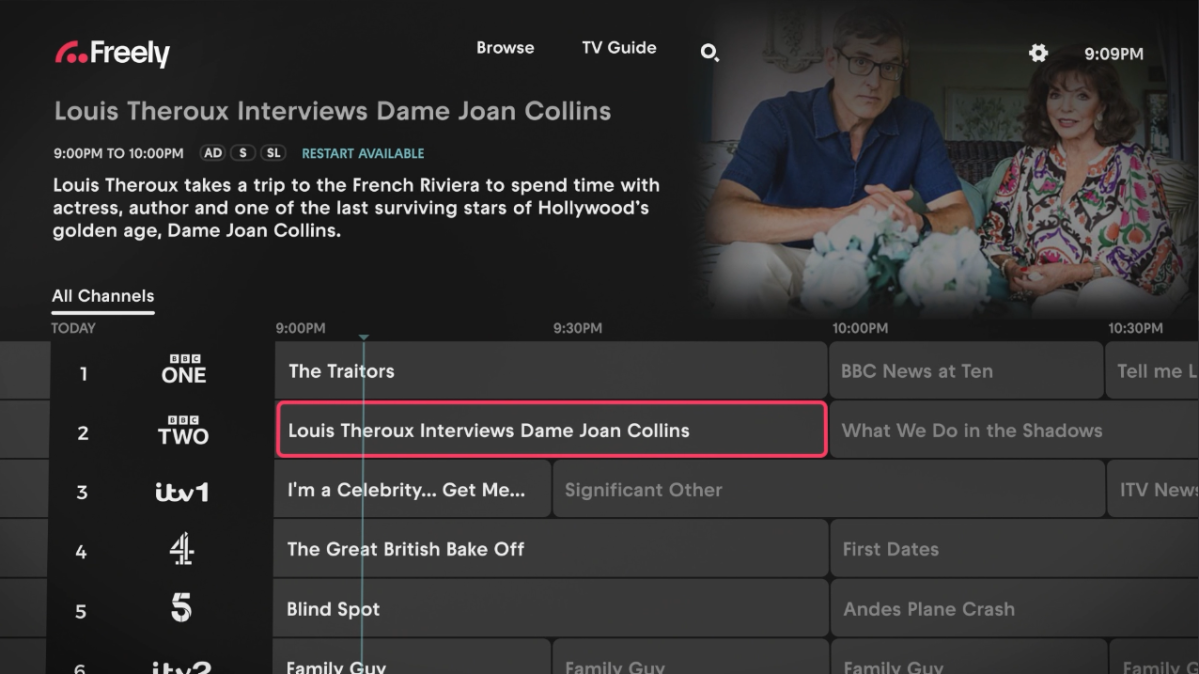
The Freely channel choice
The most important point to make is that Freely feels, and looks like, normal TV. Albeit with some cute tricks.
When the service launches, the Freely channel bouquet will comprise all the mainstream channels and their various derivations – each live stream is intrinsically linked to the relevant on demand player (BBC iPlayer, ITVX, All4, My5). That’s exactly what I had on the Freely Hisense TVs.
What very quickly becomes apparent is that the channel choice is nowhere near as comprehensive or diverse as regular DTT Freeview. In fact, it’s pretty limited. Obviously the channel count will grow. I’m told Freely is in active discussions to bring over UK TV Play (home to W, Alibi, Gold, Eden, Dave, Drama and Yesterday), but you are restricted.
Unless, of course, you run the set in hybrid mode. This ensures you’ll have access to the widest range of free-to-air channels.
Steve May / Foundry
Freely ease of use
If you’ve missed the start of a show, you can Restart the programme. This function is deep-linked into the channel’s Player app. So if you Restart a BBC show, it fires up iPlayer and then the programme plays out from that.
I really like the fact that you can Live Pause any Freely channel for up to 15 minutes. There’s no local storage on the TV, so this is all done in the cloud. You can then resume the stream, or Exit to a live broadcast.
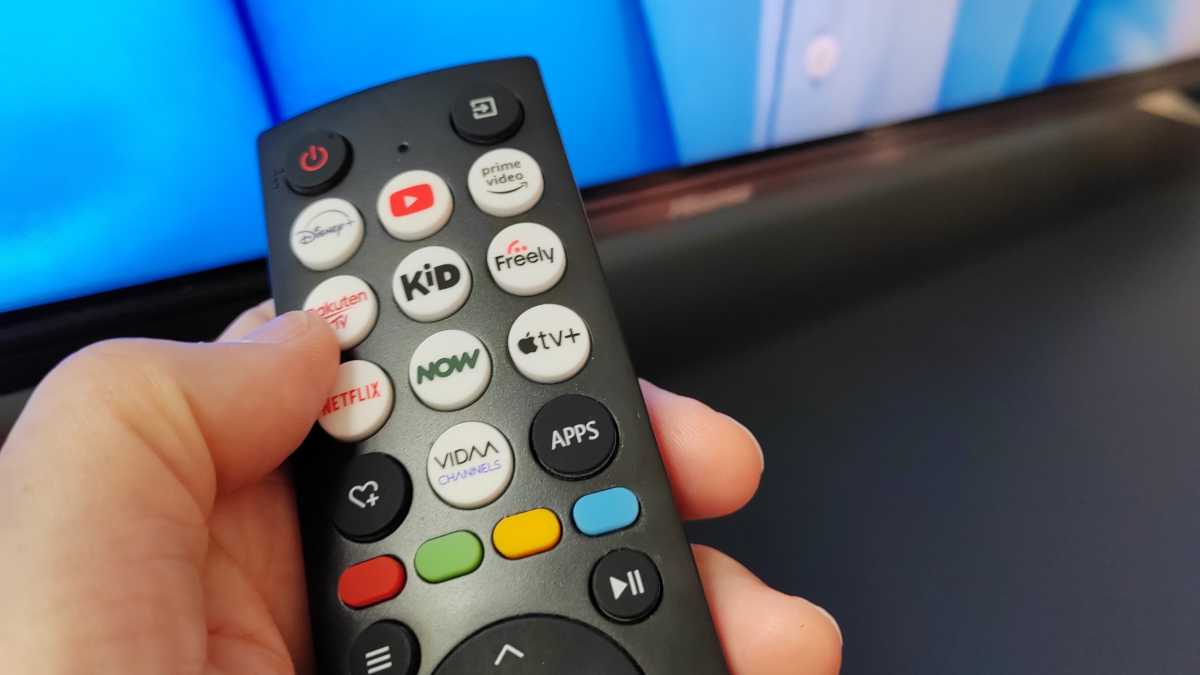
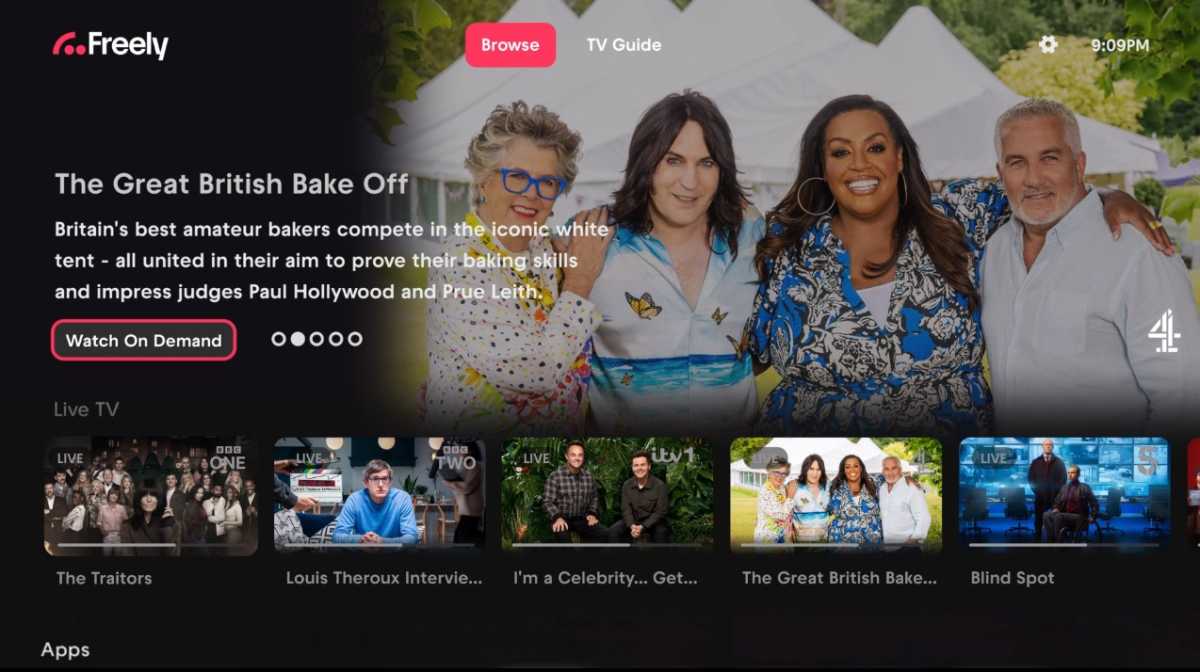
There’s also a Browse screen, which you can jump to using a dedicated Freely button on the set’s remote control. It’s here you’ll find all the aggregated content from across the various Freely channels. I’m told this will change at least twice a day when the service launches, to keep things fresh.
Like any smart TV UI, be it Android, Tizen or webOS, there’s a variety of editorially curated rails to browse, including one for each public service broadcaster, as well as genre based rails (Kids, Comedy, Factual and so on), plus Wild Card (randomly selected) content.
Freely – what’s missing
What Freely doesn’t offer is the kind of bespoke personalisation we’ve seen from Sky Glass. So essentially stuff is just pushed at you, that may or may not appeal.
There’s a simple text search function, but no integrated voice control.
The ability to bark commands at Freely currently falls under the purview of the TV manufacturer. Hisense offers voice control as part of its Vidaa smart platform, but it’s not yet clear just how linked into the Freely platform it will be, and I didn’t get a chance to try it out.
Unlike Freeview Play, the TV Guide is a 7-day forward design. There’s no 7-day rollback listing, as we’ve all become used to with Freeview Play.
But these are all relatively minor quibbles. I think Freely, even at this early stage, has obvious appeal – and there’s clearly enormous potential. Firmware enhancements and updates are planned, and it’s intriguing to speculate on what will come next.
There’s currently no way to fast forward or rewind a stream, but it’s not ruled out by the team, so that’s something I’d certainly like to see added.
Freely / Foundry
Freely picture quality
Picture quality looked excellent on the TV samples I auditioned, with no buffering or stuttering. Image clarity is high, certainly comparable to OTT HD broadcasts, although I suspect you’ll need a fast broadband connection for optimum image quality.
During my audition, channels were clearly picking up generic metadata for their programme descriptions, with labels indicating ‘SD’ and ‘Also available in HD’. In reality, the platform puts HD content to the fore. It’s not beyond the realm of possibility that at some point, there will also be 4K linear streams, if that’s what the public broadcasters want.
It’s worth noting that live streams do not originate from the Player apps, but are streamed by the broadcasters directly, and the Freely engine should be able to support any eventual resolution increase.
I did notice differences in terms of UI response between the Hisense TVs but this is most likely down to the nascent Hisense hardware than any intrinsic sluggishness on the part of the Freely UI.
Freely – Early verdict
Overall, I was left impressed. Freely strikes me as a timely extension of the Freeview family, that’s both familiar and radical at the same time. I think it needs more than the four public service broadcasters to really convince buyers that they can abandon their traditional TV aerials, but that should come in time.
Freely is definitely one to watch.
Author: Steve May, Contributor, Tech Advisor

With more than 25 years experience in the industry, Steve May is a home entertainment technology specialist with a penchant for big screens and immersive sound systems. Creator of Home Cinema Choice magazine, Steve is also the editor of lifestyle website The Luxe Review and edits professional custom install magazine Inside CI.
Recent stories by Steve May:
- Sky Glass 2 vs Sky Glass Air: Home cinema heavyweight or cut-price designer TV?
- Sky Glass Air review: Full-fat Sky TV with a semi-skimmed price tag
- Freely TV review: Why pay to stream?
