At a glance
Expert’s Rating
Pros
- Multiple shooting modes
- Compact, lightweight design
- Option to save shots to microSD
Cons
- Disappointing photo quality
Our Verdict
Like other Zink cameras, the Kodak Step is let down a little by its photo and print quality, which can’t match Instax rivals. It’s more compact and portable than those cameras though, and this is a versatile instant camera option for those on a budget.
Best Prices Today: Kodak Step Instant Camera

Instant cameras were once the domain of Polaroid, and now are dominated by Fujifilm’s Instax, but that’s not the only game in town – and historic camera rival Kodak has its own offering.
Unlike Instax, the Kodak Step camera doesn’t shoot on true film. Instead, this is a simple digital camera that prints to Zink sheets – an inkless form of printing that produces compact, sticky-backed prints.
Design and build
- Simple plastic design
- Available in white or black
- Magnetic lens cover
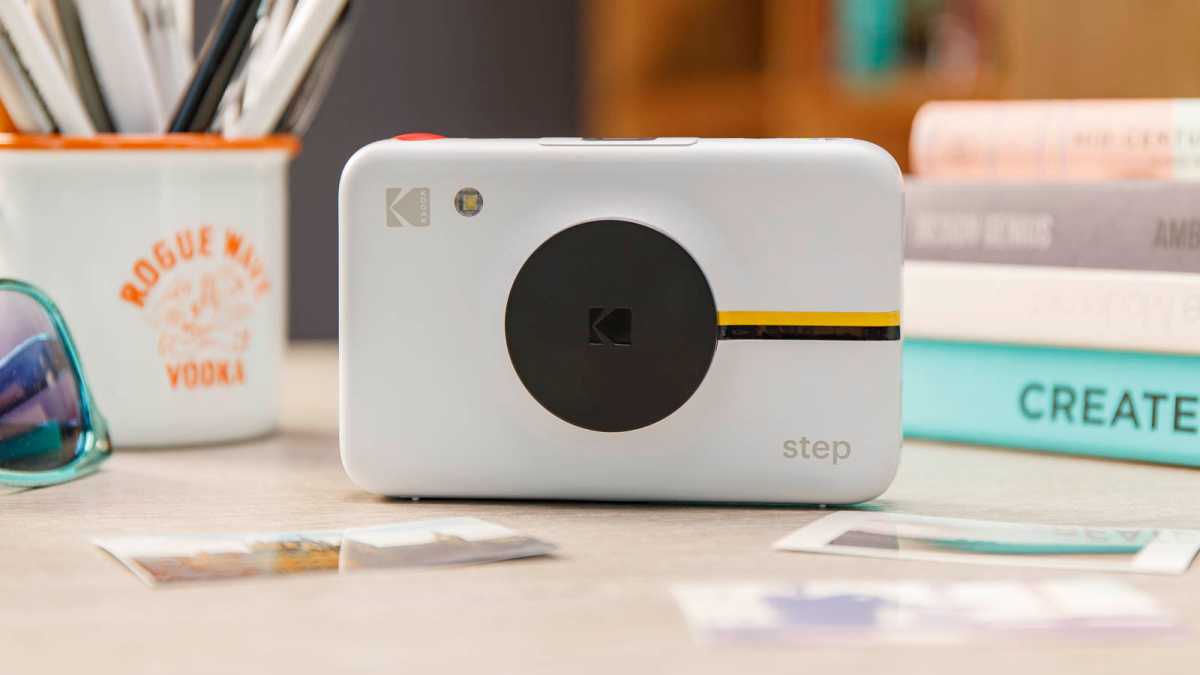
The Step is a simple, compact camera, and this is one of its biggest strengths. Thanks to the choice to print to Zink, this is smaller than just about any Instax camera on offer, making it super portable.
Unlike the similar Step printer , this doesn’t come in a range of colours, and instead you’re limited to a choice of white or black for the matt plastic build.
Dominik Tomaszewski / Foundry
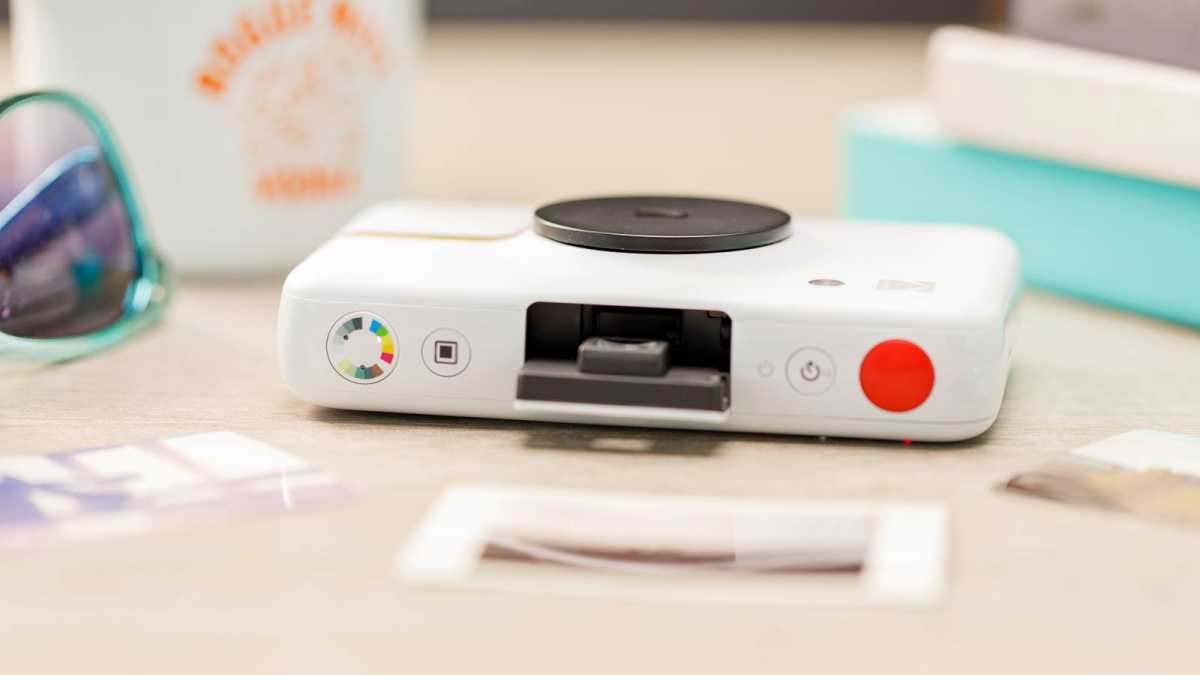
There are a handful of simple buttons. The power button doubles as an optional timer, sitting next to the shutter. On the left side, you’ll find one button to toggle on or off a white frame for photos, and another to switch between the three colour options: full colour, sepia, or monochrome.
Other additions are the option to attach a wrist strap to keep the camera safe, and even a tripod screw mount on the bottom, though I doubt many will get a lot of use out of that.
One attractive touch is the pop-up flash, which springs out of the body when you turn the camera on. Just as conveniently, pushing this back down will in turn switch the Step off again.
Dominik Tomaszewski / Foundry
Even better is the magnetic lens cover, which snaps on and off with a satisfying force – though this is the one component that younger users might be at risk of misplacing. Best of all, the camera is smart enough to not let you take shots while the lens cover is on – saving you from the risk of wasting prints on nothing but black.
Camera quality
- Colour, sepia, and monochrome options
- Small prints
- Uneven exposure
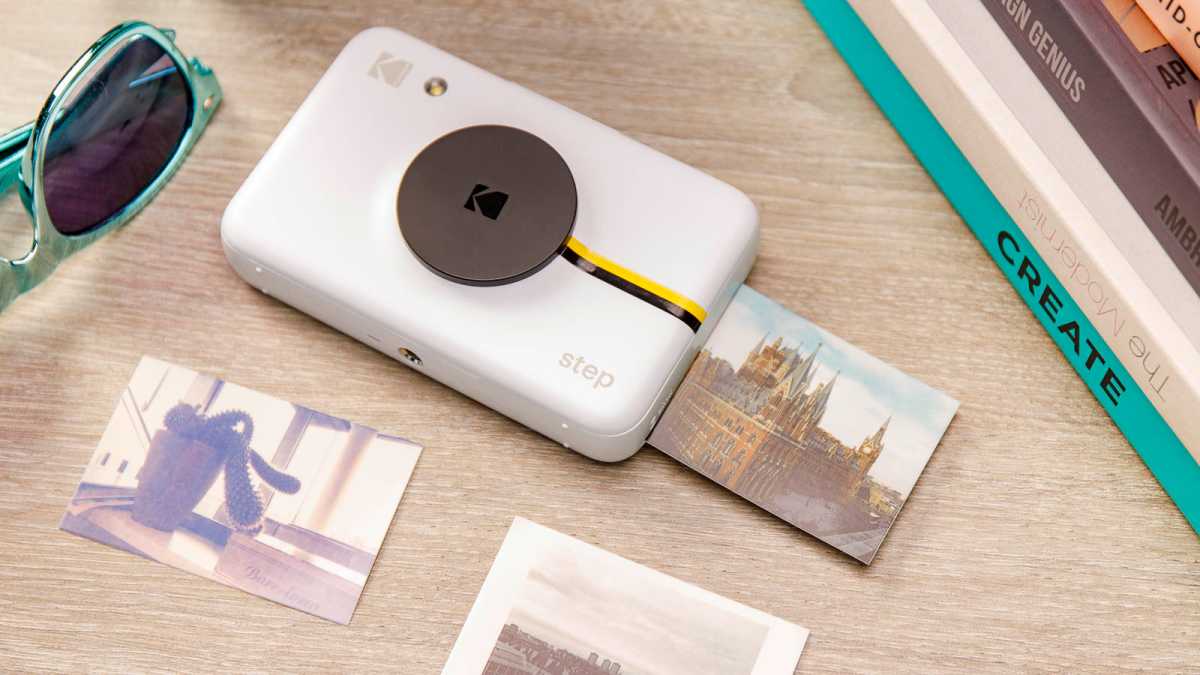
As mentioned above, the Step lets you print shots in three colour modes: full colour, washed out sepia, or black-and-white. You also get the option to add a white frame around shots, in a nod to the classic Polaroid aesthetic.
The options are welcome, but actual print quality remains limited. This is more of a Zink problem than a Kodak Step problem, and prints here have familiar problems with colour banding and limited detail, not helped by how small the prints themselves are.
Dominik Tomaszewski / Foundry
One problem more specific to this camera is that it struggles with exposure, so any bright lights or patches of sky often come out as sheets of white in prints, while all the details are lost in areas of shadow.
It’s also worth noting that the flash is automatic, and entirely out of your control. It’ll fire when scenes are sufficiently dark, but you can’t choose to activate it at other times, or deactivate it when you prefer.
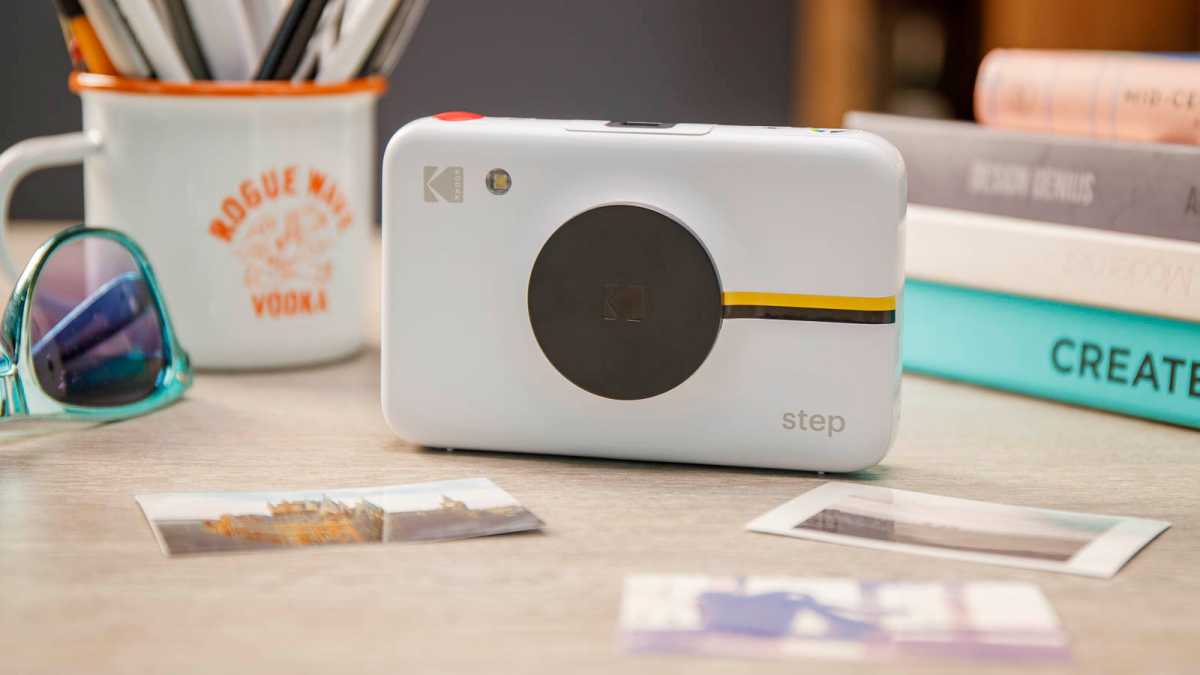
Prints are quick at least – it takes less than a minute to print a shot, and unlike Instax shots you don’t have to wait longer for photos to fully develop. Loading film is also a doddle, and less than a minute’s work.
Dominik Tomaszewski / Foundry
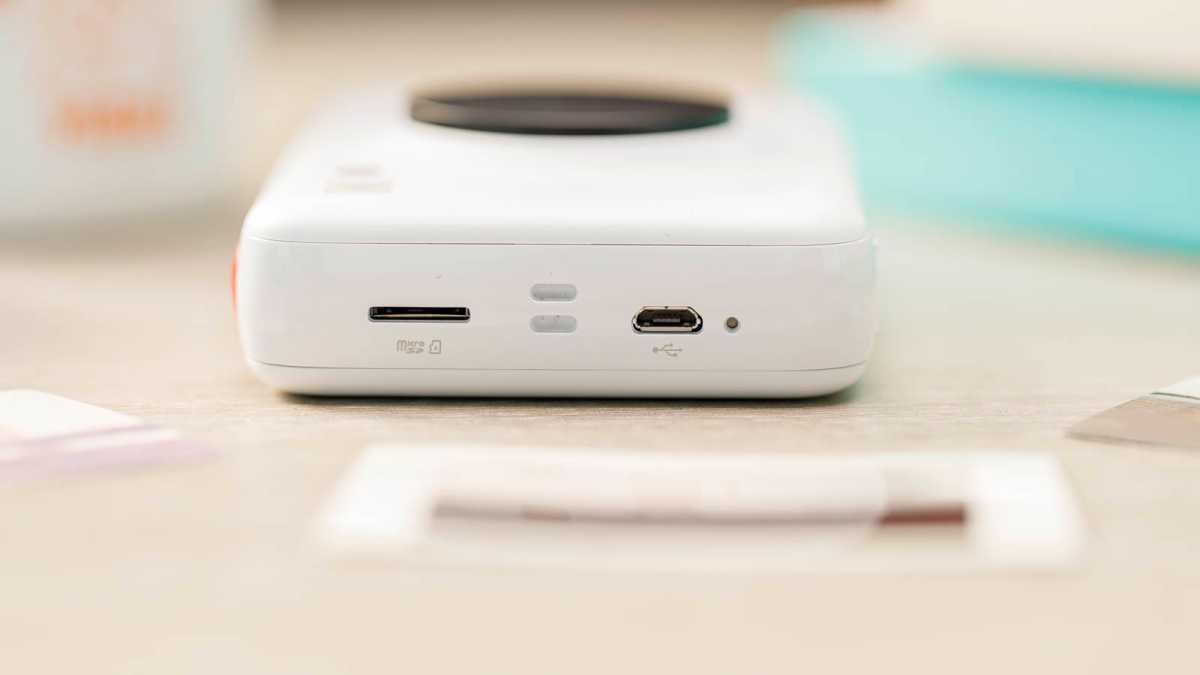
One final perk is that there’s support for microSD cards of up to 128GB. If a card is installed, then when you take a photo it will automatically save to the card as well as printing, so that you can move it elsewhere if you want to save a digital copy of photos too – though do bear in mind that these will generally be worse quality digital shots than what your phone can produce.
Battery life
- 40 prints per charge
- Charges over Micro-USB
Kodak says that the Step camera can take a full 40 photos on a full charge, i.e. four full packs of Zink prints.
I haven’t quite taken that many shots, but didn’t see the camera run out of battery any faster than that. Battery will drain on standby too though, so if you go a long time between uses you may find it needs a quick charge to get going again.
Dominik Tomaszewski / Foundry
Fortunately this is easy enough – the camera has a rechargeable battery you can top up with Micro-USB, with a cable included. A full charge takes less than an hour, and just a few minutes will give you enough juice to take a shot or two.
Price and availability
The Kodak Step camera is available now worldwide, and will cost you $70/£70/€80 .
That only gets you the camera itself, so you’ll have to buy prints separately. These typically go for $25 for 50 prints in the US, or £17/€15 for a pack of 20 in Europe. That might sound like a lot, but it is still cheaper than the per-sheet price of Instax.
That means that in the long run this is a touch cheaper than the otherwise similarly priced Instax Mini 11 , though we tend to prefer the photo quality from that camera.
The Kodak Step is also cheaper than the Polaroid Snap , an essentially identical Zink camera with Polaroid branding and a slightly higher price.
Check out our ranking of the best instant cameras for more alternatives.
Verdict
Zink camera are much of a muchness, and indeed the Kodak Step is essentially a re-package of the Polaroid Snap under a different name.
Like other Zink cameras, this is let down a little by its photo and print quality, which can’t match Instax rivals.
It’s more compact and portable than those cameras though, and with a few easy-to-access photo modes and the option to save digital photos as well as print them, this is a versatile instant camera option for those on a budget.
Best Prices Today: Kodak Step Instant Camera
Author: Dominic Preston, Contributor, Tech Advisor

Previously Tech Advisor’s Deputy Editor, Dom covers everything that runs on electricity, from phones and laptops to wearables, audio, gaming, smart home, and streaming.
Recent stories by Dominic Preston:
- Instax Square SQ40 review
- Kodak Step Instant Printer review
- Instax Square SQ1 review

At a Glance
Expert’s Rating
Pros
- Portable design
- Affordable
- Easy to use
Cons
- A few bugs in the app
- Charges via Micro-USB
Our Verdict
The Kodak Step Printer is a reliable, affordable instant photo printer. It doesn’t do anything its rivals don’t, but it costs less and has few flaws to undermine its appeal.
Best Prices Today: Kodak Step Instant Printer
The Kodak Step Instant Printer – not to be confused with the similarly named Kodak Step Instant Camera – is a cheap and cheerful Zink printer that can connect to your phone to print your favourite shots on compact sticky-backed Zink prints.
There are plenty of other similar Zink printers out there, and the Kodak Step doesn’t do anything revolutionary that the rest don’t. But it’s cheap, compact, and gives you plenty of easy editing options – making this one of the better options in a crowded field.
Design and build
- Simple plastic design
- Range of cheery colours
- Compact
Kodak has kept things simple with the Step printer.
This is a compact plastic brick, small enough to slip into a pocket or handbag. Available in white, black, blue, or pink, there are few flourishes to the design outside of your choice of colour.

The only thing that really stands out is a small black-and-yellow stripe on either end. This is just a sticker though – which on the upside means you can peel it off if you’re not a fan, but unfortunately means it’s also likely to peel itself off with sufficient wear and tear.
There are two LEDs for power and charging, one button to turn the printer off and on, and that’s honestly about it. When you want to load paper to print, you simply slide the back of the body off and load in the prints – it’s simple, quick, and pretty difficult to get wrong.
App and features
- Easy to pair with free smartphone app
- Edit photos and create collages
- A little buggy
Almost everything you do with the Kodak Step is controlled through the free app, available on iOS or Android. You can set up an account with Kodak, but this is optional – everything works fine without one.
The first step is pairing the printer to the app, but this is easy enough. They connect over Bluetooth, and in less than a minute I had the app connected to the printer and ready to go.

Images can be selected from your device’s gallery, or you can connect the app to your Facebook, Instagram, or Google photo libraries for more options.
Once you pick an image, there’s a wealth of options. You can just print it as it, either in landscape or portrait format, with the option to either print the full image with a border or crop it in if it’s not in the exact aspect ratio of the Zink prints (most of your photos won’t be).
But you can also edit images. This can be as simple as applying an Instagram-style filter, or you can get more complex and tweak brightness, hue, or colour temperature, or add on colourful frames, stickers, text, or drawings. You can also create collages with multiple photos in one print – but bear in mind that due to the size of the paper, each image may end up pretty tiny.
I’ve mostly been impressed with the Kodak Step Prints app, which is well laid out – and far simpler to use than its strangely laborious step-by-step tutorial process would suggest.

That said, it’s not perfect. For one there are some odd choices, like the fact that the most detailed set of image hue sliders appear only on the ‘Print preview’ page of the app – and not, as you’d expect, in the ‘Edit photo’ section.
There are bugs to sort out too. The app has a tendency to freeze at times, especially when loading a photo to edit. The ‘Print preview’ brightness slider also seems to be entirely broken, raising brightness drastically if you so much as tap on the bar, with no option to lower it below the image’s starting point.
Print quality
- Small 2×3” Zink prints
- Sticky-backed
- Decent detail and colour
The Kodak Step prints onto ink-free Zink prints – a popular format for instant printers and cameras in recent years.
The key benefits to Zink are that the prints themselves are cheap and quick to process, the printer doesn’t need ink cartridges, and that each print is actually sticky-backed – so you can peel off the back layer and turn any photo print into a sticker.

There are two real downsides. One is size – at 2×3”, Zink prints are tiny. That’s part of why the printer itself is so portable of course, so it’s not all bad. But still, these are dinky, and too small to really display anywhere – they’re better suited to making collages or tucking into a wallet.
The bigger concern is quality. This isn’t bad by Zink standards, preserving a fair amount of detail from images and printing at a respectable colour range. Still, a little is lost from every photo, and there’s none of the charm or style you’ll find on an instant film printer like the Instax Mini Link .
Battery life
- Battery for up to 25 prints
- Charges via Micro-USB
On a full charge, the Kodak Step can apparently print up to 25 prints – I didn’t have that many to test with so can’t confirm, but it did happily make it through a full pack of Zink paper, with lots of standby time, without complaint.

The one small disappointment is that when it comes to charging, you have to use a Micro-USB cable. This is getting to be a pretty old charging standard now, and it’s plausible that you won’t really own or use any other Micro-USB products at this point.
Kodak does include a cable for you to plug into any existing USB charger, but still – it’s a bit annoying that this couldn’t use the more recent and universal USB-C standard.
Price and availability
Zink paper is relatively affordable too, though still costs around 50p/50c per sheet – less than Instax prints, but enough that you won’t want to burn through prints with abandon.
Make sure to check out our guide to the best instant printers to see how the competition stack up, or the best instant cameras if you want to take photos rather than just print them (many do both).
Verdict
The Kodak Step Printer is hardly a reinvention of the instant printer, but it’s a good example of the form.
It’s small, compact, and feels durable, with decent battery life and an easy print process. The associated app is simple too, with quick pairing and a range of options to alter your images – though I did encounter a couple of bugs and issues along the way.
Best of all, at the time of writing this runs a little cheaper than most of its rivals while doing fundamentally the same thing – enough to make it an easy option to recommend.
Best Prices Today: Kodak Step Instant Printer
Author: Dominic Preston, Contributor, Tech Advisor
Previously Tech Advisor’s Deputy Editor, Dom covers everything that runs on electricity, from phones and laptops to wearables, audio, gaming, smart home, and streaming.
Recent stories by Dominic Preston:
- Instax Square SQ40 review
- Kodak Step Instant Camera review
- Instax Square SQ1 review
