
At a glance
Expert’s Rating
Pros
- High peak speeds
- Plenty of wired network ports
- Easy to use app
Cons
- Few extra features
- Tough management
Our Verdict
Despite the name change, this is the same familiar Velop mesh we’ve seen before. The Atlas 6 Pro is fast, easy to use and stylish. Range is acceptable, but there are systems that cover larger areas better. However, it is very affordable and if you don’t need to spread out the nodes too far, it’s an excellent buy, especially the two-unit package, which is very affordable.
Best Prices Today: Linksys Atlas Pro 6 MX5502

Linksys Velop routers have been a familiar sight ever since home mesh systems became common. They’ve pretty much looked the same for years. Easily recognisable slim, square towers in white, with reliable performance and often good value for money. And not a lot changes with the manufacturer’s latest Wi-Fi 6-based mesh package. Except for the name. Linksys now differentiates its cheaper dual-band systems as ‘Atlas’ reserving Velop for the pricier tri-band ones. So on the Atlas Pro 6 you’ll see they are “powered by Velop”.
This package is called Atlas Pro 6, where 6 stands for Wi-Fi 6, as that’s the Wi-Fi standard it’s based on. Linksys has at least one Wi-Fi 6E mesh system – the Velop Pro 6E, but that’s more expensive.
The Atlas Pro 6 is sold in one-, two- and three-packs. We have tested both the largest package and a two-pack. Externally, there is nothing significant that distinguishes them from previous Velop units.
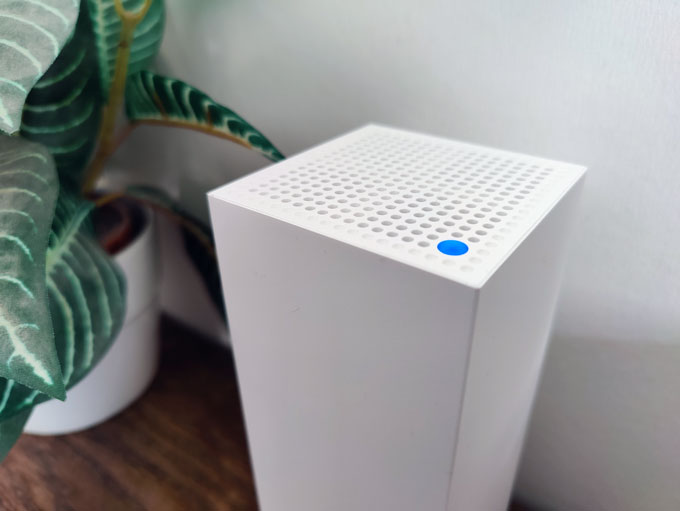
An RGB LED on the top is the only colour element in an otherwise discreetly designed device.
Features & design
It’s the same tall, narrow design of square white towers with a flat top that has holes for heat dissipation and a status LED. On the back are four Gigabit Ethernet ports, one of which is for internet access. The three devices in the package are identical – the one you connect first becomes the central router.
On the other two, the wan port is not used, so you get four Ethernet ports to connect gadgets to. This is very generous for a mesh system, especially one that isn’t super expensive. If you want to run Ethernet backhaul – which means to connect an Ethernet cable between the nodes so they don’t have to talk to each other using Wi_Fi – then you connect the cable to the WAN port on those nodes.
Being an Altas system means dual-band Wi-Fi – one 2.4GHz band and one 5GHz. Backhaul communication between the nodes shares the 5GHz band. On the 2.4 GHz band, you get a theoretical maximum speed of 574Mbps. Fortunately, there’s a lot more bandwidth available on 5GHz, with a capacity of up to 4.8Gbps. The fact that you can get such a powerful two-unit system for this price is remarkable. Most such cheap Wi-Fi 6 systems have 2.4- or 1.8Gbps capacity at 5GHz.
What this means is that the Atlas Pro 6 can easily handle multiple mesh nodes and many users streaming high definition content, browsing and downloading data at the same time, as long as the signal is strong.
Installation and settings are best done with the Linksys mobile app for Android or iOS. In fact, we had to look really hard to figure out that the router also has a web interface: it’s obvious that it is intended to be managed via mobile. There are no extra functions in the web interface, but some detailed settings for Wi-Fi and especially the firewall are here, which you cannot access from the app.

Plenty of network ports are always a plus.
One reason for the lower price is a very basic feature set. You can set up a simple guest network, you get parental controls with a browsing schedule for connected devices, only a manual blacklist for URLs to block, and a QoS feature so you can prioritise giving extra bandwidth to a handful of computers or mobile devices. That’s it. Without USB ports, you don’t get any file server or printer sharing functionality, other types of functions, such as a VPN server, you’ll also have to do without.
Setup is simple. With Bluetooth integrated into each node, each one is easily detected by the app and most things are done automatically. Linksys requires you register for an account to use the system, but using this you then get access to remote administration, which can be useful when you’re not at home.
Unlike some mesh systems, you will need a bit of patience with the Atlas Pro 6. There are a couple of steps where each node is “initialised” and “optimised” with several minutes of waiting time. This is something that then becomes a common theme with the administration in general. The app is neat and simple, but there can be long waiting times for seeming simply things like checking the status of the nodes or changing router settings, which is annoying.
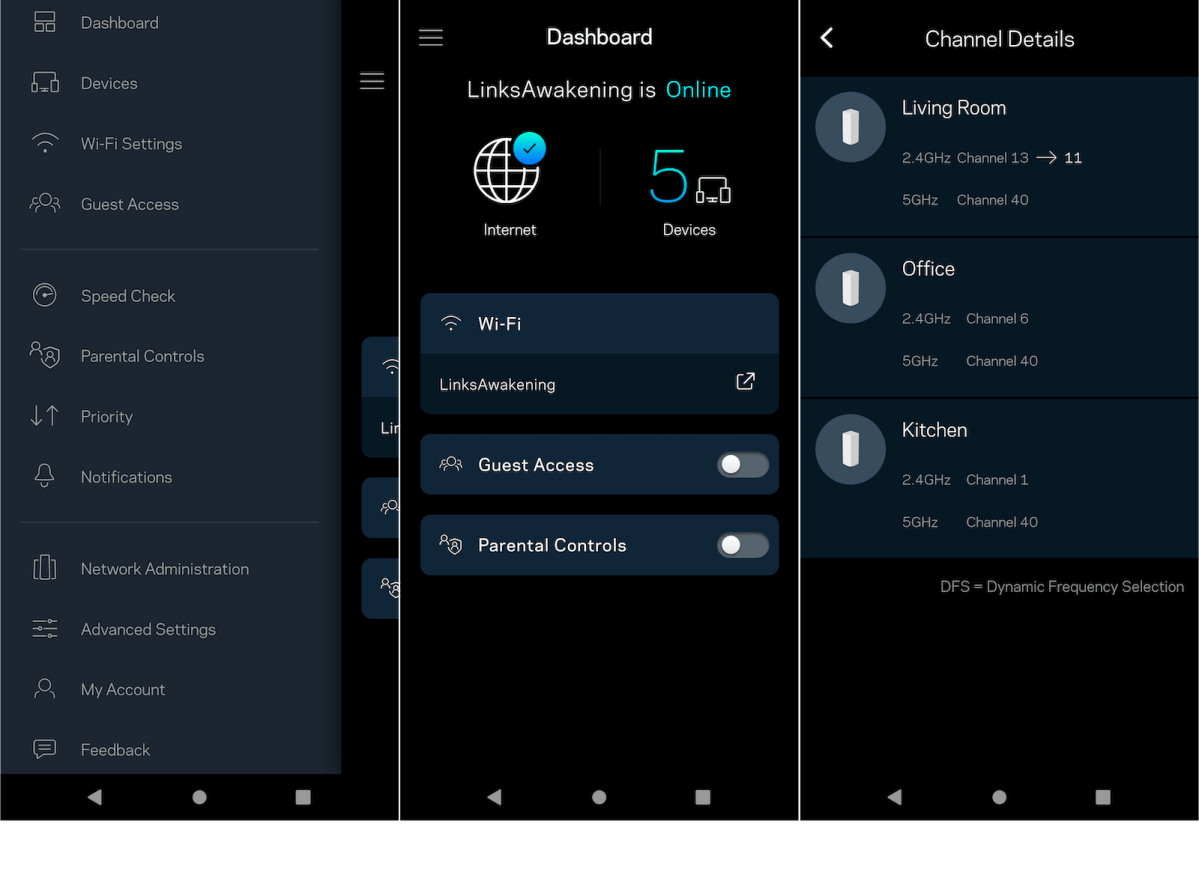
The app’s interface is uncluttered and clean, but also easy to use, with clear descriptions next to most setting options. Unfortunately, the screen on the right is also a common sight.
Thomas Newton / Foundry
Performance
SSIDs for the 2.4- and 5GHz bands are merged by default, and the router itself chooses how to connect devices. The system seems to have a tendency to relegate many devices to 2.4GHz that we would rather have on 5GHz, including laptops, desktops and mobile devices. It is possible to set them up separately, but for that you have to enter the web interface, not the app. It’s also a fairly hidden setting.
However, the Atlas 6 Pro’s performance ultimately makes up for most of its foibles. The top speed is excellent. With support for 160MHz channel width, it is possible to get close to gigabit speed when using a device with Wi-Fi 6 or 6E, so long as it has 2 x 2 MIMO support. I saw a peak speed of 910Mbps in the same room as the main node, and still got above 700Mbps in an adjacent room. The performance loss when connected via one of the other nodes is marginal.
The range per node isn’t the greatest, but is still acceptable. The best Wi-Fi 6 systems we’ve tested allow you to place nodes at a distance of around 25 metres including walls in the way to achieve a minimum of 200Mbps. With the Atlas Pro 6, I was able to place them up to 20 metres apart in my test home before speeds dropped to that figure. This means you may need to place the nodes closer together for the same minimum speed, or settle for a lower top speed, except near the main router.
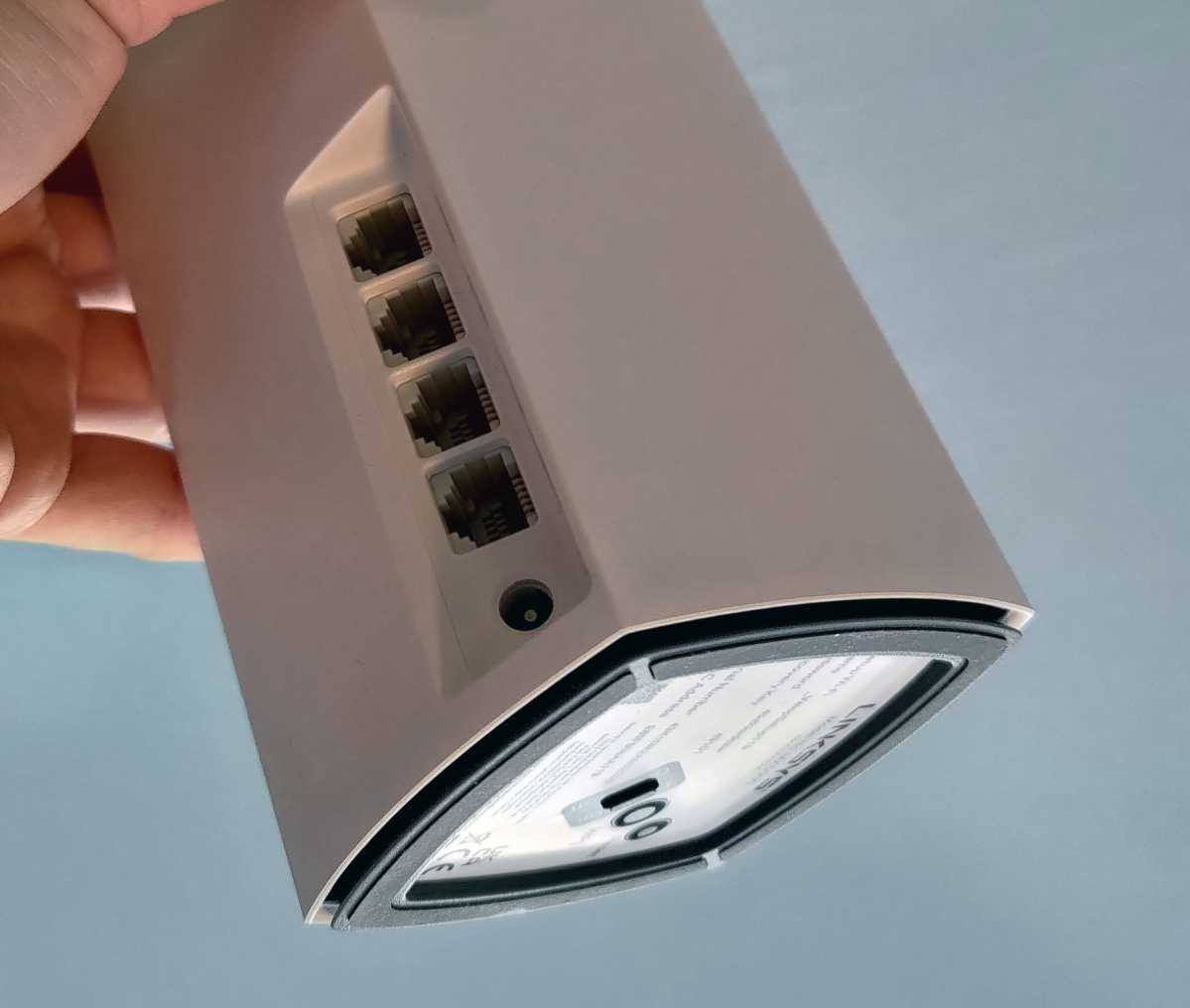
On the bottom is the on-switch, wps button, and reset button.
Mattias Inghe
It’s not a huge problem, and don’t forget you can buy more modes as needed. A two-pack of the Atlas Pro 6 is still more than enough for Wi-Fi coverage in a large apartment or small house. But in a large house, or one with thick interior walls, it might be wise to go for the three pack or even two two-packs.
If Linksys could adjust things slightly so that more clients are assigned to the 5GHz band when in merged mode, I’d love the Atlas Pro 6 even more. If you’re willing to separate the SSIDs to ensure your devices are connected to 5GHz, though, it’s a great budget Wi-Fi 6 mesh system.
Price & availability
You can also buy single nodes for around $130 / £135 each, intended for adding to the systems above, rather than using on their own (although they could be if you really wanted to).
A cheaper option is the Atlas 6 , an AX3000 system. It’s much the same as the Atlas 6 Pro but with slightly lower speeds and coverage, but for a lower price.
For alternatives, see our roundup of the best mesh Wi-Fi systems .
Specs
Product name : Atlas Pro 6 MX5502/MX5503 Wi-Fi type: Wi-Fi 6, MU-MIMO 2×2 Frequency band : 2.4 + 5 GHz Wi-Fi capacity: 574 + 4802 Mbps (theoretical) Security : WPA2, WPA3, WPS Connections per node : 3 Gigabit WAN, 1st Gigabit LAN Admin interface : App, web Remote administration : Yes, via app Other features : Guest network, parental control, QoS. Dimensions : 86 x 86 x 284 mm
This review originally appeared in Swedish on PC for Alla.
Best Prices Today: Linksys Atlas Pro 6 MX5502
This article originally appeared on our sister publication PC för Alla and was translated and adapted from Swedish.
Author: Mattias Inghe, Contributor, Tech Advisor

Mattias is a test editor for our sister site, PC för Alla. He has worked with us for many years and knows everything there is to know about computers, networks, smartphones and accessories. When he’s not in the test lab benchmarking new hardware, he’s out and about visiting trade shows and other launch events to stay up-to-date on the latest tech.
Recent stories by Mattias Inghe:
- TP-Link Archer Air R5 review
- TP-Link Deco BE85 review: The first Wi-Fi 7 mesh system!
- Asus ZenWIFI AX Mini XD5 review
