At a glance
Expert’s Rating
Pros
- Clever, aesthetically pleasing design
- Excellent battery life
- Range of remappable keys
- Makes working-from-home more ergonomic
Cons
- Not travel friendly
- Expensive
Our Verdict
The Logitech Casa Pop-Up Desk is a great way to make working from home without a dedicated monitor more ergonomic, but its heavy build means it’s not suitable for using on the go.
Best Prices Today: Logitech Casa Pop-Up Desk

Whilst the pandemic made working from home more mainstream, not everyone has the space nor privilege for a dedicated office with external monitor/s, a desktop PC unit and standalone keyboard & trackpad.
The reality is that many people are still working from laptops on dining room tables, which isn’t exactly good for posture (just think about those cricks in your neck!). This scenario has inspired Logitech’s new product: The Casa Pop-Up Desk.
This multifunctional product looks like an ordinary book when closed, but houses a few surprises that will transform your less-than-ideal work from home set-up into a more ergonomic experience…in theory. But how does it work in practice?
Hannah Cowton / Foundry
Design and build
- Three colour options
- Houses a keyboard, trackpad and a compartment for cables/stationery
- Weighs 1.2kg
Logitech products are nearly always high-quality, and the Casa Pop-Up Desk is no different.
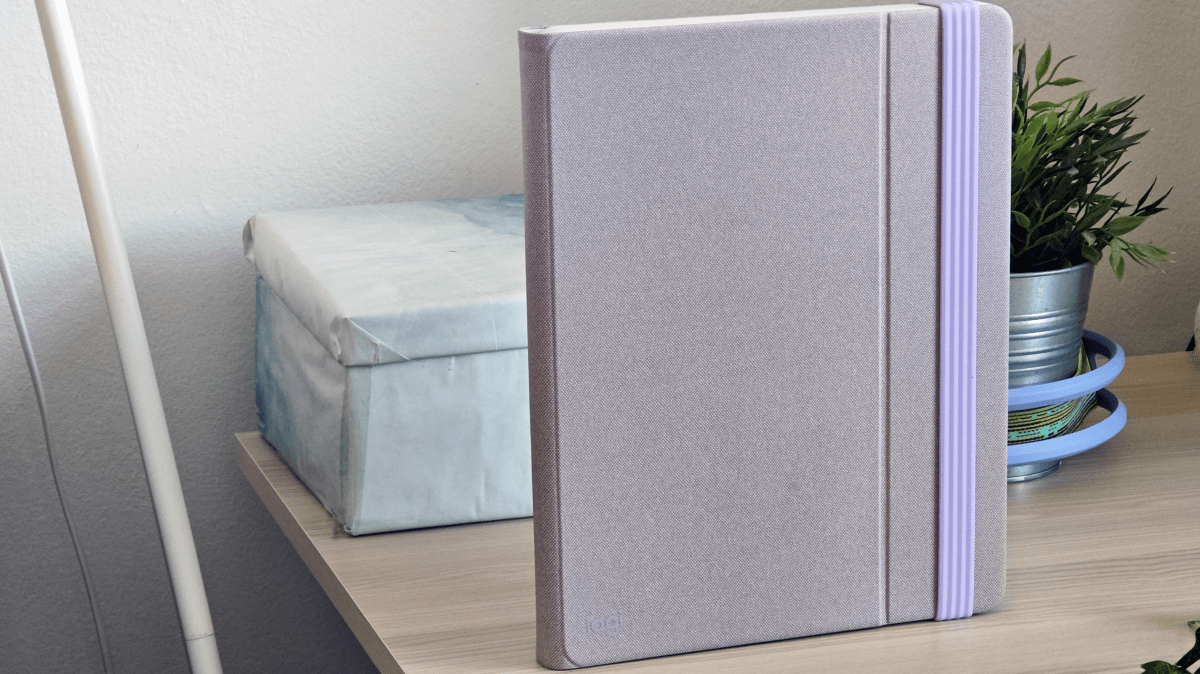
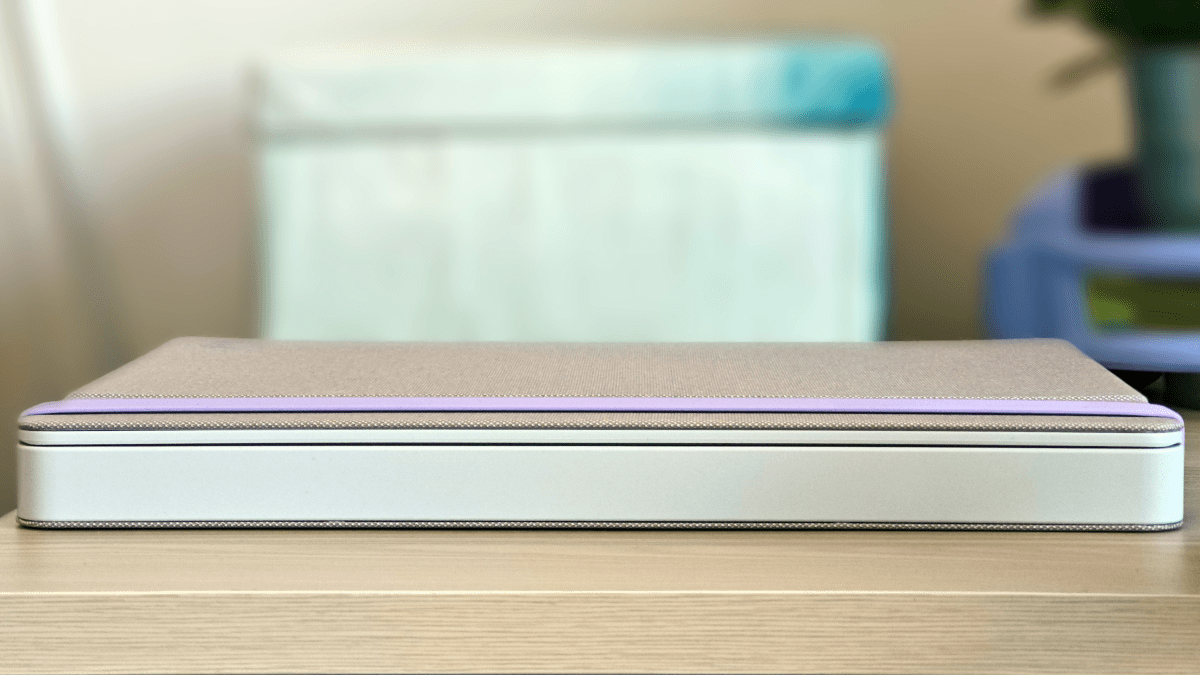
When closed, the Casa looks like a large notebook. It’s available in three colour options: Classic Chic (deep grey and green), Bohemian Blush (pink) and Nordic Calm (off white) – I tested the latter.
That means the stretchy silicone strap keeping the ‘book’ secure is lilac, but this will vary depending on the model you choose. The case features a fabric design that’s wipeable, though mine did pick up a small stain that wasn’t completely removed with a wet cloth.
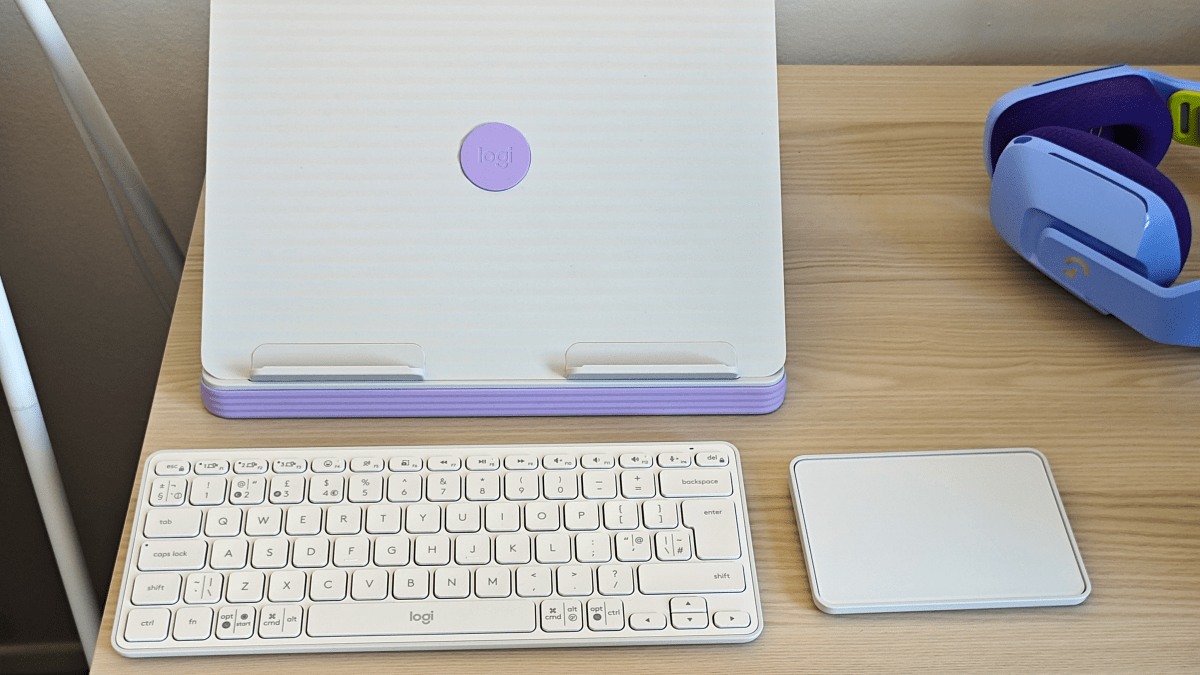
When opened, the front cover expands out, then folds in on itself to create a stand – there are two protruding parts for your laptop to nestle into, and they are secure and sturdy. According to Logitech, the stand supports laptops from 10- to 17in, and can hold devices weighing up to 7.5kg.
Hannah Cowton / Foundry
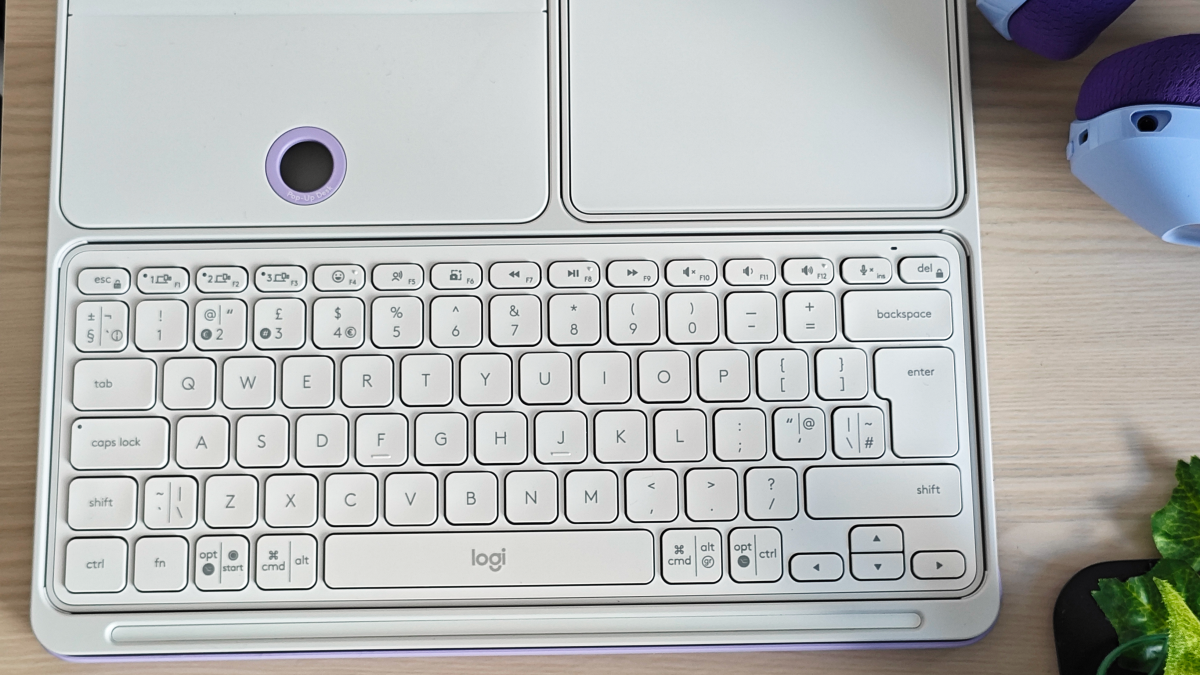
The bottom of the Casa has three compartments, housing a keyboard (the Casa Keys), trackpad (the Casa Touch) and a section for the charging cable – but you could easily store pens or other small items in the latter. The keyboard is smaller than a standard one, but not so compact that you’ll feel cramped when typing.
It features a range of handy shortcut buttons, including a dictation button, a screenshot button and even an emoji button for using in messaging apps. However, the keys aren’t backlit, so you’ll need a decent external light source while typing.
The Casa weighs 1.2kg, which is a similar to some slim laptops . Whilst Logitech hasn’t advised this as a travel product, one of the most natural use cases would be on a train or at a coffee shop. Sadly, the unwieldy build means that your bag will be hefty to carry around.
Features and usability
- Connects via Bluetooth
- Works with Windows, macOS and ChromeOS
- Uses Logi Options+ app
The Casa Keys and Casa Touch don’t require a dongle, simply connecting via Bluetooth. The Touch can easily switch between up to three different devices.
While the Casa Pop-Up Desk is technically compatible with all laptops from 10-17in, Logitech specifically suggests Windows, macOS, ChromeOS and iPadOS. The latter raises the prospect of using the iPad or another tablet, though it’s not exactly designed for this use.
Hannah Cowton / Foundry
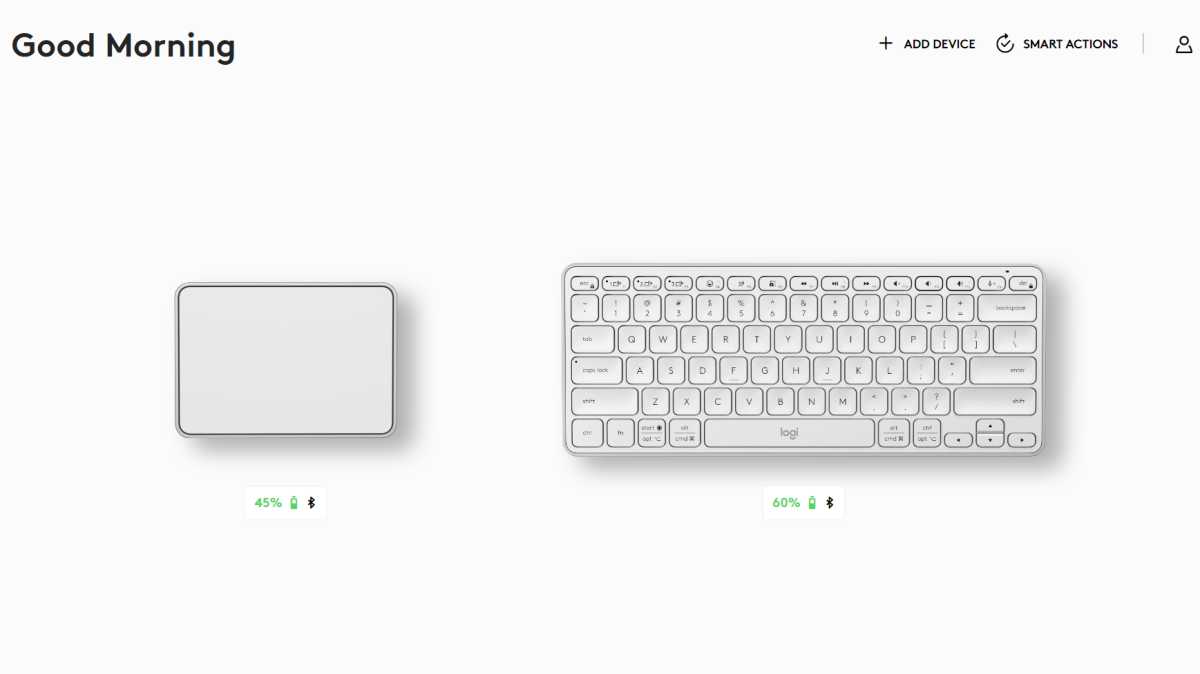
If you want extra customisation over your devices, then you’ll need to download the free Logi Options+ app – it’s only available on Windows (10 or later) and Mac (macOS 11 or later). Besides checking on the battery lives of your devices, you can also remap buttons, with a wide variety of commands to choose from. You can also alter the touch and tap controls on the trackpad and change the cursor speed.
The Casa Keys is quiet to use, and I noticed very little lag when typing on my laptop. I had minor issues with highlighting text in WordPress with the Casa Touch, but it worked just fine in all other applications, with the device responding to quick swipes and shortcuts.
Battery life
When it comes to the battery life, you needn’t worry. The keyboard can last up to five months on a single charge, whilst the trackpad can give up to three weeks of use.
These estimates are based on around a full working day (eight hours) worth of use. During my short stint of testing, I haven’t made much of a dent in the battery lives of either gadget.
Charging is via the USB-C ports on each device, and a cable is included in the box. Whilst I haven’t time to run this device to flat, Logitech claims that a one-minute charge will give you a full day’s use on the Keys, as will a 3-minute charge on the Touch.
Hannah Cowton / Foundry
Price and availability
The Logitech Casa Pop-Up Desk costs £179 and is available either directly from Logitech or John Lewis . At the time of writing, this product isn’t available in the US – just the UK, Australia and New Zealand.
There is nothing on the market that can directly compete with this product, but regardless, nearly £180 is not exactly cheap. I’d only consider the Casa if there is currently no space for a monitor in your home, and you’re looking for an all-in-one solution that will help give you better posture.
If the Casa Pop-Up Desk is out of your price range, then check out our charts of the best laptop stands , keyboards and mice .
Hannah Cowton / Foundry
Verdict
There is no denying that Logitech has created something entirely unique with the Casa Pop-Up Desk. It looks sophisticated, is easy to use and has excellent battery life. The pack away build and deceiving book design also make it a great decorative piece for around the home.
Whilst it’s mainly a solution for people working from laptops without a dedicated monitor or desk, a lighter build would also allow it to be a useful tool for working when travelling or out and about in public spaces. Plus, it doesn’t come cheap.
Specs
- Colours: Nordic Calm, Bohemian Blush and Classic Chic
- Total weight: 1.2kg
- Battery life: 5 months (Casa Keys), 3 weeks (Casa Touch)
- Casa Book dimensions: 29/160 x 230 x 290mm (close/opened as laptop stand)
- Casa Keys dimensions: 17 x 112 x 280 mm
- Casa Touch dimensions: 14 x 88 x 125 mm
Best Prices Today: Logitech Casa Pop-Up Desk
Author: Hannah Cowton-Barnes, Entertainment Editor, Tech Advisor

As Tech Advisor’s Entertainment Editor, Hannah is the resident expert in all things streaming, film and TV. Before joining Tech Advisor in 2019, she studied Theatre and Performance at the University of Leeds and created a website dedicated to geek culture and lifestyle. She’s also reviewed a whole range of gadgets including flagship smartphones, wearables and styling tools. Outside of Foundry, she’s written freelance pieces for Polygon, Metro and Den of Geek, and is proud to be a Women Techmakers Ambassador for Google.
Recent stories by Hannah Cowton-Barnes:
- These handpicked Prime Day tech deals will cost you less than $100
- 5 tech products that are must-haves for lectures
- Logitech Wave Keys review
