If you have a Switch 2 ready to pick up or are considering getting this console, I’ve got some good news. My press copy arrived fresh in the post a day before it went on general sale, and I have to say, I’m impressed.
At £395.99/$449.99 for just the console, and £429.99/$499.99 for the Mario Kart World bundle, this will be an investment for most buyers. However, the new Mario Kart alone is proof of how much of a step up this is from the original Switch.
Combined with my hands-on time in Paris , I have to say this is a compelling buy. However, it’s not completely faultless.
Here’s my play-by-play experience of the Switch 2 during the first few days as I experienced new features, played different games and really pushed this console to its limits.
The following are my initial thoughts as I went – the technical specs can be found in my full review . You can also read our buying guide for the console here , and the best games to play on the Nintendo Switch 2 right now .
Day 1 with the Nintendo Switch 2
Unboxing
1:36pm – Just before this entry, I was scrolling Bluesky, seeing all the Nintendo Switch 2s arriving on fellow journos’ doorsteps, holding back a tear, wondering when mine would arrive. Suddenly, my phone rings. I run downstairs, trying not to break my neck in the process.
The console box is in my hands, ready to be unboxed… Or at least I think it is. It could be an elaborate prank.
Hannah Cowton-Barnes / Foundry
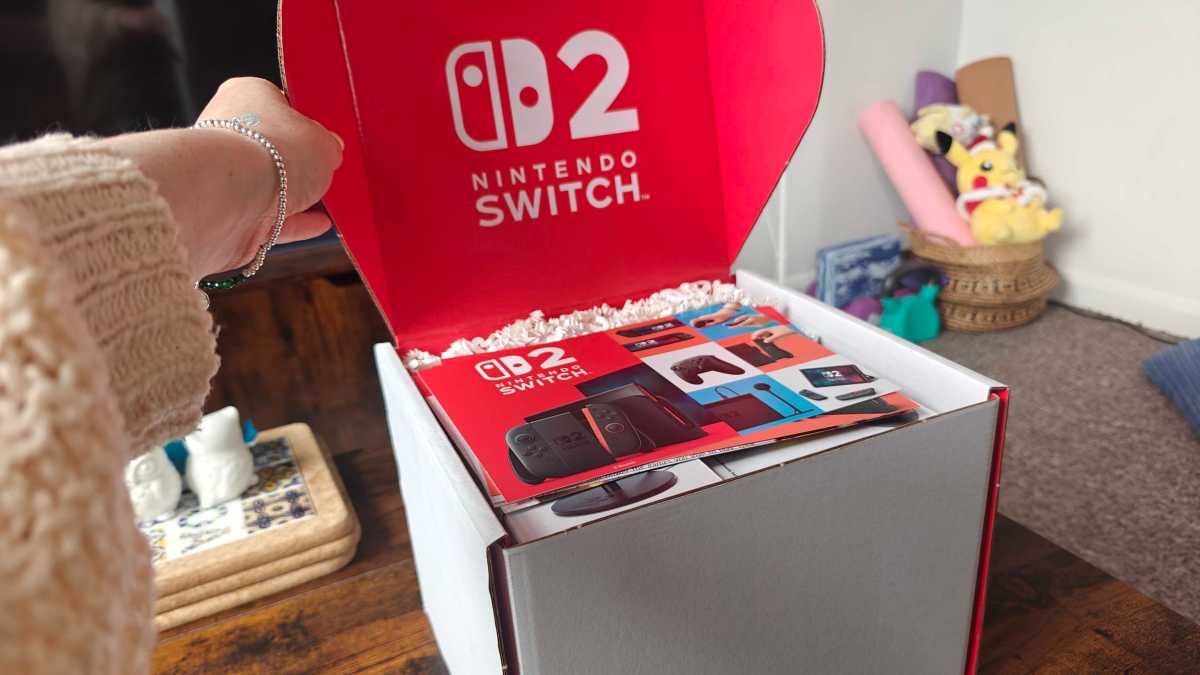
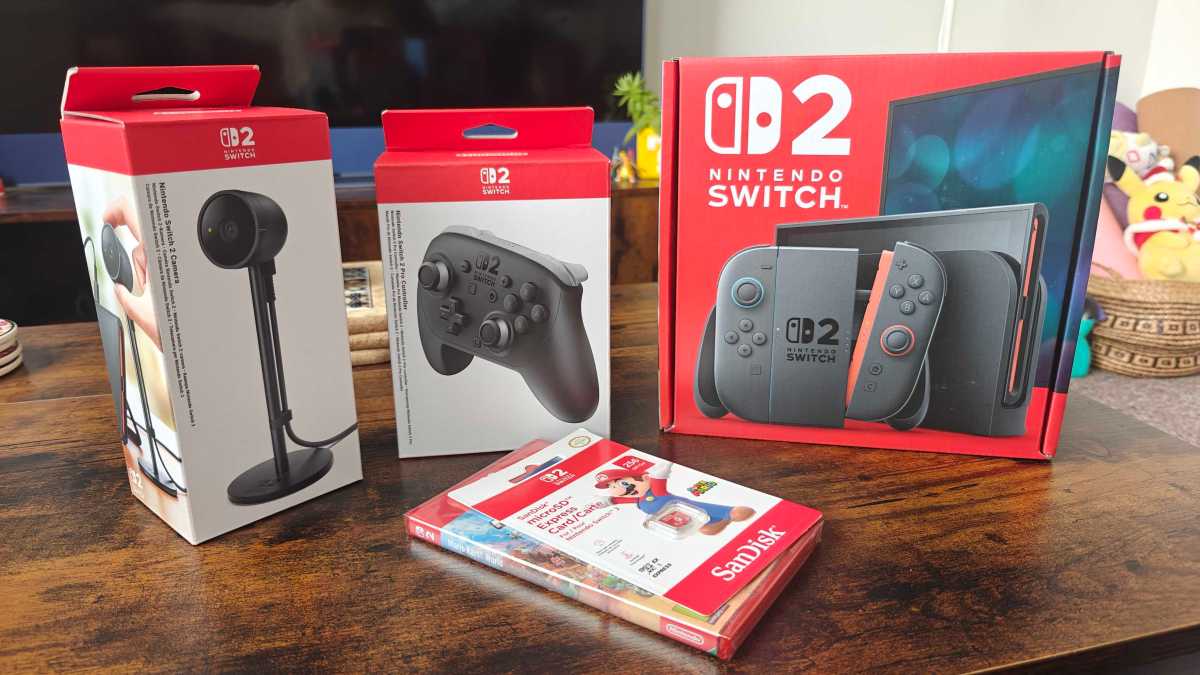
1:43pm – Thankfully, that looks like Nintendo gear to me! For transparency, alongside the console I’ve been sent a Pro Controller, a camera, a physical copy of Mario Kart World and a microSD card express.
Hannah Cowton-Barnes / Foundry
If you’re picking up the Switch 2 in person, I’d like to note that even with the accessories, the box is surprisingly light and compact. That bodes well for travelling – and any sucker battling the tube with this new console.
Hannah Cowton-Barnes / Foundry
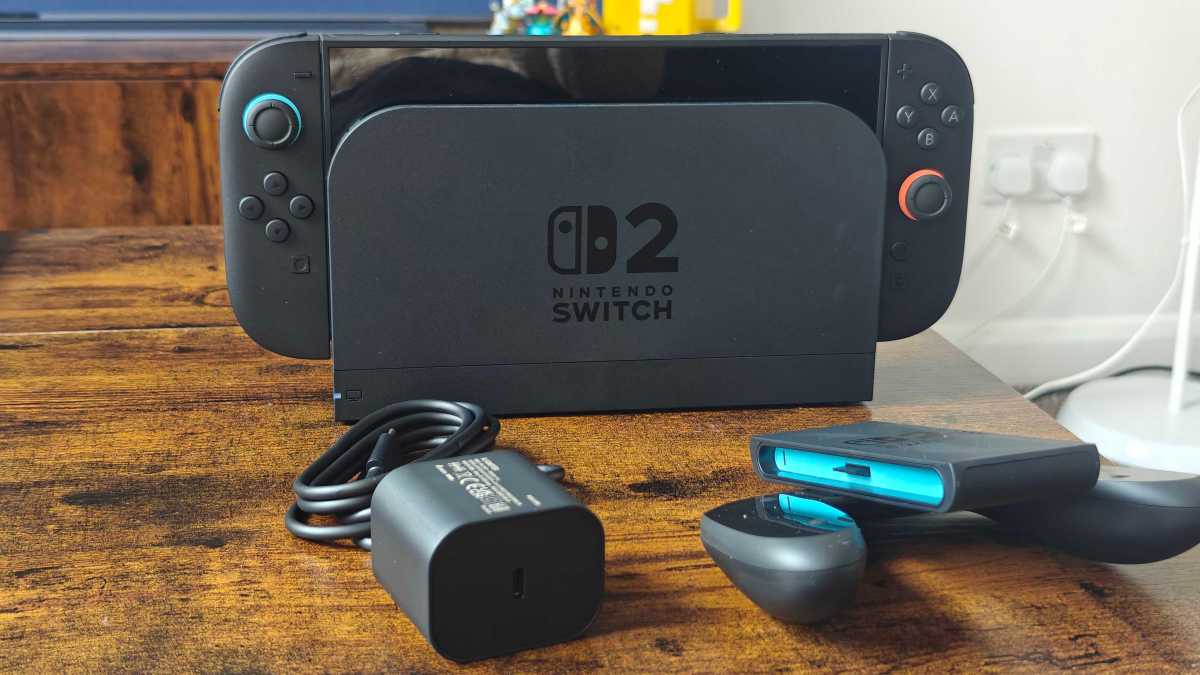
1:59pm – And that’s everything in the box (UPDATE: I missed out the HDMI cable and Joy-Con attachments in my earlier entry, apologies for that). I started to try and dock the console, and it gave me a prompt to attach the Joy-Cons, which I did. That snap still remains satisfying.
A soon as you do this, the console will start to initiate the boot-up process, with accompanying boppy music. I turned it off for now, as I want my big TV for that process.
Hannah Cowton-Barnes / Foundry
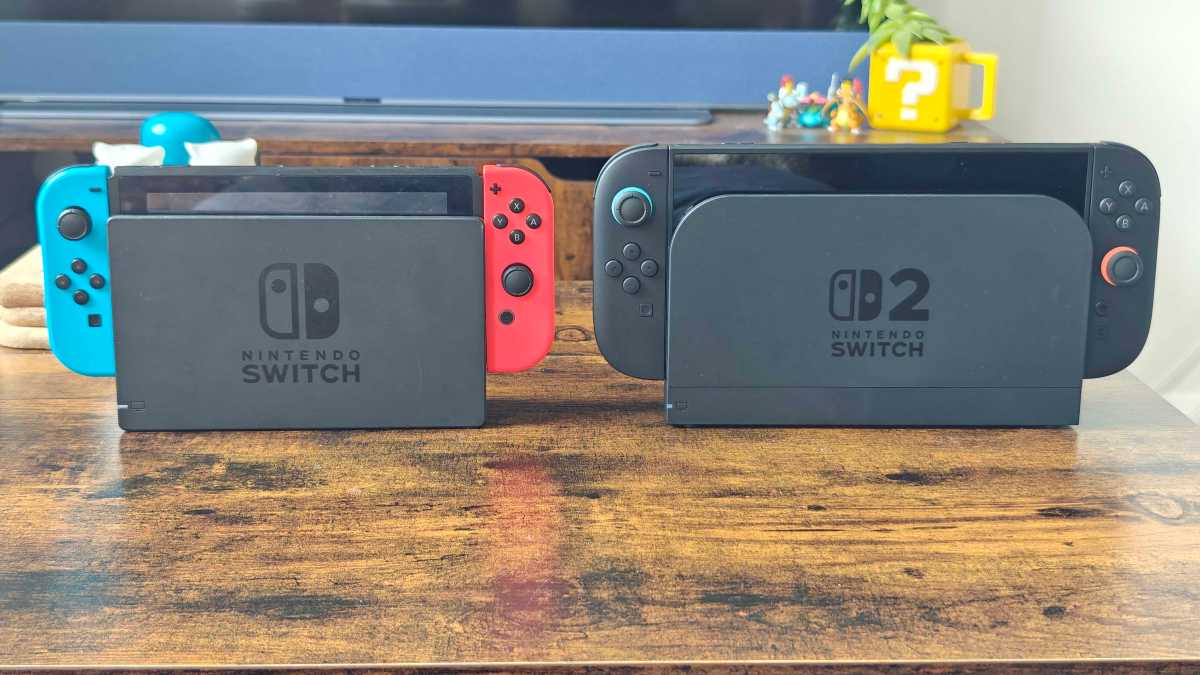
2:06pm – And for reference, here’s the OG Switch next to its successor.
Hannah Cowton-Barnes / Foundry
We already knew about the size difference, but I’m enjoying the changes to the dock in particular. The round edges are a nice touch, although it’s thicker.
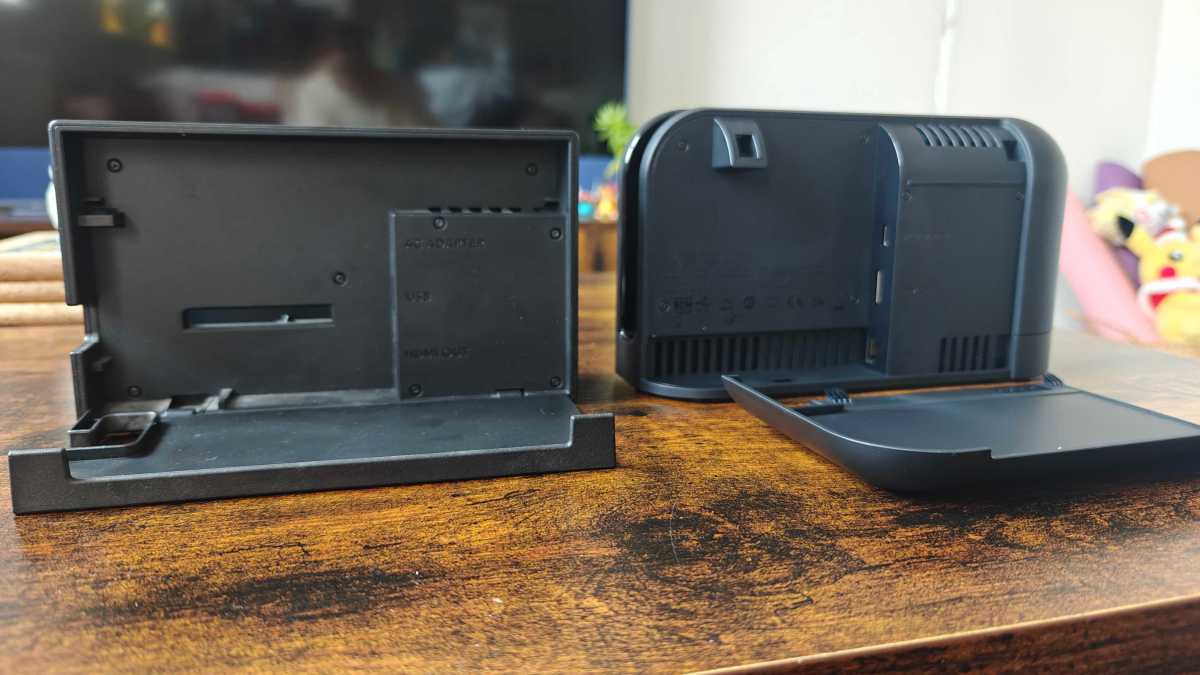
Interestingly, the back panel – which hides away the cables – comes off entirely, rather than just pulling down (unless I’ve broken it… please tell me I haven’t broken it?!)
Hannah Cowton-Barnes / Foundry
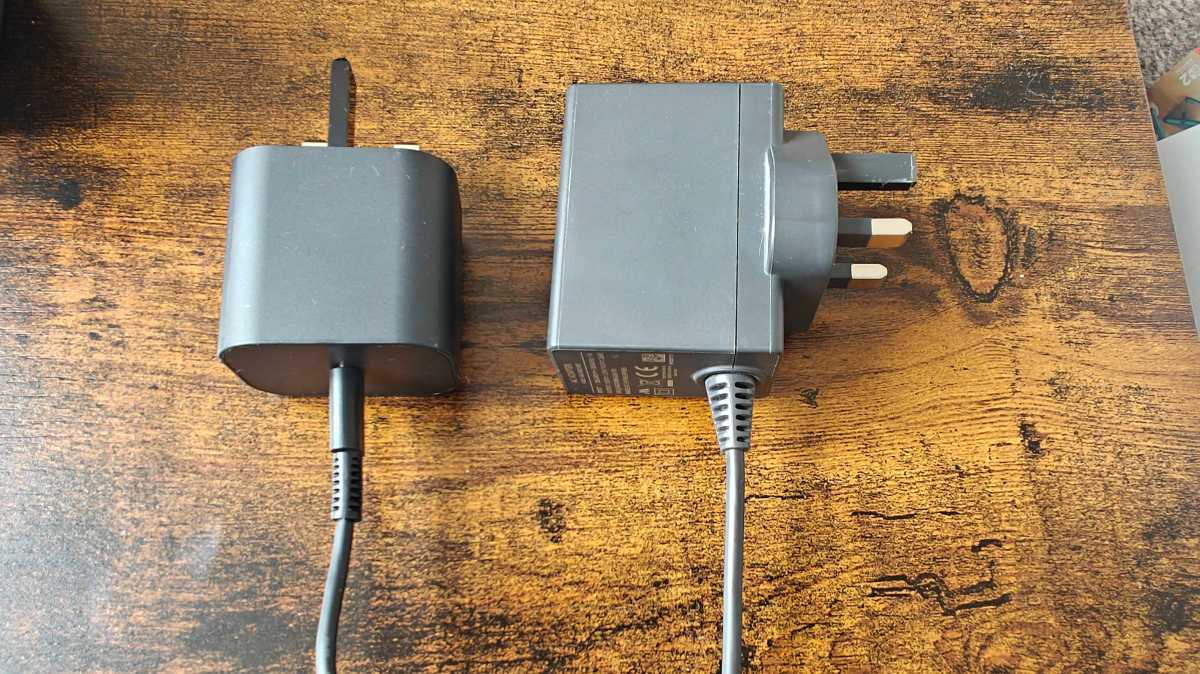
And for those cable lovers out there, here’s the new versus the old. The Switch 2 brick is smaller, sleeker and best of all, that USB cable is detachable. Welcome to 2025.
Hannah Cowton-Barnes / Foundry
Now the great switchover begins – pun very much intended… I’ll see myself out.
Setting up the Switch 2
2:16pm – The Switch 2 is docked (not neatly, but we’re against the clock here), and I immediately tried to pull the Joy-Cons upwards rather than outwards. Old habits die hard.
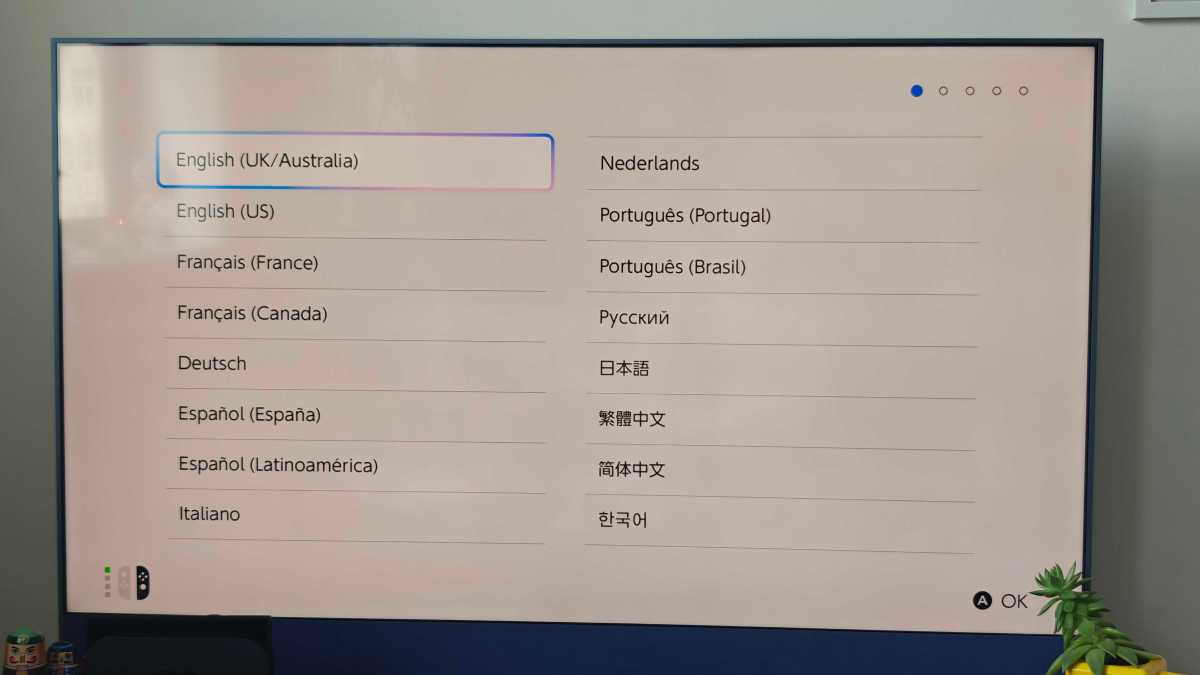
We’re now on the setup page. I didn’t notice anything tricky during the process – here are the steps broken down:
- Set the language and region
- Read a notice
- Connect to the internet
- Let a download happen
- Set the time region
- Click through a basic tutorial on how to play the Switch 2, with an option to view Joy-Con attachment guide
- Update and restart the console
Hannah Cowton-Barnes / Foundry
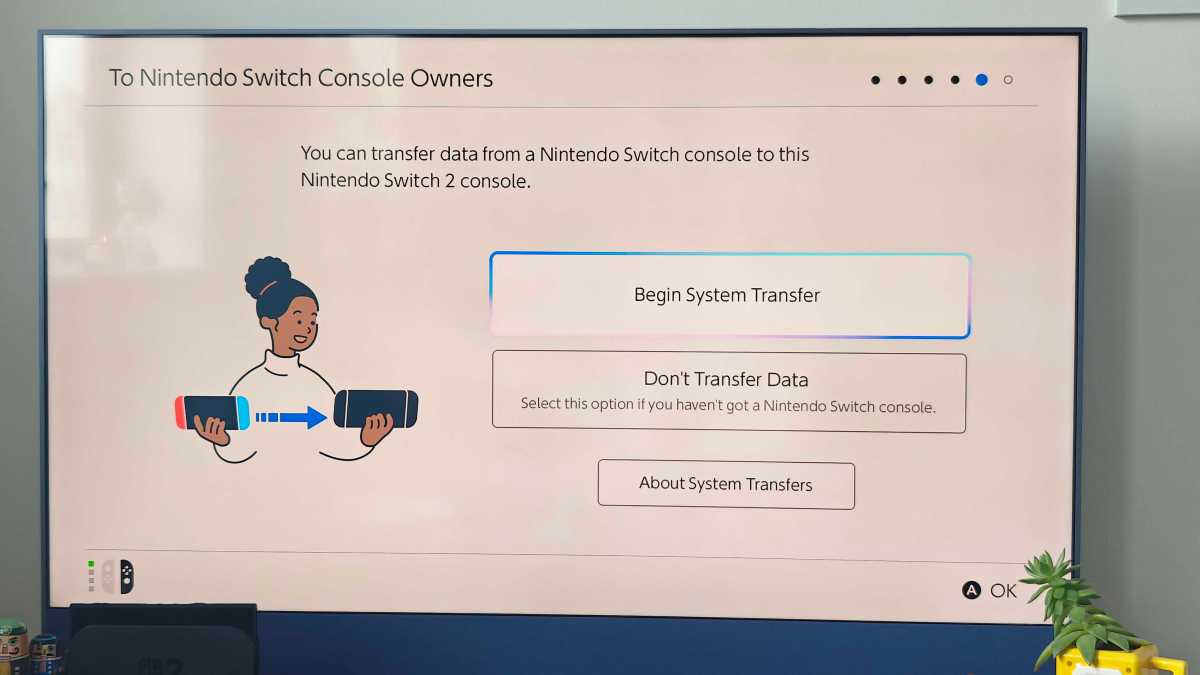
2:22pm – Now’s the time to transfer over your data if you have a previous Switch console. The Switch 2 will walk you through this process, but basically all you need to do is insert a microSD card if you have one, then follow the QR code to sign into your Nintendo account.
Put your source console (in this case, my dinky Switch Lite) close to your new console, and go to System. From there, scroll down to ‘System Transfer to Nintendo Switch 2’.
My Lite had to do a few updates first, and then I followed the prompts once it was ready. It will need to be connected to AC. It took around 10 minutes for the data to transfer before the console restarted.
Hannah Cowton-Barnes / Foundry
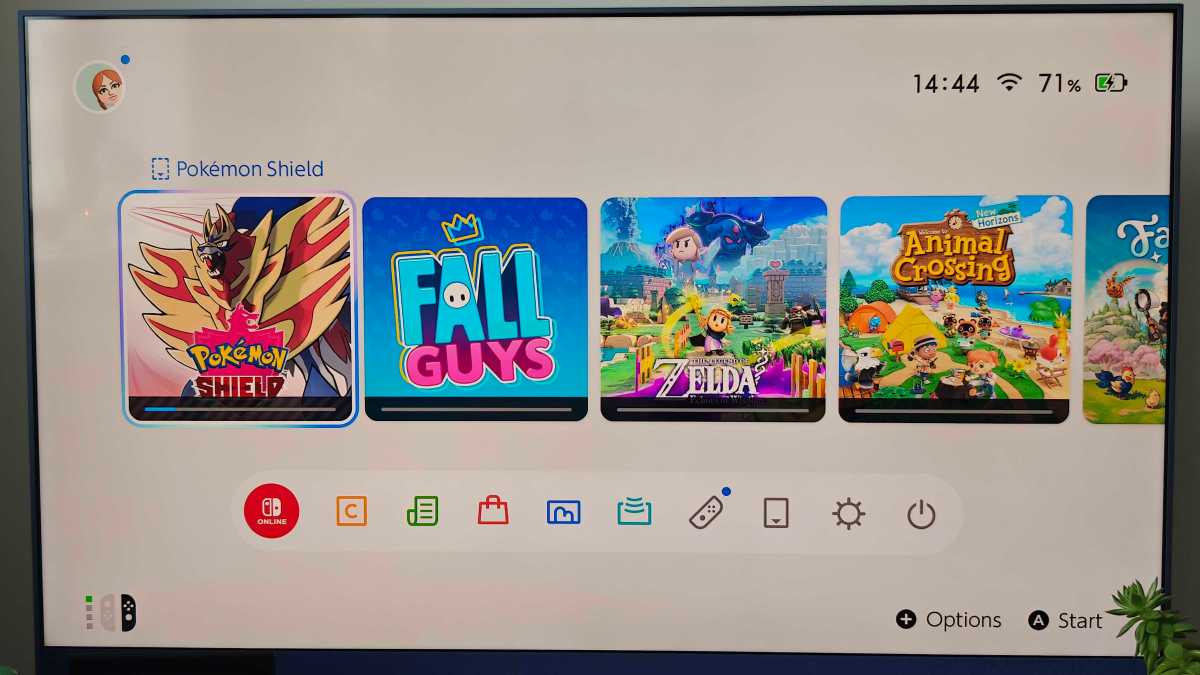
2:44pm – The console booted up with some adorable launch music. Here you can see the redesigned homepage, which is familiar but with a few tweaks. The buttons are now housed in a pill-shaped menu, while the selection ring is now an ambient blue/pink. There’s a dedicated button for Gameshare, and a prompt for trying out mouse control .
I noticed my left Joy-Con wasn’t connected, but the Switch 2 also picked up on this. Just press the trigger on the back, and it should be recognised.
So all in all, my Switch 2 set-up process took around an hour from unboxing to being ready to play … but then again, I was writing this silly highly informative diary and taking photos of cables. You can probably do it quicker.
Now the real fun. Mario Kart World time!
Hannah Cowton-Barnes / Foundry
Mario Kart World testing
3:07pm – I started with Knockout mode, as I didn’t get the chance to give this a go in Paris .
I truly think this will be the way forward for tournaments. The transition between worlds and tracks feels so immersive, like you’re on a real road trip. There are new items like the Coin Shell, which drops coins onto the track, and Dash Food, which unlocks a new outfit.
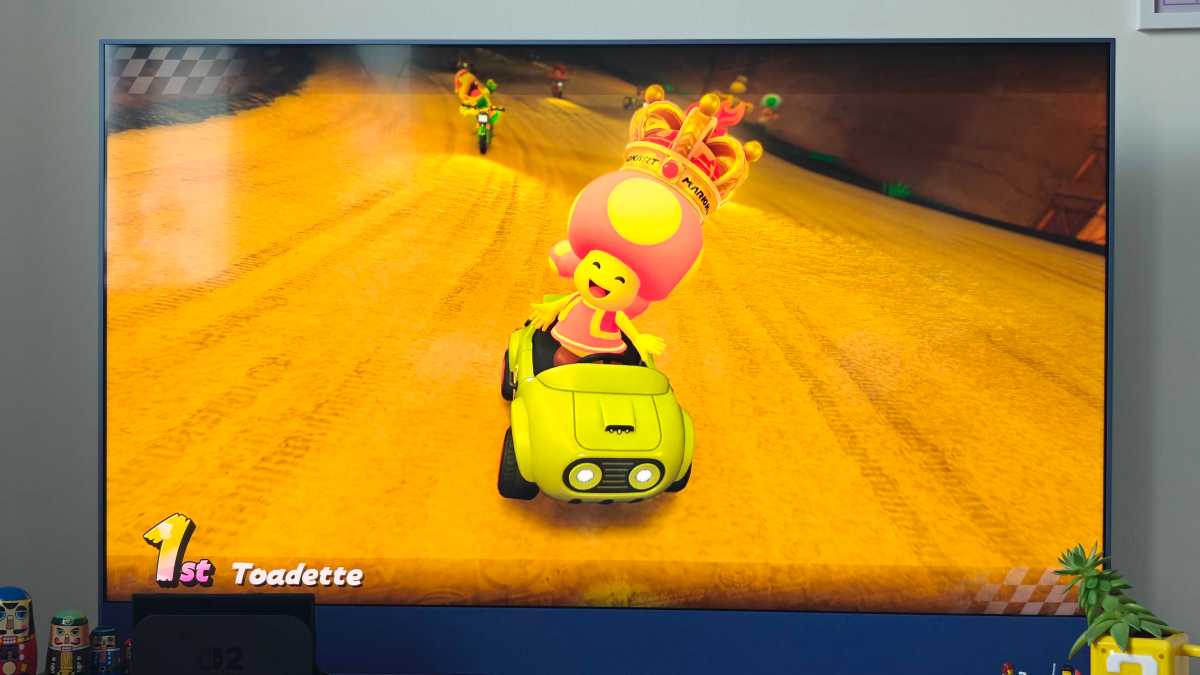
The unexpected weather changes are a nice touch, as is the delightful crown wherever you’re in first place, which obviously, my girl Toadette achieved.
Hannah Cowton-Barnes / Foundry
… Okay, yes, it was on the easiest mode, but I’m trying out the game for work! I’ll try more of a challenge later.
I thought that you may be able to customise your kart like in the last game, but that feature appears to have been removed, which may be a bummer if pimping your ride was a big draw.
As I noticed in my first hands-on, Nintendo is finally next-gen when it comes to graphics. This game looks gorgeous – not photorealistic of course (frightening concept, considering the characters), but that’s not what Mario is for.
3:35pm – I’ve just been exploring Free Roam. I was initially dubious after reading critical feedback this week from reviewers.
However, as somebody obsessed with cosy games, who enjoys wandering around worlds in RPGs with little objective other than to explore the environment, I had a darn tooting good time. I think a lot of players like me, plus kids, will enjoy this style of play if they’re in the mood for something a bit less competitive.
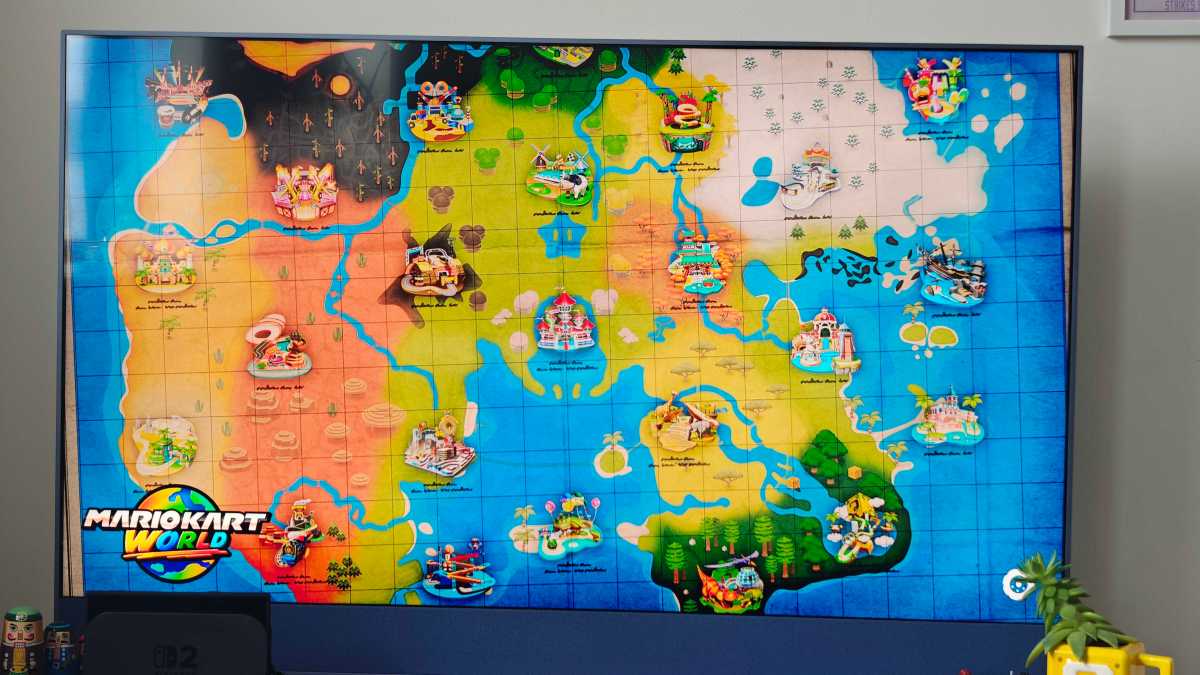
The live map continuously updates when you’re in the main menu, so you can see where other characters are in real time.
Hannah Cowton-Barnes / Foundry
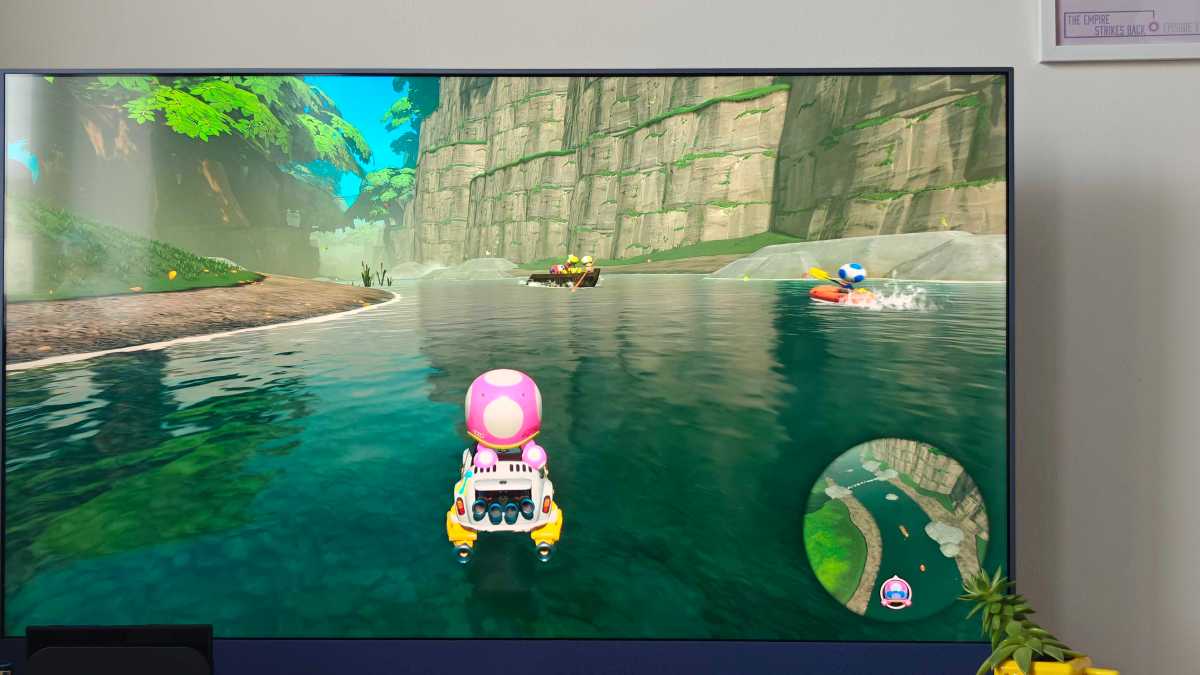
I started off my journey in Acorn Heights and had to train my brain to understand that I could go anywhere I wanted. I headed straight for the river, and was pleasantly surprised to find it buzzing with activity, with a Toad paddle boarding, and several other characters riding the current in a boat.
Hannah Cowton-Barnes / Foundry
It’s little touches like this that make the world feel more alive than ever. However, I will say that some areas do feel more limited and a bit sparse – it’s really dependent on where you go, and I’ve only explored a fraction of the map.
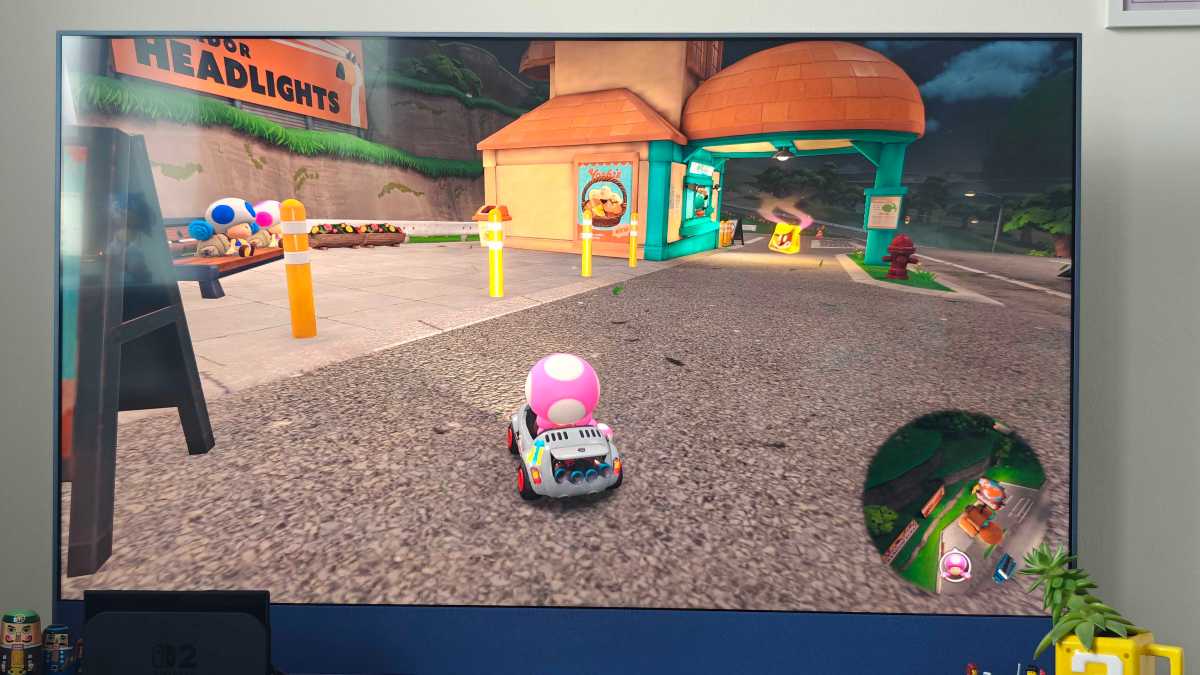
The day-to-night cycle is a lovely touch. As the sky began to darken, I noticed little tents and campfires next to the river. If I’m being picky, it would have been even better to have some form of basic interaction with these NPCs, no matter how small. Maybe they could give tips on the area you’re in, or share some lore about the world of Mario Kart.
Hannah Cowton-Barnes / Foundry
The P Switches are a neat mini game addition, and include things like collecting coins before the timer runs out, or racing to the top of a view point. If you don’t complete a challenge, no stress. You can either click in the L button to retry, or move on if you’re getting miffed off.
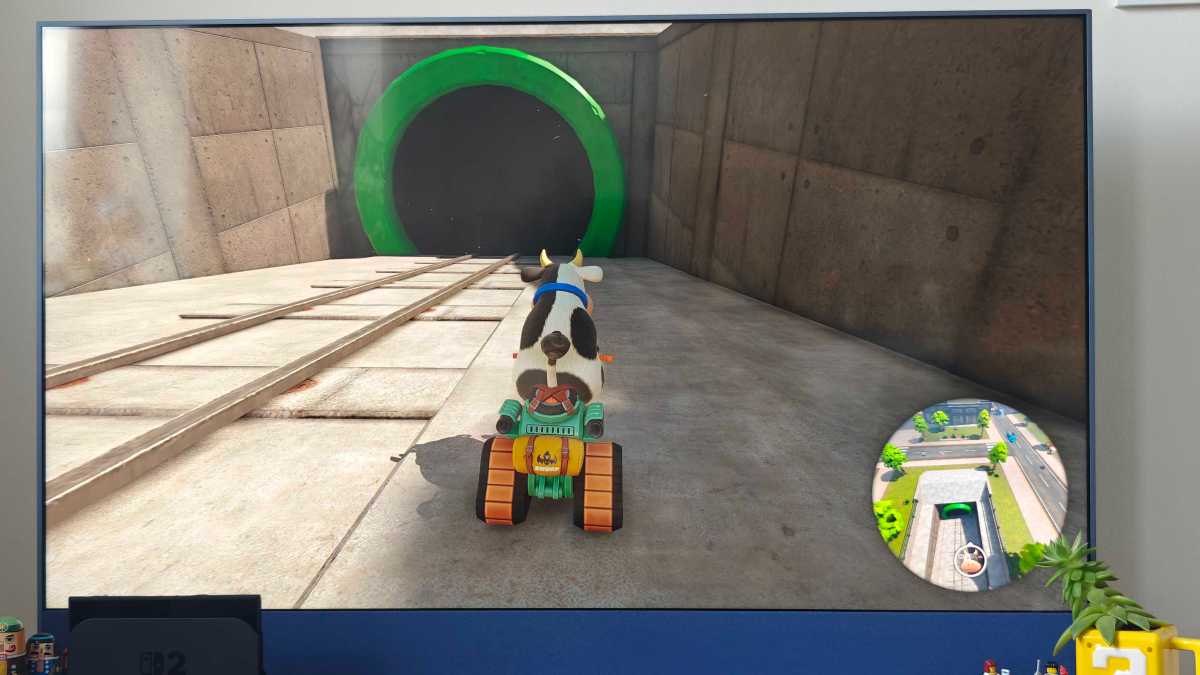
There are many collectables such as ? Panels and Peach Medallions, as well as piles of coins. Pipes are also a fun way to get from one part of the map to another, while some characters become part of the track. For example, there’s a Whomp that lies down to become a ramp.
Hannah Cowton-Barnes / Foundry
You’ll see below that I made a pitstop at Yoshi’s – which offers one Dash Food item ready to collect. Again, some form of basic menu that you could click on and use your coins would have been a nice addition.
My time is fast running out, so I’m going to give the Grand Prix Mode a go and will be paying particular attention to the Switch controls here.
Hannah Cowton-Barnes / Foundry
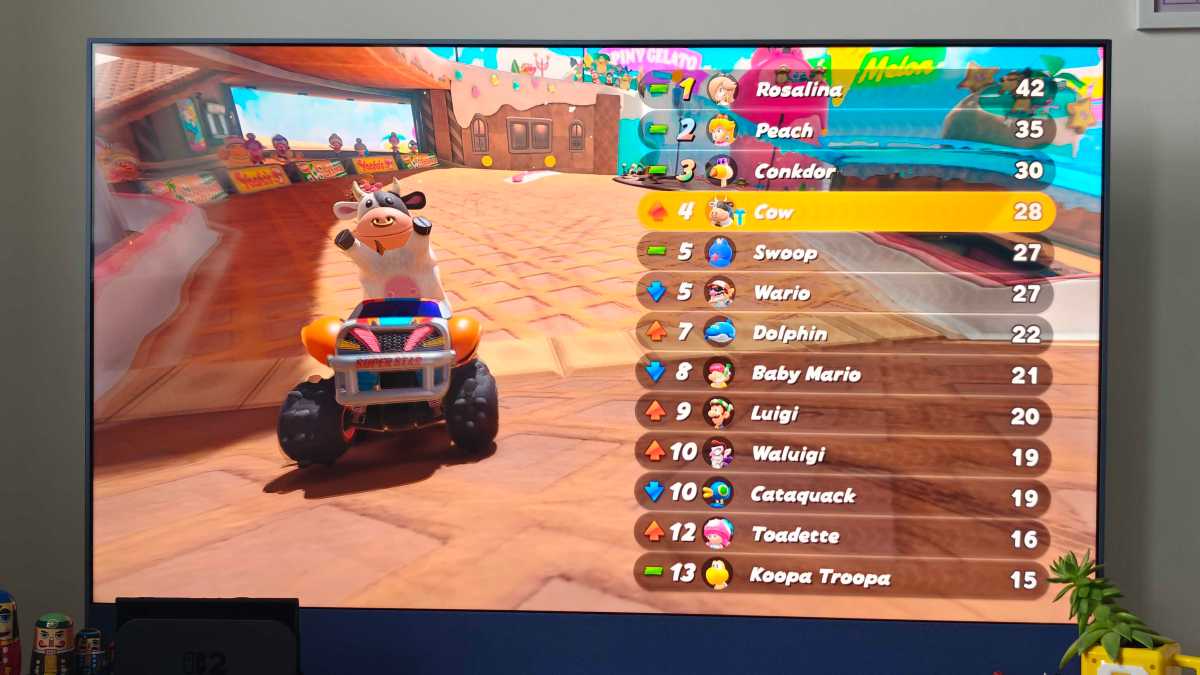
4:04pm – This time I played as the absolutely ridiculous new character Cow (who I’d die for), and completed the Star Cup. I just made the podium in bronze, but considering I upped the difficulty to 150cc and I’m new to this game, I’m happy with a third-place finish.
This mode will be familiar to most Kart fans, and new additions like the running start and animation details give this type of racing a fresh lease of life… but in all honesty, I think Knockout is where it’s at.
Handling of the Joy-Cons – now in their holder – felt steady, secure and responsive. However, my controller holder was warm to touch after an hour’s playtime. The rubber on the Joy-Cons also feels smoother to touch than that of the OG Switch – but that may be wear and tear on the old console.
Hannah Cowton-Barnes / Foundry
4:09pm – Here are my current last thoughts, after my first three hours. If you love Mario Kart, this console is worth buying.
Nothing beats racing in 4K, and the world is so alive and joyous. Knockout mode will completely change professional gaming tournaments, while Free Roam is a stellar option for cosy gamers and younger players, even if it could have some improvements to add to the immersion.
But this is just the beginning! Tomorrow I’ll be digging into GameChat, the graphics improvements and battery life, so stay tuned to Tech Advisor’s live blog for all things Switch 2.
Day 2 with the Nintendo Switch 2
Battery life and handheld mode
7:45am – Good morning! Right now I’m finding out how battery life fares – I’m starting playing in handheld mode. While this console shines on the big screen, the actual 7.9-inch LCD display is, as my husband puts it, “f*cking gorgeous”. I know some fans will be disappointed with the lack of OLED, but rest assured, this is a step up.
We’re starting at 97% of battery, with brightness on automatic and sound at about 90%.
If I’m being completely honest, I forgot to take a photo this morning of the full battery, so instead enjoy this screenshot of Cow mid-jump, proudly showing off her udders, with her cattle buddies in the background.
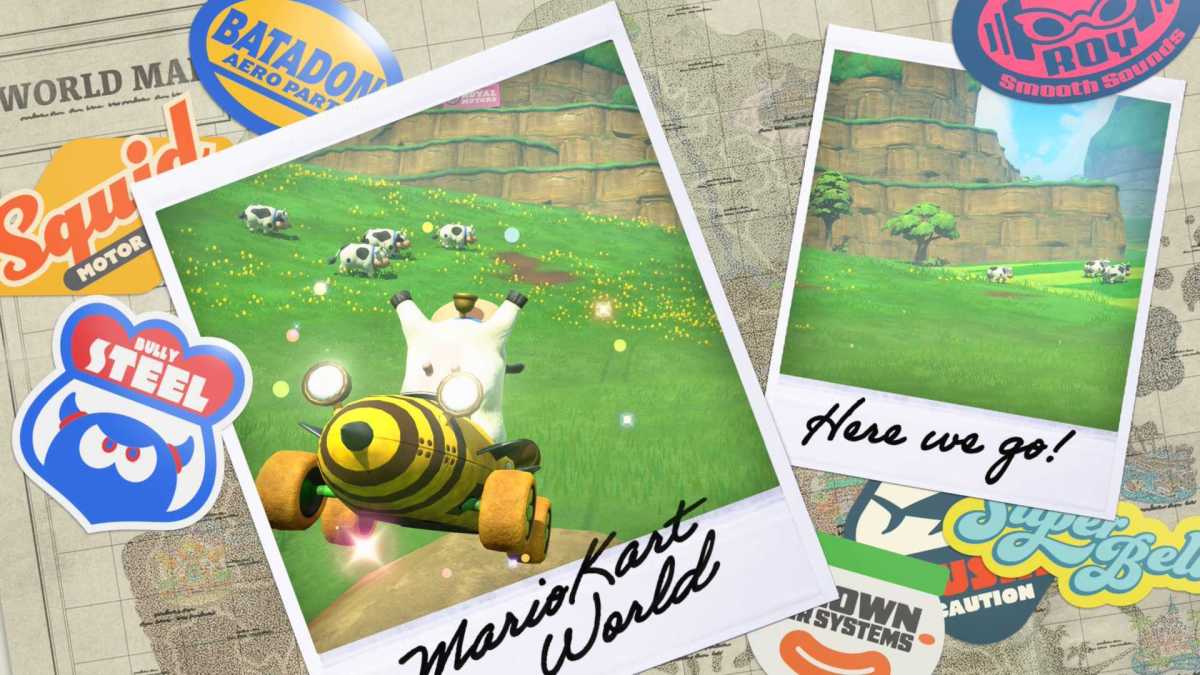
NSFW?
Hannah Cowton-Barnes / Foundry
9:15am – Bang on an hour and half (90 minutes) into play time and we’ve lost 50% of battery life . For reference, that’s mostly playing Mario Kart World, but I also switched to Fall Guys and Animal Crossing: New Horizons towards the end.
Maths would therefore suggest that the battery would only last for three hours total if I kept playing those same titles and kept the brightness and sound levels the same. This is something I’ll keep in mind as a benchmark when I get to my full review.
Nintendo’s website casts a wide net on its battery life estimate, with a range of around 2-6.5 hours, so it hasn’t misled us. The brand just says that it depends on the game.
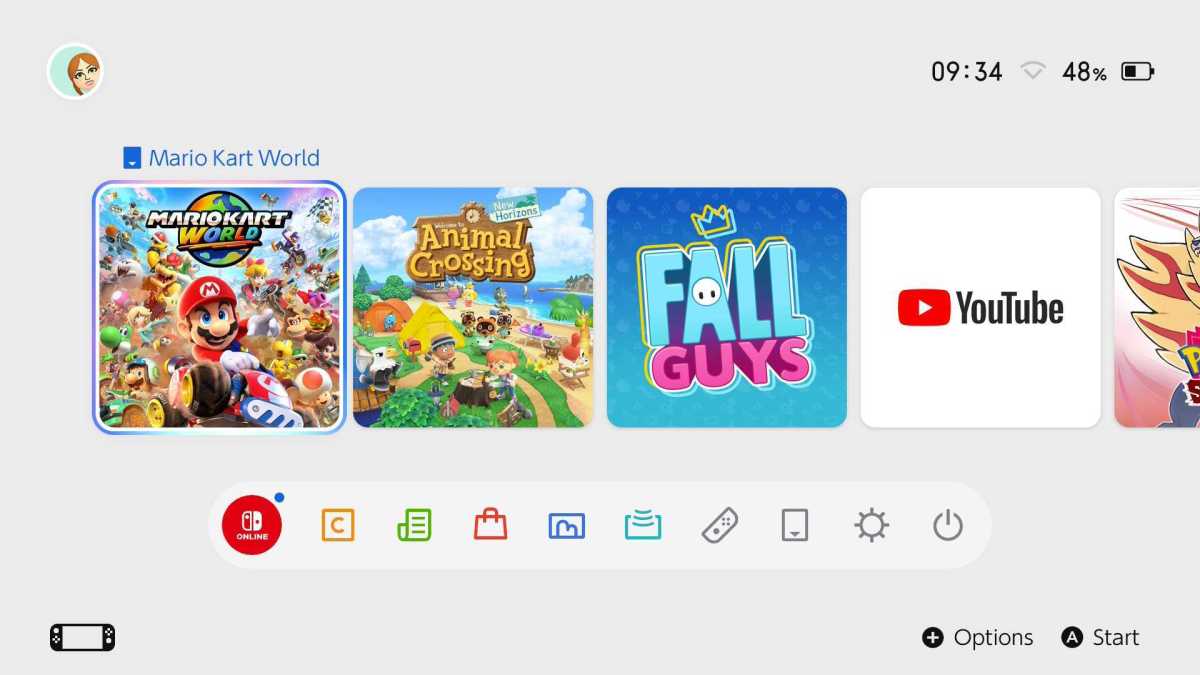
Yes, I know the timestamp is later than my entry – I went to make a coffee and turned the console off as soon as the battery life hit 50%, don’t @ me.
Hannah Cowton-Barnes / Foundry
I bet that something like Mario Kart World, which really takes advantage of those new graphics and hardware, drains it fast. It seems about on par with my husband’s OG Switch… but that’s a much older console.
Simply put, if you plan on taking this console travelling, I’d suggest bringing the cable, and a power bank if you have one.
As for using it in handheld mode, I had a slight ache in my hands at first… but I was playing the console flat on my back after just waking up (very mindful, very demure). Once I sat up, the Switch 2 was as comfortable in hand as I remember it being when I demoed it in Paris.
The Switch Lite is, obviously, better for this style of play because of its lighter and smaller build. However, for a console this big, the lack of heaviness and slim form factor is welcome.
10:03am – I’d also like to note that while titles adapted for the Switch 2 look incredible, those that aren’t optimised yet have a notable drop in quality – particularly third-party title Fall Guys, which seems to have the same lag and fuzziness as when I played it on my Switch Lite, when compared to my Xbox Series S.
Of course, it is day one of this new console hitting shelves, so hopefully, studios such as these will release software updates to better take advantage of the hardware.
New Horizons was as charming as ever, but knowing the visual enhancements that are coming to The Legend of Zelda titles, I’m really hoping there will be a Nintendo Switch 2 Edition for Animal Crossing. As one of its bestsellers, it surely deserves one.
Nintendo e-Shop
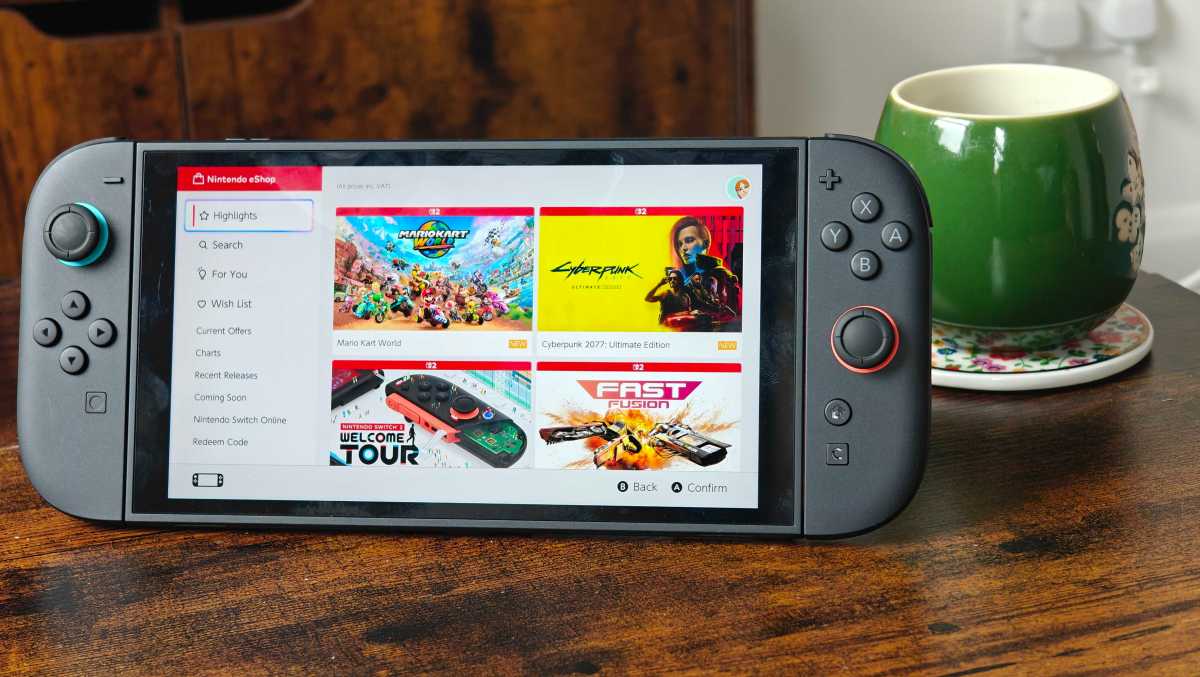
11:00am – Took a bit of time between writing and editing other bits (I can’t just completely stop working for this console, boooo) to have a look around the new Nintendo e-Shop, and wow. What an improvement.
The loading times are so much faster – they’re genuinely nippy. Scrolling between games is as exactly as it always should have been. This was one of the real frustrations of using the Switch 1, so I’m glad to see Nintendo has spent time refining this experience.
I was excited by the ‘For You’ section, to see what kinds of games it would suggest based on genres I like. However, rather than showing the titles in a grid format as they are on other parts of the site, a game takes up the whole screen and the trailer automatically plays, and you’re forced to scroll between them.
Hannah Cowton-Barnes / Foundry
Plus, most of my suggestions are in the action/adventure camp – no cosy suggestions, despite me owning Animal Crossing, Wylde Flowers, Palia and Cat Cafe Manager. Granted, these should refresh every Saturday, so I’ll see what comes up in the future.
While we’re on the topic of apps – the Switch 2 YouTube app doesn’t appear to be working at the moment . I tried downloading it again, and still nothing. Hopefully, this will be fixed soon.
Nintendo Switch 2 camera and GameChat
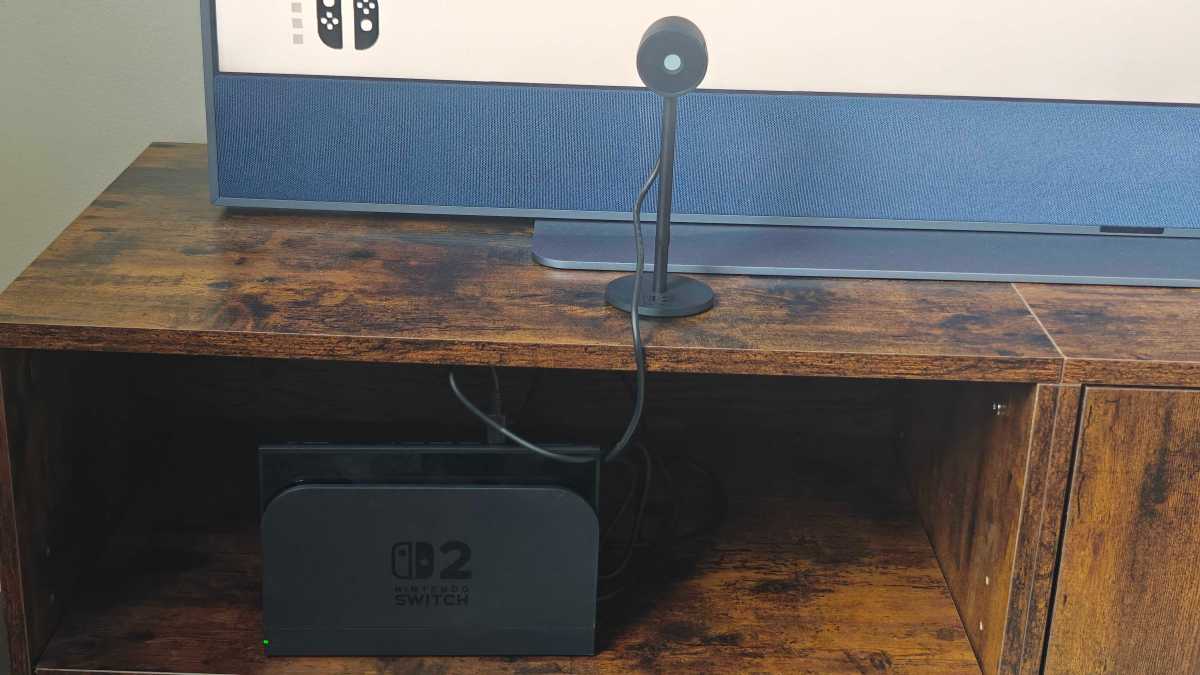
12:27pm – I’ve just unboxed the Nintendo Switch 2 camera, which FYI costs an extra £50.99/$54.99.
If that’s too pricey, then UK buyers can also opt for a Pirana Plant version for £33.99. Besides having a lower resolution and no privacy shutter, I suspect some people will be put off by having something that’s a tad ugly on their TV unit (although I’d like it on record that I, of course, think it’s stunning).
The first thing I’m noticing is the USB-C cable. It’s not very long, and if your TV is a bit further away, for example, if it’s wall-mounted, this may pose a problem. The manual advises to only use the cable provided with this accessory, but I suppose if you’re struggling, you could try a longer compatible one.
Note that you don’t need the camera to use GameChat. If you don’t buy it, your calls will just be audio-only.
BRB – going to set this baby up.
Hannah Cowton-Barnes / Foundry
2:24pm – Before you panic at the time stamp, setting up GameChat did not take that long. However, I had an issue connecting my phone number for verification when enabling it for the first time.
I went for lunch as I had important life things to take care of (not only sandwiches), and when I came back – hey presto, it worked.
To break this down into simple steps, I pressed the new C button on the controller, which then opened GameChat for the first time. I then followed the prompts on screen, which included scanning a QR code to log in to my Nintendo account.
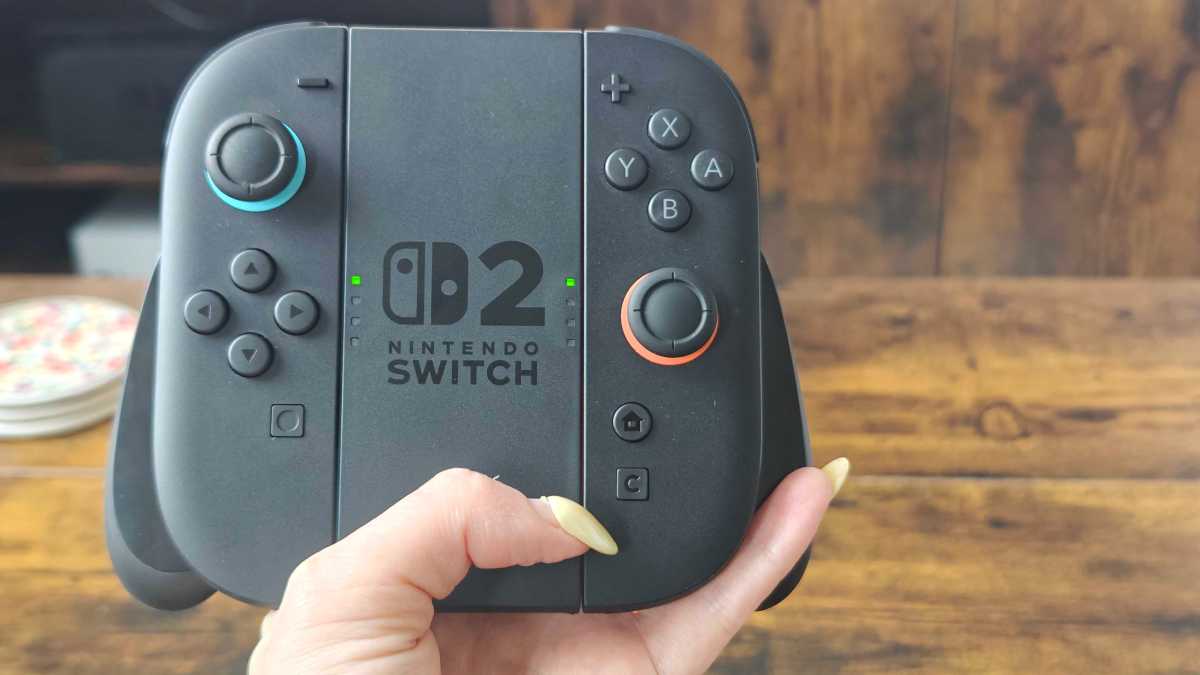
I really need my nails doing – apologies
Hannah Cowton-Barnes / Foundry
From there, I had to verify both my email address and phone number. As I mentioned earlier, I had initially had problems with the latter, but after a break, it worked. So, if you’re having trouble, take a step back, get a coffee, and try again. If that doesn’t work, contact Nintendo’s help centre.
GameChat is now (hopefully) enabled. I had the option to choose which friends have access to it, and by default, any new friends who add me can join or invite me to a call – audio or video.
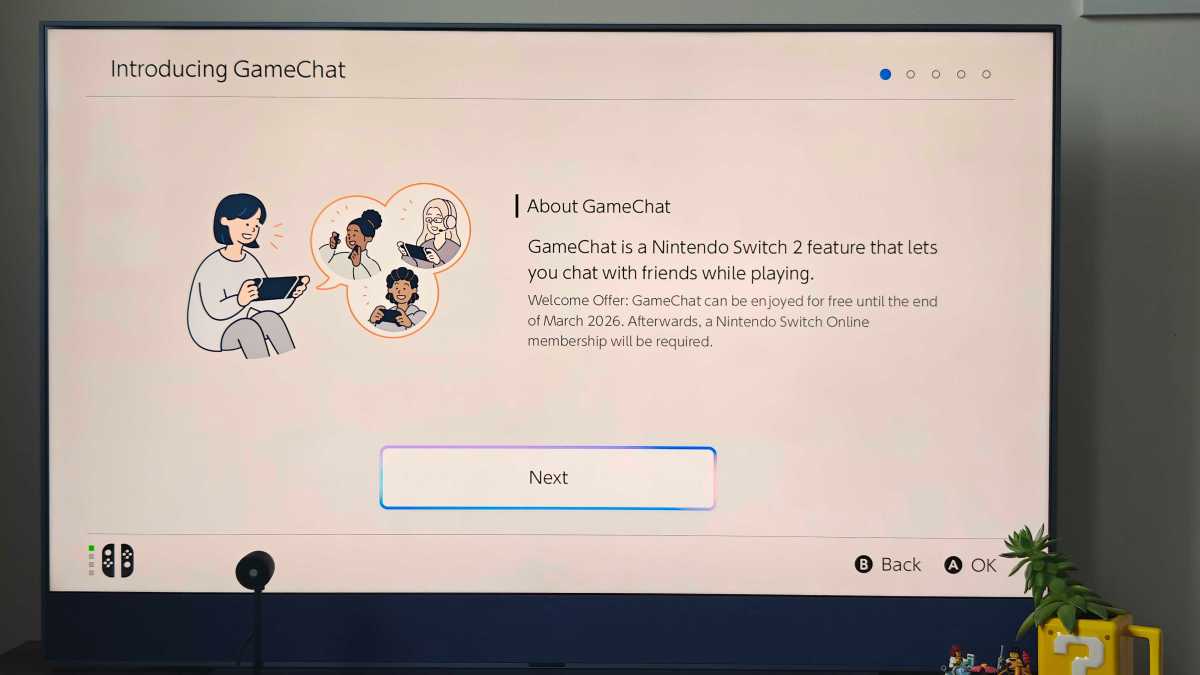
Hannah Cowton-Barnes / Foundry
2:35pm – Before you join a call, you may want to give that camera a whirl to see if it’s working properly.
Make sure you’ve plugged it into the Switch’s USB-C port (the new one on the top is designed just for this). Then, head to System Settings, Controllers & Accessories, and scroll down to Test USB Camera.
From there, your screen should display the feed. If it’s anything like mine, it will appear black. Before you immediately send that camera back for a refund, it looks like the privacy shutter is enabled out of the box. Just twist the dial on the front of the camera, and the white lens blocker will be removed.
Then, you should see yourself. Smile for the mug shot!
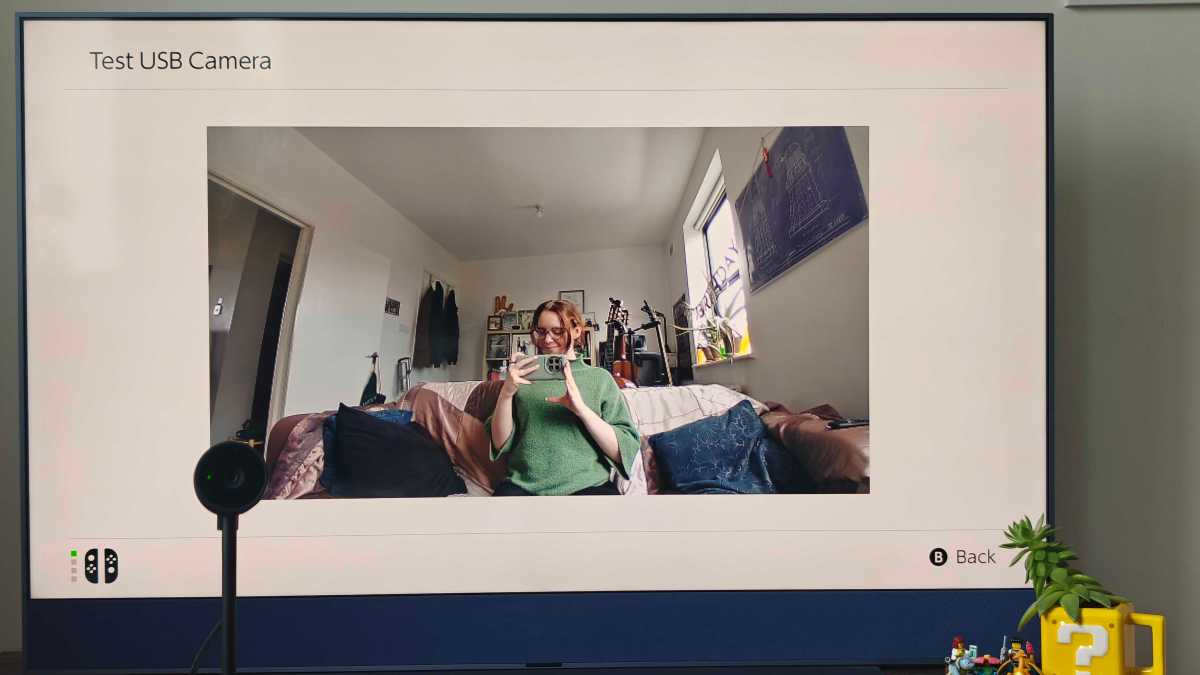
We’ve had that ‘Happy Birthday’ banner up two months longer than we should have… but I’ve got more important things to do
Hannah Cowton-Barnes / Foundry
I’d like to note that two minutes after this photo I went to adjust the camera and accidentally pulled my Switch 2, dock and all, off the unit with an almighty crash. Clumsiness is not a winning trait for a tech journalist.
3:38pm – My first GameChat session is officially done, and I have to say, I had more fun than I was expecting.
When you click the C button, you’ll select your profile and hit Create Chat. You can then select the friends you want to invite.
Joining the call itself was largely straightforward. Once you’re in, you have the option of adjusting your camera setting to either blur out your background (although it looks a tad amateur), to show everything in the camera’s field of view, or just centre in on your face – I’ll be the first to admit that the latter is unflattering.
You can also choose to zoom in and out as much as the camera allows, and you have the option to share what’s happening on your screen.
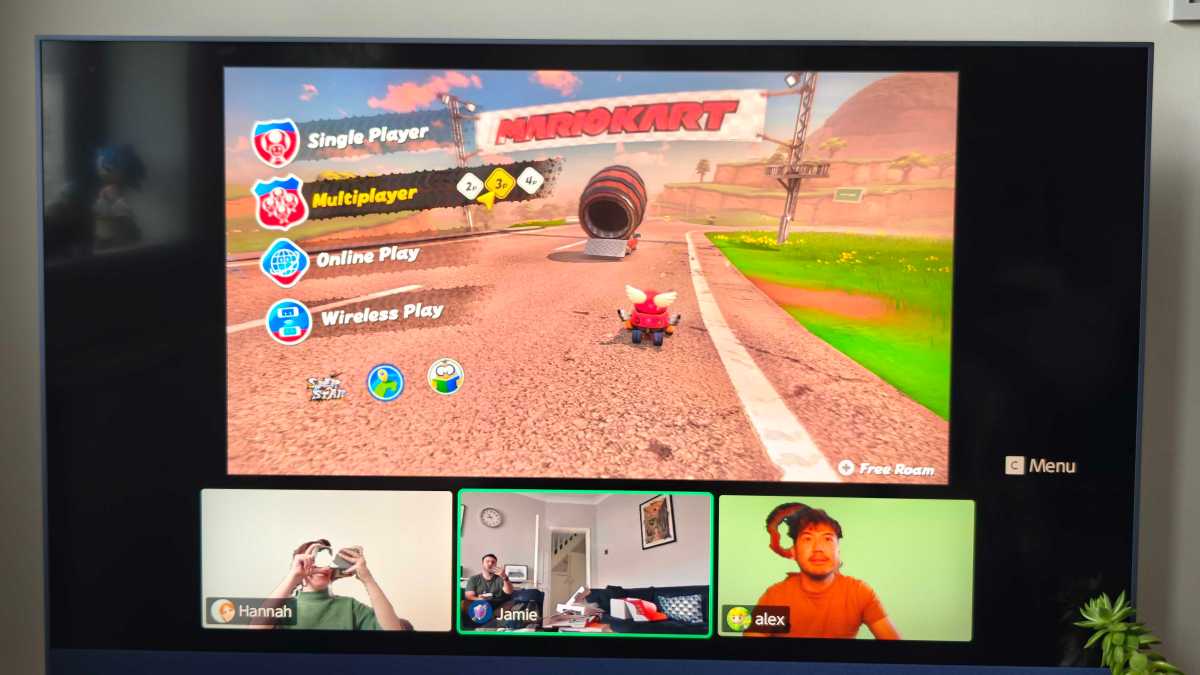
Hannah Cowton-Barnes / Foundry
After a few teething issues, my lobby of fellow tech hacks all joined together. At first, we were a bit perplexed on how to start a game (which, given our profession, we all agreed was rather embarrassing). So, I’m adding the instructions below.
If you want to play Mario Kart World online with friends, here’s what you need to do, once you’re all together in a GameChat call:
- Click on Online Play (1p)
- Choose whether to use the camera
- Click Create Room
- Choose your character and kart
- Friends on the call should then be able to join your room
- Once everyone is in, start the race
We played Knockout mode, and it didn’t take long for us all to start red-shelling one another. There’s no room for politeness in Mario Kart. The noise filtering on everyone else’s games seemed to work a treat, and I had no issues hearing everyone on the call. People’s video feed appears over their character’s head, which is a nice touch.
It was a remarkably close race, and I thought for a moment I was going to clinch the win… but a rival managed to pip me to the post. Fair play.
The real question is: how much value does the camera add to GameChat? If this were a Covid lockdown accessory, I’d see it being very popular. But £50/$50 is a big ask on top of the console and this pricey game.
I’d argue that you can have just as much fun bantering over audio in a game like Mario Kart, where most of your focus will be on the race itself anyway. I’d only invest in it if you have long-distance family members and/or friends that you don’t get to see often, or once another game comes out which uses the camera to more of its potential – like the Switch 2 version of Super Mario Party Jamboree.
4:22pm – Before I close out today’s diary, I’d like to end with some more thoughts on Mario Kart World, after consulting a big fan of the series.
The biggest positives about this game so far are:
- The visually stunning world
- The improvements made to tricking
- The photo mode
- The side missions
- Adding stickers to your kart
- The character selection is solely from the world of Mario
- Remakes such as Peach Beach build on originals extremely well
- The roster unlocks slowly, unlike Mario Kart 8
- So many throwbacks in the music, which sounds incredible
- New characters like Snowman and Cow are iconic
But like all games, it’s not without drawbacks. Here are the biggest negatives we’ve noticed about Mario Kart World:
- Drifting is much tighter than Mario Kart 8
- No customisation to karts
- Not as many new items as expected
- Battle mode only has two options at the moment
- No way of listing the music, and choosing a custom track for a race/roam
- Free roam doesn’t have local multiplayer, which feels like a major oversight
- Track selection is a little on the low side, especially compared to 8 Deluxe
- Rail grinding doesn’t really require much skill
- Water and air travel can feel a tad sluggish
I believe lots of these changes, like the drifting and changes to karts, were made with younger players in mind. For example, you no longer need to drift around every bend and turn – you can just use the joystick, although you will lose out on a speed boost.
Therefore, if you adored Mario Kart 8 for its customisation and complex racing techniques, this may feel like a big shift. However, drifting is just something that users will acclimatise to over time.
And that’s all for today folks! Tomorrow, I’m planning to give some thoughts on the Pro Controller, the mouse controls on the Joy-Con and a few other titles that may or may not involve Koroks.
I’ll leave you with this tabloid headline of Cow I saw in Mario Kart World. It’s disgusting the lengths paparazzi will go to these days for an embarrassing cover photo.
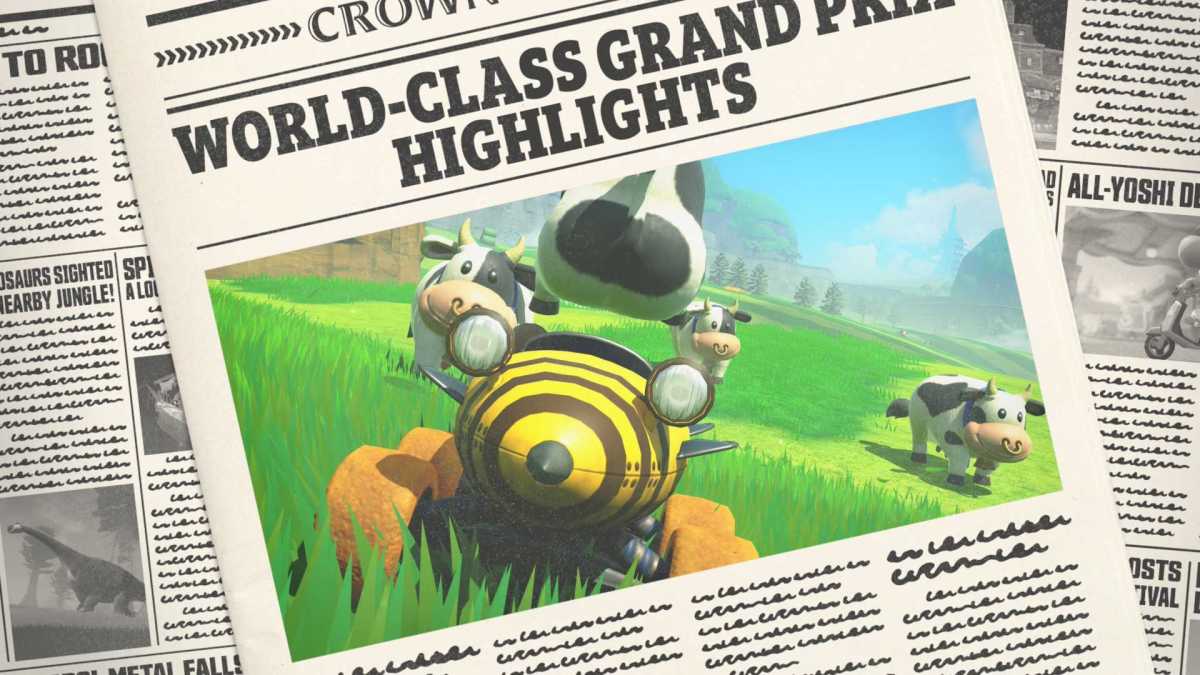
Someone needs to take photo mode away from me
Hannah Cowton-Barnes / Foundry
Day 3 with the Nintendo Switch 2
Mouse controls
8:52am – Another day, another session exploring Nintendo’s latest console for your reading pleasure.
This morning I’m going to log some thoughts about mouse control. I already went into the potential of this feature for my hands-on in Paris , where I played demos of Metroid Prime 4: Beyond and Drag X Drive, just two of the games that take advantage of this new technology.
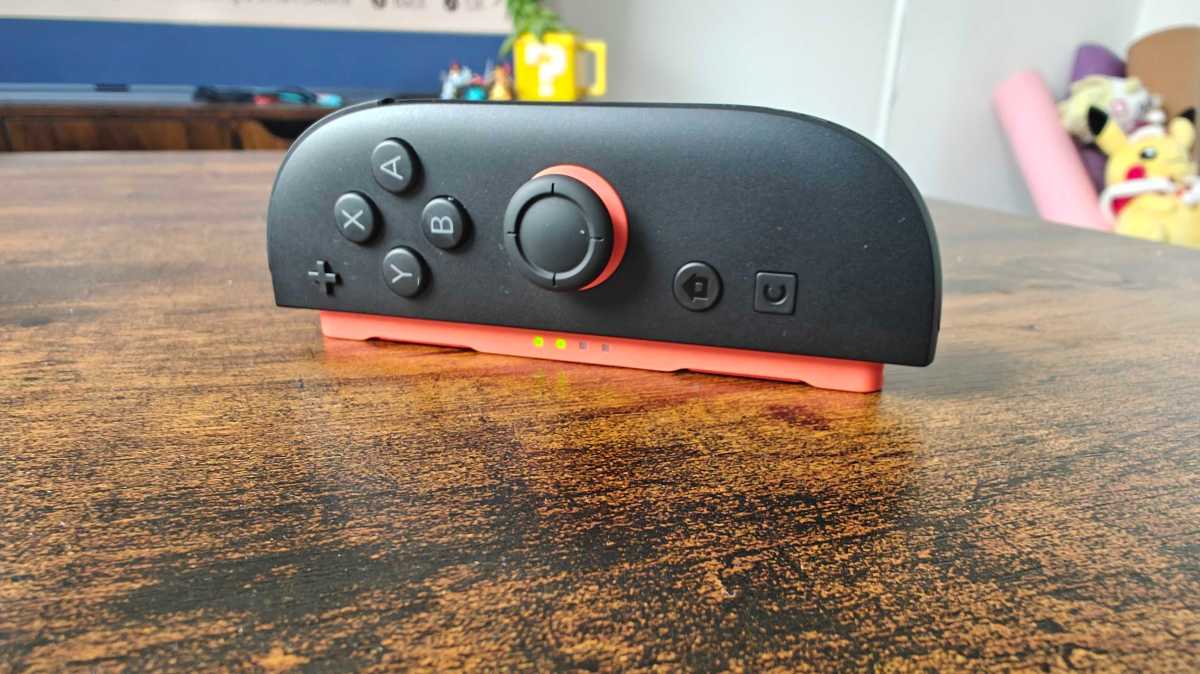
Hannah Cowton-Barnes / Foundry
I’ve already found one way that this will be useful for all Switch players, and that’s in the Nintendo eShop. If you’re sick and tired of using your controller to manually flick between the keyboard when typing something in the search, then let me tell you, the mouse control changes the game.
Long codes that would otherwise have taken me an age to type out happened extremely quickly because my mouse could zip straight to each letter.
But time to actually try this out in a game… and what better than Nintendo’s dedicated walkthrough of the console?
9:17am – The Nintendo Switch 2 Welcome Tour is essentially a tutorial on steroids. This title replicates a gigantic digital version of the console, where the player (you) can walk over to different features to identify them, test them and even take a quiz on them.
I do maintain that this game should have come with the console as standard rather than being an extra £7.99/$9.99, but if you’re not sure which features are what, or you’re just very interested in all the bells and whistles of this swish new tech, then you may consider giving this a whirl.
The main reason I wanted to give this a go was to see how precise those new mouse controls are. The answer? Very. I tested out a simple game of dodging spiked balls (keep your minds out of the gutter, please), and was able to weave intricately through the teeniest of gaps.
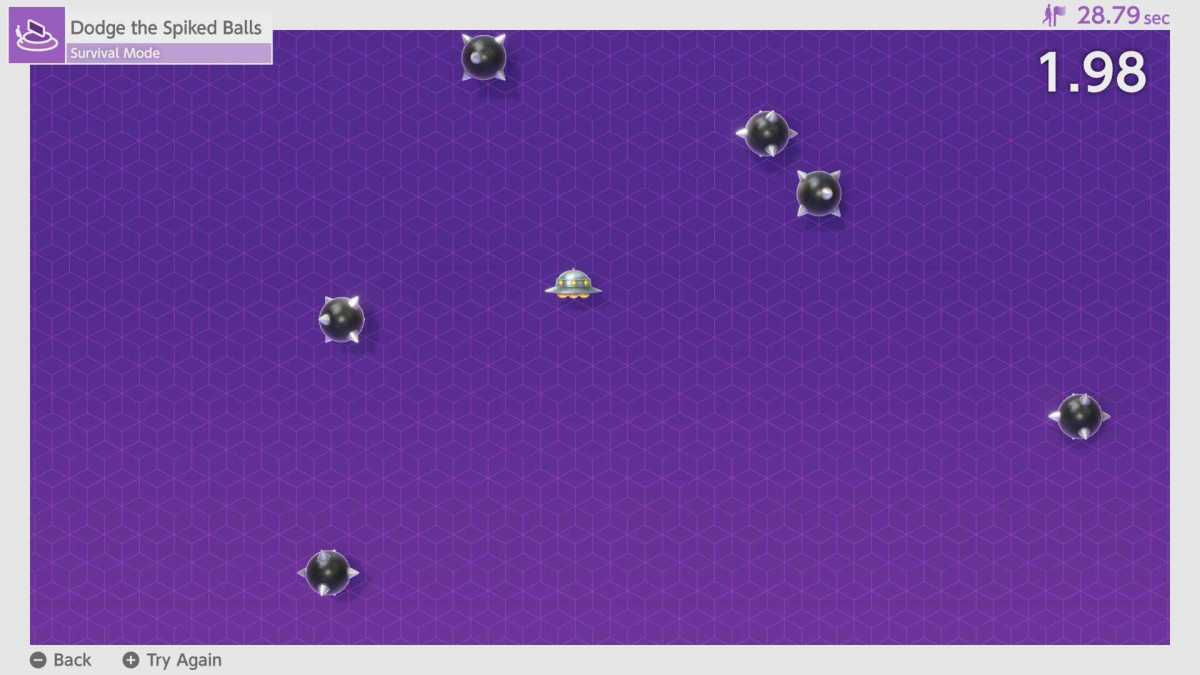
Hannah Cowton-Barnes / Foundry
For FPS titles, this sort of fine gameplay is essential, and unlocks a new way of playing the Switch… basically, like a PC. However, it’s a key advantage over its biggest console rivals to have a controller with this ability straight out of the box.
Now, Nintendo makes a point of saying that if you don’t have a flat surface you can use the Joy-Con on (like a coffee table such as mine), you can use the mouse controls on your lap – but playing this minigame back-to-back on my legs vs a table does show a noticeable difference.
First – and I know this sounds weird – but a lot depends on the type of trousers you’re wearing. For example, if you happen to be in slick leather pants, then your surface should be nice and smooth. However, if you’re wearing something like my linen-blend pair from M&S (no, you’re old) then the Joy-Con simply won’t run as seamlessly. It’s as simple as that.
To boil it down, if you plan on using the mouse controls on the Switch 2, I’d recommend having a flat surface nearby – even if it’s a tray table – for the best experience.
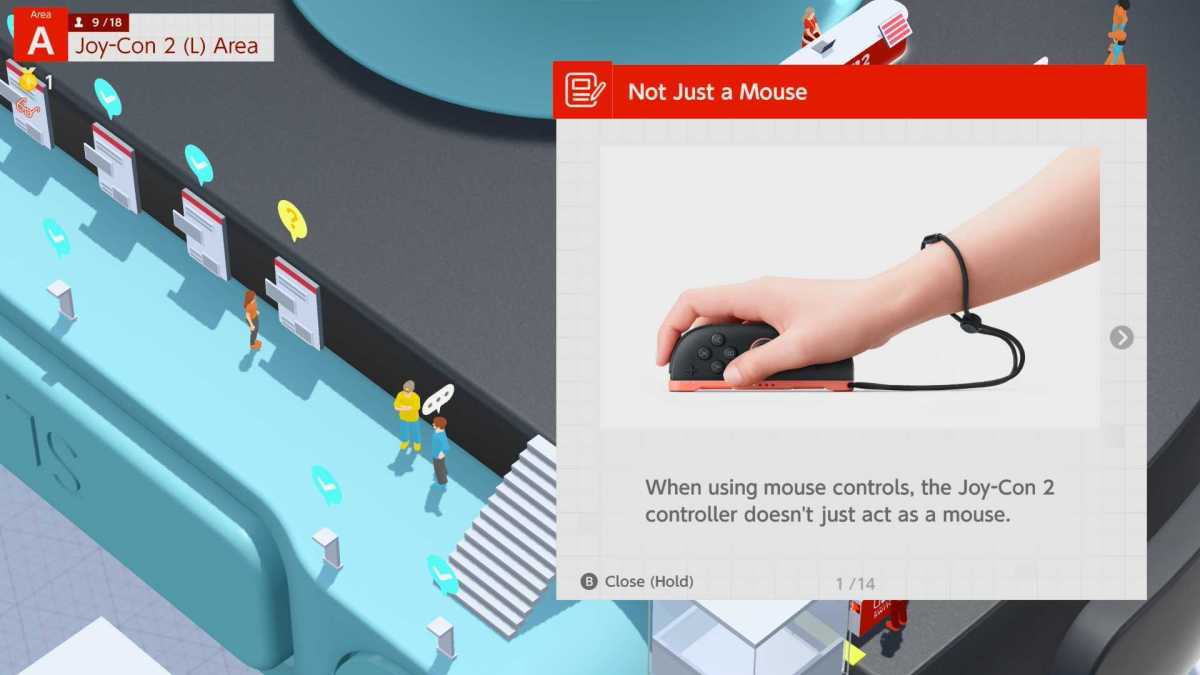
Hannah Cowton-Barnes / Foundry
Graphics
10:26am – I’d like to briefly touch on the graphics upgrade on the Switch 2. I say briefly, because I think this is something I can go into more depth in a full review, but we’re talking a big step up here.
I tested out The Legend of Zelda: Breath of the Wild Switch 2 Edition, and, wow: the dimension this adds to the game. That faster 60fps frame rate is where the real difference lies, with Link’s movements so much more seamless, especially during battle scenes. However, the Korok Forest is an area where most people will see a difference.
I captured some video below to showcase how smooth and seamless this area looks now compared to the chugginess of the original game, with Koroks popping in and out of the frame without a hitch. It’s a joy, and in all honesty, I didn’t want to leave.
Meanwhile, that 4K upgrade and new HDR support means that textures such as grass and brickwork pop more than ever, while shadows, water and mist feel more dynamic and lifelike. Loading times also appear to be quicker between warping.
Some players who have already completed Zelda may not see the value of paying for this new edition, and that’s understandable. Nonetheless, it’s a great case study of what the Switch 2 is capable of, and will still appeal to new players or die-hard Zelda fans such as myself (I have the Silent Princess tattoo to prove it).
Pro Controller
10:54am – The final item I’m unboxing from my Nintendo package is the Switch 2 Pro Controller, priced at £74.99/$84.99. While we all love the new features of the Joy-Cons, there’s no denying that a Pro controller is more comfortable to hold, and generally more akin to a traditional games controller.
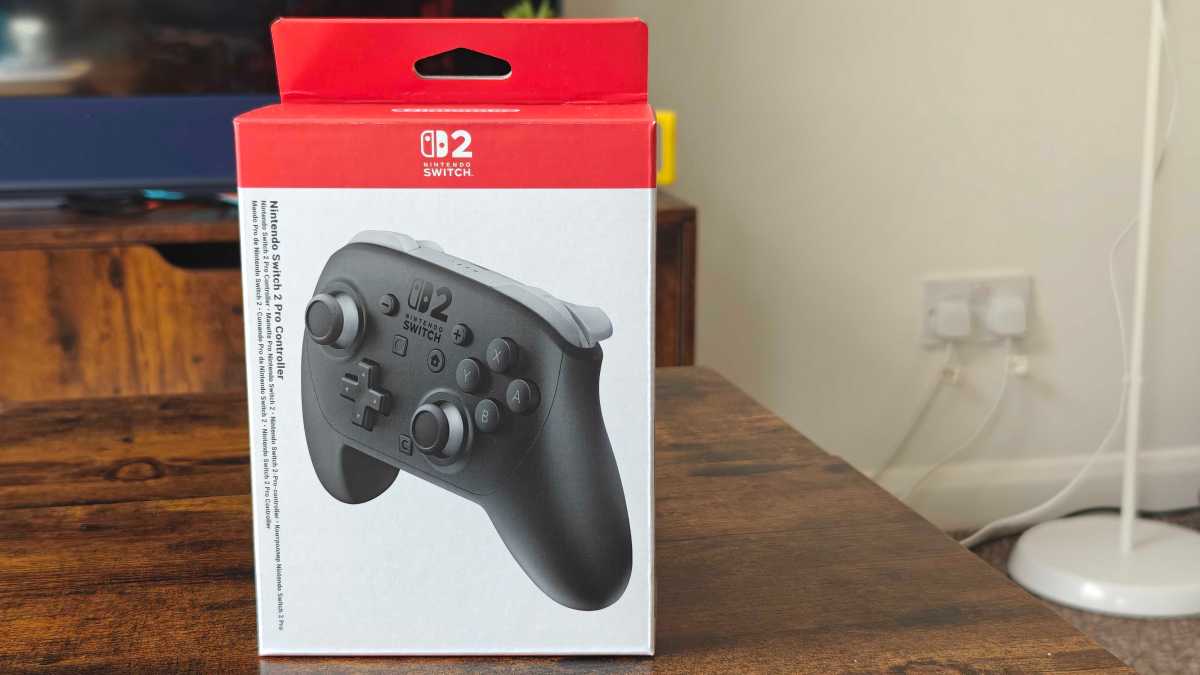
Hannah Cowton-Barnes / Foundry
During my time with the Switch 1, I would always opt for the Pro for longer gaming sessions – such as Zelda – and for quick-thinking titles like Mario Kart. We didn’t actually buy this straight off the bat though, so this may be something you think about a bit further down the line when more games are released and your wallet is a little more full.
Here’s the Switch 2 Pro controller, all unboxed, and almost free of my grubby fingerprints (it also has a USC-A to USB-C cable in the box):
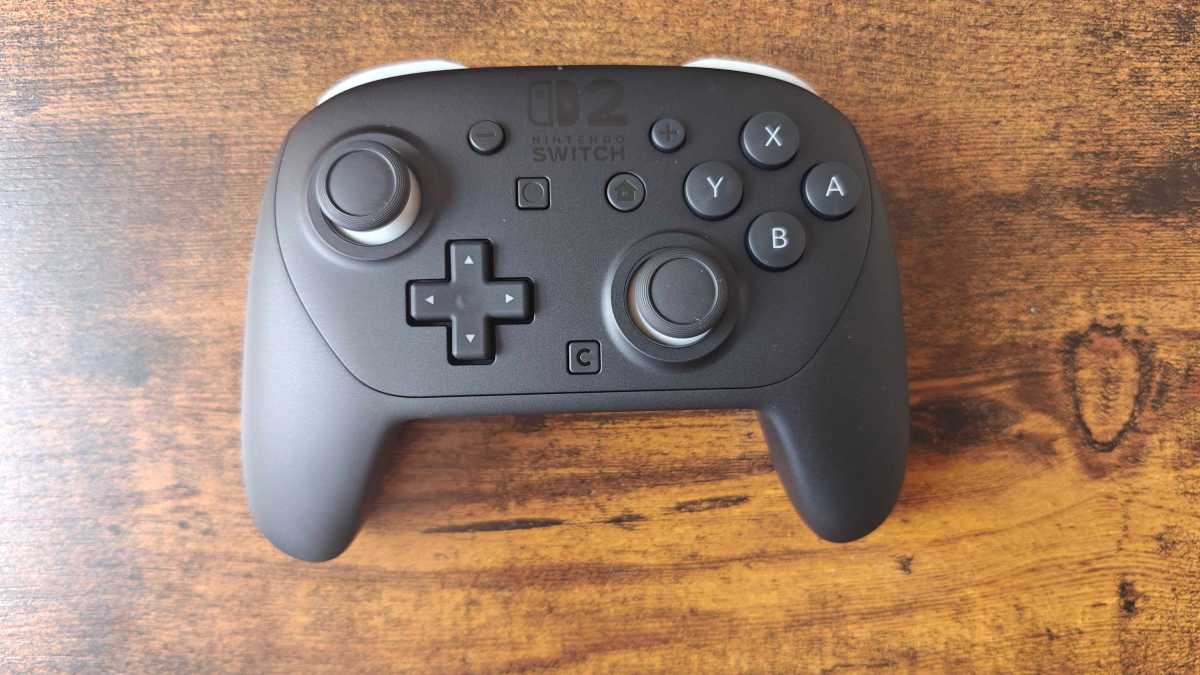
Hannah Cowton-Barnes / Foundry
…and here it is compared to the original Switch Pro Controller. Which, FYI, still works with the Switch 2 – as do any old Joy-Cons – via Bluetooth.
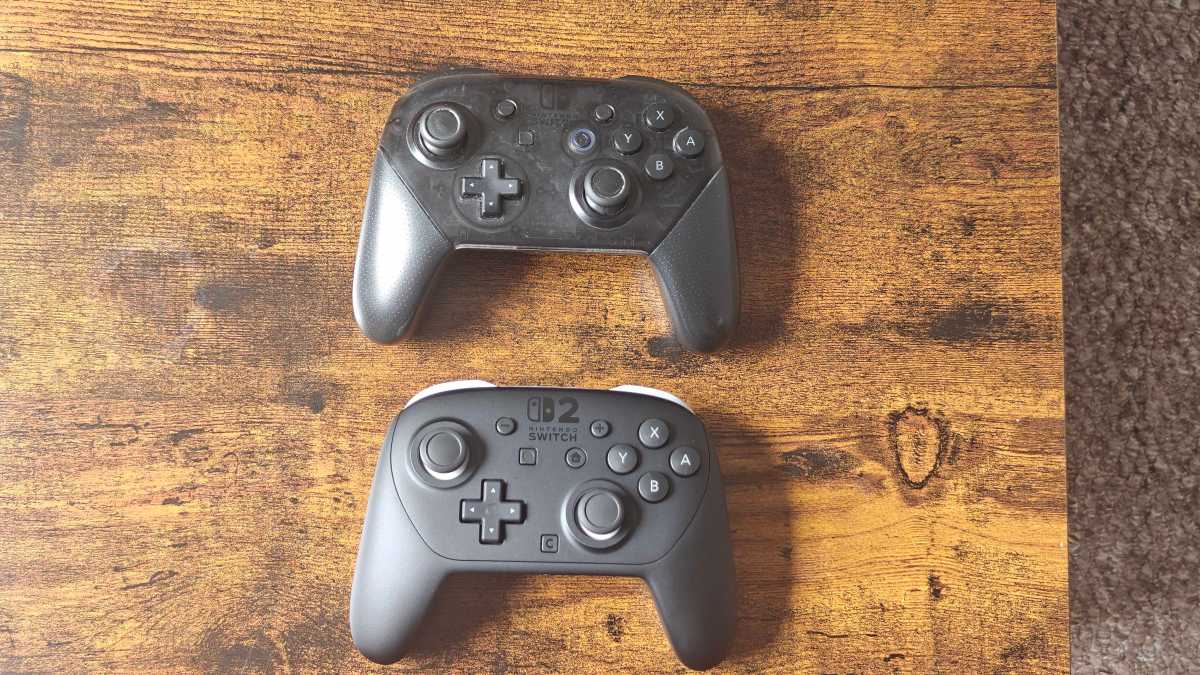
I feel ashamed at how filthy that Pro Controller is
Hannah Cowton-Barnes / Foundry
Here are the key differences between the pair:
- The Switch 2 Pro Controller has a sleek, opaque matt finish compared to the Switch 1’s translucent, textured handles
- The new controller features grey accents on the joysticks and top
- There’s the new C button on the Switch 2 Pro Controller, and GR and GL buttons on the back handles
- The newer controller is marginally lighter on paper, but in reality, it doesn’t feel noticeable
- Like the Joy-Cons, the Switch 2 Pro controller has HD rumble 2 (improved vibrational feedback)
There’s no denying that the Switch 2 Pro controller looks nicer and feels slightly more comfortable to hold. But how does that translate to gameplay? Back to Mario Kart World I go!
11:28am : I paired both controllers using the USB-C cable that was in the box, and it had no issues connecting from there on out.
I completed back-to-back races using both controllers and the biggest difference comes from the HD rumble 2. The feedback is so much more noticeable. I’d actually argue that this game doesn’t take it far enough – having seen the strength of this feature in the Welcome Tour game, there are a lot more ways this could be incorporated.
The matt surface of the newest Pro controller does make it feel a bit more stable in hand. Testing the joy-sticks side-by-side, the older controller feels flimsier. But is it noticeable in a race? I wouldn’t say so.
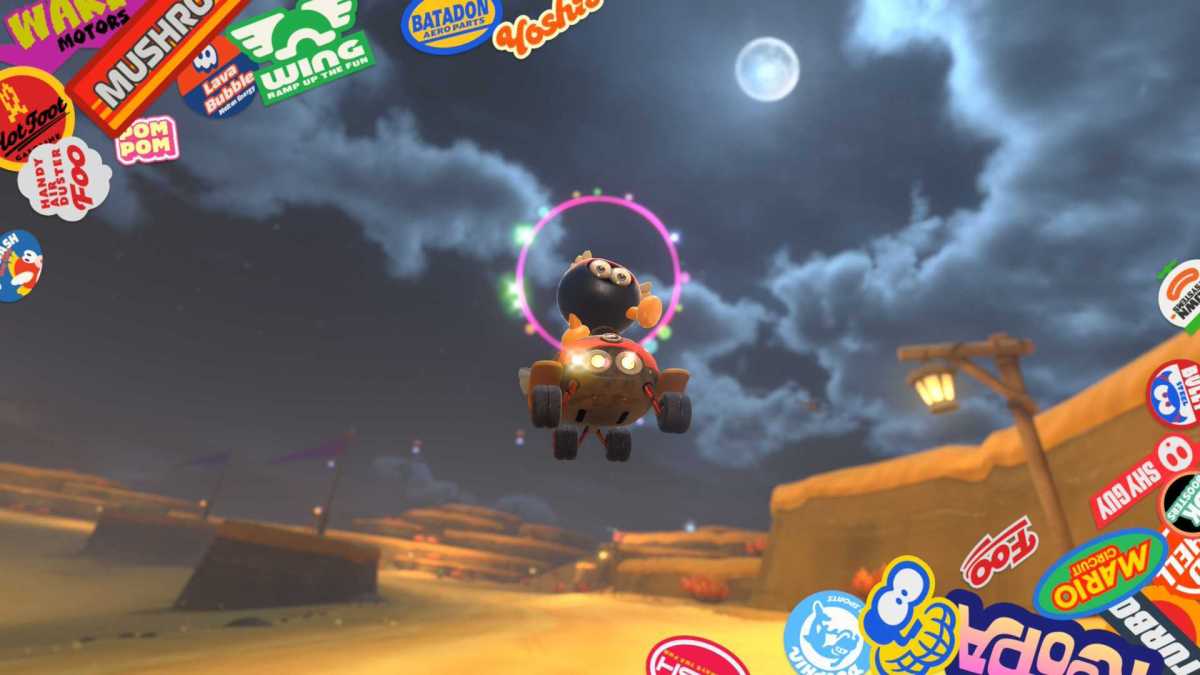
Love this lil guy
Hannah Cowton-Barnes / Foundry
You’ll still get that ergonomic feel from the OG Pro Controller – the Switch 2 one just makes improvements and tweaks in the right areas, from what I’ve seen so far.
Whether it’s worth splashing the cash or not is up to you. I think it’ll come down to the types of games you’ll be playing. If you know you’ll be sinking loads of hours into one of the many titles available on the Switch 2 now and want to take advantage of all this console’s features, have at it.
If, however, your wallet is feeling a little bruised, and you already have an original Switch Pro controller to hand, you can always use that in the meantime.
Week one with the Nintendo Switch 2 early verdict
11:41am – Not to be dramatic, but this will be my last entry before the weekend. (I really do need to leave the house at some point.) So, what have we learned so far?
I stand by my initial reaction that the Switch 2 is worth the upgrade. The graphics improvements finally bring Nintendo onto a new playing field, while quirky features such as GameChat and mouse control add a special little something that Xbox and PlayStation can’t really compete with at the moment.
Mario Kart World is a brilliant title thus far. Can improvements be made? Certainly – the biggest omission for me is the lack of local multiplayer in Free Roam mode. But this title is addictive, and I’m certain it will set new records.
There is no denying that this console is an investment, especially when you take into account all the games and accessories I’ve mentioned in this diary. The battery life in handheld mode is also an area of concern if you’re travelling.
For most people, the decision to purchase will come down to the games on offer. Mario Kart World covers a wide remit, but there are plenty of titles to come such as Donkey Kong Bananza in July and Pokemon Legends: Z-A in October, and hopefully at some point, the next main Animal Crossing.
Whenever you decide the upgrade from Switch 1 to Switch 2 is worth it, I doubt you’ll regret your decision.
And that’s me signing off for now. I’ll be testing the Switch 2 some more and will create a full, scored review soon for Tech Advisor , and if anything else pressing comes up in testing, I’ll give this diary a cheeky update.
In the meantime, I’ll leave you with Cow getting her udders out once again.
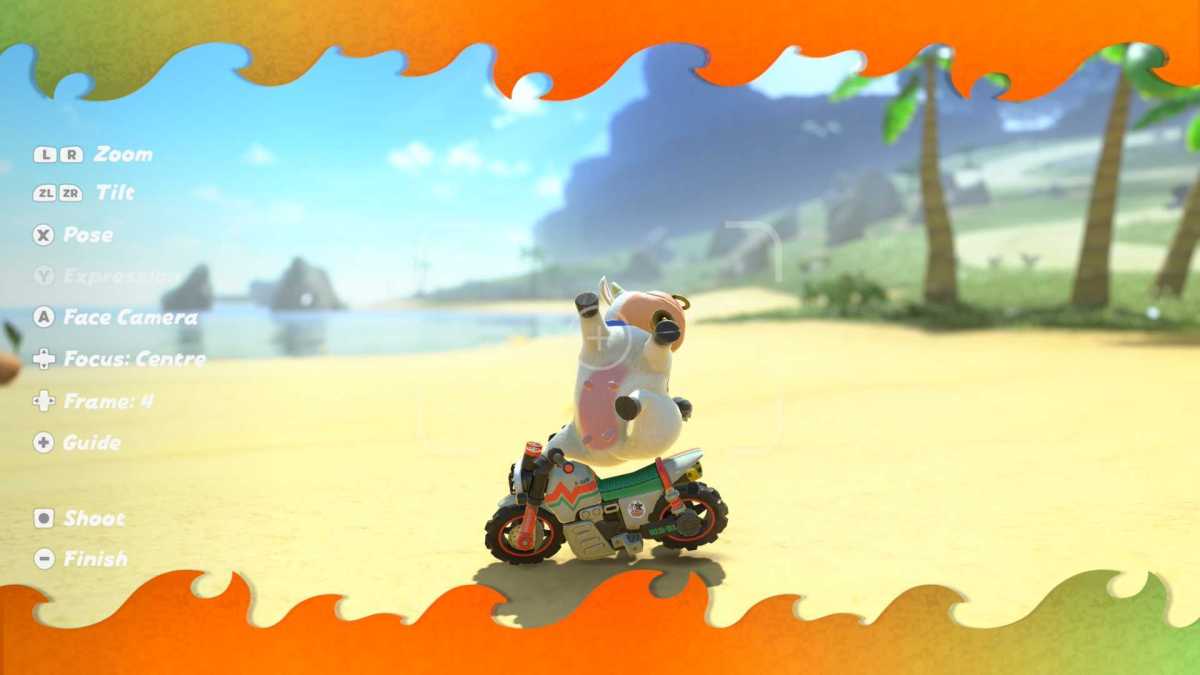
Hot Cow Summer
Hannah Cowton-Barnes / Foundry
Author: Hannah Cowton-Barnes, Entertainment Editor, Tech Advisor

As Tech Advisor’s Entertainment Editor, Hannah is the resident expert in all things streaming, film and TV. Before joining Tech Advisor in 2019, she studied Theatre and Performance at the University of Leeds and created a website dedicated to geek culture and lifestyle. She’s also reviewed a whole range of gadgets including flagship smartphones, wearables and styling tools. Outside of Foundry, she’s written freelance pieces for Polygon, Metro and Den of Geek, and is proud to be a Women Techmakers Ambassador for Google.
Recent stories by Hannah Cowton-Barnes:
- These are the best games to play on the Nintendo Switch 2 right now
- Netflix’s Assassin’s Creed TV series has found its first star… but who is he playing?
- Everything I bought at Nintendo’s London pop-up store (as a mum-to-be)
