Samsung’s big new software update has generated a lot of buzz, bringing significant changes and new features. One UI 7 officially arrived at the first Galaxy Unpacked event of the year, alongside the Galaxy S25 series .
While the official rollout to older Galaxy devices has begun, it hasn’t been without issues. Here’s everything you need to know about its release date and key new features.
When will One UI 7 be released?
Samsung’s Android 15 -based One UI 7 system debuted with the Galaxy S25 series , which launched on 22 January 2025 . However, users of older Galaxy devices had to wait even longer than initially expected.
The official rollout began on 7 April, though it was promptly halted on 14 April. While not officially confirmed, reliable leaker Ice Universe posted on X that a “serious bug” was found in the Korean version, which resulted in its suspension “in all other countries”.
In a statement to Android Authority , the company simply said that the “One UI 7 rollout schedule is being updated to ensure the best possible experience”. Just a day later, Samsung confirmed that the update had been “temporarily suspended” but that it “will resume updates soon”.
If you own an older Samsung device and would like to know if it’s eligible, here’s a list of the Galaxy phones and tablets to get the One UI 7 update .
Luke Baker / Foundry
Which version of Android is One UI 7?
One UI 7 is based on Android 15 , which is already a substantial update in itself. It has brought a host of new features and improvements, and Samsung’s One UI 7 will build on these with its suite of enhancements and customisations.
What new features will One UI 7 have?
Second beta release
The second beta of One UI 7 introduces a range of AI-powered tools, streamlined controls, and a glimpse into Samsung’s future AI-driven ecosystem.
Enhanced AI features
One UI 7 enhances Galaxy’s AI capabilities to simplify everyday tasks.
New inbuilt writing assistance tools allow users to select, summarise, and format text directly within apps, eliminating the need to switch between different applications. These tools also provide spelling and grammar checks and can convert text into bullet points for better readability.
Call functionality has also improved. The update introduces automatic call transcription in twenty languages. When call recording is enabled, conversations are transcribed for easy reference, reducing the need for manual note-taking.
Design changes
One UI 7 introduces a redesigned interface to give users greater control over their devices.
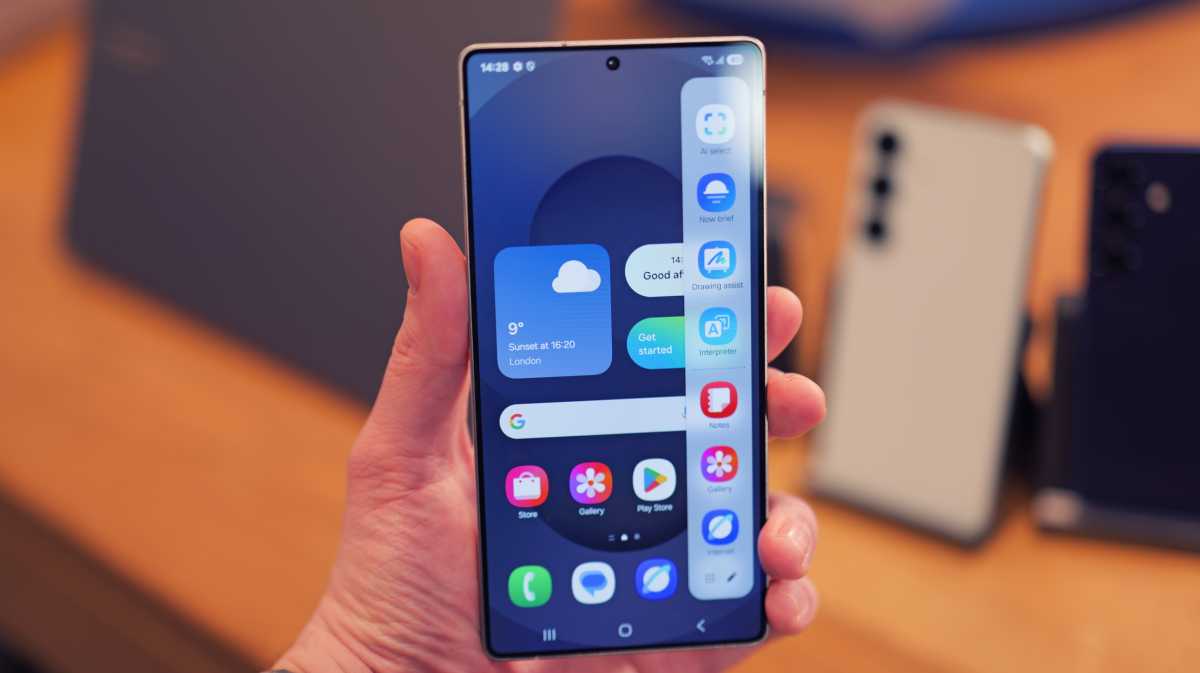
A new feature called the ‘Now Bar’ allows quick access to essential tools such as Interpreter, Music, Recording, and Stopwatch directly from the lock screen, reducing the need to unlock the device frequently.
The home screen, widgets, and lock screen have been redesigned to improve customisation. Unnecessary visual elements have been removed to create a cleaner, more functional interface.
Camera improvements
The camera interface has been reorganised for better accessibility. Buttons and controls are more intuitively placed, providing a clearer preview of photos and videos.
Pro and Pro Video modes now feature simplified manual settings and a new zoom control, allowing users to adjust zoom speed for smoother transitions while recording videos.
While these are the currently known changes, the full release of One UI 7 will likely introduce even more enhancements. Below, you’ll find the latest leaks and rumors about what to expect.
Gaming motion smoothness
One UI 7 introduces a notable change in gaming refresh rate options. Previously, users could limit the frame rate to 48Hz to conserve power. Now, the options are limited to either 60Hz or 120Hz.
This new setting, called ‘Gaming Motion Smoothness,’ is accessible via the Gaming Hub or Game Booster app. However, Samsung clarifies that it does not override a game’s native refresh rate setting, meaning that games capped at 60Hz will not run at 120Hz even if the higher option is selected.
The Game Booster app also allows users to choose individual performance settings for each game, including maximum frame rate, resolution, and optimisation level.
System-Level HDR toggle
A new feature allows users to disable system-wide HDR content display on their Galaxy devices. Accessible via the ‘Super HDR’ toggle in the ‘Advanced Features’ section of the Settings app, this ensures consistent screen brightness by preventing automatic HDR adjustments.
This feature is particularly useful for preventing sudden bright flashes from apps like Instagram or YouTube. It utilises Google’s Ultra HDR format, ensuring compatibility with third-party apps and HDR content from non-Samsung devices.
Leaks and rumours
According to leaker Chun Bhai, as reported by SmartPrix , and Ice Universe , One UI 7 will introduce various enhancements and visual updates. A leaked changelog from Weibo highlights refinements in the Galaxy AI suite and UI design, with some AI features requiring a future subscription.
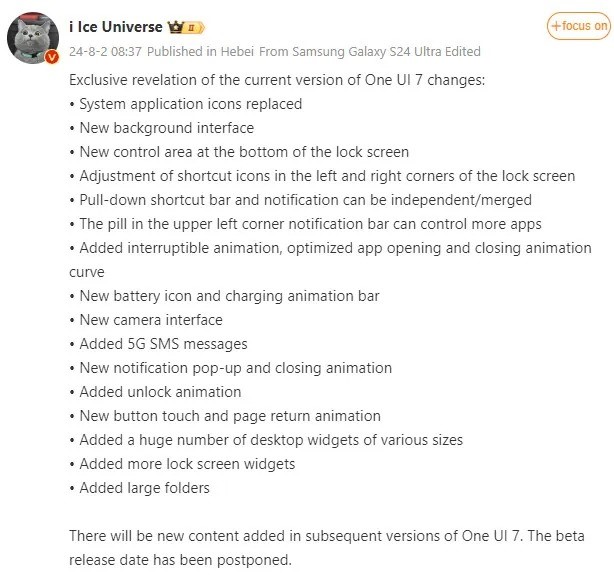
Samsung Spain accidentally published details about One UI 7, which were quickly removed. However, leaker Chunvn8888 on X captured the information, revealing updates including refined animations, redesigned icons, and ‘Live Activities’ notifications on the lock screen – similar to iOS features.
As highlighted by Android Authority , one feature gaining attention is the ‘Sketch to Image’ tool. A video by Mobile Wala Bhai demonstrates the advanced AI capabilities of One UI 7.
Galaxy AI free until 2025
A leaked One UI 7 landing page from Samsung Spain , reported by Android Headlines , confirms that Galaxy AI features will remain free until the end of 2025. After this period, Samsung may introduce a paid subscription model, though pricing details remain undisclosed.
AI Audio Eraser
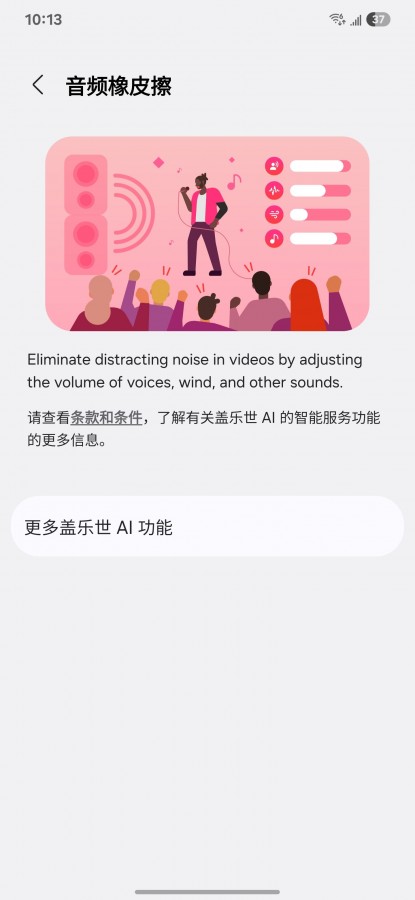
One UI 7.1 is set to introduce an ‘AI Audio Eraser’ feature, similar to Google Pixel’s ‘Audio Eraser.’ This tool enhances video audio quality by eliminating background noise and allowing users to adjust voice volume levels.
Ice Universe / Weibo
Leaker Ice Universe shared a screenshot demonstrating its capabilities. The AI can reduce ambient noise from wind and traffic while amplifying voices, making recordings clearer in noisy environments.
Redesigned icons and interface
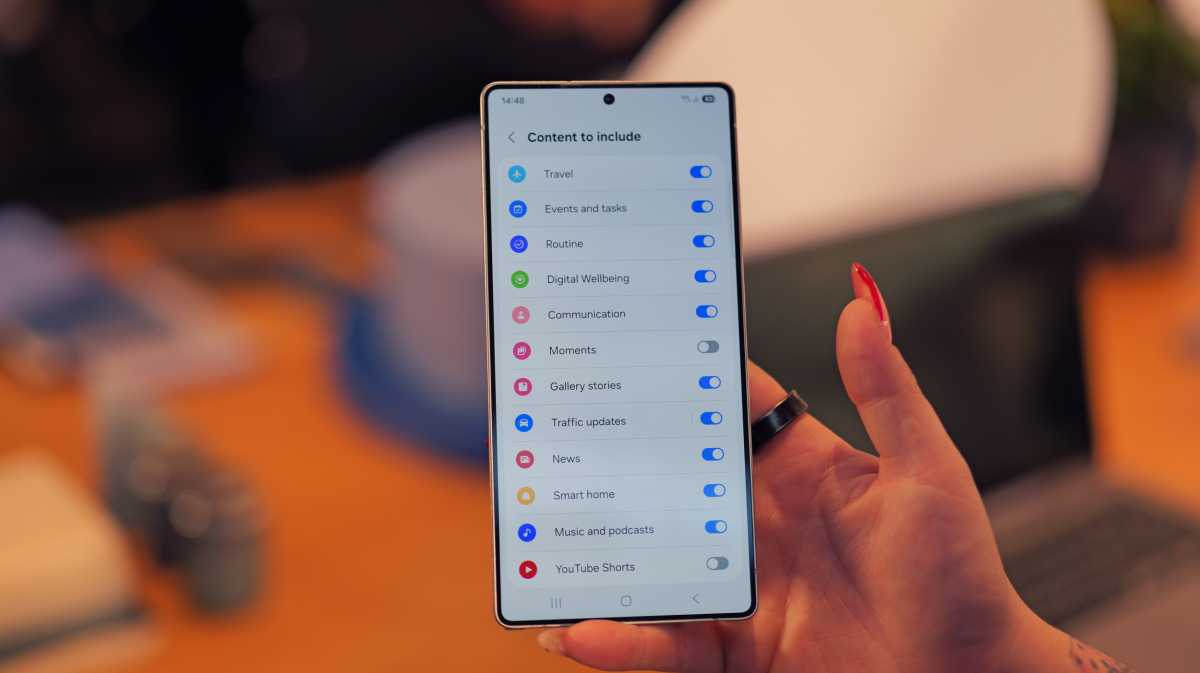
One UI 7 brings a fresh, modern look to app icons and interface elements. As reported by SamMobile , early beta leaks received criticism for the design of stock app icons, but Samsung has since refined them, according to Ice Universe .
Luke Baker / Foundry
Other interface updates include smoother animations, a redesigned battery icon, a new charging animation, and a two-page layout for the Quick Panel. Notifications are now larger with rounded corners, and the app drawer’s search bar has been repositioned at the bottom for easier one-handed access.
Lock screen redesign
Screenshots shared by Tarun Vats on X reveal a lock screen overhaul emphasising customisation. Users can now add pill-shaped widgets for weather updates and battery statuses of connected devices like Galaxy Watches.
Clock customisation has also improved, allowing users to adjust colours, font styles, and sizes for a personalised look.
Updated apps
Several Samsung apps are receiving significant updates. Screenshots leaked by Gerwin van Giessen on X reveal improvements to Samsung Reminder, Calendar, Voice Recorder, and Calculator.
The Samsung Reminder app is already available on APKMirror website and reportedly functions well on devices like the Galaxy S24 Ultra and Galaxy Z Fold 6, according to SamMobile .
The Calendar app now offers customisable widgets with adjustable backgrounds and shapes, while the Voice Recorder app features a cleaner layout with improved usability. The Clock app also introduces universal alarm volume control and alarm grouping for better organisation.
App Lock and security enhancements
One UI 7 introduces an ‘App Lock’ feature, allowing users to secure individual apps with a separate passcode or biometric authentication. This adds an extra layer of security for sensitive applications and data.
Enhanced Notifications
One UI 7 introduces ‘Continuity Notifications’, ensuring seamless synchronisation across connected Samsung devices for a more integrated experience.
Improved multitasking
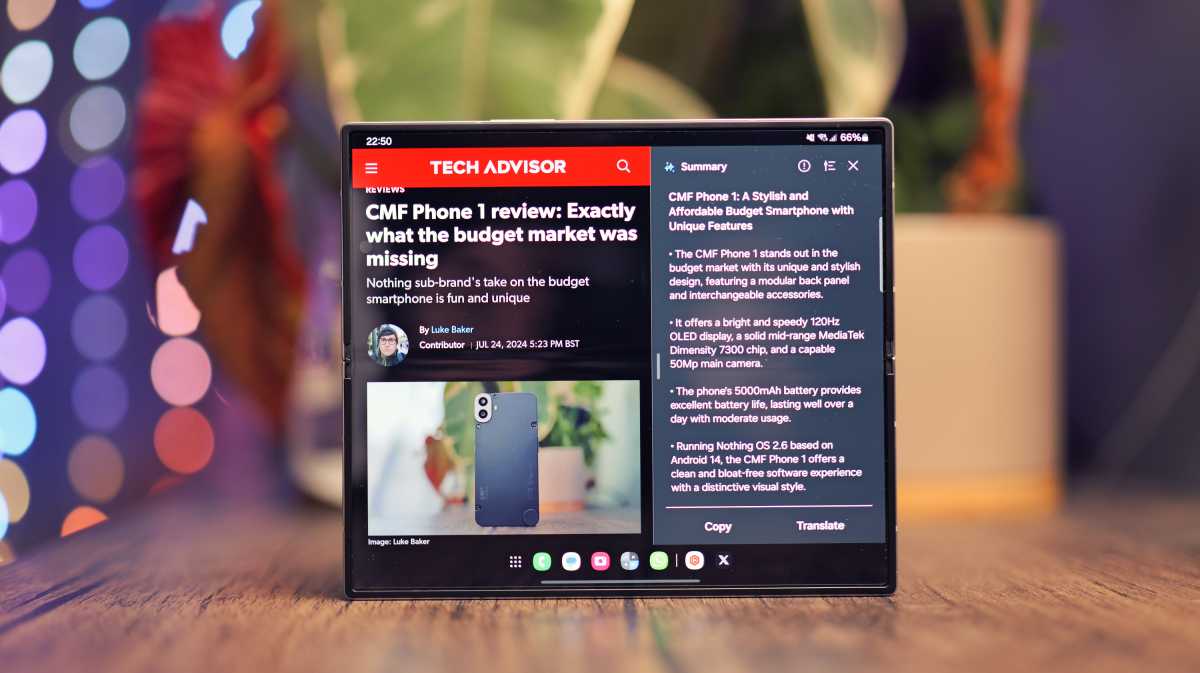
Samsung continues to refine multitasking with One UI 7. The update enhances split-screen and multi-window modes, making it easier to use multiple apps simultaneously. Foldable devices like the Galaxy Z Fold 6 will benefit significantly from these improvements.
Luke Baker
A revamped taskbar allows quicker access to frequently used apps, streamlining multitasking even further.
Dynamic Island-like feature
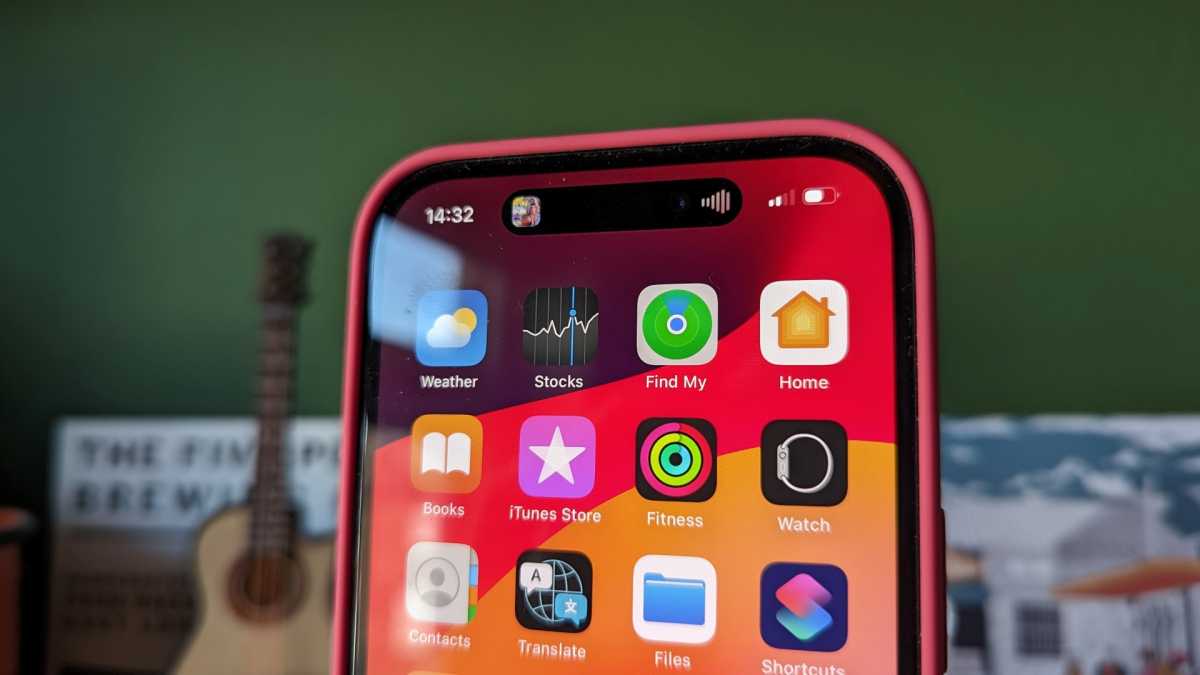
One UI 7 will introduce a feature similar to Apple’s Dynamic Island, offering a dynamic, interactive area on the screen that provides contextual information and shortcuts.
Chris Martin / Foundry
Revamped Settings menu
The settings menu has been redesigned for a cleaner layout and improved search functionality, making key settings easier to access. Additionally, the menu now offers more personalised options based on user behavior.
Camera and gallery improvements
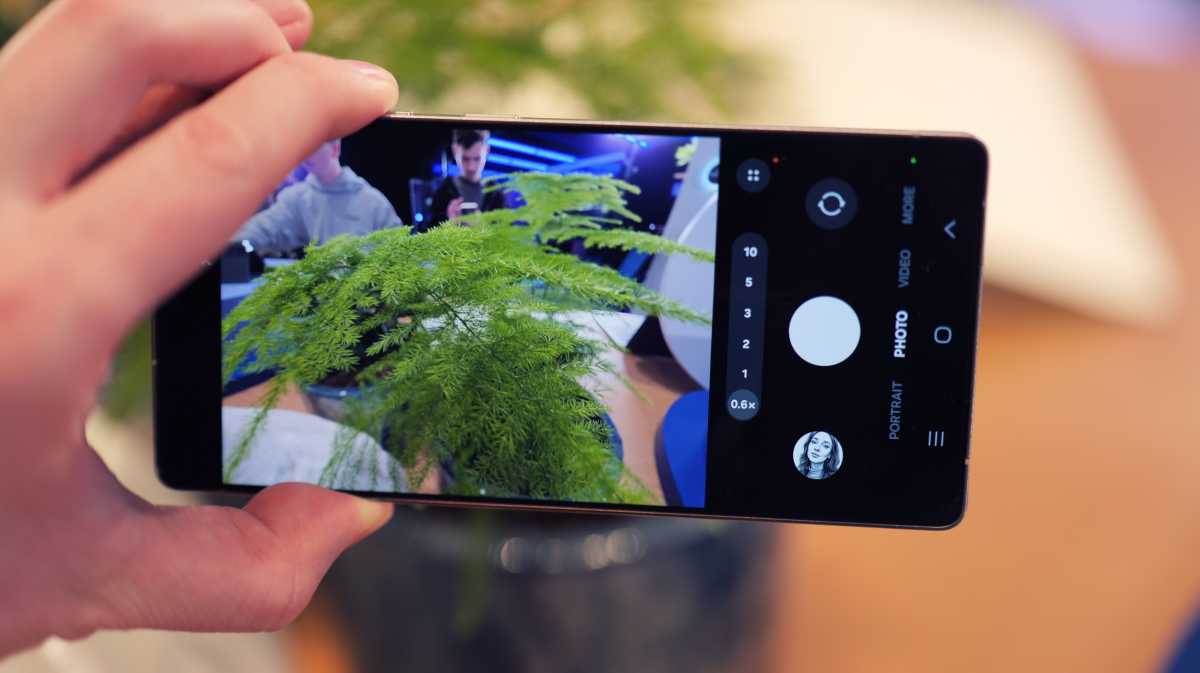
The Camera app has been redesigned for better usability, with all controls positioned at the bottom for easier one-handed operation.
Luke Baker / Foundry
The Gallery app introduces new photo and video editing tools, enhanced organisation features, and improved media-sharing options.
Accessibility enhancements
Samsung is prioritising accessibility with One UI 7, introducing enhanced voice control, improved screen reader functionality, and more customisable accessibility settings.
- Samsung’s AI-infused Galaxy S25 phones are its most capable handsets ever
- Samsung Galaxy S25 gets Qi2 wireless charging – but there’s a catch
- Samsung Galaxy AI: 5 brand-new features that I can’t wait to try
- Got your eye on the Galaxy S25 series? Here’s which model to choose
- Samsung’s Galaxy S25 Ultra beats Apple with new game-changing video feature
- 5 features that are exclusive to the Galaxy S25 Ultra
Author: Artur Tomala, Mobile Writer, Tech Advisor

Artur is a Mobile Writer at Tech Advisor, where he covers a range of smartphone, tablet and smartwatch-related topics. He has been working in the tech industry since 2021, including time spent leading a team focused on mobile news, reviews and product rankings. As an ambassador for the productivity app Notion, he runs training workshops and creates advanced templates to help people stay organised and productive.
Recent stories by Artur Tomala:
- How to set up a new Android phone
- Samsung Galaxy A26: Everything you need to know
- What is an eSIM and how does it work?
