At a Glance
Our Verdict
Adding Android to its Smart TVs is a huge leap for Philips making it a much bigger player in the market. It not only adds the Chrome browser but a wealth of other content thanks to the Play store. Furthermore, the interface is much improved in terms of design and performance.
Best Prices Today: Philips Android Smart TV

The TV has a quad-core processor and for now, Philips won’t reveal any other specifications. What we can tell you is that, on first impressions, the interface and experience is smooth and snappy. Philips’ Smart TVs of last year were particularly laggy.
Philips has designed the interface so that it opens over the top of whatever you’re watching, rather than having a fairly picture-in-picture (pip) in the corner. A row of tabs at the top allow you to quickly navigate between different sections – now on TV, channels, apps, online TV, video on-demand and sources.

It’s quick and easy to switch between the sections and we like how installed Android apps sit along-side the Smart TV apps. The source section handily indicates whether a device is plugged in by highlighting it in blue.
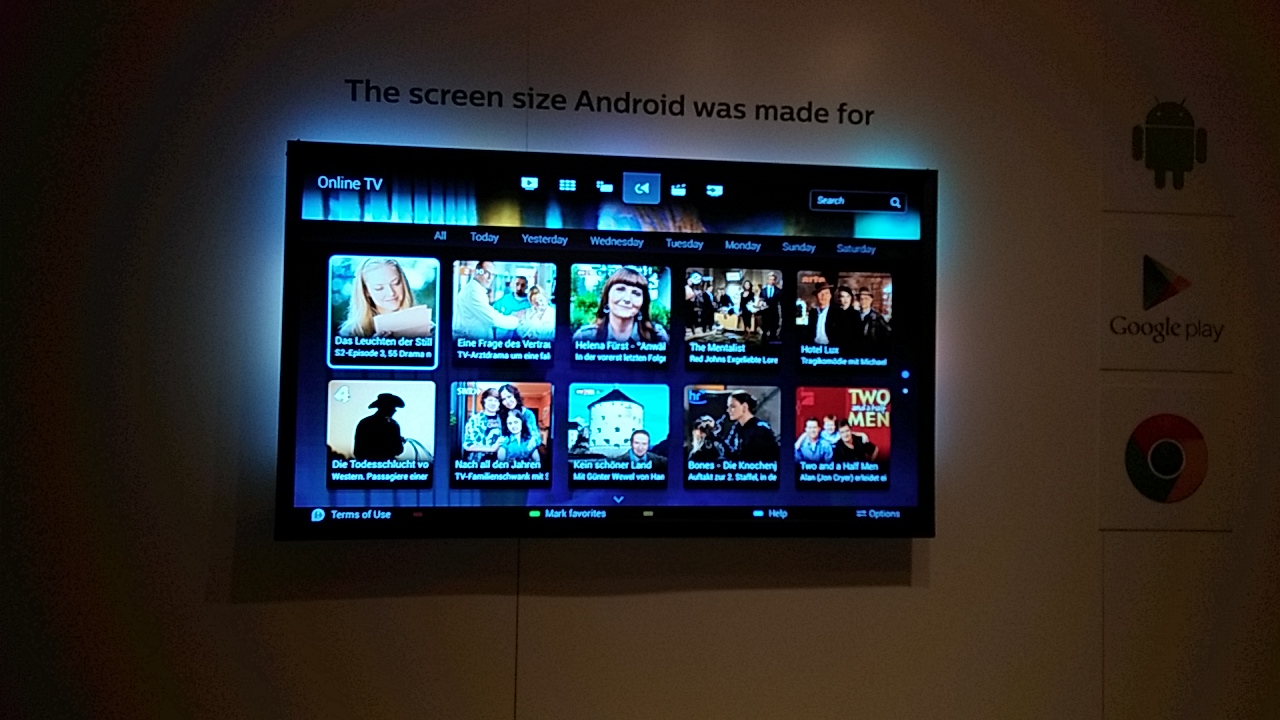
Smart TVs have had web browsers included but have never been worth the controller throwing frustration. Thankfully, since this set runs Android, Google’s Chrome browser is available.
With hundreds of thousands of apps on the Google Play store, Philips suddenly offers a wealth of content via its Smart TV. However, with many apps being designed for smartphone and tablet sized screens, Philips has made sure that only apps which work well on the big screen are available. You also won’t find apps that don’t make any sense on the TV, such as navigation, nor ones which require a touchscreen.
There’s also the issue of duplicate apps – the regular Play store app and a specific Smart TV app. An example is Skype which has had a version made for Smart TVs so in a case like this, Philips has chosen the best option. A possible issue is that the TV only has just under 3GB of storage for apps which won’t be enough for some users – especially if you want to download games.

The Android interface, like LG’s Smart TV, is controlled by a remote which you can just point at the screen to get a cursor – like a Nintendo Wii remote. Like last year’s model, it has a full keyboard on the back and there’s an added microphone for voice search. You can also use some wireless controllers with the TV – we had a quick go with a Logitech controller with a racing game.
Best Prices Today: Philips Android Smart TV
Author: Chris Martin, Managing Editor, Tech Advisor

Tech Advisor Managing Editor Chris got his break as a reporter at infamous site The Inquirer and has been with us for more than 12 years. With a BA degree in Music Technology, audio is his specialism, but over the years he has reviewed all kinds of gadgets, from smartwatches to mesh Wi-Fi to coffee machines.
Recent stories by Chris Martin:
- Sky Q vs Glass vs Stream vs Now: Which TV plan should you get?
- The Frame Pro takes Samsung’s arty smart TV to a new level
- This is the bargain Black Friday TV deal I’m buying
