
At a glance
Expert’s Rating
Pros
- Statement design
- Improved picture and sound
- Quick and easy set-up process
- Intuitive user interface
Cons
- 60Hz refresh rate
- Voice control is questionable
- No way to upgrade mid-contract from Gen 1
Our Verdict
For most people, the Sky Glass Gen 2 won’t disappoint. Sky has improved some key areas compared to its first own-brand smart TV and has offered a more affordable package to keep costs down. But there are certain customers that it won’t suit.
Price When Reviewed
This value will show the geolocated pricing text for product undefined
Best Pricing Today
Best Prices Today: Sky Glass

Sky Glass has been a household name for quite a few years now, and last month the entertainment company announced a refresh of its purpose-built TV (no dish needed), with some improvements on the previous model – but thankfully, no price increase.
As a user of the original model, I’ve noticed some key differences between the Sky Glass Gen 1 and Sky Glass Gen 2. And I can tell you whether it’s a TV worth buying.
Before we continue with this review, let me make it clear that you can’t upgrade your old TV if you’re partway through your contract – this review is only relevant to people coming to the end of their old Glass contract and looking to renew again, or customers who have never had Sky Glass before.
Design & Build
- New dual-pronged stand
- Three colours
- Lighter than before
- Three HDMI ports
Put simply, the Sky Glass Gen 2 is the easiest TV I’ve ever had the pleasure of setting up.
That’s thanks to how Sky has altered the build. Rather than a big heavy stand that you need to screw in (which came in a separate box, now both the TV and stand are housed together in one package), this stand now has two prongs. All you need to do is lift the TV – using the handles in the cardboard delivery box – and pop it straight on.
If you need a demonstration of how that’s done, check out my time-lapse below. It took mere minutes:
Rest assured, the TV still feels secure on that stand. Plus, it’s easier to lift than the original model, weighing 21kg compared to the Gen 1, which was a whopping 28kg and left me feeling very unfit trying to co-lift it.
I’m testing the mid-size 55-inch version, but the Sky Glass is also available in a smaller 43-inch variant and a larger 65-inch one, too. As with the previous model, you can also wall mount it. Sky offers its own product, but universal ones are compatible.
My TV is the Atlantic Blue version – you can instead opt for the Volcanic Grey or Arctic Silver versions, with Sky dropping both the pink and green options this time around (a shame but expected). In addition, you can no longer opt for mix-and-match speaker shades.
Sky has retained an aluminium build, along with the built-in soundbar at the bottom. As our previous reviewer noted, this TV isn’t as slim as a standard model because of this. However, there have been improvements made to the audio system – more on that below.

Hannah Cowton-Barnes / Foundry
My old Glass got many compliments from people, and I’ve no doubt this will be the same. After all, how many other blue tellies are out there?
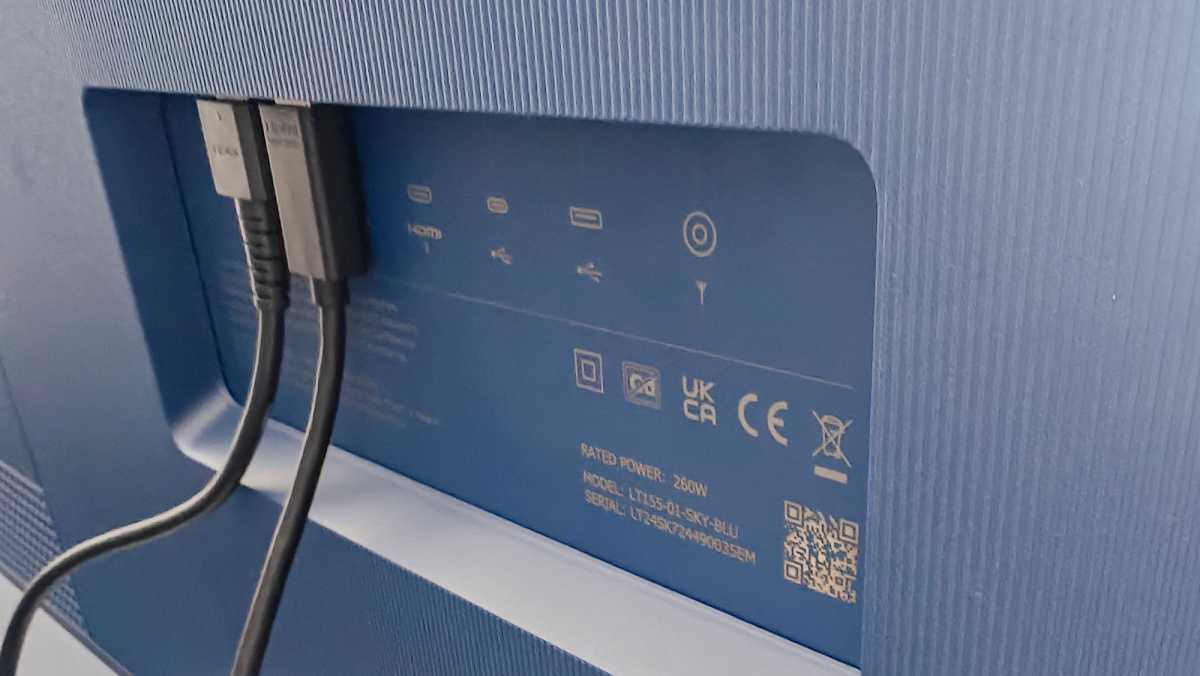
On the back of the TV, you’ll find three HDMI ports, one with an eARC connection if you wish to connect a soundbar. You can use one of these ports to connect a Sky Live camera , which comes at an additional cost, and that will use up your USB-C slot.
There’s also an ethernet port if you’d prefer a wired connection, though the Glass Gen 2 supports up to Wi-Fi 6 – and I’ve had no issues with lag. There’s also a USB-A port, and a DTT DBV-T/T2 antenna port if, for some reason, your Wi-Fi isn’t working.
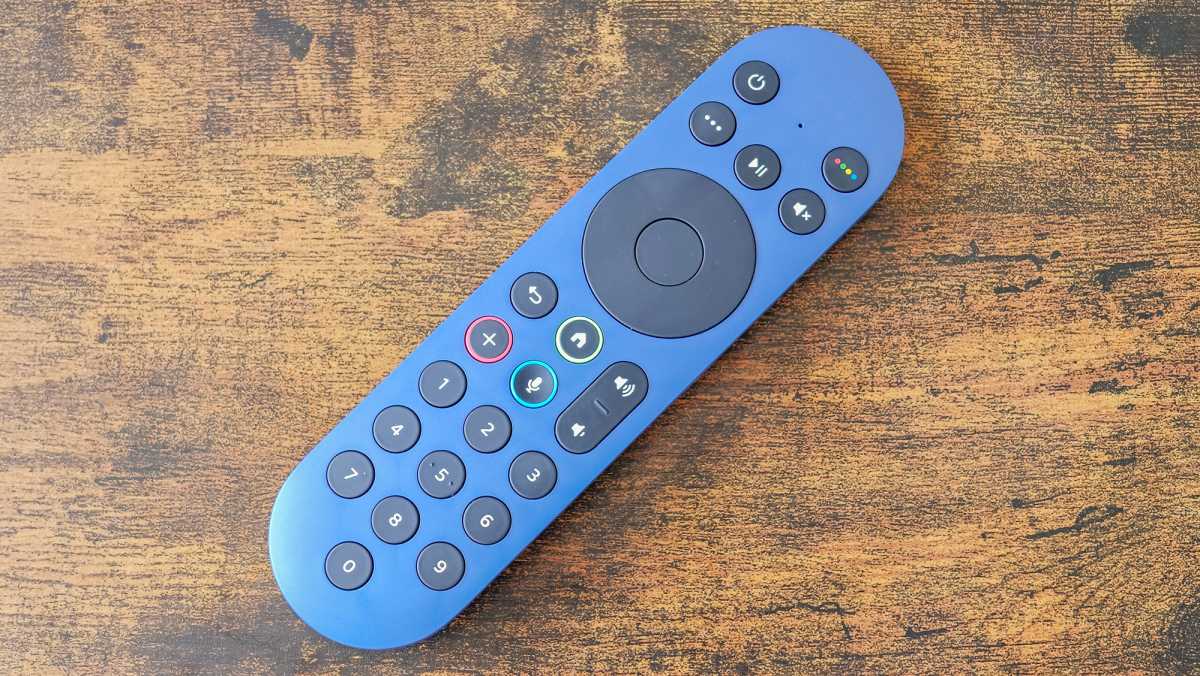
The accompanying remote matches the colour of the TV. While it includes a dedicated microphone for voice control, there’s no headphone jack for quiet listening. The microphone button has been made more sunken, I assume for accessibility reasons for anyone with visual impairments.
Sky Glass Gen 2 supports Bluetooth 5.2, and now Apple AirPlay – sadly, no Android equivalent is available yet.
Hannah Cowton-Barnes / Foundry
Display & Speakers
- Brighter 4K HDR QLED panel
- 60Hz refresh rate
- Seven speakers and dual subwoofer
Two of the key headline upgrades to this edition of the Sky Glass are on the screen and audio system.
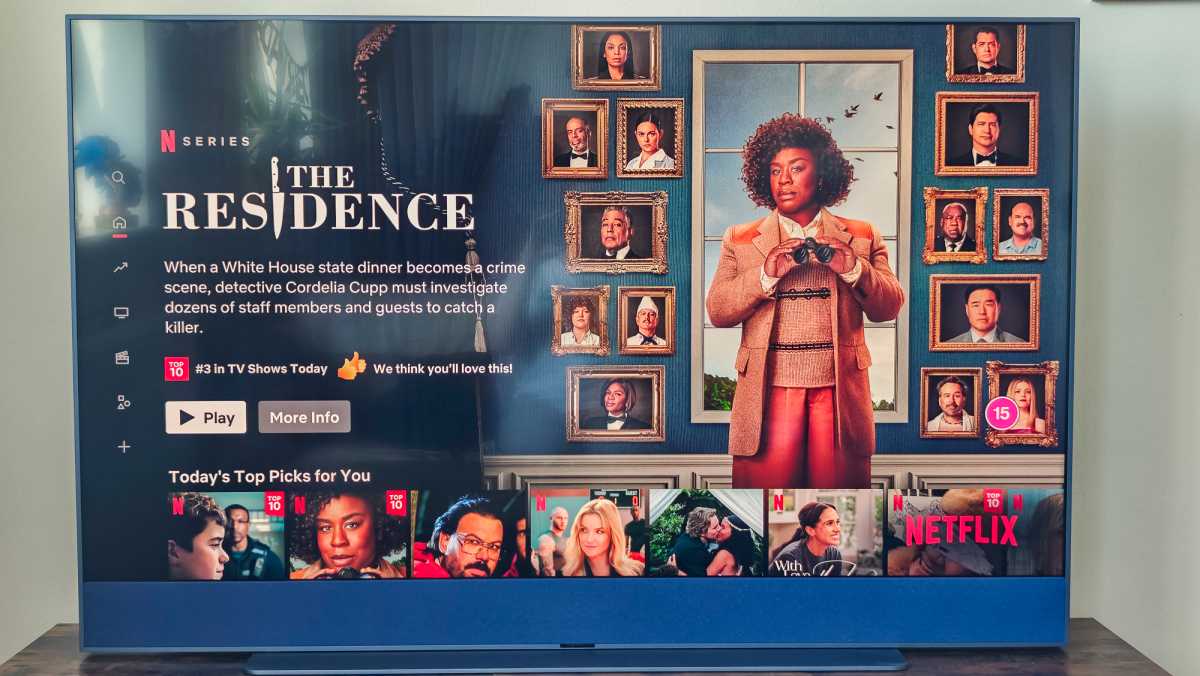
Let’s start with that screen. It’s still a 4K HDR Quantum Dot panel (aka QLED like a lot of Samsung TVs such as The Frame ), but this time around there’s an anti-reflective coating, which means that any lights bouncing off the display are less obvious, though not gone completely, as you can see in my photos.
Hannah Cowton-Barnes / Foundry
The Gen 1 picture was decent, but this updated Glass is even brighter and bolder thanks to more LEDs and more dimming zones, with less blooming. Even if you can’t compare like for like, I’ve been impressed with the display on Sky’s TV.
It’s adaptable for a wide variety of content. Tones on the high-action Avengers: Infinity War pop, while shadows during live content, such as the Premier League, are well pronounced and recreated well. However, the quality is not as show-stopping as what you’ll find on high-end OLED models from brands such as LG.
There’s HDR support for HDR10, HLG (for live broadcasts) and Dolby Vision… but if you want 4K, you’ll have to add this to your package for the Sky channels. Otherwise, you’ll have to settle for upscaling.
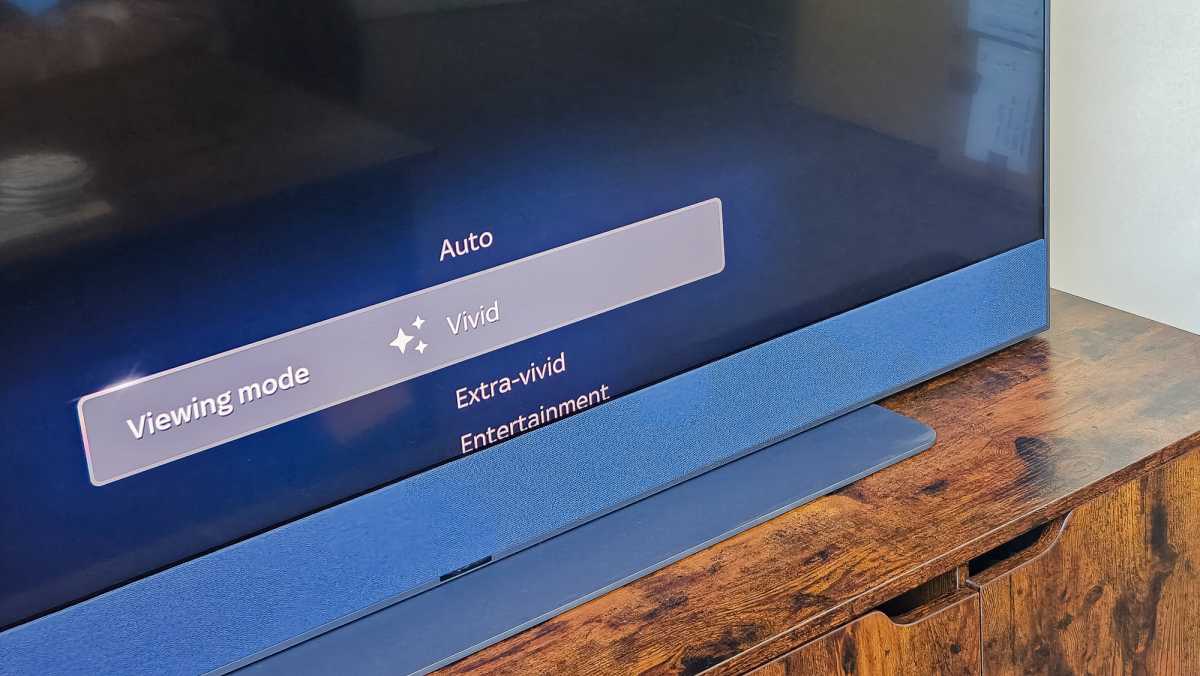
You have the option of switching between seven display modes, including an all-new Extra-vivid option if you want a bold finish – I tend to find this was oversaturated, with Vivid giving just the right amount of punch.
Hannah Cowton-Barnes / Foundry
There’s also a built-in ambient light sensor, which means it adjusts the picture depending on how bright your room is. I’ve found this to be incredibly responsive – when reviewing The Last of Us season 2 , we turned out the lights for a spookier ambience, and the picture wasn’t blindingly bright in the dark room.
Gamers who use the Xbox Series X or PS5 may prefer to opt for another TV, as the display on the Glass is only 60Hz rather than 120Hz. As someone with a Nintendo Switch and an Xbox Series S for titles such as Fall Guys and Super Mario Party Jamboree, it works a treat.
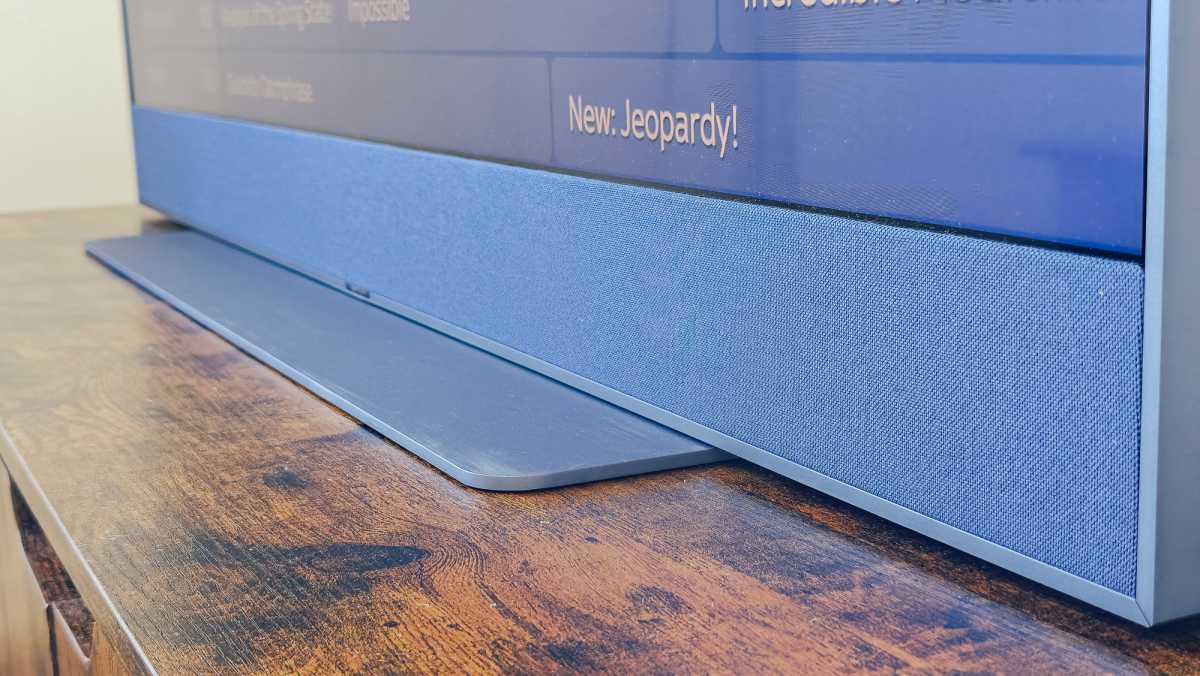
The sound is a more notable upgrade on the Gen 2. It retains the 3.1.2 channel audio configuration with Dolby Atmos, but there are seven speakers rather than the six on the original thanks to the dual-channel subwoofer (previously single firing). The power output has also increased from 215W to 250W.
Bass thrums much more on this version of the Glass, with the TV sounding brilliant for tracks such as Enemy by Imagine Dragons and Abracadabra by Lady Gaga, especially with the bass boost feature turned on.
While this speaker can’t replicate a dedicated speaker system for spatial immersive sound, it’s a simple solution for better audio than what you’d find on most TVs with smaller built-in speakers.
Dolby Atmos support is also included on the Sky Glass, but again, you’ll have to pay for that UHD and Atmos add-on.
Hannah Cowton-Barnes / Foundry
User Interface & Features
- Wide range of streaming apps
- Intuitive OS
- Voice control has issues
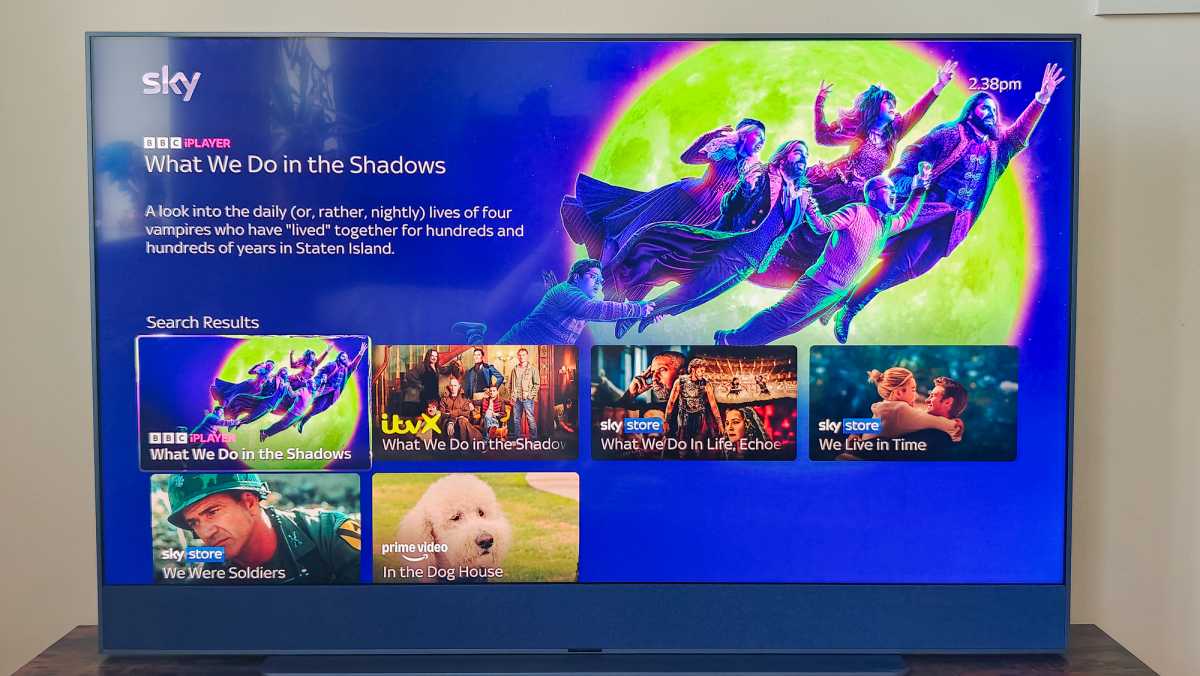
The interface on the Sky Glass remains intuitive and simple to use, and that includes the set-up of the TV, which was easy to do. If you previously used another Sky product as I did, the TV will remember your last watched programmes and apps you had installed – though you will need to sign in again.
The homepage is bright and inviting, and when you hover over a programme it shows up with promo photography and a description.
The home page offers various ways to navigate. If you prefer to search by a specific category, there are sections for TV shows, Movies, Sport, Kids, News, Audio and music, Fitness and International. There’s then the standard TV guide, with all the channels you have in your package, and then rails that change depending on the time of year and your viewing habits. For example, right now, there are sections dedicated to Easter.
There’s also a section for Games, which includes titles such as Wordle, Snake and Connect Four. This segment will expand if you connect an accompanying Sky Live camera, but that (again) costs extra.
The key difference between this TV and Sky Q is that you can’t record things manually to a hard drive. Instead, you use the ‘+’ button on the remote to add content to your Playlist, so you can have all your favourite content in one place.
Hannah Cowton-Barnes / Foundry
Annoyingly, you can’t use this button from within the apps, and it’s worth noting that some shows can disappear after a long time. So, it’s not a direct replacement for good old-fashioned recording.
There’s the option to add profiles on the Sky Glass, which you can assign to personalised playlists for more tailored recommendations – a good option if your kid uses this TV.
Voice control on the Sky Glass remains a source of bemusement and frustration as a northern woman. It struggles to understand me unless I pitch my voice at a lower register, and my husband seems to have better success. We have also accidentally set it off by saying phrases that it interprets as ‘Hello Sky’ (and believe me, there have been some strange ones), which can be annoying if we’re in the middle of a gaming session.
Compared to the one on the Google TV Streamer , this isn’t the strongest asset for the Sky Glass in my experience – but I can see that other reviewers haven’t had the same issues, so it may depend on your accent and register.

Hannah Cowton-Barnes / Foundry
Price & Contracts
You can buy the Sky Glass Gen 2 outright, or on contract for either 24- or 48-month terms. Whichever option you go for, you’ll also need an entertainment contract on top of that to watch TV series, movies and more.
Here’s a breakdown of the costs by the size of the TV you opt for:
Sky Glass Gen 2: Outright prices
- 43-inch – £699
- 55-inch – £949
- 65-inch – £1,199
Sky Glass Gen 2: 24-month contract costs (with £20 upfront fee)
- 43-inch – £28 per month (£672 total cost)
- 55-inch – £38 per month (£912 total cost)
- 65-inch – £48 per month (£1,152 total cost)
Sky Glass Gen 2: 48-month contract costs (with £20 upfront fee)
- 43-inch – £14 per month (£672 total cost)
- 55-inch – £19 per month (£912 total cost)
- 65-inch – £24 per month (£1,152 total cost)
That includes Sky Atlantic, Netflix Standard with Ads, Discovery+ and free-to-air channels such as BBC, ITV, Channel 4, Sky News and Sky Arts.
Hannah Cowton-Barnes / Foundry
If you want a more premium experience, you can instead opt for the Sky Ultimate TV package for £28 per month. With that, you get everything listed above, as well as Sky Max, Sky Comedy, Sky Documentaries, Sky Crime, Sky Showcase and Sky Witness.
If you want extra features such as 4K, Dolby Atmos support, ad-free viewing or access to Sky Sports, you’ll add them to your package at checkout. UHD being an extra £6 per month may be a source of frustration for some people.
It also feels like a big oversight that Sky has not included some form of upgrade programme for Gen 1 users who are partway through their contracts. While they will still get software updates, they are missing out on some big upgrades.
If the TV is a bit out of your price range, then you could either buy a separate unit outright and get the flexible Sky Stream box or wait a little longer for the launch of the more affordable Sky Glass Air , which forgoes the soundbar – though exact costs of that aren’t available yet.
You can see how the Sky Glass compares to other products from the brand, Q, Stream and Now, in our Sky buying guide . We also have a piece on Sky Glass 2 vs Sky Glass Air .
Should you buy the Sky Glass Gen 2?
The Sky Glass remains unchallenged in this market sector – there isn’t any other equivalent TV from Virgin or EE right now, which works in its favour.
It’s one of the best smart TVs you can buy, but with a little asterisk.
Sky has simplified the process of setting up a premium TV, right down to the literal putting it together. It’s got a statement build, improved thrumming sound and generally impressive picture quality – if maybe not up to the standard of more expensive panels. The OS is intuitive to browse, though playlists aren’t a direct replacement for native recording.
Gamers wanting the most responsive and impressive visuals may wish to give this one a miss, and I can’t sing the praises of voice control due to it not getting on with my accent (curse my Warrington roots).
While monthly costs can mount up, introducing the £15 per month entertainment package has made the Glass a more attractive package than the Gen 1, and a tempting television for the masses.
Specs
- Display technology: QLED
- Resolution: 3840 x 2160 4K
- Screen sizes: 43, 55, 65-inch
- Refresh rate: 60Hz
- HDMI: 2.1 x3 (one eARC)
- HDR support: Dolby Vision, HDR10, HLG,
- Freeview tuner (back-up only)
- Dimensions: 1228.9 x 787.9 x 220 mm (with stand)
- Weight: 21kg (with stand)
Best Prices Today: Sky Glass
Author: Hannah Cowton-Barnes, Entertainment Editor, Tech Advisor

As Tech Advisor’s Entertainment Editor, Hannah is the resident expert in all things streaming, film and TV. Before joining Tech Advisor in 2019, she studied Theatre and Performance at the University of Leeds and created a website dedicated to geek culture and lifestyle. She’s also reviewed a whole range of gadgets including flagship smartphones, wearables and styling tools. Outside of Foundry, she’s written freelance pieces for Polygon, Metro and Den of Geek, and is proud to be a Women Techmakers Ambassador for Google.
Recent stories by Hannah Cowton-Barnes:
- Harry Potter TV series has finally revealed a release window
- Jessica Jones returns in Daredevil: Born Again season 2 trailer
- The Traitors will return for season 5 with new twists and challenges
