The 2025-26 Premier League season has finally arrived, and with 380 matches scheduled between now and May, you might be wondering how you’re going to catch all of the football action.
In the UK, matches for the season are split between Sky Sports and TNT Sports. However, games that kick off on Saturday at 3pm fall under the blackout rules in the UK, meaning no broadcaster in this country has the match available to stream live.
So, whether you support Arsenal, Everton or whichever team it may be, here’s how to watch the Premier League in the UK, including games that air in the blackout period.
You can also read how Channel 5 is expanding NFL coverage to air free Sunday games .
Which Premier League games are on TV this weekend?
Eight matches will be available on UK channels this weekend and on Monday. The ones that you can’t watch on Sky and TNT are the blackout games, which we’ve listed below.
The first match sees previous champs Liverpool kick off the season.
Fri 15 Aug
- Liverpool vs AFC Bournemouth – KO 8pm BST – Sky Sports
Sat 16 Aug
- Aston Villa vs Newcastle United – KO 12:30pm BST – TNT Sports
- Wolves vs Manchester City – KO 5:30pm BST – Sky Sports
Sun 17 Aug
- Chelsea vs Crystal Palace – KO 2pm BST – Sky Sports
- Nottingham Forest vs Brentford – KO 2pm BST – Sky Sports
- Manchester United vs Arsenal – KO 4:30pm BST – Sky Sports
Mon 18 Aug
- Liverpool vs Everton – KO 8pm BST – Sky Sports
What are the Premier League blackout matches this weekend?
Three matches are taking place this Saturday at 3pm. While you won’t find them on any UK TV channel, we’ve listed the service to access with a VPN, or where you can catch highlights later on.
Highlights are available on every match, we’ve just listed the ones where accessing with a VPN hasn’t been successfully tried and tested by us.
Sat 16 Aug
- Brighton vs Fulham – KO 3pm BST – Only highlights on BBC, Sky Sports and YouTube
- Sunderland vs West Ham – KO 3pm BST – Available live on Peacock with a VPN
- Tottenham Hotspur vs Burnley – KO 3pm BST – Available live on Peacock with a VPN
How to watch the Premier League in the UK
For UK-based channels, only 270 of the 380 games are shown live. Sky Sports has the majority of these, but there are also some on TNT Sports (formerly BT Sport).
If you’re looking for matches during the blackout period specifically, keep scrolling.
Is the Premier League on Sky Sports?
This year , Sky Sports is airing 215 matches, a big jump up from the 128 shown last season. You have several options when it comes to Sky Sports.
The first is to get a TV package , which is currently £22 extra per month on top of an existing Sky Entertainment and Netflix plan – the cheapest combined plan is currently £37 per month on a 24-month contract with Sky’s Essential TV package .
If you don’t mind paying a monthly subscription for your TV, Sky Glass Air is also worth considering. You can currently get a 43-inch TV (48-month contract) with Sky Sports, Sky Entertainment and Netflix (Standard with Ads) on an 18-month contract for £40 per month with £20 upfront . If you want a more premium TV, then you can instead opt for the Sky Glass Gen 2 , but this does cost extra.
Alternatively, there’s Sky Stream , a Chromecast-style puck that you plug into the back of your TV. The cheapest plan with Sky Sports costs £35 per month – it also has Sky Entertainment and Netflix’s ad-supported plan included.
It usually costs £34.99 per month for the Sky Sports Pass, but an offer at the time of writing reduces the price to £28 for twelve months .
Now Boost offers 1080p video (instead of 720p), allows simultaneous streaming on up to 2 devices (rather than just one) and removes ads for £6 extra per month. Now Ultra Boost increases this to £9 per month in exchange for 4K and 3 simultaneous devices.
How to watch the Premier League on TNT Sports
Formerly known as BT Sport, TNT Sport is the next biggest channel for Premier League games.
At full price, the cheapest package costs £30.99 per month on a monthly rolling contract, though you’re limited to the Discovery+ app. However, it also includes Eurosport 1 & 2 and the Discovery+ Premium streaming service.
Alternatively, if you pay for your TV package then you can add this channel to your subscription. It costs an extra £20 per month for existing BT Broadband customers and EE TV customers, £25 per month for Sky TV customers, and right now, Virgin Media customers can get it for just an extra £5 per month.
How to watch Premier League blackout matches in the UK
In the US, NBC has the exclusive English-language rights to the Premier League. All 380 matches are broadcast live, across the main NBC channels, NBC-owned USA Network and its streaming service, Peacock.
The first thing you’ll need to do is choose your VPN. There are lots of options out there, but our top recommendations are NordVPN and ExpressVPN – both offer competitive pricing, good performance and a decent range of servers.
A VPN can unblock streaming services by making it appear as if you’re in US – regardless of where you actually live. You can take a look at further recommendations in our list of the best VPNs for streaming .
How to register your payment details on Peacock US
We successfully managed to create a Peacock Premium account using an Android phone and both NordVPN and ExpressVPN on separate occasions
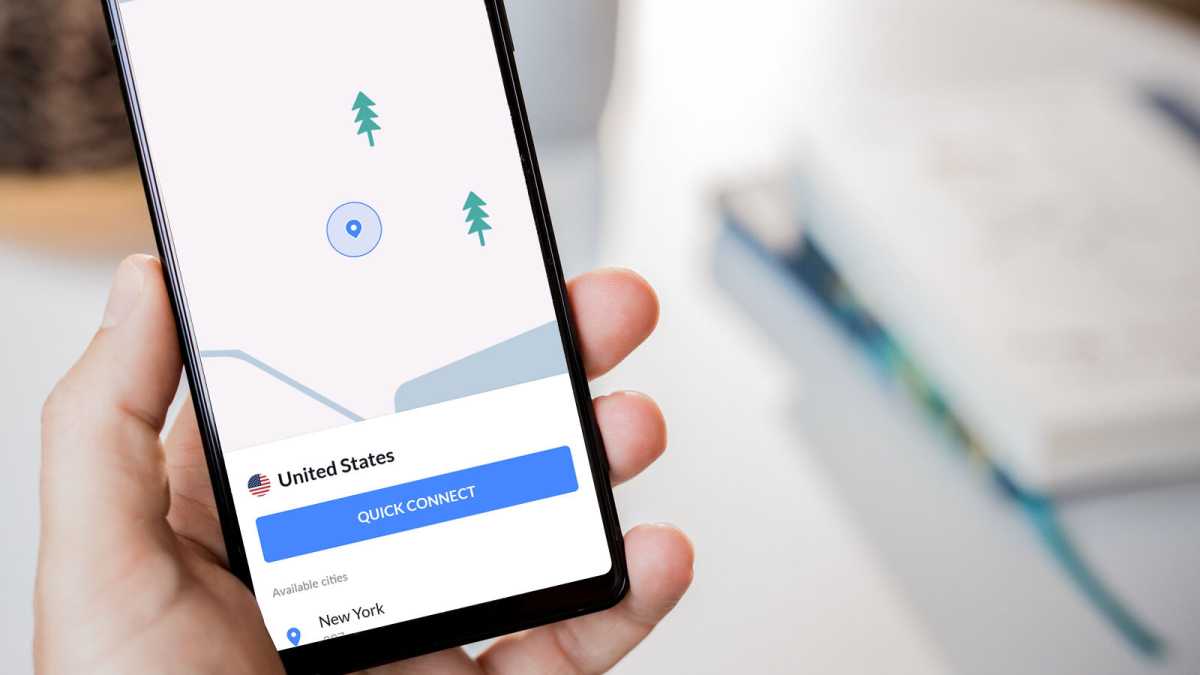
Launch your VPN on your iOS/Android device and connect to a US server
Dominik Tomaszewski / Foundry
There will be multiple servers to choose from, but NordVPN (and other services) typically select the fastest
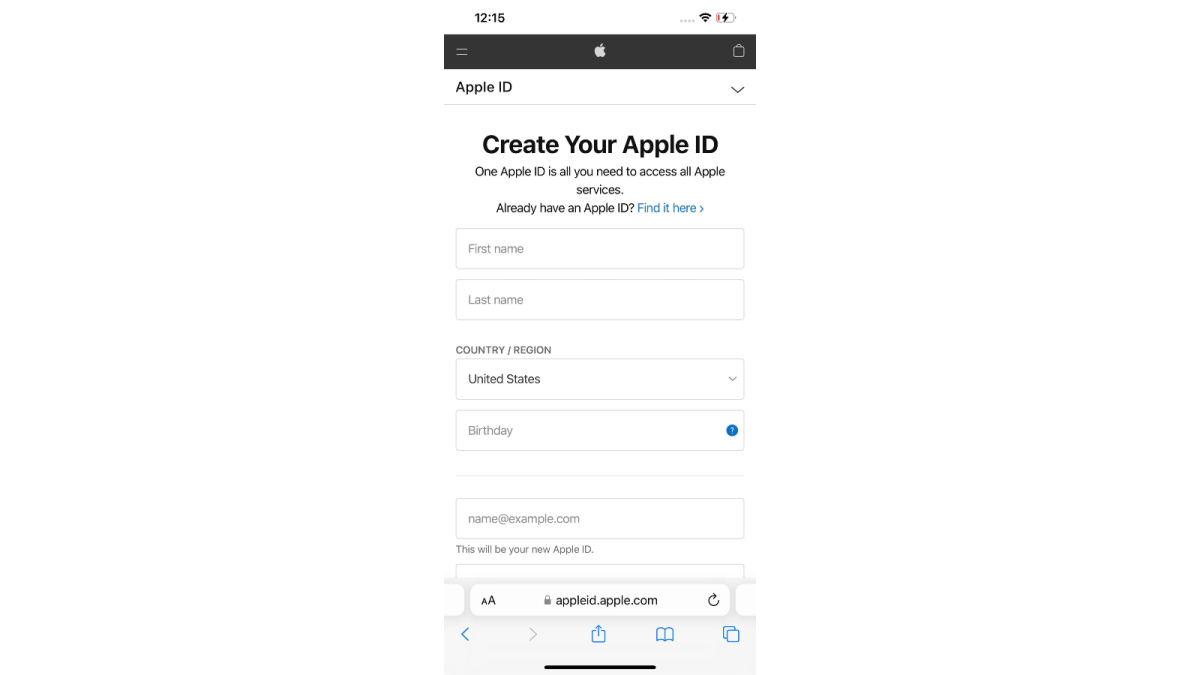
Create a new Apple ID/Google Play account in your browser that’s tied to the US
Hannah Cowton / Foundry
Add in your name, birthday and choose an email address
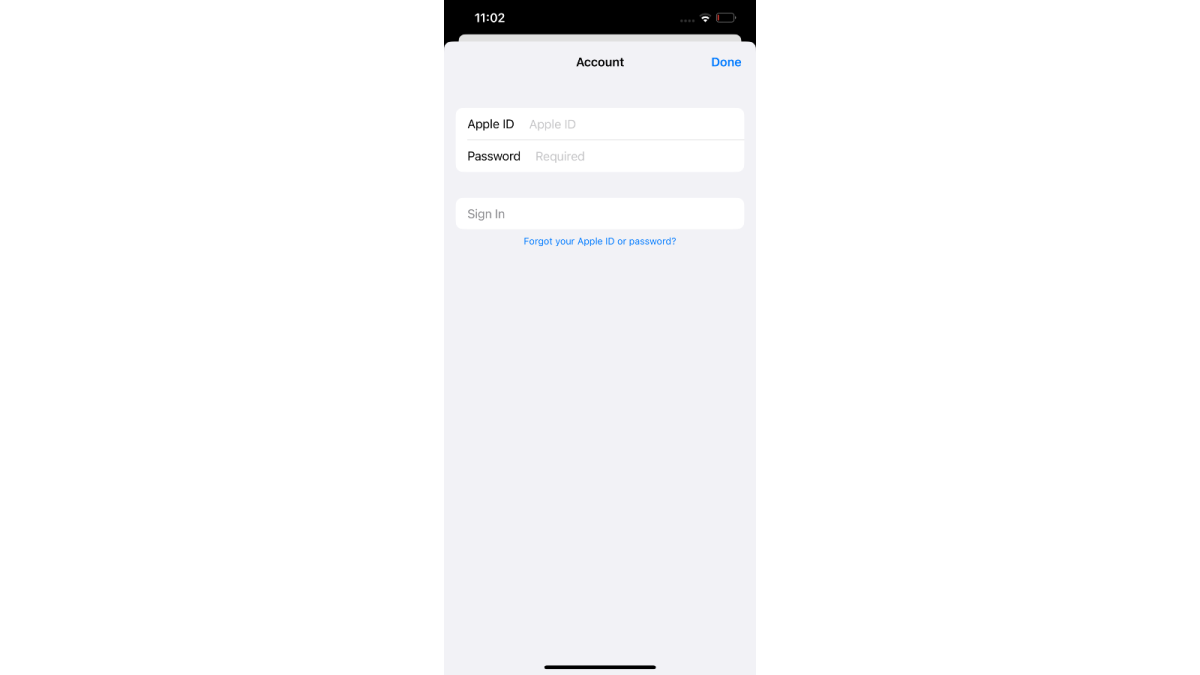
Register your new account on your iOS/Android device app store
Hannah Cowton/Foundry
Ensure you are still connected to a US server on your VPN during this
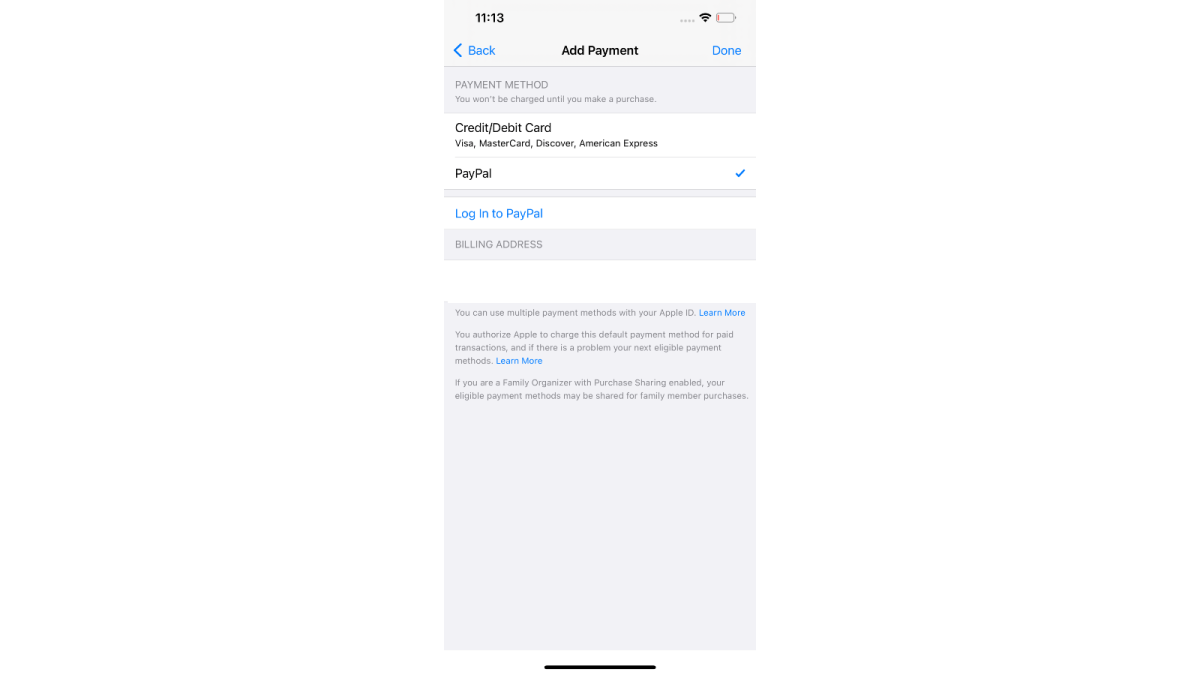
Add PayPal as your method of payment
Hannah Cowton / Foundry
We have still been able to register a UK PayPal account on a US iOS/Play Store account during testing
This should be under the section ‘Add Payment’ in iOS, and ‘Payment methods’ in Android
You should now have access to the US app store – download and install the Peacock app
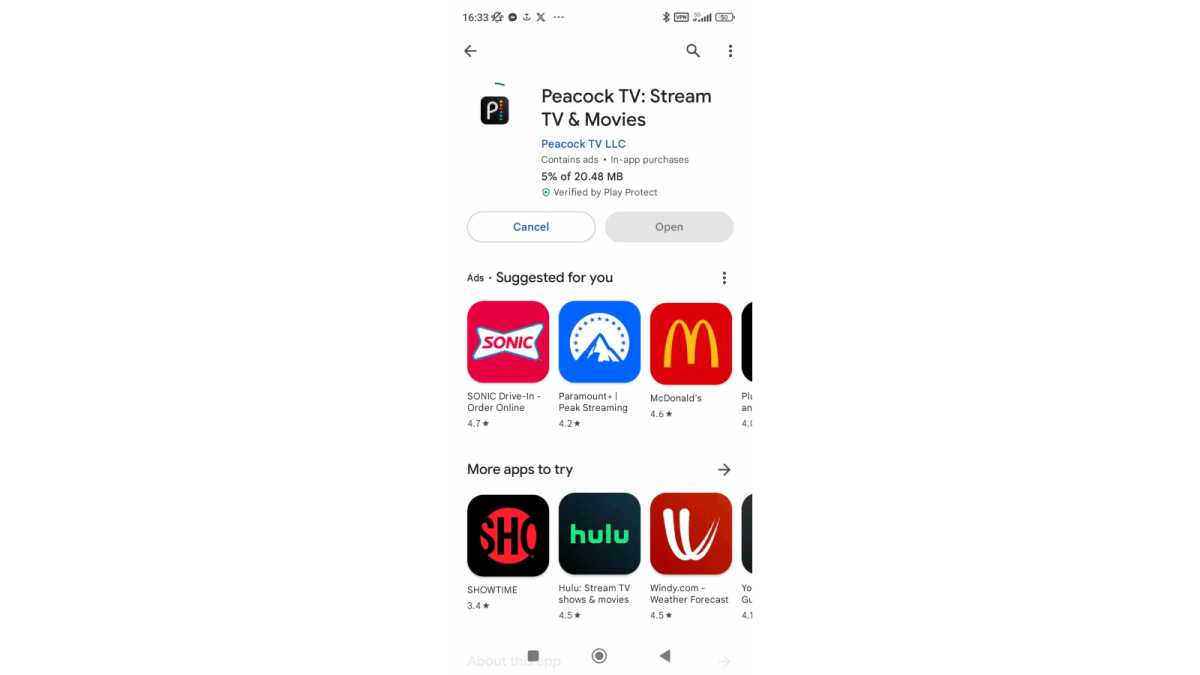
Hannah Cowton / Foundry
If you don’t have access to the US app store, sign into your VPN on your PC and send the app to your phone via the web
Create a new account in the Peacock app with your new email address and a password
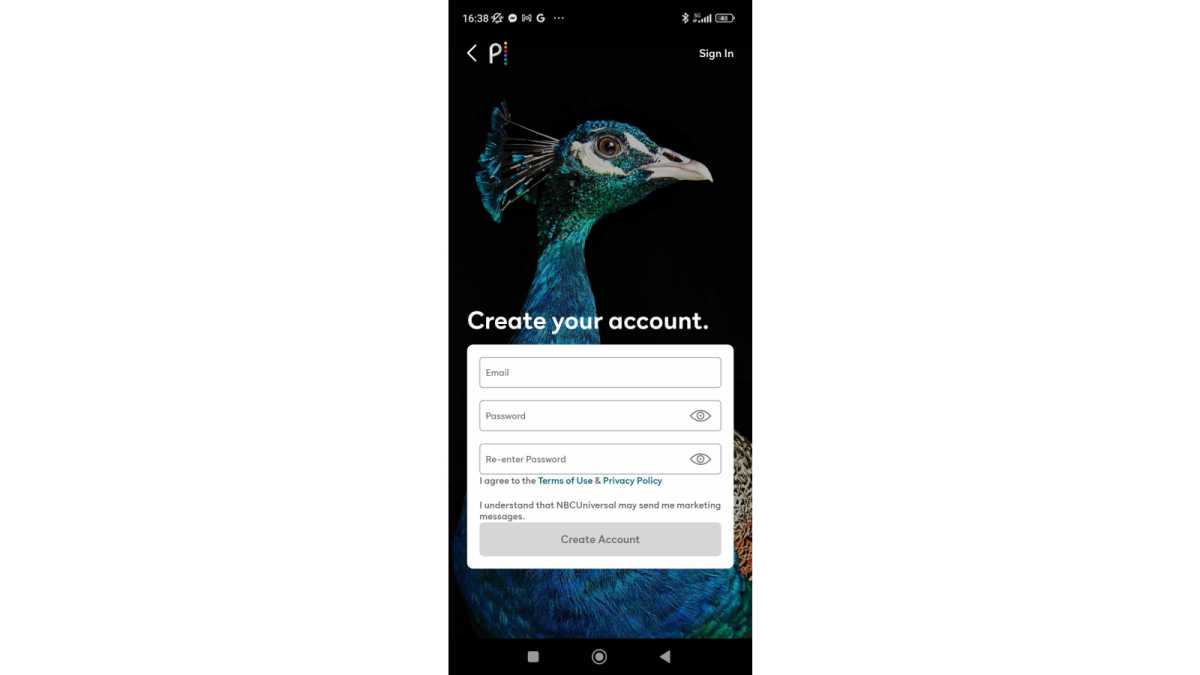
Hannah Cowton / Foundry
Choose between the Premium and Premium Plus plans
Use PayPal as your method of payment
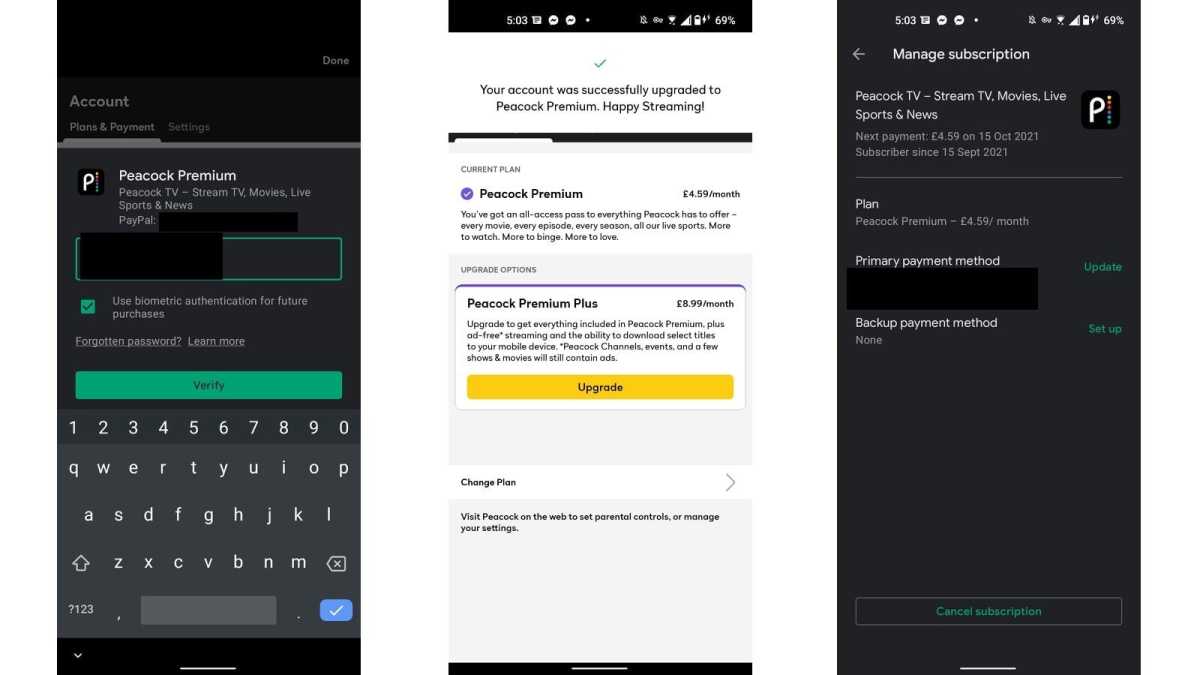
Hannah Cowton / Foundry
We were able to use this successfully on Android
Once your account is verified, you can sign in from your PC or laptop

Jared Newman / Foundry
We have had some trouble streaming from mobile, so we recommend using your PC/laptop for watching Peacock content using a VPN
During testing, I noticed that the Play Store did not change to the US version, even when creating a new account.
The way I got round this was by connecting to a VPN on my PC, signing into the Google Play Store US website , searching for the Peacock app and sending it to my phone (which was still connected to the VPN).

We have had reports of people not being able to install US streaming apps such as Max on iOS as the app store forces users to register their payment details within the app store, and doesn’t accept UK PayPal if you try to register with this account.
If this happens to you, we recommend purchasing US App Store credit via a digital gift card which can be added as a US payment option – you’ll need a website that allows you to pay with UK bank details.
If you set your email address as the recipient, the code to redeem the money will be sent to your inbox. When you come to add the payment information, select ‘redeem gift card or code’, and you should be able to add the money as credit on your account.
How to watch all Premier League matches for free
Unfortunately, we don’t yet have a tried and tested method for other blackout games that aren’t on Peacock but are on other US streaming channels.
You can try signing up for a live TV streaming service such as YouTube TV ($72.99 per month), Sling TV (requires $45 per month Sling Blue) or Hulu+ Live TV ($82.99 per month) while using your VPN. However, none of these are cheap, and many require a payment method that’s tied to the US.
Therefore, the best way to catch up on football without paying a penny is by watching the Premier League highlights. BBC airs Match of the Day on Saturdays and Sundays, and you can either watch this live or on-demand via BBC Sport or BBC iPlayer.
You don’t have to wait until Match of the Day, as BBC Sport will also now be showing highlights from 8pm every Saturday and Sunday .
Sky Sports also offers free highlights for everyone , as does the official Premier League YouTube channel .
Author: Anyron Copeman, Mobile Editor, Tech Advisor

Anyron is Mobile Editor at Tech Advisor, where he’s been a mainstay of the editorial team since 2019. In his current role, Anyron is responsible for all smartphone, tablet and mobile network coverage on the site. A BA Journalism graduate, he has experience with a wide range of consumer tech products and services, including smartphones, tablets, foldables, wearables and more.
Recent stories by Anyron Copeman:
- The F1 British Grand Prix is this weekend – watch for free for the only time this season
- It’s FA Cup final time! Here’s how to watch Crystal Palace vs Man City live
- How to watch the Champions League live
