
At a Glance
Expert’s Rating
Our Verdict
Though not cheap, the A129 Pro Duo is still one of the more affordable 4K dash cams. It does the basics well and offers great video quality, but note that the rear camera is not 4K.
Best Prices Today: Viofo A129 Pro Duo

4K dash cams are still few and far between, and when you do spot one, it’s likely to be expensive. Viofo is a relative newcomer to the world of dash cams but has already proven that it has the right recipe.
It sticks to what people want from a dash cam: high quality recording at a decent price. It largely dispenses with unnecessary frills such as lane-departure warnings and other stuff that doesn’t work too well and which dash cam buyers don’t want.
The A129 Pro Duo looks and sounds similar to the A129 Duo, reviewed , but has one key difference: it records in 4K. So is the extra cost worth it? That’s what we’ve been finding out.
( Note that the video above has been compressed, and is not the original 4K quality. )
Viofo A129 Pro Duo: Price & availability
Whichever version you go for, there are a few things that you won’t find in the box. First is a microSD card, and you’ll want to go for a large-capacity card because the 4K video files take up a lot of space. Even a 128GB card will only store 3.5 hours of footage if you set the front camera to 4K and have the rear camera recording at full HD. 256GB is the maximum capacity supported.
Third, there’s an optional polariser for around the same price as the hardwire kit. This cuts down on reflections from your car’s windscreen and dashboard, and can lead to clearer video with better contrast.
You’ll find a bunch of alternative choices in our roundup of the best dash cams .
Viofo A129 Pro Duo: Features & design
It’s hard to tell the A129 apart from the A129 Pro. They look identical and have identical GPS mounts. They also have the same 2in colour screen, buttons and ports, so it was a one-minute job for us to swap out the A129 Duo already present in our test car and install the A129 Pro in its place: we simply used the power wire and GPS mount from the A129 and plugged the rear camera directly into the side of the A129 Pro.
As mentioned, the rear camera that comes with the A129 Duo is the same model that’s supplied with the A129 Pro Duo, and therefore records at 1920×1080 and offers exactly the same field of view and video quality.

Up front, there’s an 8.29Mp Sony sensor and a different lens which offers a 130° field of view. I’ve seen plenty of people criticise dash cams for having a narrower field of view, but I think it’s actually a benefit since it means cars and other objects directly in front of you appear larger than on lenses with a wider angle of view. And that means details such as registration plates are larger, so are readable when they wouldn’t be on ultra-wide-angle dash cams.
The 2in screen is not a touchscreen, but it’s easy enough to navigate using the buttons – easier, in fact, than some touchscreen dash cams.
There are rather a lot of settings, but the main ones you’ll probably want to deal with when first setting up the A129 Pro are the resolution and bitrate.
For the former, you’re somewhat limited if you’ve bought the version including the rear camera. That’s because the front camera can only be set to record at 30fps when the rear cam is connected, and it makes no sense to record at a lower resolution than 4K. (Remember the rear camera tops out at 1080p).
If you don’t have the rear camera, then you can bump up the frame rate to 60fps at a 2K resolution (1440p) or a super-quick 120fps at 1080p.
In terms of bitrate, you have four choices: Low, Medium, High and Maximum. At the latter setting, which is 60Mb/sec, each minute of 4K video takes up about 450MB on the microSD card (the rear is about 120MB). So that’s a total of 570MB per minute.
You can also enable WDR to improve clarity at night, and choose exactly what information is stamped onto the video: date, gps coordinates, speed, car registration and custom text.
It’s worth noting that there is no battery in this dash cam. It uses a super-capacitor instead and also has a built-in overheating protection system, so should be reliable even when baking in the sun in a car park.
Parking modes
There are the same three parking modes available on the A129 Duo: motion detection, low bitrate recording or timelapse (you pick between 1 and 10 frames per second).
For the former, it works on a buffer so it’s able to record 15 seconds before the impact and 30 seconds afterwards, which should ensure you see what happened (assuming it happened within the view of the front or rear cameras, of course).
To use any of these, you’ll need to have the camera hardwired rather than using the bundled cigarette socket adapter. (You could instead use a USB power bank while parked, but the advantage of the hard wire kit is that it will automatically switch to your chosen parking mode when you switch off the ignition – much more convenient). The hardwire kit has a slider so you can choose at what battery voltage it shuts down the dash cam to avoid a flat car battery.
App
Like almost all dash cam apps, Viofo’s is clunky and basic. It’s possible to view the live feed from the dash cam (which might be useful for adjusting the angle of the lens) and adjust the settings more easily from your phone instead of using the buttons on the camera itself.
The main use, though, is to view and download recorded video. Fortunately, this part works well. I selected 5GHz under the Wi-Fi menu before holding down the picture-in-picture button for a second or two to switch Wi-Fi on. Then, after picking the Viofo network and entering the default 12345678 passsword, it’s possible to connect to the camera and tap the bottom-left icon to see the list of files.
These are divided into days, but the front and rear clips are shown separately, not combined. The fast connection speed afforded by 5GHz Wi-Fi means you can watch clips as if they were already on your phone, and they can be quickly downloaded to your phone for editing and sharing.

At around 8MB/sec it takes about 45 seconds to download a minute of 4K video, and 12 seconds for a clip from the rear camera. This is a real boon as it means that, for once, here we have a dash cam that doesn’t have to be removed from the car and taken to your PC or laptop to offload footage.
Video quality
Having been disappointed with the footage from Nextbase’s 612GW, I was more impressed with the 4K video from the A129 Pro. Even without the polariser, images are crisp and detailed. It’s possible to see registration plates of other cars on the road (both parked and driving) and to read signs and other text.
Detail levels are perhaps not quite as amazing as you might expect, but this frame grab shows that plates are mostly readable even when cars are reasonably far away, or parked to the side.

At night, there’s a good amount of detail in shadows with WDR enabled, but the same problem that all dash cams suffer from: overall quality is vastly reduced.

Plus, because number plates are reflective, it’s impossible to read them when your car’s headlights are shining on them. Reviewing footage, almost every registration plate was illegible at night unless the car in front stopped at a well-lit junction, whereupon its registration was nice and clear as soon as I had pulled up behind it.
Quality from the rear camera is – as mentioned – the same as from the A129 Duo. It’s better than most rear cameras, and delivers pretty sharp footage. Again, quality drops at night considerably, and there’s certainly not the level of shadow detail available from the 4K front camera.

Conclusion
The A129 Pro Duo is one of the cheapest dual-channel dash cams around, so even though it costs a lot more than the A129 Duo, it’s worth it if you really want the extra detail available with 4K recording.
There’s also the dual-band Wi-Fi which makes it a lot faster to download clips to your phone. If we’re being critical, the app could be slicker, but fundamentally the A129 Pro Duo records excellent-quality video for the price.
Specs
Viofo A129 Pro Duo: Specs
- Lens: F1.8 Aperture 7 Elements Glass Lens (F1.6 Rear Camera)
- Sensor: Sony IMX317 8Mp sensor (2Mp Sony Starvis IMX291 for Rear Camera)
- Lens Angle: Front 130°, Rear 140°
- Display: 2.0-inch LCD
- Video Resolution: Front up to 4K at 30fps, Rear Full HD at 30fps
- Input: DC5.0V/3.1A via mini USB
- Video Out: MP4
- Storage: Up to 256GB
- Microphone & Speaker: Built-in
- Wi-Fi: Built-in (2.4GHz /5GHz Dual band)
- G-Sensor & Motion Detection: Supported
- Parking mode: Supported
- Time Lapse: Supported
- Video Looping: 1Min / 3Min / 5Min/ 10Min
- Size: Front: 3.3×2.2×1.6″ Rear: 2.1×1.2×2.0
Best Prices Today: Viofo A129 Pro Duo
Author: Jim Martin, Executive Editor, Tech Advisor

Jim has been testing and reviewing products for over 20 years. His main beats include VPN services and antivirus. He also covers smart home tech, mesh Wi-Fi and electric bikes.
Recent stories by Jim Martin:
- The best dash cams 2023
- Nextbase iQ review
- Nextbase launches internet-connected iQ car security camera
At a glance
Expert’s Rating
Pros
- Great monitoring features
- Impressive app
- Easy to install
Cons
- Expensive
- Subscription required for connected features
- Some features not yet available
Our Verdict
The iQ is a smart security camera you can put in practically any car and get alerts on your phone if anything happens. It’s expensive though, and there’s not much point in buying one unless you also take out a subscription. It has promise, but at the time of review was missing some of its big features.
Best Prices Today: Nextbase iQ 2K Smart Dashcam
Nextbase has spent years developing the iQ, and its launch was pushed back several times. It’s now on sale at last, albeit without a couple of key features that the company has shouted hyped up over the past 18 months or so.
However, as hard a concept as it is to sell to consumers, the iQ is meant to be an ever-evolving platform that will get new features over time.
The only problem with that approach is that this isn’t a cheap gadget and, as with so many internet-connected ones, you need to pay a subscription to use the features.. even if they’re not yet there.
There are three models in the range: 1K, 2K and 4K, starting at £349 / $499 and rising to £449 / $699. The resolutions refer to the forward-facing camera, but there’s also a cabin-facing camera, and an optional rear camera for £149 / $199 which wasn’t quite on sale at the time of writing but should be from 14 November.
Nextbase sent the 4K model for review.
Features & design
- Easy to install
- Embedded SIM
- 64GB microSD card included
The iQ has been designed from the ground up, and that’s very obvious if you’ve seen or owned any of the company’s previous dash cams.
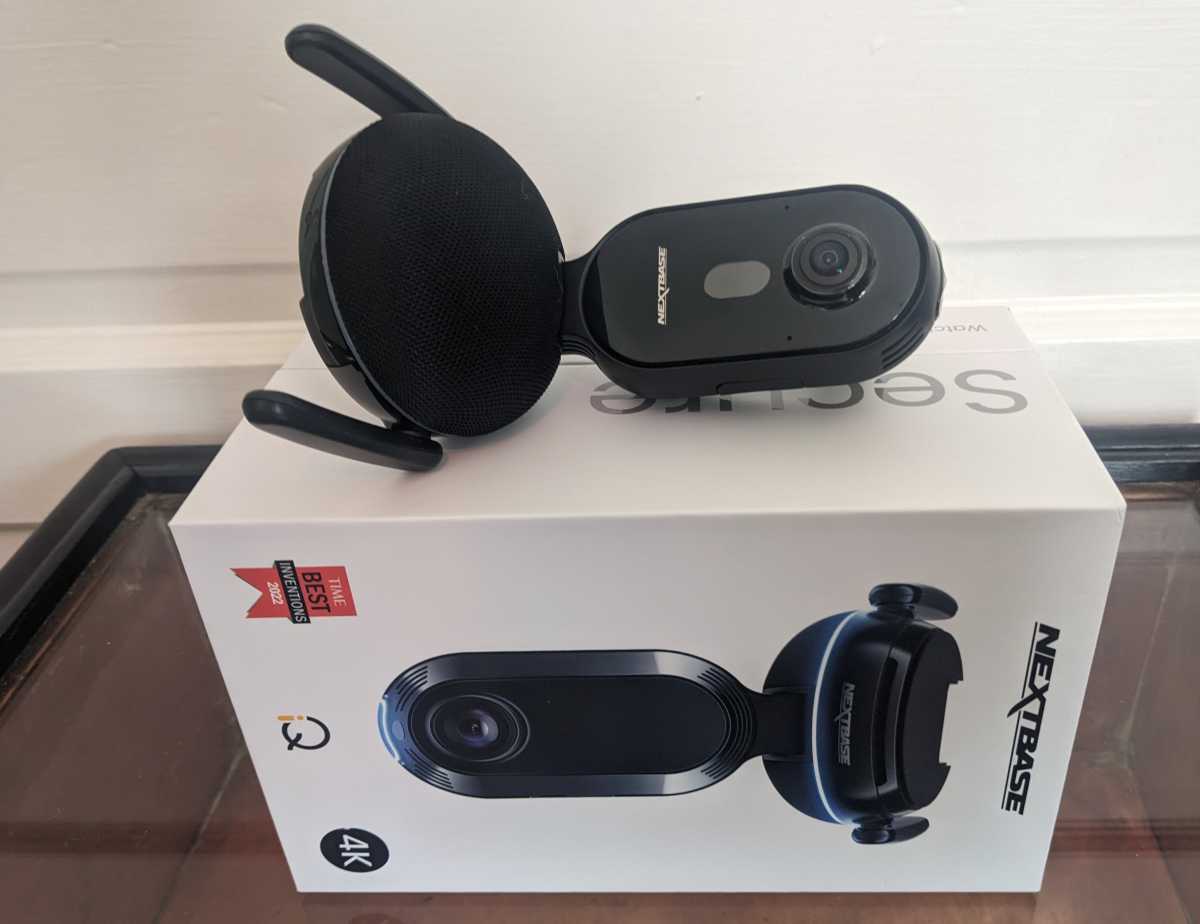
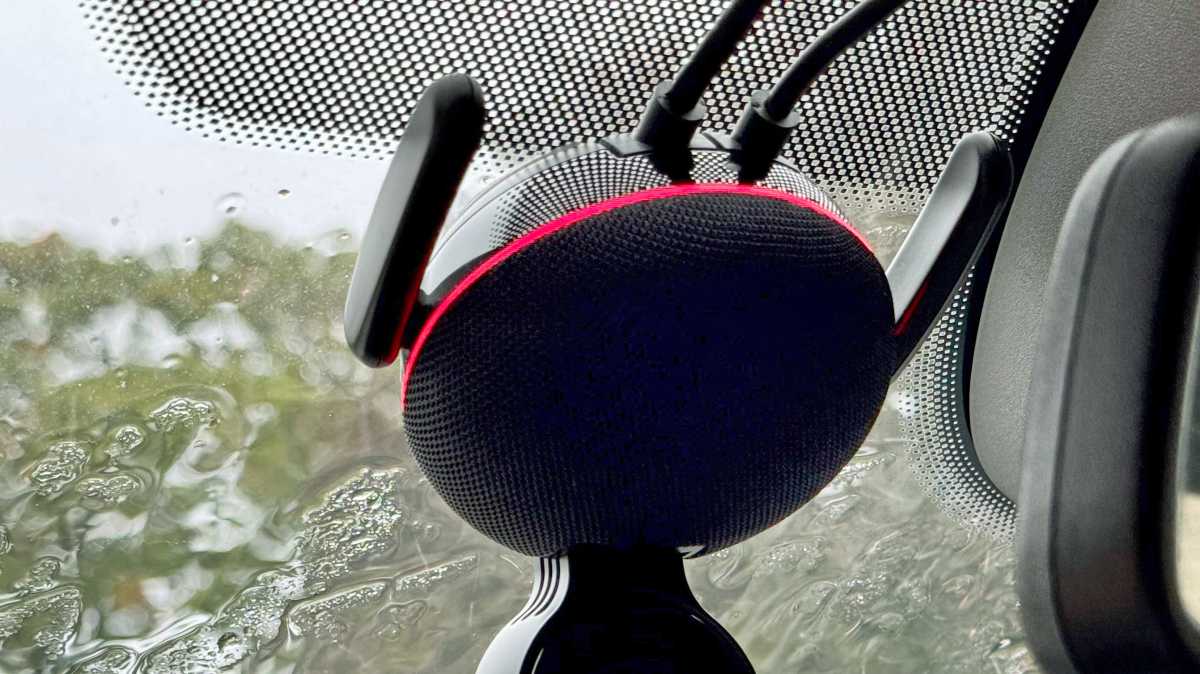
It has a fairly chunky base which attaches to your windscreen and has a fabric speaker cover much like a smart speaker. The LED ring only adds to that similarity.
Jon L. Jacobi / Foundry
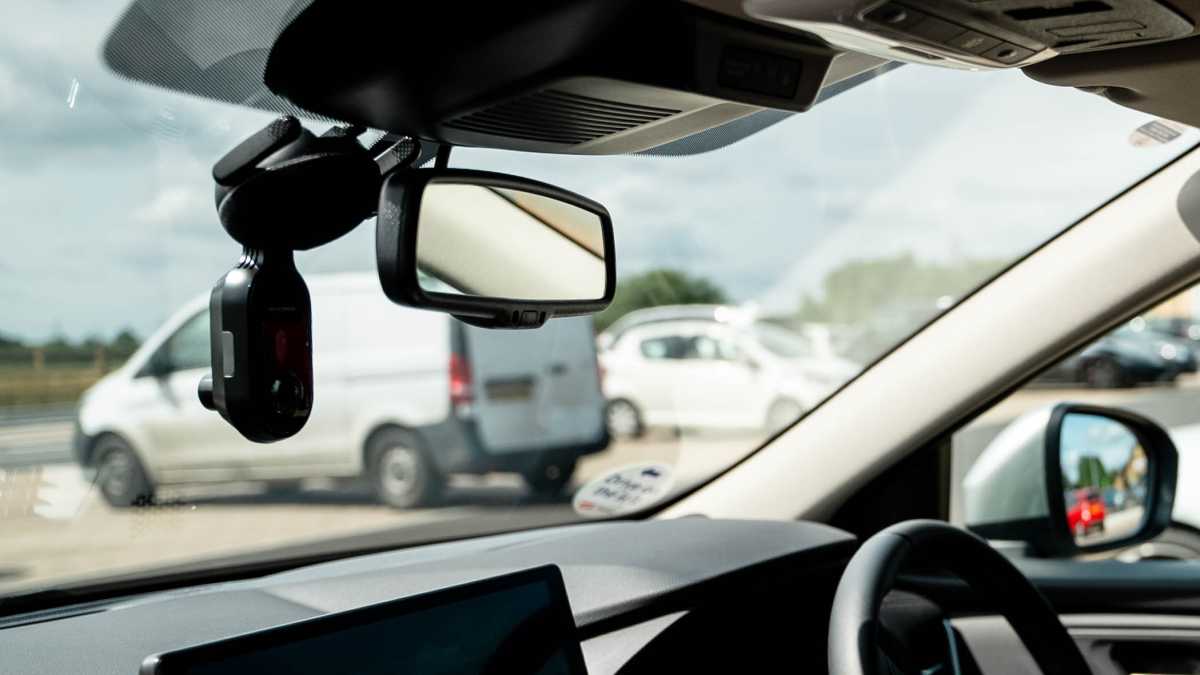
The two cameras are mounted in a pendant-style unit that points downwards into the car. In your hand, it seems like it will be large and obtrusive, but when installed it really isn’t.
The design is necessary for the camera to get a good view of the interior and passengers. The cabin camera also has infrared LEDs so you can still see what’s going on at night when the cabin is dark.
Nextbase includes a 64GB microSD card which you shouldn’t ever need to remove from the iQ, but you can upgrade it to 256GB if you want to.
It’s used to record video like a traditional dash cam, but the iQ does way more than that, and I’ll get to that in a second.
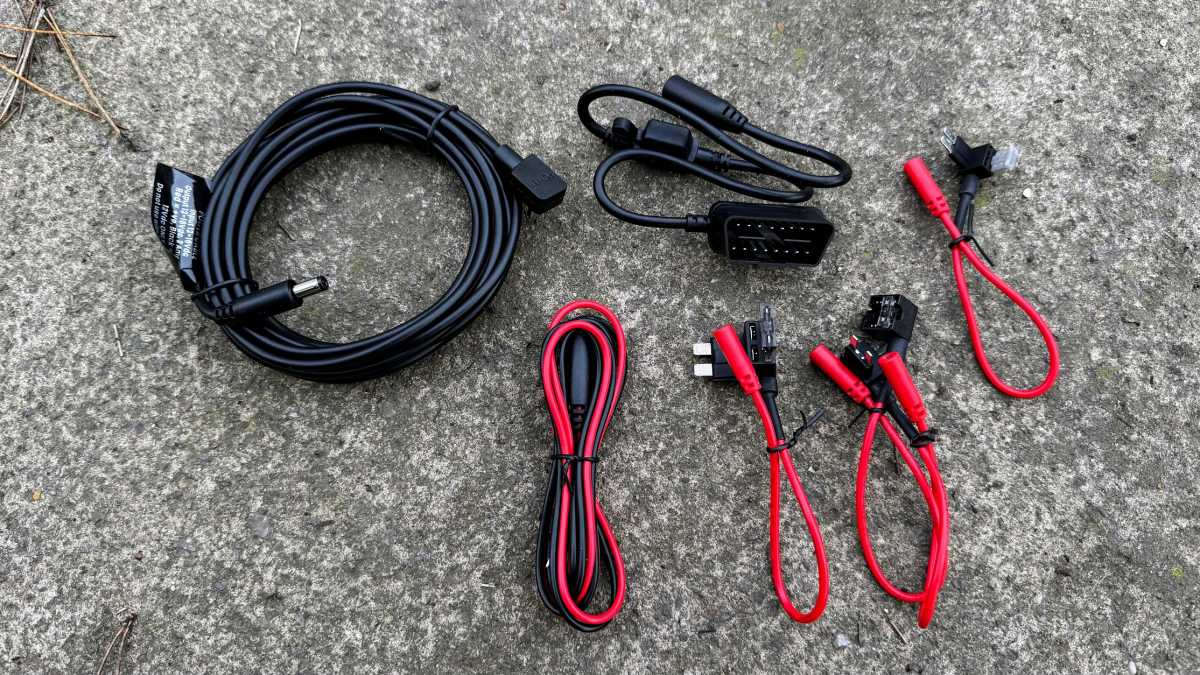
Installing the iQ in your car is simple because Nextbase includes a clever power cable that plugs into your car’s OBD II port. You might have to Google its location if you’re not familiar, but all cars since around 1996 have one.
Jim Martin / Foundry
The connector is as slim as possible so should fit behind a cover, but the cable exits from the side which proved to be a problem in my wife’s 2013 Vauxhall Corsa which has a recessed OBD II port, making it impossible to plug it in. It wasn’t an issue in my Ford Focus though.
There is a solution in the box though: fuse taps that you can connect to the appropriate fuse in your car’s interior fuse box. The only disadvantage is that you need to know which fuse to use, and to find a handy bolt that connects to the car’s chassis to which to attach the negative wire.
The only gotcha is that the adhesive mount needs to be stuck to your windscreen in a precise orientation. Rotate it slightly left or right and the iQ won’t be vertical, so it’s a good idea to offer it up with the camera attached to the mount.
Jim Martin / Foundry
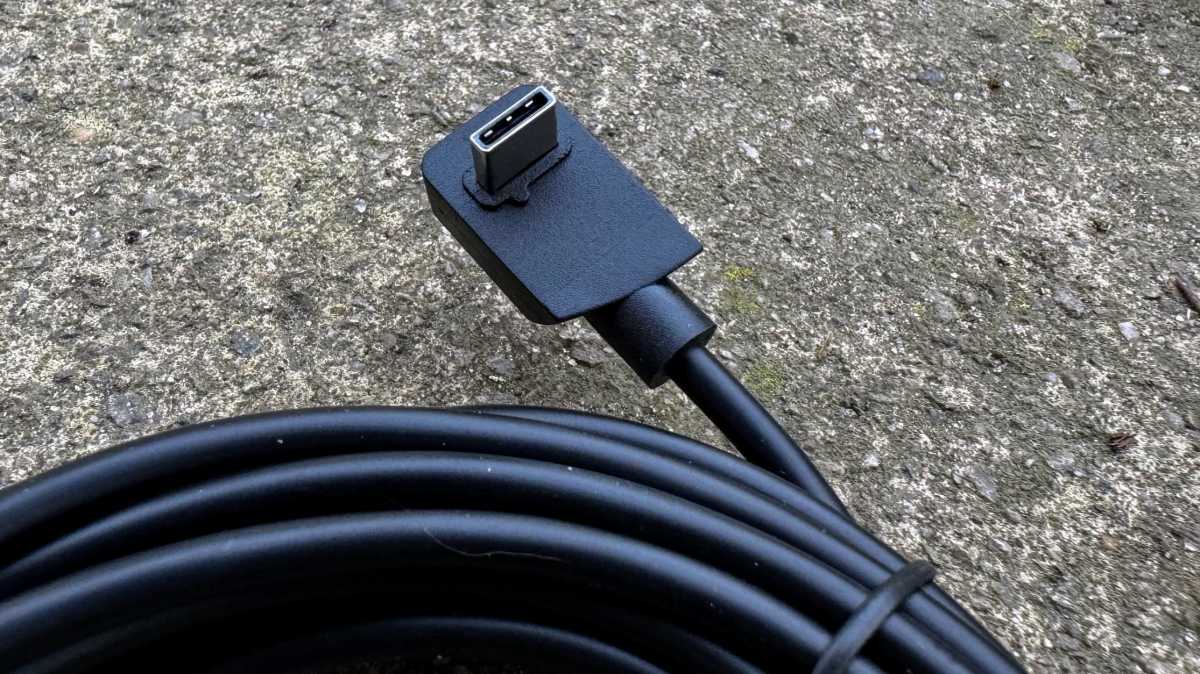
The power and rear camera cable use proprietary connectors, like squared-off USB-C, which attach neatly into the rear of the iQ.
Jim Martin / Foundry
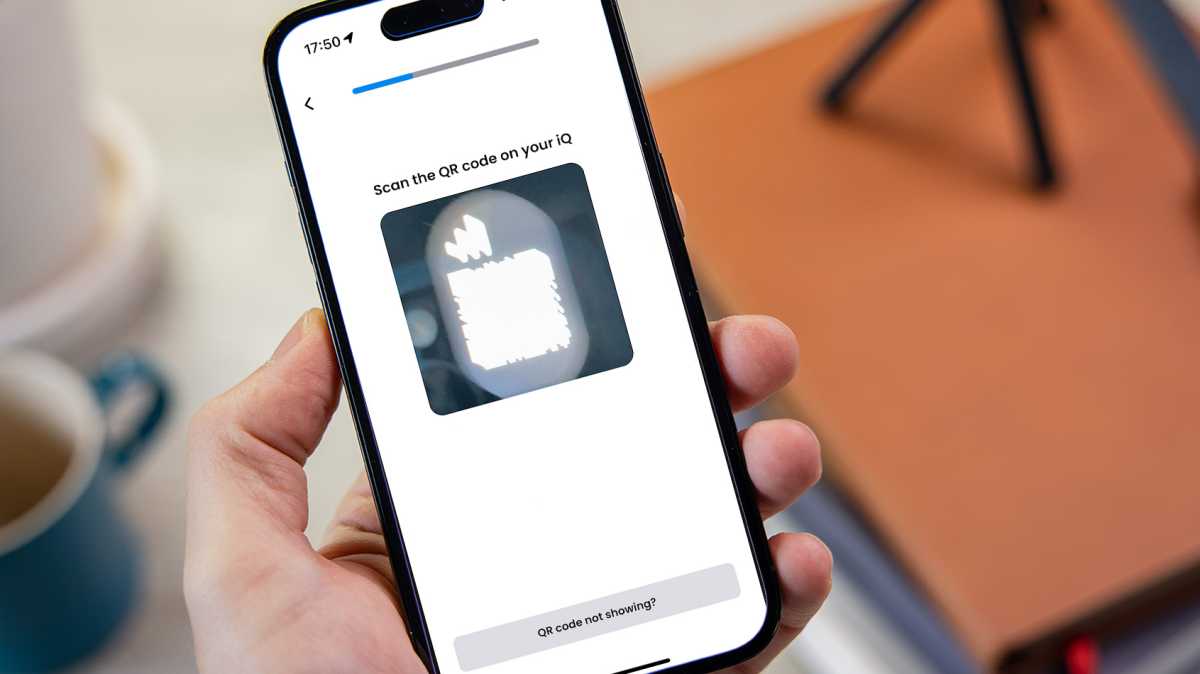
As part of the process you need to install the Nextbase iQ app on your phone and create an account. The app will walk you through the hardware installation and ask if you have a rear camera. The iQ’s data connection should activate and you’ll have to scan a tiny QR code on the iQ’s screen.
This is where the process fell down for me, as the code seemed far too bright in the preview and any slight movement of the phone caused it to blur. Using the tips provided in the app, it did eventually scan after I double-tapped the preview to turn on my phone’s rear LED flashlight and slowly move the phone closer to and away from the screen until it scanned.
Jim Martin / Foundry
If you manage to jump this particular hurdle, the iQ will download the latest firmware and restart, at which point you can see the live camera view and adjust the angle to get the best view of the road ahead (and behind if you have the rear cam).
Live view & alerts
Getting back to features, the embedded SIM means the iQ is always connected to the internet. It isn’t the first dash cam to do this, but it’s certainly the best-executed.
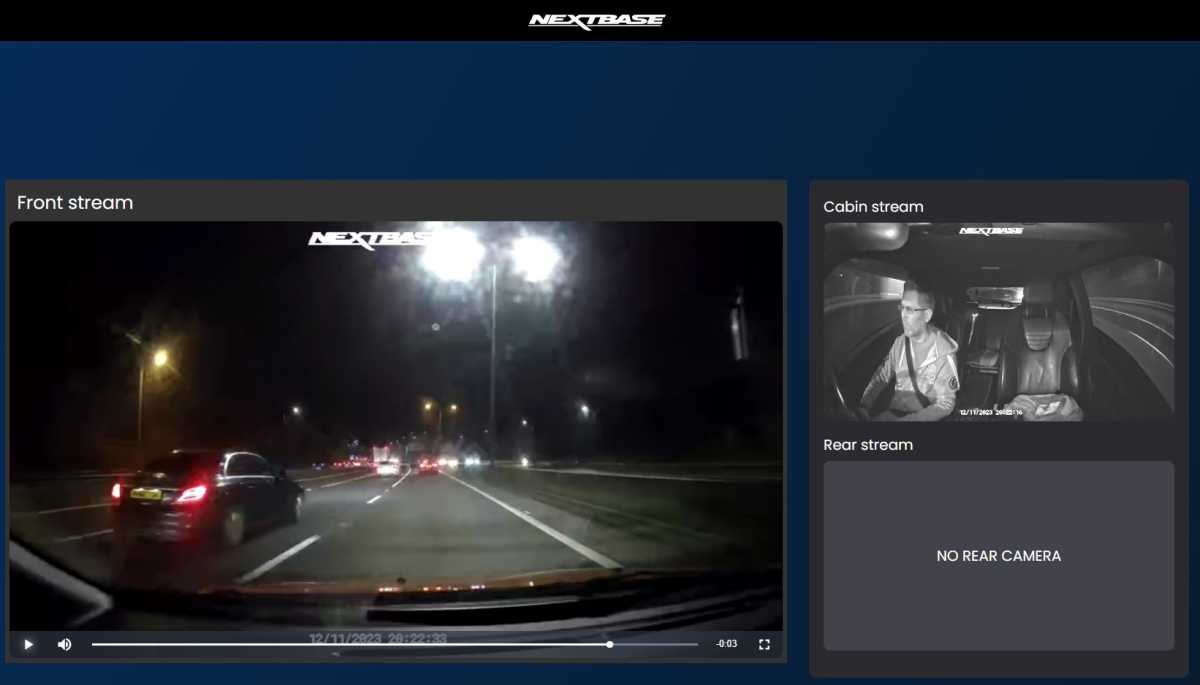
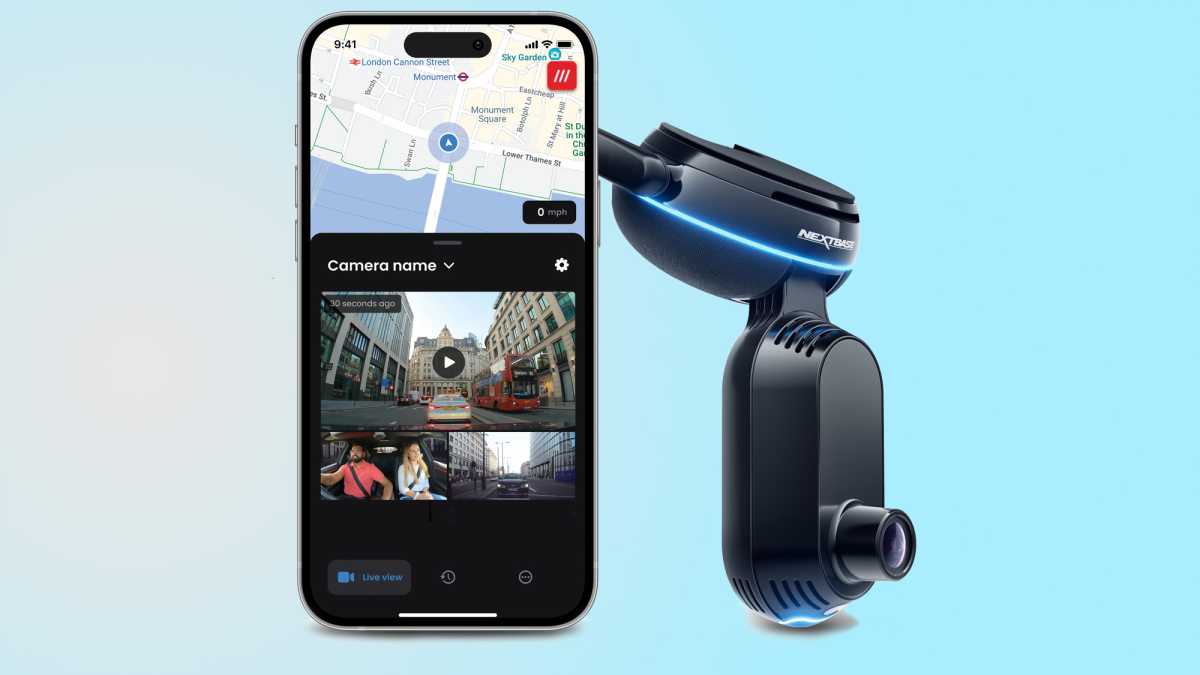
Via the Nextbase iQ app, which has clearly been inspired by Ring’s, and with the appropriate subscription in place, you can watch the live views from each camera and see on a map exactly where the car is along with the What3Words location.
Jim Martin / Foundry
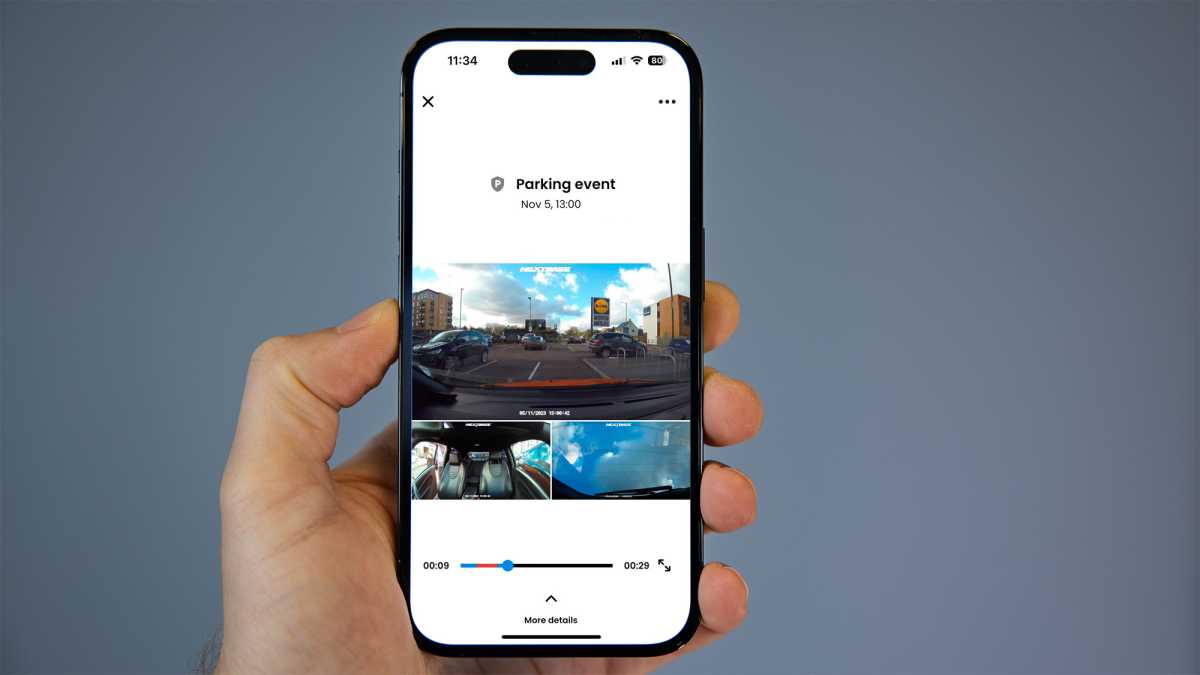
Of course, any security camera worth its salt will tell you when something important is happening and the iQ is good at it. Using a variety of sensors, including radar, it will send you notifications of “Parking events”, which could be someone reversing into your car in a car park or a person loitering with intent. I found it would also notify me when I parked up and got out of the car, and again when I returned.
You can watch the recorded event, which shows all camera views on the same screen, and a useful red highlight on the playback bar means you can skip straight to where the action happened.
Jim Martin / Foundry
These aren’t the original full-resolution versions, though. They’re standard-def 848×480-pixel clips.
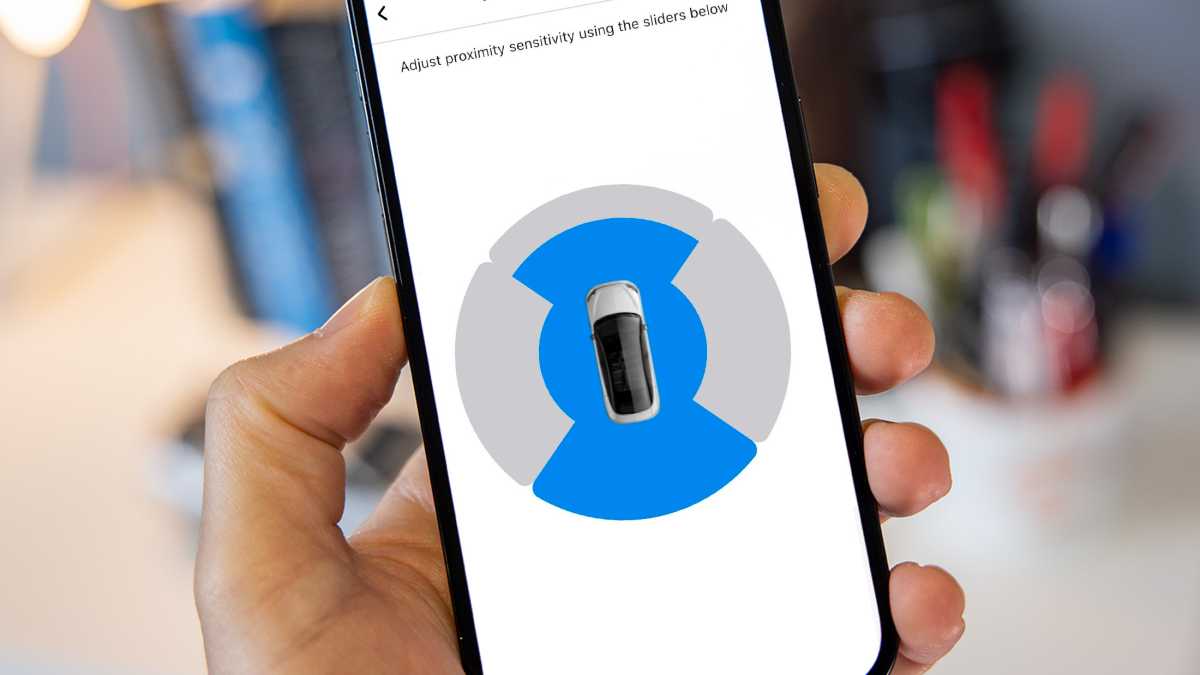
In the SmartSense settings in the app you can adjust how far away in each quadrant to monitor. There’s also a setting for the ‘activation voltage’ at which SmartSense should kick in.
Jim Martin / Foundry
This is different from the ‘Low power cut-off’ setting which shuts off the iQ if your car battery drops below a set voltage in order to ensure it doesn’t drain so much you can’t start the engine.
Emergency SOS
One of the other main safety features is Emergency SOS, something previous Nextbase dash cams have offered. You’ll need a Protect Plus subscription to enable it.
When set up, the iQ will monitor for a “severe crash” and when it detects one it will automatically send an SOS to emergency services with your exact location and – if you’ve provided it – your medical data.
You’ll receive a call back from those services but if you’re unable to answer, an ambulance will be dispatched to your location automatically.
Voice commands
You can also say a variety of other things prefixed by “Hey dash cam” such as:
- Turn the microphone on
- Turn the microphone off
- Start recording
- Stop recording
- Lock this file
- Turn the cabin camera off
- Turn the cabin camera on
For each, your command is processed locally and there are many variations of each command so you don’t have to remember the exact phrase. They all worked reliably when I tried them while driving.
Fortunately, turning the mic off only means audio isn’t recorded – it remains on to listen for your next command.
Currently, there’s no spoken feedback: everything is communicated using alert tones and a small LCD display which shows icons – it isn’t used for showing video.
Missing features
As mentioned, a couple of features are not available at launch. One is Guardian Mode. This is designed partly for parents with young drivers who want to keep tabs on them. When it’s added, you’ll be able to set speed and location limits, and get notifications when the car exceeds or leaves them.
This is also useful if you leave the car at a garage for repair, or with a valet.
A talk-back feature will allow you to communicate with whoever is in the car, too.
The second headline feature that isn’t available is Roadwatch AI. This uses a combination of computer vision and radar to identify other road users, their speed and trajectory.
This data can then be used alongside the video itself to help prove what happened if there is, for example, a collision.
As the iQ records video using H.265, you can’t use Nextbase’s current desktop viewer as it supports only H.264, so there was no way of getting at any of the recorded meta data at the time of review.
Performance & quality
As you’d expect at these prices, quality is good, although perhaps not as good as might hope for. Resolution depends upon the model you buy. The 1K has 1080p front and cabin cameras, but the interior is recorded at 1440p if you buy the 2K or 4K models.
The rear camera records at 1440p and can be connected to any of the three models.
Jim Martin / Foundry
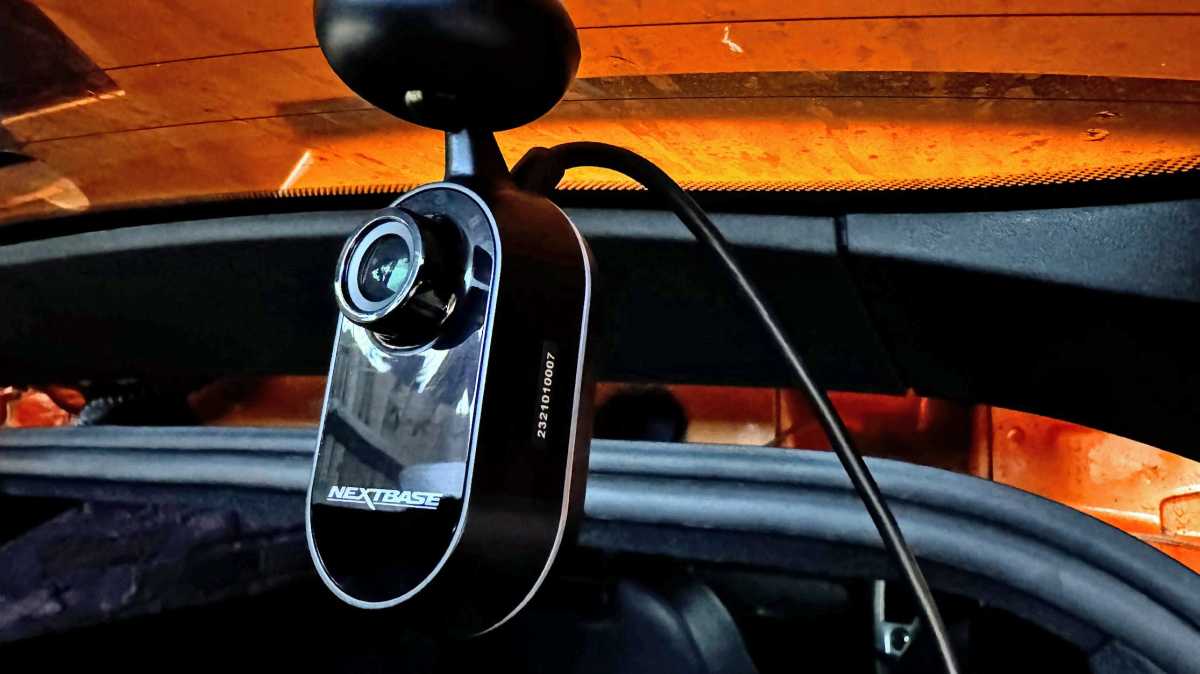
I tested the 4K and the quality from the main front-facing camera is generally respectable, and a step up from Nextbase’s 622. There’s lots of detail which means you can read registration plates of other vehicles, whether they’re parked or driving.
There are quite a few exceptions to this, though. At night or if the weather is bad, details can be obscured by rain on your windows, or because your car’s headlights are reflecting off number plates.
The wide field of view means cars also have to be quite close by, otherwise their plates are simply too small to see. Usually, though, you only care about these details if another car hits yours – meaning it will be very close.
As there’s no HDR, dynamic range is somewhat limited and this can cause over- or underexposure when the sun is in the frame.
It’s surprising there’s no polariser for the front or rear cameras, neither built-in nor optional. There are just two video quality settings in the app, too, one being to disable audio recording. That leaves only exposure, which can be set separately for each camera.
Here are some examples of snapshots from day and night recording from all three cameras.
In the app, you’ll find recordings split into two sections: Events and Library.
Events is the important stuff, such as impacts, motion detected while parked and manual recordings where you’ve locked a file by saying the command, or pressing the button on the underside of the iQ. All are uploaded to the cloud automatically if you have a Protect Plus subscription.
Library is where you’ll see a complete timeline of all the events along with the regular continuous clips recorded while driving along. You can download any of these clips within the app as long as the iQ has power and a mobile data signal – and you have a Protect or Protect Plus subscription.
Whenever you download something, you can pick which of the camera feeds to include: you don’t have to download all of them.
It can take a while for the iQ to wake up and start streaming video if it’s in low-power mode, but the app does a great job of telling you what it’s doing rather than merely showing a spinning circle.
Although there’s built-in Wi-Fi, Nextbase says it’s working on a direct Wi-Fi link and expects local downloading to be possible some 4-6 weeks after launch.
You can of course take out the microSD card and pop it into a card reader on your laptop or PC but Nextbase has added an HD download option in the app. Unfortunately, this is only for videos in the Library tab. It’s not an option in the Events tab, but those are the clips you’re more likely to want to download. There, you’ll see the standard-def version which are automatically uploaded to the cloud as part of a Protect Plus subscription.
Continuous recording splits clips into 30-second chunks. These are 143MB for the front 4K camera, and 86MB for the cabin and rear 2K cameras. Alongside each is a low-resolution 5MB version which is what you see in the app.
With all three cameras recording, the 64GB card can hold around 1.5 hours of footage.
In terms of power usage, I found the iQ worked fine in a car that’s used every day and has a battery that’s in good health. But if you leave it parked a lot of the time, you’ll find the iQ switches off to preserve power after a day or two and therefore won’t be able to notify you or record anything.
Price & availability
In the UK you can buy the iQ from Halfords or direct from Nextbase .
As mentioned, the 1K costs £349, the 2K £399 and the 4K £499. The rear camera is £149.
In the US prices are higher: $499, $599 and $699 respectively, and these are the same whether you buy from Nextbase or Best Buy .
It’s possible to use the iQ without a subscription: the free tier is called ‘Solo’. The only feature it includes is text notifications sent when an event has been detected. These don’t specify what type of event and as you can’t connect remotely, you won’t be able to see the live view, nor watch cloud recordings of the event.
This means a subscription is essential: without it, the iQ isn’t much different to traditional dash cams.
In the UK the cheaper Protect tier costs £6.99 per month or £69.99 per year, while Protect Plus is £9.99 or £99.99.
In the US, prices are again higher at $9.99 per month or $99.99 for a year of Protect, while Protect Plus is $19.99 per month or $199.99 per year.
Protect Plus stores events for 180 days and also adds multiple user accounts (so other family members can use the app), Emergency SOS and automatic incident backup. The latter is an important distinction: if you opt only for Protect, nothing is uploaded: you just get the option to download videos remotely to your phone manually.
For alternatives, see our roundup of the best dash cams.
Should I buy the Nextbase iQ?
The iQ is the smartest dash cam I’ve reviewed. It’s great to be able to watch the live view and see what’s going on when notifications arrive, as well as see where your car is from the GPS location.
The app is – on the whole – great and it makes the iQ easy to use. Voice commands are useful, too.
However, despite that long development time, the iQ feels like an unfinished product. There are a fair few features missing, not just Roadwatch AI and Guardian Mode but things like the ability to download full-resolution videos to your phone via Wi-Fi and watch videos alongside GPS and G-sensor data. Firmware updates, of which there have been a good few during my testing, aren’t notified: you have to go into the settings and check manually to see if there’s a new version to download.
Nextbase says it’s working hard to address these things, but there are no guarantees of when they’ll arrive.
Regardless, price is going to be the sticking point for many: paying £349 / $499 for a 1080p camera is asking a lot, and it’s a further £149 / $200 for the rear camera (which is a wise investment).
Given the relatively high subscription prices it’s disappointing that videos backed up to the cloud are so low quality and that you need Protect Plus for events to be uploaded to the cloud automatically: a feature we take for granted on Wi-Fi security cameras.
Finally, there’s the one-year warranty, which is standard for Nextbase. But with the promise of the iQ being upgraded with new features over a longer period than that, it feels too short.
Ultimately, the iQ is a great security device for your car which should improve over time. I’ve no reason to doubt that Nextbase will make good on those promises, but you might want to wait a bit until some of them are fulfilled before shelling out.
Best Prices Today: Nextbase iQ 2K Smart Dashcam
Author: Jim Martin, Executive Editor, Tech Advisor
Jim has been testing and reviewing products for over 20 years. His main beats include VPN services and antivirus. He also covers smart home tech, mesh Wi-Fi and electric bikes.
Recent stories by Jim Martin:
- The best dash cams 2023
- Nextbase launches internet-connected iQ car security camera
- Viofo A229 Duo review: 1440p front + rear video
Nextbase officially announced the iQ at CES 2022. It’s a new range of dash cams that do more than simply recording when you’re driving and parked up.
That’s because it’s also a security camera for your car. And no security device would be much use if it couldn’t notify you of critical events. So one of the iQ’s key features is internet connectivity, but it has a bunch of other features as well.
It isn’t the only dash cam to have a built-in SIM – Blackvue’s DVR750 and Thinkware’s T700 LTE already have them – but the iQ does more and offers higher resolution video.
How much does the Nextbase iQ cost?
There are three models:
- 1K – 1080p resolution – £349
- 2K – 1440p resolution – £399
- 4K – 2160p (UHD) resolution – £449
All three have two cameras, one facing the road in front, and one facing the cabin. The cabin camera on the 4K model records at 1440p, not 4K. A 1440p rear camera will be available in the near future for £149, and this mounts in your rear window for a clear view of what’s happening behind.
In the US, subscription costs are higher. Protect costs $9.99 per month or $99.99 annually, while Protect Plus is $19.99 per month or $199.99 per year.
When is the Nextbase iQ release date?
Developing the IQ took longer than expected: the company had originally said it would go on sale before the end of 2022, then pushed it back to spring 2023.
The iQ was finally released on 30 October 2023.
You can buy an iQ immediately from Nextbase , or from Halfords in the UK.
Nextbase
What are the Nextbase iQ’s features?
At launch the iQ has the following features, but Nextbase has always said this is just the beginning and it plans to add new features regularly in the future.
- Smart Sense Parking : Using a combination of radar and g-force sensors, you get notifications (with images and video) when someone is acting suspiciously around your vehicle
- Driving/Security Mode : The iQ automatically switches between driving and parking modes, connecting to either your car’s OBD II port, or using the included hard-wire kit.
- Witness Mode . Activated using your voice, this records any incident and uploads the recording to the cloud and shares it with an emergency contact or designated third party in real-time.
- Live View: Just like a home security camera, you can watch the live camera feeds at any time via the Nextbase iQ app.
- Event notifications: Sent in real-time for events you’ll care about such as when someone reverses into your car in the car park or when an intruder attempts to enter your vehicle. Fast wake-up means you won’t miss anything important.
- Remote Alarm: Via the app you can set off the iQ’s built-in alarm to deter intruders.
- Emergency SOS : Alerts the emergency services with your location and other critical details following a serious accident.
Future features, which are already well into their development, include:
- Guardian Mode: Sends a notification when your vehicle exceeds a set speed or location, useful for parents wanting to keep tabs on young drivers.
- Push to Talk : This lets you to speak to anyone in the vehicle, whether your kids or an intruder.
- Roadwatch AI : Tracks the speeds and trajectories of other vehicles around you, as well as pedestrians, cyclists and e-scooters, providing warnings to the driver and evidence that can help prove who was at fault in the event of a collision.
Another feature on the horizon is Driver Aware. Also known as DMS, this will monitor the driver using infrared sensors and provide alters to combat distracted and/or drowsy driving.
Nextbase
Nextbase iQ subscriptions
As mentioned, there are three options. Solo is free, but doesn’t allow you to connect to the iQ remotely to see live or recorded video. Here’s how they compare. Any marked with an asterisk means those features are coming soon:
Solo – Free
- Nextbase iQ app
- Voice control
- Real-time text notifications
Protect – £6.99 per month or £69.99 annually
- Nextbase iQ app
- Voice Control
- Real-time image notifications
- Live View (60 minutes)
- Smart Sense Parking
- Witness mode
- *RoadWatch AI
- *Guardian Mode
- Remote Alarm
- Cloud Storage – 30 days
Protect Plus – £9.99 per month or £99.99 annually
- Nextbase iQ app
- Voice Control
- Real-time image notifications
- Live View (120 minutes)
- Live View Look Back
- Smart Sense Parking
- Witness mode
- *RoadWatch AI
- *Guardian Mode
- Remote Alarm
- Cloud Storage – 180 days
- *Multiple User Accounts
- Emergency SOS
- Automated incident back-up
We’re reviewing the iQ and will have a full review soon. If you need recommendations of more affordable models, here are the best dash cams to buy .
Author: Jim Martin, Executive Editor, Tech Advisor
Jim has been testing and reviewing products for over 20 years. His main beats include VPN services and antivirus. He also covers smart home tech, mesh Wi-Fi and electric bikes.
Recent stories by Jim Martin:
- The best dash cams 2023
- Nextbase iQ review
- Viofo A229 Duo review: 1440p front + rear video
