HDMI ports are a staple of TVs, laptops, set-top boxes, consoles, soundbars and more. However, as there are so many variations, it’s sometimes hard to translate exactly what all the terms, version numbers and specs mean for your viewing experience.
Let’s start with the basics – what is HDMI?
HDMI stands for High Definition Multimedia Interface. It is an HD signal that is most frequently used to transfer audio and visual content from one device to another. There are different sized HDMI ports, including mini-HDMI and micro-HDMI. However, the majority of the time, the port will be the standard full size.
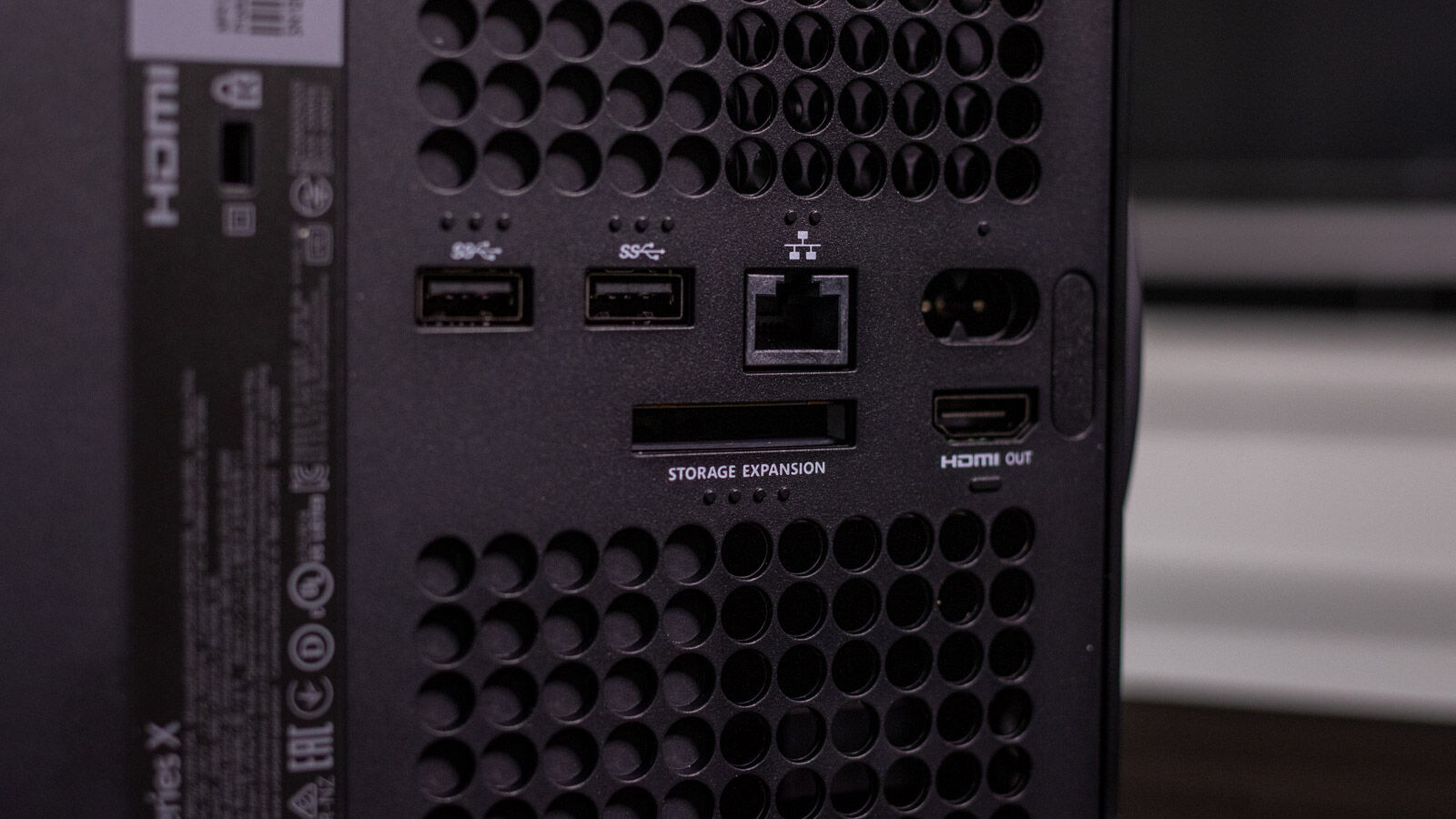
You’ll find that devices often have either an output (HDMI out) or an input (HDMI in). The basic differences between these two are that outputs are designed to feed the audio and visual signals, whilst an input is designed to receive them. So, for example, you’d feed data from your console (HDMI out) to your TV or monitor (HDMI in).
Your port should be labelled. If it’s not, it should be fairly intuitive as to which one it is, but check your product manual or the manufacturer’s website if you’re not sure. The cable is normally identical at both ends so it shouldn’t matter too much. As you can see below on the picture of the Xbox Series X, the HDMI out port is clearly labelled as such.
Most modern TVs will have multiple HDMI ports. If you have an older TV or lots of devices, you may have more devices than ports. You can however get around this by using an HDMI splitter and/or an HDMI switcher .
You can also read about the differences between DisplayPort and HDMI . If you want a TV with a good range of ports, then you can find options in our roundups of the best TVs and best budget TVs .
What the different HDMI versions mean
There are different versions of HDMI ports, which usually varies depending on how old your model is. And it’s not very obvious because they’re rarely labelled and use no colour-coding system as USB has done in the past.
The type of HDMI port is indicated by the number that follows it. To break this down into the simplest terms, this number mainly translates to the highest video resolution which it can support, as well as the refresh rate.
There are other differences but it starts to get complicated and typically won’t make a difference to the average user.
Here’s a breakdown of the key specs of HDMI versions:
- HDMI 1.0-1.1: Up to 1080p at 60Hz
- HDMI 1.2-1.2a: Up to 1080p at 60Hz
- HDMI 1.3-1.4b: Up to 4K at 30Hz
- HDMI 2.0-2.0b: Up to 4K at 60Hz
- HDMI 2.1: Up to 4K at 120Hz and 8K at 120Hz
Most tech products with HDMI have been at least HDMI 1.4 for many years. If your device has HDMI 1.4, you’ll still be able to get 4K content, but not at the highest refresh rate.
Keep in mind also that to get the highest resolution and refresh rate, both your devices need to have the same HDMI port. For example, if you have a PS5 (which can output 4K at 120Hz via HDMI 2.1), but your TV only has HDMI 1.4, you’ll only be able to get the maximum resolution available on HDMI 1.4.
The console will still work, but you won’t get the crazy resolution figures that PlayStation advertises. You can find out more in our console combability guide .
What HDMI port do I have?
If your port isn’t labelled on your TV the only way to know your exact port is either by consulting the product manual, which will have either come with the packaging, or can likely be found on the manufacturer’s website.
The specs sheet may also be found on the website that you bought the item from. The example below shows that it can handle 4K at 60Hz rather than the HDMI version number.

What HDMI cable do I need?
The final thing you’ll need to get the highest resolution you want from your TV is the correct HDMI cable. There’s lots of different types of cables floating around, from the standard HDMI cable to the 8K Ultra High Speed HDMI cable. Don’t let the marketing or naming confuse you – the most important things you need to know are what resolution, Hz and speeds it can handle.

If you want to know more about HDMI cables work and need some recommendations, then take a look at our roundup of the best HDMI cables you can buy right now.
Author: Hannah Cowton-Barnes, Entertainment Editor, Tech Advisor

As Tech Advisor’s Entertainment Editor, Hannah is the resident expert in all things streaming, film and TV. Before joining Tech Advisor in 2019, she studied Theatre and Performance at the University of Leeds and created a website dedicated to geek culture and lifestyle. She’s also reviewed a whole range of gadgets including flagship smartphones, wearables and styling tools. Outside of Foundry, she’s written freelance pieces for Polygon, Metro and Den of Geek, and is proud to be a Women Techmakers Ambassador for Google.
Recent stories by Hannah Cowton-Barnes:
- Harry Potter TV series has finally revealed a release window
- Jessica Jones returns in Daredevil: Born Again season 2 trailer
- The Traitors will return for season 5 with new twists and challenges
