2021 was a defining year for Microsoft. Alongside a wide range new Surface hardware, the company is focusing on software in a way we haven’t seen for a long time.
Without a doubt, the biggest announcement was Windows 11 . This brand-new version of Windows includes an overhauled design, various new multitasking features and native support for Android apps.
What’s more, it looks like Microsoft wants to build up the software infrastructure around the new OS. This includes Windows 365, a new business-focused service designed for the work from home era. Here’s everything you need to know.
What is Windows 365?
In its simplest form, Windows 365 is a service that allows business customers to access Cloud PCs from anywhere. A similar feature has been available via virtualisation and remote access software in the past, but it’s the first time we’ve seen an official service from Microsoft.
If you’re unsure whether your device is classed as a Cloud PC, there’s no need to worry. All Windows 10 and Windows 11 devices are compatible, and the session can be streamed to hardware running macOS, iPadOS, Linux and Android.
Once set up, it’s a simple case of navigating to the Cloud PC website and signing in – all modern web browsers and Microsoft’s Remote Desktop app are supported.
The timing of this announcement is no accident. As life begins to return to normal in some locations, Microsoft is anticipating that many companies will adopt a flexible working model, with each week split between home and the office.
It seems like a fair bet, especially when Microsoft itself is embracing similar practices. In this hybrid scenario, shifting from a Windows desktop in the office to a personal laptop at come can feel jarring. The introduction of Windows 365 aims to smooth that transition.
Within the Windows 365 portal, you’ll also get access to Microsoft 365 apps like Word, Excel, PowerPoint and Excel. Microsoft Teams will be natively supported on most plans, as well as Adobe Reader, the Edge browser and Microsoft Defender antivirus software.
When did Windows 365 come out?
If you want to use the service right now, that means you’ll have to commit to paying for a subscription without testing it out first. As is explained in the next section, it doesn’t come cheap.
At Microsoft’s hybrid work event on 5 April 2022, the company then announced several new features for Windows. However, it’s not clear when they’ll become available to customers.
How much does Windows 365 cost?
On the Windows 365 pricing website , Microsoft advertises three core plans:
- Basic – 2 vCPU, 4GB RAM, 128GB storage – £26.40/US$31 per month
- Standard – 2 vCPU, 8GB RAM, 128GB storage – £34.90/US$41 per month
- Premium – 4 vCPU, 16GB RAM, 128GB storage – £56.20/US$66 per month
However, there are plenty of other options. Here’s the full range:
Enterprise plans are all priced identically to the Windows Hybrid Benefit tier.
New features coming to Windows 365
At Microsoft’s hybrid work event in April 2022, the company announced that Windows 365 will now be directly integrated into Windows 11. This makes it easy to quickly move between your regular desktop and Cloud PC, simulating the experience of multitasking.
A new Task Switcher tool aims to smooth this process, but it’s just one of three new features coming to Windows. If you primarily use Windows 365 instead of the regular operating system, Boot allows you to log directly into the Cloud PC each time you turn on your device.
Windows 365 relies on the internet, but a new Offline feature means it’ll continue working even when your connection drops out. The obvious caveat here is that nothing will be saved until you’re connected once more.
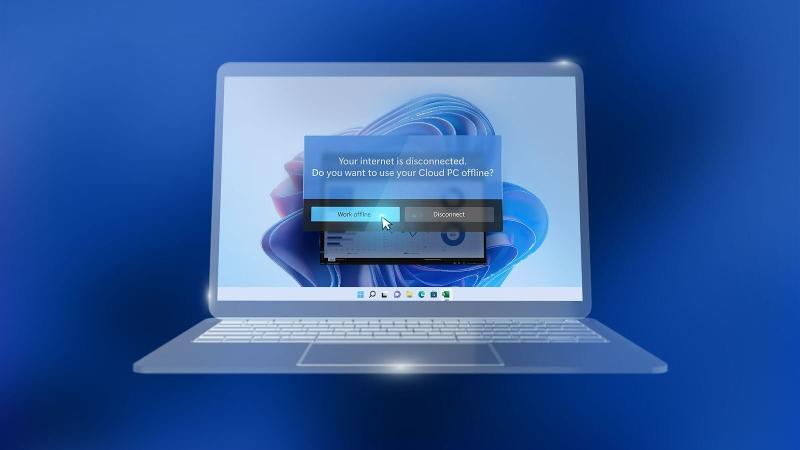
Image: Microsoft
Will Windows 365 ever be available to consumers?
That’s not yet clear. Windows 365 remains exclusive to business at the time of writing, although these can range from one-man companies to huge enterprises. This opens the door for a consumer launch further down the line, but that’s just speculation at this stage.
The seamless remote access Microsoft is advertising here could prove valuable to many consumers, although the high price tag may put people off. A consumer version would have to be significantly cheaper, or bundled with Windows 11 or Microsoft 365 .
- Windows 11 full guide
- Microsoft 365 buying guide
- Microsoft Teams full guide
Author: Anyron Copeman, Mobile Editor, Tech Advisor

Anyron is Mobile Editor at Tech Advisor, where he’s been a mainstay of the editorial team since 2019. In his current role, Anyron is responsible for all smartphone, tablet and mobile network coverage on the site. A BA Journalism graduate, he has experience with a wide range of consumer tech products and services, including smartphones, tablets, foldables, wearables and more.
Recent stories by Anyron Copeman:
- Windows 11 23H2 update: Everything you need to know
- Windows 12: Everything we know so far
- How to get the Google Play Store on Windows 11
