As someone who reviews phones for a living, I know first-hand how software can make or break the experience.
I can’t tell you how many times incredible smartphone hardware has been let down by underwhelming software. And while almost all of the phones I’ve tested recently run Android 15 , how it looks and performs varies hugely between brands.
When designed thoughtfully, the software can dramatically enhance my productivity and enjoyment while using a phone. Plenty of companies offer a slick user interface that’s brimming with features, but there are two that I keep coming back to: Google and Samsung.
On Pixel and Galaxy phones , the UI feels just that bit more polished and intuitive. Everything has a clear place, and finding the app or feature I want rarely feels like a chore.
Until recently, I’d have said that Google Pixel phones had the upper hand. But after trying out One UI 7 on the Galaxy S25+ , I’ve completely changed my mind.
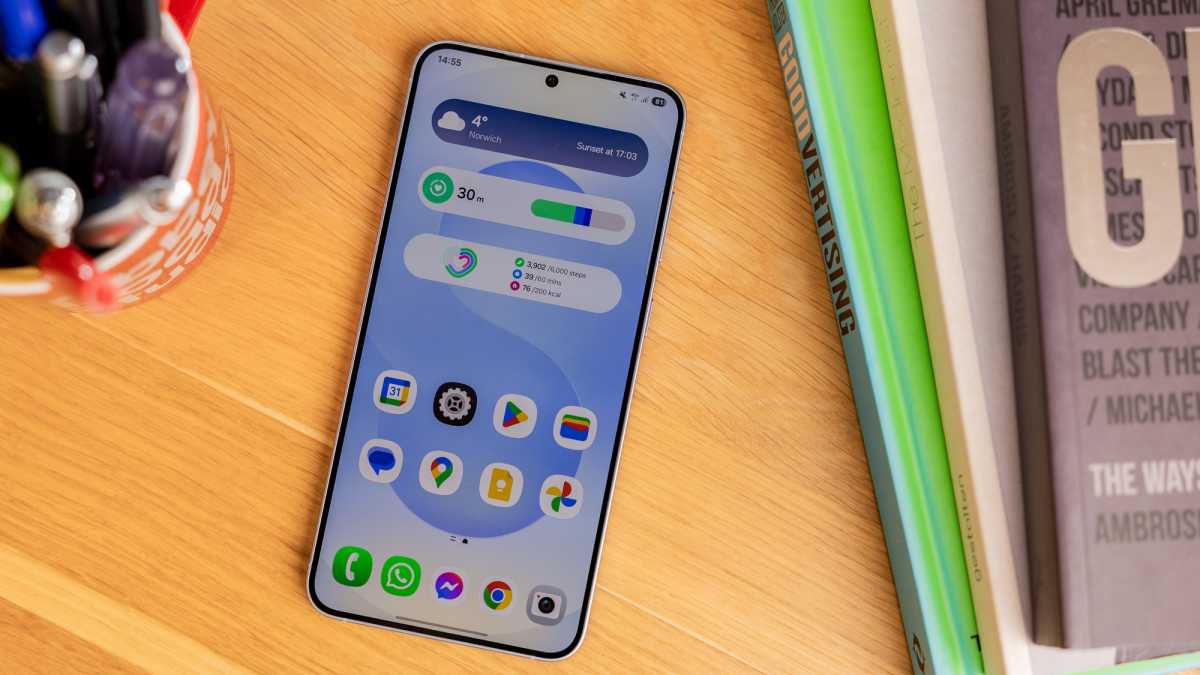
Just look at it – gorgeous
Dominik Tomaszewski / Foundry
Now, I firmly believe that One UI 7 offers a better all-round experience than Pixel UI, and these four reasons prove it.
A home screen to be proud of
When you use your phone, you want the software to be as attractive as possible. The Pixel UI isn’t ugly by any means, but One UI 7 wipes the floor with it in terms of looks.
Let’s start with widgets. The home screens on both support a ton of different widgets including stock apps and many third-party options. Google’s approach seems to focus on functionality, even if that comes at the cost of aesthetics, yet Samsung manages to achieve both.
To illustrate this, I added roughly the same set of widgets to both the Pixel 9 Pro XL and Galaxy S25+ …or at least, I tried to. Google doesn’t let you remove the ‘At a Glance’ widget, so I used that for weather to make space for everything else. You also can’t get rid of the search bar at the bottom, so I had to add that to the Samsung to make it a fairer comparison.
Despite that, the end results speak for themselves. You can’t seriously tell me that you prefer the design of the Pixel – it’s no contest.
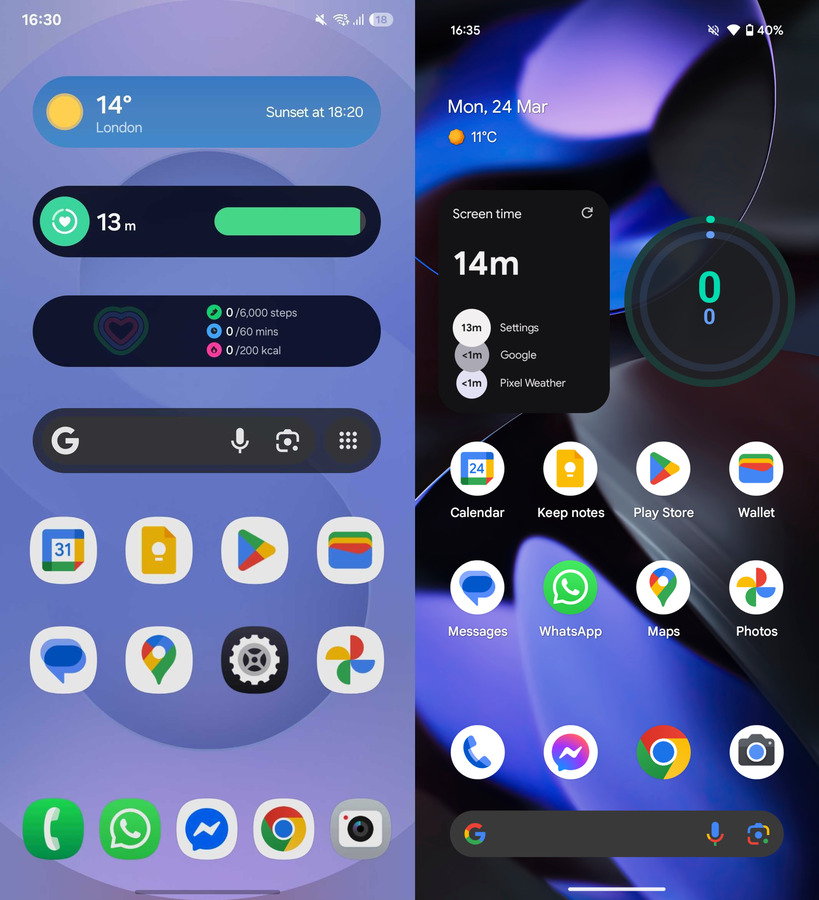
Samsung Galaxy and Google Pixel home screens
Anyron Copeman / Foundry
In the screenshots above, you might have noticed another key difference: app labels. For some reason, Google doesn’t let you remove the names of each app from below the icon, despite it being painfully obvious what those icons represent. Removing them on the Samsung requires just a couple of taps, and the whole design looks much cleaner as a result.
Before you come for me with your pitchforks, I know there are ways to make the home screen on a Pixel phone look a lot better. But it requires you to download a (potentially paid) third-party launcher and spend ages adjusting everything. On the Samsung, it’s all right there.
Setting me up for success
One phone feature I use arguably more than any other is the quick settings menu. Multiple times a day, I’m swiping down from the top of the screen to toggle the likes of Wi-Fi, mobile data, Bluetooth and location services.
On a Samsung phone running One UI 7, it’s a simple case of swiping down from the top-right corner of the screen and tapping any of the available icons – 10 are shown straight away, with more available if you expand the list.
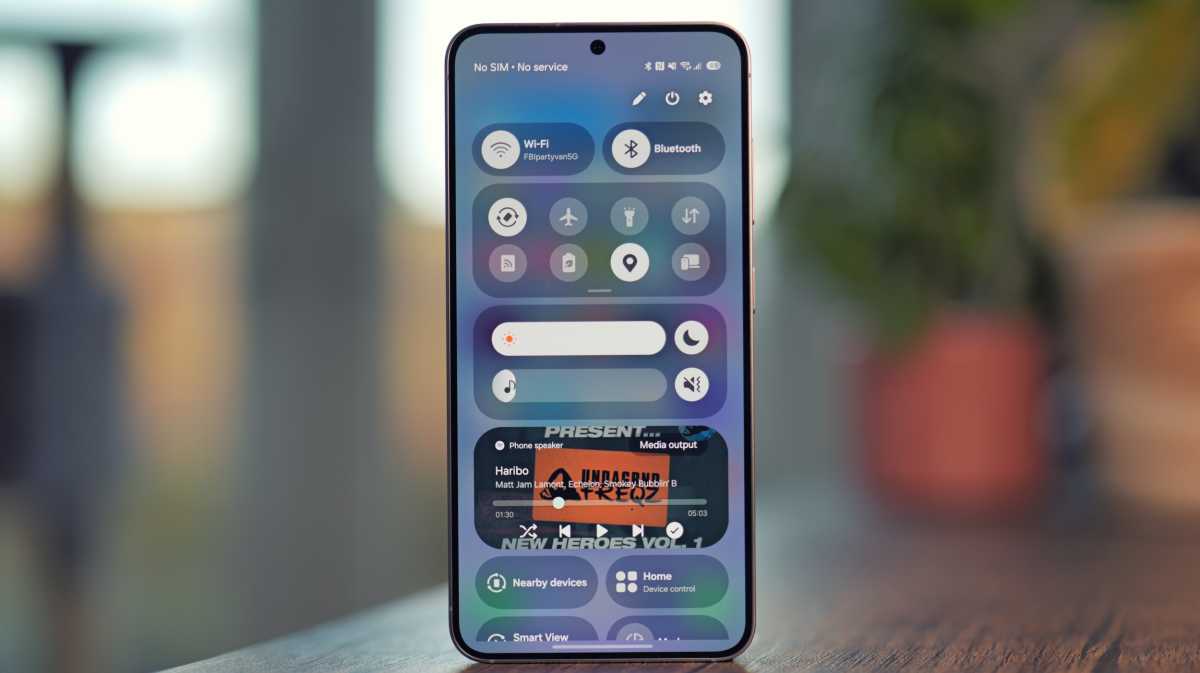
Look how much info can be displayed!
Luke Baker
Meanwhile, Google inexplicably makes this more difficult for you. As you’ll know if you’ve read my ‘ 3 months with the Pixel 9 Pro XL ’ piece, the fact you have to tap twice just to toggle Wi-Fi or mobile data gets very annoying over time. You have to do the same for Bluetooth!
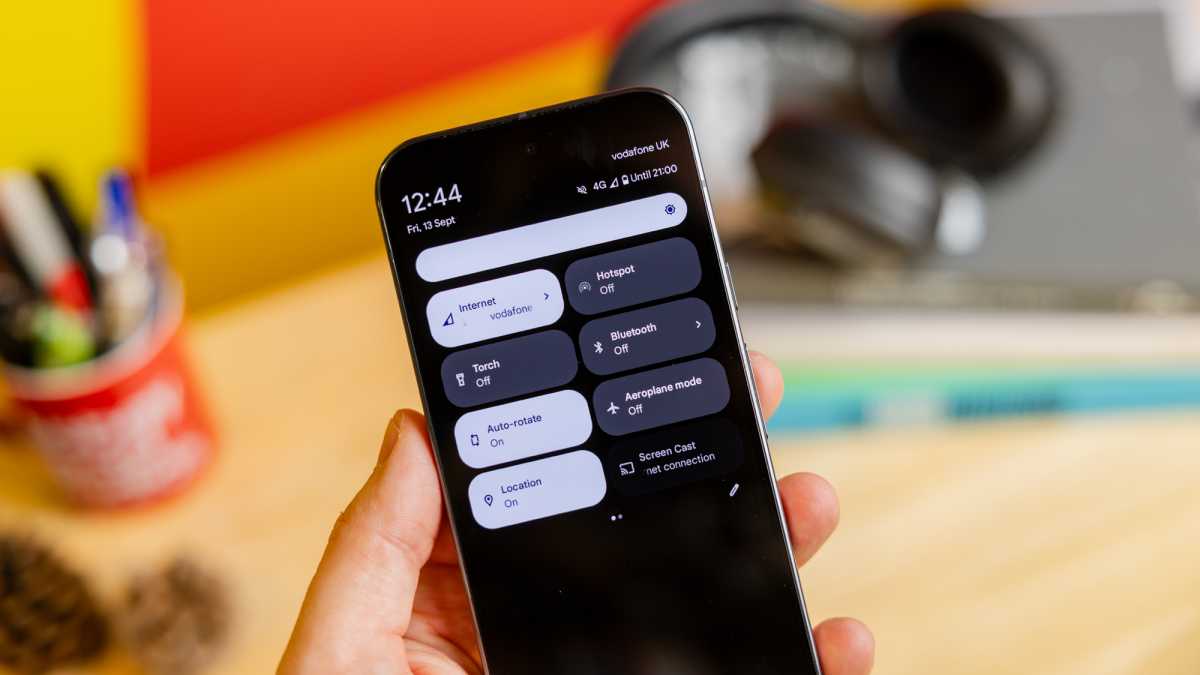
The less said about this, the better
Dominik Tomaszewski / Foundry
Unlike One UI 7, Google combines the notification tray and quick settings menu into a single view. Not only does this feel cluttered in comparison to Samsung, but it also means just four settings are available via a single swipe.
Considering how often I rely on quick settings, these relatively small changes make a big difference.
My favourite-ever use of AI
Artificial intelligence is a huge part of both Samsung and Google phones. Both include Gemini and Circle to Search , plus loads of photo editing, transcription and writing tools.
However, One UI 7 makes it MUCH easier to find things in Settings. Its search function uses AI to surface all relevant results, not just those that match the specific term you entered.
For example, I wanted to adjust the screen refresh rate on the Galaxy S25+ but didn’t realise it was listed as ‘Motion smoothness’. Despite that, Settings still found just what I was looking for.
Compare that to the Pixel 9 Pro XL, where the setting is known as ‘Smooth display’. Searching for ‘refresh rate’ didn’t offer anything useful.
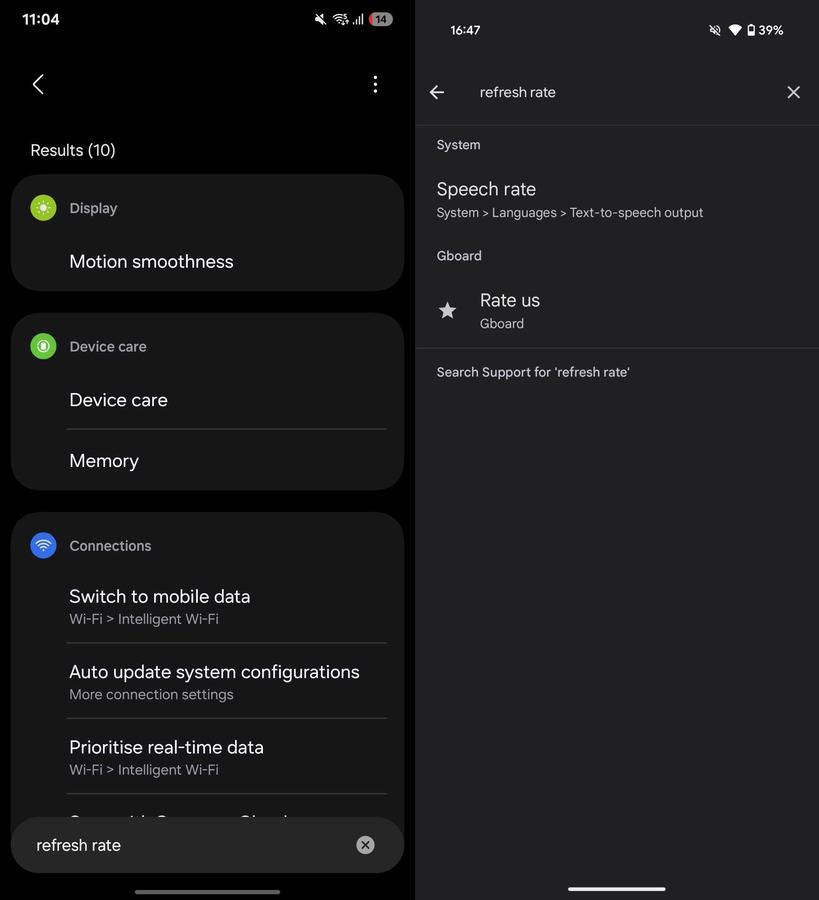
So simple, yet incredibly useful
Anyron Copeman / Foundry
As a result, I often have to look up how to find one of the Pixel’s settings online. With One UI 7, I can just use natural language and it’ll find it.
Need a cheap phone?
Google’s approach to phones focuses on quality over quantity.
In 2024, the company released just five new Pixel handsets, the cheapest being the £499/$499 Pixel 8a . So, to experience the Pixel software, you’ll need to pay mid-range phone prices or find an older model that’s still receiving updates.
By contrast, Samsung is rolling out One UI 7 to all of its handsets, including the budget Galaxy A series devices. You’ll soon be able to get all of the features above for just £169 on the Galaxy A16 , something Google simply can’t match.
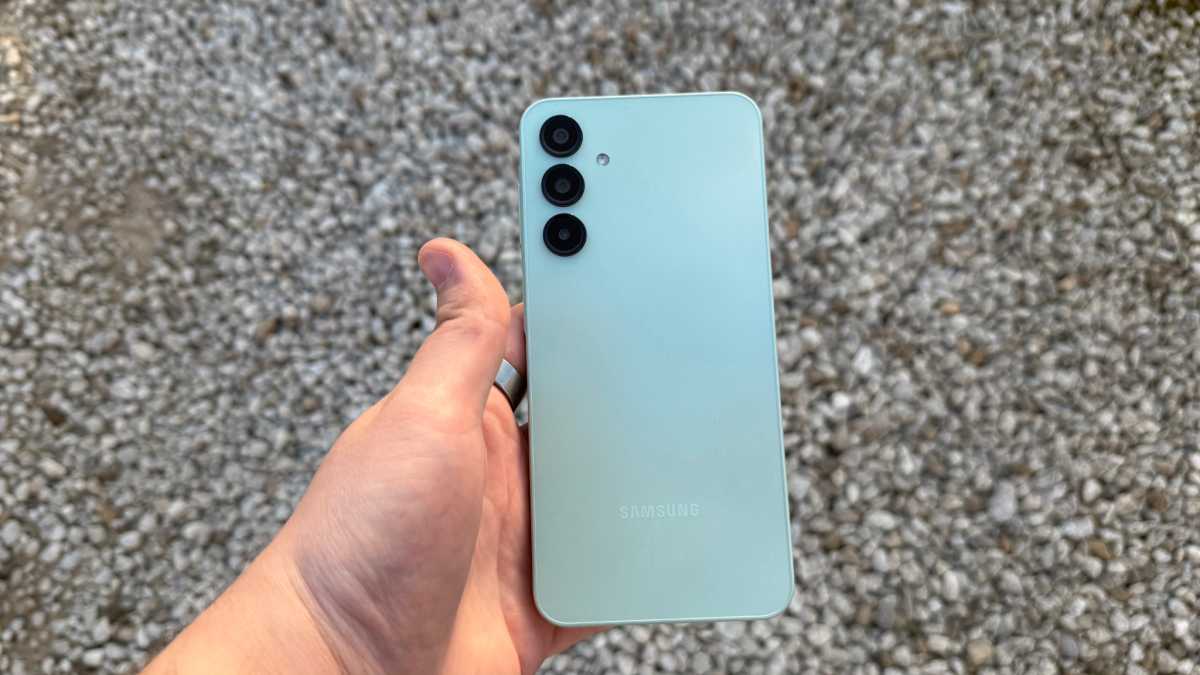
Where’s Google’s answer to the Galaxy A16?
Connor Jewiss | Foundry
But wait!
Before you head off to buy a Samsung Galaxy phone , it’s worth noting that One UI 7 is by no means perfect. Samsung has its own versions of many stock apps, so if (like me) you prefer the Google version, that means a lot of bloatware.
However, the compromise you’re making compared to Google Pixel phones is in terms of updates. While both are generous when it comes to software support (up to seven years), Google will always prioritise its own hardware.
Dominik Tomaszewski / Foundry
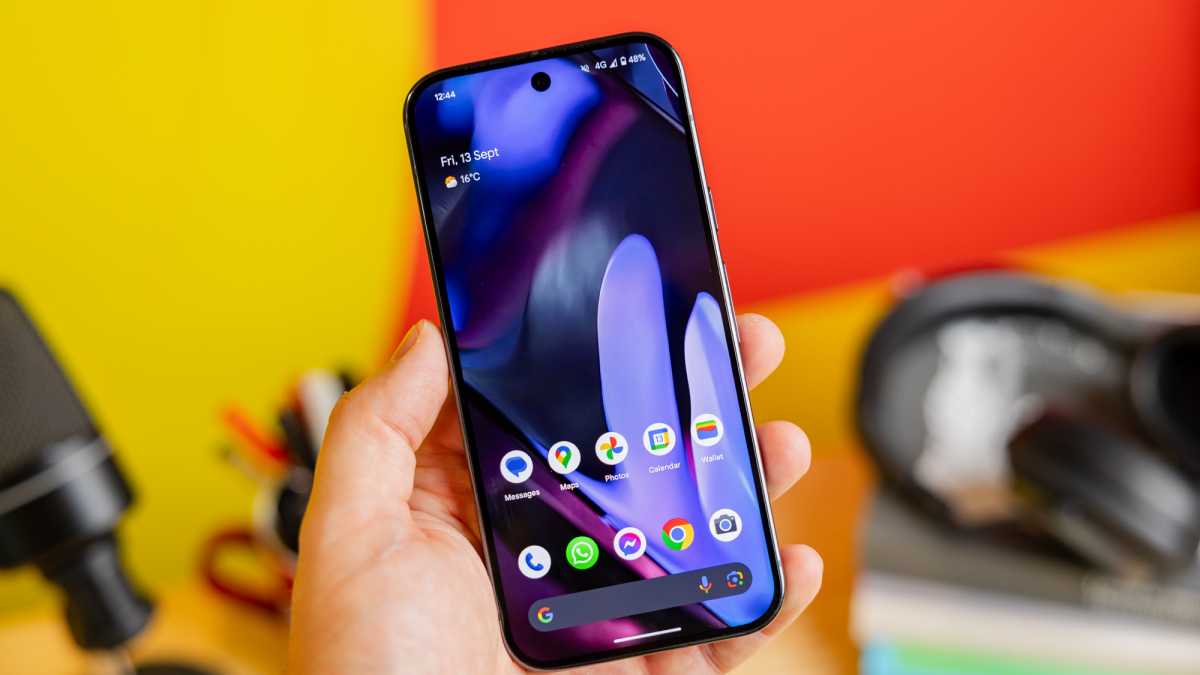
It meant older Pixel phones received the Android 15 update as soon as it was released in August. Meanwhile, One UI 7 debuted on the Galaxy S25 series in January, but Samsung has confirmed that it won’t begin rolling out to older devices until 7 April.
Are you willing to be patient? If not, a Google Pixel phone is the way to go.
But if you’re like me, and value the extra functionality and design flair Samsung offers, a Galaxy phone running One UI 7 can’t be beaten when it comes to Android software. It’s been a long journey from the days of TouchWiz, but Samsung has finally made it.
Author: Anyron Copeman, Mobile Editor, Tech Advisor

Anyron is Mobile Editor at Tech Advisor, where he’s been a mainstay of the editorial team since 2019. In his current role, Anyron is responsible for all smartphone, tablet and mobile network coverage on the site. A BA Journalism graduate, he has experience with a wide range of consumer tech products and services, including smartphones, tablets, foldables, wearables and more.
Recent stories by Anyron Copeman:
- The truth: Android 17 won’t matter to most people
- As a Google Pixel fan, I can’t wait to see the first Android PC
- Samsung Galaxy phones’ most embarrassing feature looks set for a big upgrade
